AVSnap vs XTEN-AV: Which Is Better for AV Integrators?
10 Best Rack Builder Software Tools for AV Professionals in 2026
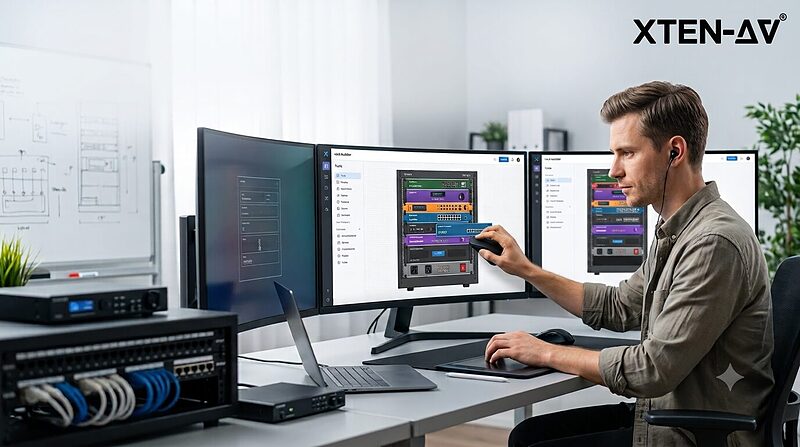
In the audiovisual integration industry, equipment rack design has evolved far beyond simple visual diagrams. Today's AV professionals need sophisticated rack builder software that can handle complex commercial installations, maintain equipment databases, generate accurate bills of materials, and produce comprehensive installation documentation—all while keeping pace with rapidly evolving AV-over-IP technologies, networked audio systems, and intelligent building integrations.
The importance of best rack builder software for AV professionals cannot be overstated. A professional AV rack may contain dozens of devices from multiple manufacturers—DSPs, amplifiers, matrix switchers, control processors, network switches, AV-over-IP encoders and decoders, power distribution equipment, and wireless microphone receivers—all requiring precise physical placement, proper thermal management, accurate power calculations, and detailed connectivity documentation. When an integrator is managing multiple concurrent projects across corporate boardrooms, educational facilities, houses of worship, broadcast studios, and entertainment venues, the right rack design software becomes essential infrastructure rather than optional convenience.
For AV designers and system integrators evaluating their documentation workflow in 2026, the challenge is identifying which rack layout software truly addresses professional requirements versus tools designed for generic IT server racks or basic diagramming. While free rack diagram software options exist and may serve hobbyists or simple installations, commercial AV projects typically demand capabilities that free tools cannot provide—comprehensive AV product libraries, automated BOM generation, signal flow documentation, cable scheduling, integration with procurement systems, and the ability to generate complete submittal packages from a single design environment.
This comprehensive guide examines the 10 best rack builder software solutions available to AV professionals in 2026, analyzing their capabilities specifically through the lens of commercial audiovisual system design, installation documentation, and project delivery requirements.
X-DRAW vs AutoCAD: Which AV Design Software Is Right for You?
What Is Conference Room AV Installation? A Complete Guide for AV Professionals
In today's hybrid work environment, conference room AV installation has become the backbone of effective business communication. Whether you're an experienced AV system integrator, a consultant, or a system designer, understanding the complexities of conference room av installation is essential for delivering solutions that enhance collaboration, productivity, and user experience.
Conference room av installation involves the strategic planning, design, and deployment of audiovisual equipment to create seamless communication environments. From video conferencing systems and audio DSP processors to display technologies and control systems, every component plays a critical role in ensuring meetings run smoothly without technical disruptions.
The importance of conference room av installation cannot be overstated. According to a 2025 report by AVIXA, 78% of organizations consider high-quality AV systems essential for employee productivity and client engagement (Source: AVIXA Industry Outlook Report 2025). As remote work continues to evolve, businesses are investing more in professional AV
integration services to bridge the gap between in-person and virtual participants.
This comprehensive guide covers everything AV professionals need to know about conference room av installation, from selecting the right equipment to troubleshooting common challenges. Whether you're designing a small huddle space or a large boardroom AV system, this article provides actionable insights based on 20 years of industry expertise and the latest semantic SEO frameworks.
Key Takeaways
✓ Conference room AV installation transforms meeting spaces into collaborative hubs with integrated video, audio, and control systems
✓ Proper AV system design requires understanding room acoustics, display placement, and network infrastructure
✓ Modern installations leverage AI-powered automation, wireless presentation systems, and unified communications platforms
✓ Cable management, signal flow optimization, and DSP tuning are critical for professional installations
✓ Regular system commissioning and preventive maintenance ensure long-term performance and ROI
✓ Cloud-based management and remote monitoring are reshaping how AV systems are deployed and maintained
✓ Understanding fire alarm system integration, building codes, and ADA compliance is essential for commercial projects
What Is Conference Room AV Installation?
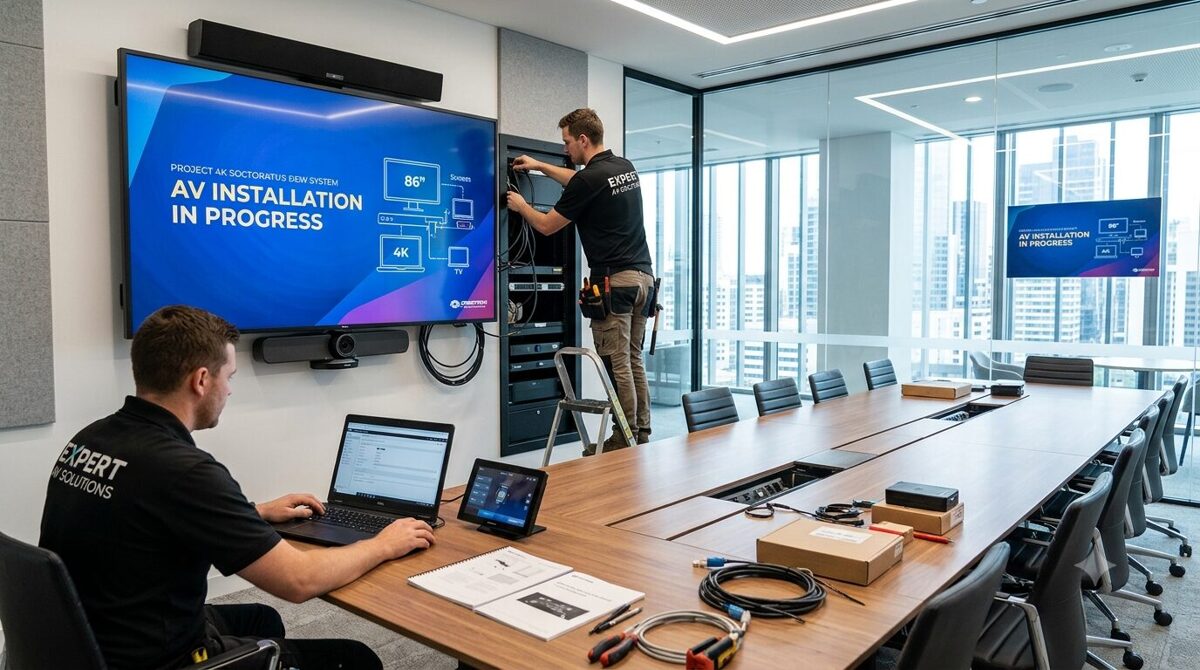
Conference room AV installation is the professional process of designing, integrating, and deploying audiovisual technology within meeting spaces to facilitate effective communication and collaboration. This encompasses the complete lifecycle from initial site assessment and system architecture to physical installation, programming, calibration, and ongoing support.
At its core, AV installation involves several interconnected disciplines:
System Design and Engineering: Creating detailed technical drawings, rack elevations, and signal flow diagrams that map out every component, connection, and control pathway. This includes load calculations, power distribution planning, and network topology design.
Infrastructure Installation: Running structured cabling (Cat6a, fiber optics), installing conduit pathways, mounting display screens and ceiling microphones, and building equipment racks that house matrix switchers, amplifiers, video processors, and control processors.
Integration and Programming: Connecting disparate AV equipment from multiple manufacturers, writing control system code (Crestron, Extron, AMX), configuring DSP presets, calibrating audio zones, and integrating with building management systems and room scheduling platforms.
Testing and Commissioning: Performing comprehensive system testing, acoustic measurements, video calibration, and end-user training to ensure the installation meets project specifications and client expectations.
Conference room AV installation goes beyond simply mounting screens and speakers. It requires deep technical knowledge of signal processing, network protocols (Dante, AES67, AVB), control architectures, and the ability to troubleshoot complex interoperability issues between video codecs, collaboration platforms (Microsoft Teams, Zoom), and legacy equipment.
Professional AV integrators must also understand electrical codes, fire safety regulations, accessibility standards (ADA Section 508), and best practices for rack building, grounding schemes, and RF interference mitigation.
Why Conference Room AV Installation Is Important
The strategic value of professional conference room av installation extends far beyond technology deployment. Organizations that invest in properly designed AV systems experience measurable benefits across multiple dimensions:
Enhanced Communication and Collaboration
Modern AV installations eliminate the frustration of technical difficulties that derail meetings. When video conferencing equipment works flawlessly, audio reinforcement is crystal clear, and wireless content sharing happens instantly, participants can focus on meaningful discussion rather than troubleshooting technology. This directly impacts decision-making speed and team cohesion.
Improved Employee Productivity
Research consistently shows that poorly functioning meeting room technology wastes significant time. Professional conference room AV installation ensures meetings start on time, remote participants can fully engage, and presenters can seamlessly share content. The cumulative time savings across an organization translates to substantial productivity gains.
Professional Brand Image
When clients or partners visit your office or join virtual meetings, the quality of your AV infrastructure speaks volumes about your organization's commitment to excellence. A well-executed conference room av installation creates positive impressions and demonstrates professionalism that can influence business outcomes.
Support for Hybrid Work Models
The shift toward flexible work arrangements has made unified communications technology mission-critical. Professional AV installations create equity between in-room and remote participants through intelligent camera tracking, beamforming microphones, and spatial audio processing that replicates natural conversation dynamics.
Cost Efficiency and ROI
While professional conference room av installation requires upfront investment, it delivers long-term value through reduced downtime, lower maintenance costs, energy efficiency, and extended equipment lifespan. Properly installed systems experience fewer service calls and provide more predictable total cost of ownership.
Compliance and Accessibility
Commercial installations must meet building codes, fire safety standards, and accessibility requirements. Professional AV integrators ensure systems comply with regulations while creating inclusive environments for users with hearing or visual impairments through assistive listening systems and closed captioning integration.
Scalability and Future-Proofing
Thoughtful system architecture accommodates growth and technology evolution. Professional installations include proper network infrastructure, modular signal distribution, and open protocols that allow seamless upgrades without complete system replacement.
Essential Components of a Conference Room AV Installation
A comprehensive conference room AV installation comprises multiple integrated subsystems. Understanding each component and how they work together is fundamental to successful AV integration.
Display Technologies
Video displays serve as the visual focal point of any conference room. Professional installations consider:
Large Format Displays: Commercial-grade LED displays or laser projectors with appropriate screen sizes calculated using the 4:6:8 rule (screen height to viewing distance ratio). 4K resolution or higher ensures content clarity for hybrid meetings.
Touch Displays: Interactive touchscreen monitors for collaborative workspaces, enabling direct annotation and whiteboarding applications.
Video Walls: Multi-panel LED or LCD video walls for command centers, executive boardrooms, or presentation halls requiring large-scale visualization.
Projector Systems: Laser phosphor projectors with appropriate throw ratios, lumens ratings, and mounting configurations for dedicated presentation spaces.
Audio Systems
Professional audio installation ensures every participant hears clearly and is heard:
Microphone Arrays: Ceiling microphones with beamforming technology, gooseneck mics for podiums, or boundary microphones for conference tables. Proper microphone placement based on coverage patterns and pickup ranges is critical.
Loudspeakers: Properly positioned ceiling speakers, in-wall speakers, or column arrays that provide even sound pressure level distribution without dead zones or hot spots.
Audio DSP: Digital signal processors that handle acoustic echo cancellation, noise reduction, automatic gain control, ducking, equalization, and routing to ensure intelligible speech.
Amplifiers: Appropriately sized power amplifiers or powered speakers that match impedance and wattage requirements.
Video Conferencing Equipment
The heart of modern collaboration technology:
Video Codecs: Hardware or software-based video conferencing systems (Poly, Cisco, Logitech) that connect to unified communications platforms (Zoom Rooms, Microsoft Teams Rooms, Google Meet).
PTZ Cameras: Pan-tilt-zoom cameras with auto-tracking capabilities that follow active speakers using AI algorithms.
USB Peripherals: All-in-one video bars or modular camera-mic-speaker kits for smaller meeting spaces.
Content Cameras: Dedicated document cameras or downward-facing cameras for capturing physical materials.
Control Systems
User interface devices that simplify operation:
Touch Panels: Wall-mounted or tabletop touchscreen controllers (Crestron, Extron) providing intuitive control of source selection, volume, lighting, and shades.
Button Panels: Simple keypad interfaces for spaces requiring minimal control options.
Mobile Control: Smartphone and tablet apps that allow BYOD control and room booking integration.
Automation: Occupancy sensors and scheduling systems that power equipment on/off based on calendar events.
Signal Distribution
Infrastructure components that route audio and video:
Matrix Switchers: Centralized or distributed video switching and routing platforms that manage multiple sources and destinations.
Scaling and Processing: Video scalers, format converters, and windowing processors that handle resolution matching and multi-image composition.
AV-over-IP: Network-based distribution using Dante, SDVoE, NDI, or proprietary IP protocols for flexible signal routing.
Wireless Presentation: Collaboration gateways (Barco ClickShare, Mersive Solstice) enabling wireless screen sharing from laptops and mobile devices.
Network Infrastructure
IT backbone supporting modern AV systems:
Structured Cabling: Cat6a or fiber optic cables providing bandwidth for 4K video and high-channel-count audio.
Network Switches: Managed switches with PoE+ capability, VLAN configuration, QoS policies, and multicast support.
Network Security: Firewall rules, certificate management, and encryption protocols protecting AV endpoints.
Mounting and Furniture
Physical integration elements:
Equipment Racks: Standard 19-inch racks with proper ventilation, power distribution, and cable management.
Display Mounts: Articulating arms, fixed mounts, or ceiling lifts designed for commercial display weights.
Conference Tables: Integrated cable cubby systems, pop-up connectivity boxes, and under-table mounting solutions.
Power Management
Electrical systems ensuring reliable operation:
UPS Systems: Uninterruptible power supplies protecting critical equipment from outages and voltage fluctuations.
Power Conditioning: Voltage regulators and isolation transformers eliminating electrical noise.
Sequential Power: Power sequencers that turn equipment on/off in proper order preventing damage.
Types of Conference Rooms and Their AV Requirements
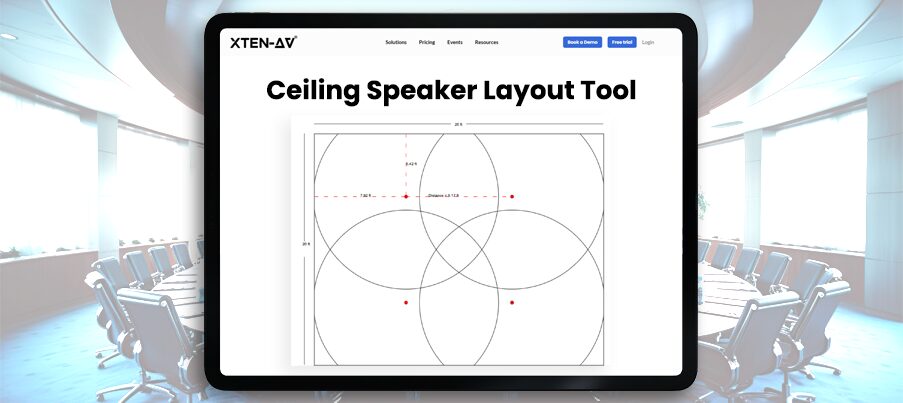
Different meeting spaces demand tailored AV solutions. Understanding room typologies helps system designers specify appropriate technology:
Small Huddle Rooms (4-6 People)
Huddle space AV focuses on simplicity and cost-effectiveness:
Display: Single 32-55 inch display or short-throw projector
Audio: USB speakerphone or simple soundbar with integrated microphone
Video: Wide-angle webcam or all-in-one video bar
Control: Wireless presentation dongle or native app-based control
Connectivity: HDMI cable at table, USB-C docking station
Installation Considerations: Minimal infrastructure, plug-and-play systems, wireless connectivity, wall-mounted equipment to preserve table space
Medium Conference Rooms (6-12 People)
Mid-size meeting room AV balances functionality and sophistication:
Display: 55-75 inch commercial display or dual displays for hybrid layouts
Audio: Ceiling microphone array (3-4 elements) with DSP processing, in-ceiling or surface-mount speakers (2-4 channels)
Video: Auto-tracking PTZ camera or dual-camera system (room view + presenter view)
Control: Tabletop touch panel or wireless touch interface
Connectivity: Table connectivity box with HDMI, USB-C, VGA (legacy), wireless presentation system
Installation Considerations: Cable pathways through furniture, proper acoustic treatment, camera positioning for optimal framing, network drops for control and video
Large Conference Rooms (12-20 People)
Enterprise conference room AV requires sophisticated integration:
Display: 80-98 inch display, video wall, or high-lumen projector with motorized screen
Audio: Comprehensive microphone coverage (ceiling array + table mics), multi-zone speakers with DSP zoning
Video: Dual PTZ cameras for room coverage, dedicated content camera
Control: In-wall touch panel with customized UI, wireless mobile control
Connectivity: Multiple HDMI/USB-C inputs at table and lectern, presentation switching
Additional Systems: Room scheduling displays, occupancy sensors, lighting control integration
Installation Considerations: Acoustical analysis, sight line studies, structured cable infrastructure, equipment room or ceiling plenum for rack mounting
Boardrooms and Executive Spaces (20+ People)
Premium boardroom AV delivers highest quality experience:
Display: Large-format video wall (LED or LCD), confidence monitors, annotation displays
Audio: Distributed microphone system (8+ channels), line array speakers or in-ceiling speakers with subwoofers, assistive listening systems
Video: Multi-camera production system with preset positions, video switching, streaming encoder
Control: Integrated control system managing AV, lighting, shades, HVAC, video recording
Connectivity: Comprehensive connectivity including dual redundant systems, backup switchers
Additional Systems: Confidence monitoring, recording and streaming, interpretation systems, voting systems
Installation Considerations: Dedicated equipment room, redundant systems, aesthetic integration (hidden speakers, motorized lifts), acoustic design by certified acoustician, architectural coordination
Training and Multipurpose Rooms
Flexible AV systems that adapt to multiple use cases:
Display: Multiple displays or projectors with independent source selection
Audio: Zoned audio system supporting breakout configurations, wireless microphones for presenters
Video: Movable camera systems or multiple fixed cameras with preset switching
Control: Scene-based control for different room configurations
Additional Systems: Audience response systems, simultaneous interpretation, stage lighting
Installation Considerations: Flexible infrastructure, portable equipment options, multiple AV connection points, modular furniture integration
Specialty Spaces
Unique environments requiring specialized approaches:
Auditoriums: Professional sound reinforcement, theatrical lighting, presentation switching, assisted listening
Video Production Studios: Broadcast-quality cameras, professional audio mixing, lighting grids, video routing infrastructure
Telepresence Suites: Immersive video walls, spatial audio, precise lighting control, architectural acoustics
Command Centers: Video wall controllers, KVM systems, multi-source monitoring, 24/7 reliability design
Step-by-Step Conference Room AV Installation Process
Professional conference room av installation follows a systematic methodology ensuring successful outcomes:
Phase 1: Discovery and Requirements Gathering
Needs Assessment: Conduct stakeholder interviews with IT managers, facilities personnel, and end users. Document use cases, meeting types, participant counts, and technology preferences.
Site Survey: Visit the space to document room dimensions, ceiling heights, window locations, electrical outlets, network access, HVAC systems, acoustical characteristics, and architectural constraints.
Budget Planning: Establish realistic budgets covering equipment, labor, infrastructure, licensing, training, and ongoing support.
Technology Research: Evaluate AV manufacturers, compare product specifications, review compatibility matrices, and assess integration complexity.
Phase 2: System Design and Engineering
Conceptual Design: Create preliminary designs showing equipment locations, display positions, speaker placement, and user interface locations. Develop use case scenarios and workflow diagrams.
Detailed Engineering: Produce comprehensive technical documentation including:
Equipment schedules listing every component with model numbers and quantities
Rack elevations showing physical layout of equipment in racks
Signal flow diagrams mapping video, audio, and control pathways
Cable schedules detailing every cable run with source, destination, length, and type
Network diagrams showing IP addresses, VLAN assignments, and switch port configurations
Electrical plans indicating power requirements, circuit locations, and UPS connections
Acoustic Analysis: Perform reverberation time calculations, assess background noise levels, model speaker coverage patterns, and specify acoustic treatments if needed.
Code Compliance Review: Verify designs meet building codes, fire regulations, ADA requirements, and telecommunications standards.
Value Engineering: Review designs for cost optimization while maintaining performance objectives.
Phase 3: Pre-Installation Planning
Procurement: Order equipment with adequate lead times, verify specifications match design, inspect shipments for damage.
Coordination: Schedule installation around occupancy, coordinate with general contractors, electricians, low-voltage contractors, and IT teams.
Staging: Unpack equipment, label components, pre-build racks, pre-terminate cables, upload firmware updates, and test equipment before field installation.
Permitting: Obtain necessary building permits and schedule required inspections.
Phase 4: Infrastructure Installation
Cable Installation: Pull structured cabling through conduit or plenum spaces, maintain bend radius specifications, properly label all cables, test cable runs with certification equipment (Fluke, Ideal Networks).
Electrical Work: Install dedicated circuits, outlet boxes, and conduit by licensed electricians following NEC requirements.
Mounting: Install display mounts, projector mounts, speaker brackets, equipment racks, and furniture integration components. Ensure proper load-bearing capacity and seismic bracing where required.
Testing: Verify cable runs, test power circuits, confirm network connectivity.
Phase 5: Equipment Installation
Rack Building: Mount equipment in racks with proper vertical spacing for cooling, install cable managers, make all interconnections, implement cable labeling systems.
Device Mounting: Mount displays following manufacturer specifications, install speakers and acoustic panels, position cameras at correct angles and heights, mount touch panels at accessible locations.
Cable Dressing: Route cables neatly using cable ties and velcro straps, avoid tight bends, separate power from signal cables, use cable concealers for exposed runs, ensure cable service loops for future maintenance.
Power-Up: Energize systems gradually, verify proper voltage, check for ground loops or interference, confirm cooling systems function.
Phase 6: System Integration and Programming
Network Configuration: Assign static IP addresses, configure VLAN tagging, set QoS policies, establish firewall rules, implement network security.
Control Programming: Write control system code, create user interfaces, define button functions, program preset recalls, implement conditional logic.
DSP Programming: Configure audio routing matrices, set EQ curves, adjust gain structures, program acoustic echo cancellation, create preset scenes.
Video Processing: Configure scaling parameters, set EDID management, program input/output resolutions, establish switching presets.
Integration: Connect video conferencing platforms, integrate room scheduling systems, link building management systems, enable remote monitoring.
Phase 7: Testing and Commissioning
Functional Testing: Test every input source, verify all output destinations, confirm control functions, validate audio processing, check video quality.
Performance Testing: Measure audio levels with SPL meter, verify microphone coverage, test video conferencing quality, assess wireless performance, check network bandwidth utilization.
User Acceptance Testing: Conduct tests with end users, simulate actual meeting scenarios, gather feedback, make adjustments.
Documentation: Create as-built drawings, produce system operation manuals, document IP addresses and credentials, provide maintenance procedures.
Phase 8: Training and Handoff
User Training: Conduct hands-on sessions covering basic operation, troubleshooting, wireless connectivity, and video conferencing etiquette.
Technical Training: Train IT staff on system administration, remote monitoring, firmware updates, and first-level troubleshooting.
Documentation Delivery: Provide complete project documentation, warranty information, support contact details.
Project Closeout: Obtain sign-off, transfer warranties, schedule follow-up visits.
Common Challenges in Conference Room AV Installation
Even experienced AV integrators encounter obstacles during conference room av installation. Anticipating these challenges improves project outcomes:
Network and IT Integration Issues
Challenge: Network infrastructure inadequate for AV bandwidth requirements, IT security policies blocking AV protocols, VLAN configuration conflicts, insufficient PoE budget.
Solution: Engage IT stakeholders early, conduct network assessments, document bandwidth requirements, establish dedicated AV VLANs, implement QoS policies, upgrade switches if necessary, coordinate firewall rules.
Acoustic Problems
Challenge: Excessive reverberation time, background noise from HVAC systems, sound isolation issues, acoustic echo in video conferencing.
Solution: Perform acoustic measurements, specify appropriate acoustic treatment (absorption panels, bass traps), work with mechanical engineers to address HVAC noise, implement advanced DSP acoustic echo cancellation, adjust microphone placement and gain structure.
Cable Infrastructure Limitations
Challenge: Insufficient cable pathways, distance limitations for copper cables, inability to fish cables through walls, legacy conduit filled to capacity.
Solution: Conduct thorough site surveys, plan cable routes before installation, use fiber optic extenders for long runs, consider AV-over-IP to leverage existing network infrastructure, coordinate with building owners for pathway additions.
Power and Electrical Issues
Challenge: Inadequate electrical circuits, voltage fluctuations, ground loops causing audio hum, insufficient UPS capacity.
Solution: Coordinate with licensed electricians, install dedicated circuits, implement proper grounding schemes, use isolation transformers, specify appropriate UPS systems, install power sequencers.
Room Layout Constraints
Challenge: Obstructions blocking camera views or speaker placement, insufficient wall space for displays, awkward sightlines, columns or beams interfering with equipment.
Solution: Conduct detailed site surveys, create 3D models, coordinate with architects, consider ceiling-mounted solutions, use articulating mounts, plan around constraints during design phase.
Interoperability and Compatibility
Challenge: Manufacturer compatibility issues, firmware conflicts, EDID problems, HDCP handshake failures, legacy equipment integration.
Solution: Thoroughly test equipment combinations before purchase, use EDID managers and video scalers, maintain current firmware versions, implement video processing equipment to handle format conversions, document compatibility matrices.
User Adoption and Change Management
Challenge: Users resist new technology, insufficient training leads to support calls, complexity overwhelms end users, previous system familiarity causes confusion.
Solution: Involve users in design process, create intuitive user interfaces, provide comprehensive training with hands-on practice, create quick reference guides, offer ongoing support, implement progressive disclosure (simple interface with advanced options hidden).
Budget Overruns
Challenge: Scope creep, unexpected site conditions, equipment price increases, additional infrastructure requirements discovered mid-project.
Solution: Conduct thorough site surveys, include contingency budget (10-15%), establish clear change order processes, maintain detailed project tracking, communicate frequently with stakeholders.
Scheduling and Coordination
Challenge: Delays from other trades, occupied spaces limiting installation windows, equipment delivery delays, inspection hold-ups.
Solution: Develop realistic schedules with buffer time, coordinate regularly with all trades, track equipment lead times, schedule installations during off-hours if necessary, maintain open communication with project managers.
Documentation and As-Built Issues
Challenge: Changes made during installation not documented, wiring labels inconsistent or missing, system configuration not recorded, lack of operational documentation.
Solution: Implement field documentation procedures, update drawings in real-time, photograph installations, use cable labeling systems, create comprehensive system documentation, provide operational manuals and training videos.
Best Practices for Successful Conference Room AV Installation
Professional AV integrators follow established best practices ensuring reliable, maintainable systems:
Design Best Practices
Standardization: Develop room templates for common space types, specify consistent equipment brands and models across the organization, create standardized user interfaces, enabling easier training and support.
Scalability: Design systems with growth capacity, specify modular equipment allowing expansion, provision extra cable pathways and network drops, choose open protocols and standards enabling future integration.
Redundancy: Include backup systems for critical applications, specify dual network paths, implement failover for essential services, provide manual overrides for automated systems.
Accessibility: Ensure controls are reachable from wheelchairs, provide assistive listening systems, integrate closed captioning, use high-contrast user interfaces, follow ADA guidelines.
Energy Efficiency: Implement automatic power management, specify energy-efficient equipment, program standby modes, use occupancy-based control.
Installation Best Practices
Cable Management: Use proper cable ties (velcro, not plastic zip ties on horizontal runs), maintain service loops, avoid crossing power and signal cables, keep cables away from heat sources, label everything clearly.
Grounding: Establish single-point ground, avoid ground loops, use balanced audio connections, separate audio and video grounds when necessary, follow manufacturer grounding recommendations.
Cooling: Provide adequate ventilation in equipment racks, maintain manufacturer-specified clearances, install rack fans if needed, avoid mounting heat-generating equipment adjacent to each other, monitor temperatures.
Cable Testing: Certify all network cables to Cat6a specifications, test HDMI cables at full resolution, verify fiber optic connections with OTDR, document all test results.
Labeling: Label both ends of every cable, use consistent naming conventions, create durable labels, photograph all connections, maintain label databases.
Integration Best Practices
Network Security: Change default passwords, implement VLANs, enable port security, use encryption for remote access, keep firmware updated, disable unused services and ports.
Programming Standards: Write modular code, include detailed comments, use consistent variable naming, implement error handling, create user-friendly feedback messages.
DSP Configuration: Start with manufacturer presets, make incremental adjustments, document all changes, save multiple configuration versions, implement password protection.
System Validation: Test every feature thoroughly, simulate real-world scenarios, verify failover functions, stress-test systems, document performance metrics.
Documentation Best Practices
As-Built Drawings: Update drawings to reflect actual installation, mark all cable routes, document deviations from design, include equipment locations and heights.
System Documentation: Create comprehensive operation manuals, document all IP addresses and credentials, provide wiring diagrams, include troubleshooting flowcharts, maintain version control.
Training Materials: Develop quick start guides, create video tutorials, provide laminated quick references, establish online knowledge bases.
Maintenance Best Practices
Preventive Maintenance: Schedule regular system checks, clean equipment and displays, verify all functions, update firmware systematically, test backup systems.
Remote Monitoring: Implement network monitoring tools, track system health metrics, receive alerts for failures, enable remote troubleshooting, maintain uptime statistics.
Support Processes: Establish clear escalation procedures, maintain spare parts inventory, document common issues and solutions, provide help desk access, schedule periodic training refreshers.
Lifecycle Management: Track equipment age, plan for technology refresh cycles (typically 5-7 years), budget for upgrades, phase out obsolete equipment systematically.
Project Management Best Practices
Communication: Hold regular project meetings, maintain detailed meeting notes, provide status reports, communicate changes promptly, establish clear escalation paths.
Quality Control: Implement inspection checklists, conduct peer reviews of designs, verify equipment before shipment, validate installations at key milestones, obtain stakeholder sign-offs.
Risk Management: Identify potential issues early, develop mitigation strategies, maintain contingency plans, track risks throughout project lifecycle.
Client Relationships: Set realistic expectations, communicate transparently, address concerns promptly, exceed performance commitments when possible, maintain post-installation relationships.
Why Choose XTEN-AV for Conference Room AV Installation?

When selecting an AV integration partner for your conference room av installation projects, expertise and proven methodology matter. XTEN-AV brings comprehensive capabilities that ensure successful outcomes:
Deep Technical Expertise
With specialized knowledge in audio DSP programming, video signal processing, network infrastructure, and control system integration, XTEN-AV's certified engineers deliver solutions that work seamlessly from day one. Our team holds industry certifications including CTS (Certified Technology Specialist), CTS-D (Design), CTS-I (Installation), Dante Level 3, Crestron DMC, and manufacturer-specific credentials.
Proven Methodologies
XTEN-AV follows structured project management approaches based on PMI standards and AVIXA best practices. Every installation progresses through rigorous quality checkpoints ensuring systems meet performance specifications and client expectations.
Comprehensive Services
From initial consultation and system design through installation, programming, commissioning, and ongoing support, XTEN-AV provides end-to-end services. This single-point accountability streamlines projects and ensures consistent quality throughout the technology lifecycle.
Technology Partnerships
Strategic relationships with leading AV manufacturers (Crestron, Extron, Shure, Sennheiser, Sony, Barco, Poly, Cisco) provide access to latest technologies, technical support resources, extended warranties, and competitive pricing that benefits clients.
Industry Experience
Extensive project portfolio spanning corporate boardrooms, educational institutions, healthcare facilities, government agencies, and hospitality venues demonstrates capability to address diverse requirements and complex integration challenges.
Client-Centric Approach
XTEN-AV prioritizes understanding unique business requirements, involving stakeholders throughout the design process, providing comprehensive training, and maintaining responsive support long after installation completion.
Quality Assurance
Rigorous testing protocols verify every system function before client acceptance. Detailed documentation, comprehensive warranties, and ongoing maintenance programs protect client investments.
Innovation Focus
Continuous research into emerging technologies (AI-enhanced video, spatial audio, cloud-based management, IoT integration) ensures clients benefit from forward-looking solutions that anticipate future needs.
Future Trends in Conference Room AV Installation
The AV industry continues rapid evolution driven by technological advancement and changing workplace dynamics. System designers and AV integrators must anticipate emerging trends:
AI and Machine Learning Integration
Artificial intelligence is transforming conference room technology:
Intelligent Framing: AI-powered cameras automatically frame active speakers, adjust composition based on meeting dynamics, and switch between overview and close-up shots without manual intervention.
Voice Recognition: Natural language processing enables voice-controlled meeting room functions, automated transcription services, real-time language translation, and smart assistant integration.
Predictive Analytics: Machine learning algorithms analyze usage patterns, predict equipment failures before they occur, optimize system performance, and provide actionable insights for facility managers.
Audio Enhancement: AI-based noise suppression removes background sounds, enhances speech intelligibility, and creates immersive spatial audio experiences.
Cloud-Based Management and Analytics
Cloud platforms are centralizing AV system management:
Remote Administration: Cloud dashboards enable IT teams to monitor system health, deploy firmware updates, modify configurations, and troubleshoot issues across entire enterprise portfolios from any location.
Usage Analytics: Detailed metrics track room utilization, popular features, technical issues, and user behavior patterns informing space planning and technology investment decisions.
Subscription Models: Software-as-a-service licensing shifts from capital expenses to operational expenses, ensuring systems stay current with regular feature updates.
Increased Network Convergence
AV-over-IP continues displacing traditional point-to-point architectures:
Standards Adoption: SMPTE ST 2110, NDI, SDVoE, and Dante AV provide interoperable protocols enabling flexible signal routing over standard network infrastructure.
Reduced Infrastructure: Centralized equipment rooms replace distributed racks, simplifying maintenance and reducing hardware footprint.
Flexibility: Network-based systems easily adapt to changing requirements through software configuration rather than physical re-cabling.
Enhanced Hybrid Meeting Experiences
Technology addressing hybrid work challenges:
Presence Equity: Intelligent cameras, directional microphones, and spatial audio create experiences where remote participants feel equally present and engaged.
Virtual Collaboration: Digital whiteboards, interactive annotation, and content sharing tools enable seamless collaboration across physical and virtual participants.
Immersive Technologies: Early adoption of holographic displays and virtual reality conferencing creating next-generation meeting experiences.
Sustainability and Green AV
Environmental considerations influencing design decisions:
Energy Efficiency: Low-power components, intelligent power management, and efficient cooling reducing operational costs and carbon footprint.
Lifecycle Management: Focus on repairable, upgradable equipment reducing e-waste and extending useful life.
Sustainable Materials: Preference for manufacturers using recycled materials and responsible supply chains.
Wireless and BYOD Proliferation
Shift toward wireless connectivity:
Wireless Presentation: Continued refinement of wireless collaboration platforms with lower latency, higher resolution support, and better security.
Personal Device Integration: BYOD (Bring Your Own Device) ecosystems where users leverage personal devices as primary collaboration tools.
5G Integration: Emerging 5G networks enabling new use cases for mobile collaboration and remote participation.
Security and Privacy Enhancements
Growing emphasis on protecting sensitive communications:
Encryption: End-to-end encryption for video conferencing streams and control protocols.
Privacy Controls: Physical camera shutters, microphone mute indicators, and clear user notifications when recording.
Compliance: Enhanced features supporting GDPR, HIPAA, and other regulatory requirements for data protection.
Modular and Adaptable Spaces
Physical environments becoming more flexible:
Reconfigurable Rooms: Movable walls, modular furniture, and flexible AV infrastructure enabling spaces that adapt to different meeting types.
Portable Equipment: High-quality portable video conferencing kits complementing fixed installations.
Multi-Purpose Design: Single spaces serving diverse functions from presentations to brainstorming to social gatherings.
Advanced Analytics and Optimization
Data-driven approach to space and technology management:
Occupancy Analytics: Sensor-based tracking identifying underutilized spaces and optimizing real estate investments.
Quality Metrics: Automated collection of audio quality scores, video resolution data, and network performance metrics.
Predictive Maintenance: Analytics identifying patterns preceding equipment failures enabling proactive service.
Frequently Asked Questions (FAQs)
What is the typical cost of a conference room AV installation?
Conference room AV installation costs vary significantly based on room size, equipment quality, and complexity. A basic huddle room (4-6 people) with all-in-one video bar, single display, and simple connectivity typically ranges $5,000-$10,000. Mid-sized conference rooms (8-12 people) with professional PTZ cameras, DSP audio processing, control systems, and wireless presentation cost $15,000-$35,000. Large boardrooms or specialized spaces can exceed $100,000 when including video walls, multi-camera systems, advanced audio, architectural integration, and custom programming. Installation labor typically represents 20-40% of total project cost depending on complexity and infrastructure requirements.
How long does a conference room AV installation take?
Installation timelines depend on project scope and site conditions. Simple huddle space deployments may complete in 1-2 days including equipment mounting, cabling, and basic configuration. Standard conference rooms typically require 3-5 days for complete installation and commissioning. Complex boardrooms with extensive infrastructure, custom programming, and architectural coordination may take 2-4 weeks. These timelines assume equipment is available and site conditions are favorable. Additional time is required for design, procurement, and user training. Many installations occur in phases to minimize disruption to occupied spaces.
What certifications should I look for in an AV integrator?
Professional AV integrators should hold relevant industry certifications demonstrating technical competency and commitment to best practices. Key certifications include AVIXA CTS (Certified Technology Specialist) demonstrating foundational AV knowledge, CTS-D (Design) for system designers, and CTS-I (Installation) for installation technicians. Manufacturer-specific certifications (Crestron DMC, Extron Control Professional, QSC Q-SYS) indicate expertise with specific platforms. Network certifications (Dante Certification, Cisco CCNA) are valuable for AV-over-IP projects. Project managers should hold PMP or similar credentials. Acoustical consultants should have NCAC or LEED AP certifications for specialized projects.
How often should conference room AV systems be updated?
Technology refresh cycles for AV systems typically range 5-7 years, though this varies by component type. Video codecs and collaboration platforms may require upgrades every 3-5 years to support evolving unified communications standards. Displays can last 7-10 years with proper maintenance. Control systems and audio processors often remain serviceable for 7-10 years with periodic software updates. Rather than complete system replacement, many organizations implement phased upgrades replacing obsolete components while retaining functional infrastructure. Regular preventive maintenance and firmware updates extend equipment life and maintain compatibility with evolving standards. Budget approximately 10-15% of original installation cost annually for maintenance and incremental upgrades.
Can existing AV systems be integrated with new equipment?
Legacy system integration is often possible with proper planning and appropriate interface equipment. Key considerations include signal compatibility (analog vs. digital, resolution support), control protocol compatibility, and network infrastructure adequacy. Video scalers and converters bridge format differences. Control systems may require updated programming to accommodate new devices. Audio DSP systems can often integrate additional microphones or speakers through expansion cards or Dante networking. Thorough assessment of existing equipment capabilities, manufacturer support status, and integration costs versus complete replacement is essential. Sometimes partial upgrades deliver better long-term value than attempting to extend obsolete systems.
What maintenance is required for conference room AV systems?
Preventive maintenance extends system life and ensures reliable operation. Quarterly tasks include display cleaning using approved solutions, lens cleaning on projectors and cameras, filter replacement in projectors, verification of all system functions, and cable inspection for damage. Semi-annual activities include firmware updates, audio calibration checks, control system database backups, and cable connection retightening. Annual maintenance should include comprehensive performance testing, network security audits, acoustic measurements, detailed cleaning of all equipment, and user training refreshers. Implement remote monitoring to identify issues before they affect users. Maintain spare parts inventory for commonly-failed components enabling rapid repairs.
How do you ensure good audio quality in video conferencing?
Exceptional audio quality requires attention to multiple factors throughout design and installation. Start with proper acoustic treatment controlling excessive reverberation and background noise. Select appropriate microphone types (ceiling arrays, gooseneck, boundary) based on room geometry and seating arrangements. Position microphones within manufacturer-specified pickup patterns ensuring even coverage. Implement professional DSP processing with acoustic echo cancellation, noise reduction, and automatic gain control. Specify commercial-grade speakers with even dispersion patterns avoiding feedback zones. Conduct thorough audio testing using real-world scenarios and measurement equipment. Train users on best practices like muting when not speaking and positioning themselves appropriately relative to microphones.
Conclusion
Professional conference room av installation represents a critical investment in organizational collaboration infrastructure. As we've explored throughout this comprehensive guide, successful implementations require far more than simply connecting equipment. They demand thorough understanding of acoustical principles, video signal processing, network architecture, control system programming, and the unique requirements of different meeting space typologies.
The shift toward hybrid work models has elevated the importance of properly designed AV systems that create equitable experiences for both in-room and remote participants. Organizations that invest in professional conference room av installation delivered by experienced AV integrators experience measurable improvements in productivity, employee satisfaction, and brand perception.
Key considerations for successful projects include comprehensive needs assessment, detailed system design following semantic SEO frameworks and industry best practices, proper infrastructure installation, sophisticated integration and programming, rigorous testing and commissioning, and ongoing maintenance and support. Understanding common challenges such as network integration issues, acoustic problems, and user adoption barriers enables proactive mitigation strategies.
The AV industry continues rapid evolution with emerging technologies like AI-powered automation, cloud-based management, AV-over-IP distribution, and enhanced hybrid meeting technologies reshaping what's possible in collaborative spaces. Forward-thinking organizations work with partners like XTEN-AV who stay current with these trends and design scalable systems that accommodate future technological advancement.
RFQ vs RFP: Procurement Best Practices for AV Integrators
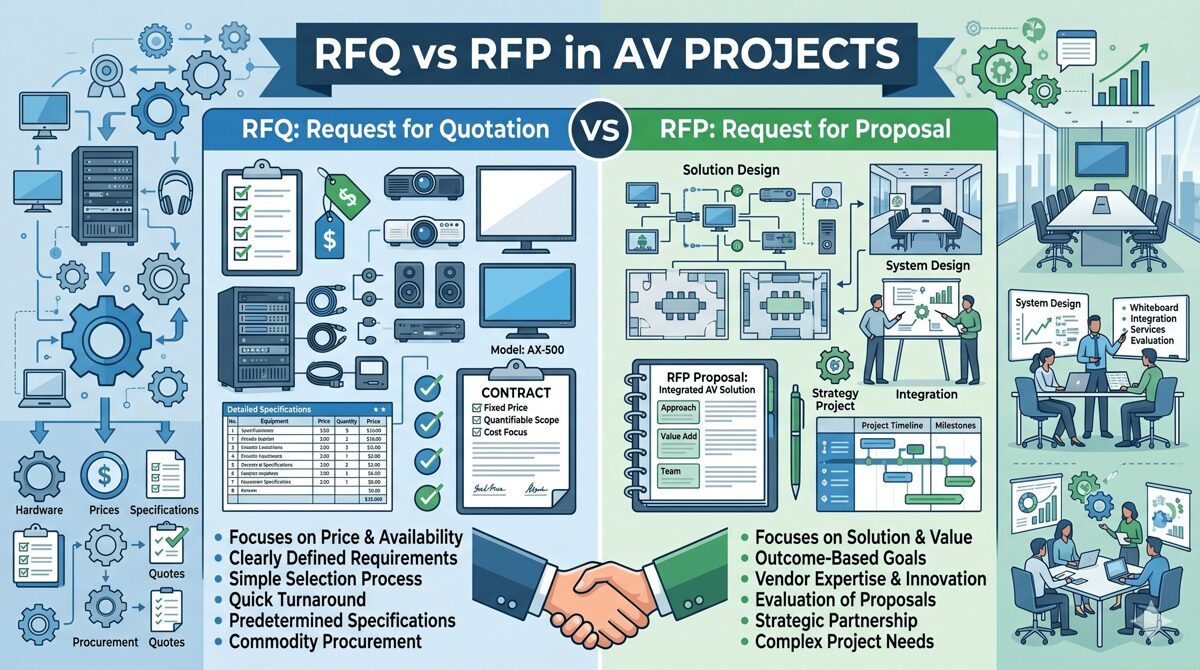
As an AV integrator, understanding the RFQ vs RFP difference is essential to your business success and win rates in an increasingly competitive market. The fundamental distinction is this: when clients issue an RFQ (Request for Quotation), they're asking you to price their complete technical specifications—your role is execution. When they issue an RFP (Request for Proposal), they're seeking your design expertise, strategic recommendations, and comprehensive solutions—your role is consultation. Knowing which document you're responding to determines your bidding strategy, resource allocation, pricing approach, and likelihood of winning the project.
The importance of recognizing the RFQ vs RFP difference extends beyond simply understanding document types—it shapes how you position your company, what differentiators you emphasize, how much time and resources you invest in proposal development, and ultimately, your profit margins and project success rates. In June 2026, with AI-powered procurement platforms becoming standard and clients becoming more sophisticated, AV integrators who master these distinctions achieve 35-50% higher win rates and 20-30% better profit margins than those treating all solicitations identically.
Key Takeaways
✓ RFQ vs RFP difference fundamentally changes your response strategy: RFQs focus on competitive pricing, RFPs emphasize technical expertise and value proposition
✓ RFQ responses require minimal time investment (8-20 hours) with focus on accurate cost estimation; RFP proposals demand 80-200 hours with comprehensive design work
✓ Win rate optimization: Target 20-30% win rate on RFQs through pricing competitiveness; achieve 40-60% win rate on RFPs through technical differentiation
✓ Profit margin potential differs dramatically: RFQs yield 8-15% margins through efficiency, RFPs enable 18-30% margins through value-added services
✓ AI-powered tools available in June 2026 transform proposal development, cost estimation, and competitive intelligence gathering
✓ Pre-qualification and relationship building are critical: 70% of RFP awards go to vendors who engaged clients before solicitation release
✓ Strategic positioning matters: decide which procurement types align with your company's strengths and market positioning
Understanding the RFQ vs RFP Difference: An Integrator's Perspective
The RFQ vs RFP difference creates two entirely different playing fields for AV integrators, each requiring distinct strategies, resources, and competitive approaches.
What RFQs Mean for Your Business
When you receive an RFQ, the client has already made every technical decision. An AV consultant or internal team has specified exact equipment, installation methods, cable types, and system architecture. Your quotation is essentially a bid to execute their predetermined design.
RFQ Characteristics
Documentation you'll receive:
Complete CAD drawings with equipment locations
Detailed bill of materials with part numbers
Comprehensive wiring diagrams and signal flow
Installation specifications and standards
Testing protocols and acceptance criteria
Fixed project timeline with milestones
Your competitive position:
Price is the primary (often 70-80%) evaluation factor
Qualifications matter but are secondary
Limited opportunity to differentiate through design
Profit margins compressed by competitive pressure
Execution capability more important than innovation
Resource requirements:
Estimating time: 8-20 hours typical
Design work: None required
Proposal length: 10-25 pages standard
Response period: 2-3 weeks typical
Win rate target: 20-30% realistic
What RFPs Mean for Your Business
When you receive an RFP, the client needs your professional expertise. They understand their operational goals but require design recommendations, technology selection, and implementation strategy from qualified integrators.
RFP Characteristics
Documentation you'll receive:
Functional requirements and use cases
Business objectives and strategic goals
Budget parameters (ranges, not fixed)
Evaluation criteria with multiple factors
Submission requirements for comprehensive proposals
Flexibility for vendor creativity and alternatives
Your competitive position:
Technical approach weighted 30-35% typically
Qualifications and experience 20-25%
Methodology and project management 15-20%
Price typically only 20-30% of evaluation
Innovation and differentiation highly valued
Resource requirements:
Proposal development time: 80-200 hours
Design work: Substantial—system architecture, drawings, integration diagrams
Proposal length: 50-150 pages comprehensive
Response period: 4-6 weeks typical
Win rate target: 40-60% achievable with strong technical approach
Critical Distinctions Table
Factor | RFQ Response | RFP Response |
Primary Focus | Price competitiveness | Technical solution quality |
Design Responsibility | None—execute client specs | Full—recommend optimal design |
Differentiation Strategy | Efficiency, service, qualifications | Innovation, expertise, methodology |
Time Investment | 8-20 hours | 80-200 hours |
Team Involvement | Estimating, PM | Design, engineering, PM, sales |
Profit Potential | 8-15% typical | 18-30% achievable |
Win Rate | 20-30% | 40-60% with good fit |
Presentation Required | Rare | Common for shortlist |
Price Pressure | Extreme | Moderate—value matters |
Best Practices for Responding to RFQs as an AV Integrator
Maximizing your RFQ win rate and profitability requires specific strategies focused on cost accuracy, response efficiency, and qualification differentiation.
Best Practice 1: Rapid Qualification Assessment
Before investing time, determine if the RFQ is worth pursuing:
Go/No-Go Criteria (Complete Within 30 Minutes)
Pursue if:
✓ Specifications align with your technical capabilities
✓ Equipment manufacturers match your partnerships and certifications
✓ Project size fits your bonding capacity and resource availability
✓ Geographic location within your service area
✓ Client has realistic budget (if indicated)
✓ Timeline feasible given current workload
✓ You have competitive advantage (relationships, local presence, specialized expertise)
Pass if:
✗ Specifications favor competitor's technology stack
✗ Project requires certifications you lack
✗ Geographic location creates unsustainable overhead
✗ Timeline impossible given current commitments
✗ Incumbent advantage insurmountable
✗ Profit margin potential below 10%
Decision rule: Only bid RFQs where you have legitimate win probability of 15%+ and acceptable profit potential.
Best Practice 2: Accurate and Efficient Cost Estimation
RFQ success hinges on pricing accuracy and competitive positioning.
Estimating Methodology
Equipment pricing strategies:
Leverage manufacturer volume discounts and dealer pricing
Use current pricing databases (updated weekly in June 2026)
Include freight, handling, and logistics costs
Factor in equipment lead times and potential backorder risks
Consider technology lifecycle position (avoid soon-obsolete equipment)
Labor estimation best practices:
Use historical data from similar projects (AI tools analyze this)
Account for site-specific factors (access restrictions, working hours, coordination)
Include realistic project management and supervision time
Factor in commissioning, testing, and documentation labor
Don't underestimate punch list and warranty service time
Risk and contingency:
Include 5-8% contingency for RFQ unknowns
Higher contingency (10-15%) for complex integration or challenging sites
Document assumptions in bid to protect against scope creep
Best Practice 3: Strategic Pricing Positioning
Understanding where to position your pricing improves win rates:
Competitive intelligence (June 2026 tools):
AI platforms like BidIntel predict competitor pricing (±8% accuracy)
Historical win/loss data analysis shows your competitive positioning
Market rate databases provide benchmark pricing by region
Pricing strategies:
Price to win: Target 15-20% below estimated competition if capacity allows
Price for profit: Add 10-15% premium if you have competitive advantages
Strategic loss leader: Consider low profit margins (5-8%) for key account entry
Walk-away pricing: Add 20%+ premium if project is marginal fit
Best Practice 4: Differentiate Beyond Price
Even in price-focused RFQs, emphasize your qualifications:
Differentiation elements:
Industry certifications (CTS, CTS-I, manufacturer credentials)
Relevant project experience with specific references
Local presence and service infrastructure
Financial stability and bonding capacity
Safety record and training programs
Warranty enhancements beyond minimum requirements
Project management methodology and communication protocols
Presentation matters:
Professional bid formatting and organization
Clear pricing tables with detailed breakdowns
Comprehensive qualifications package
Proactive risk mitigation statements
Schedule confidence with milestone clarity
Best Practices for Responding to RFPs as an AV Integrator
RFP responses offer greater opportunity for differentiation and profit margins but demand substantially more investment.
Best Practice 5: Early Engagement and Pre-RFP Positioning
The most successful integrators win RFPs before they're released through relationship building.
Pre-RFP Engagement Strategy
Intelligence gathering (3-6 months before RFP):
Identify potential projects through industry networks, construction reports, public notices
Connect with facility managers, technology directors, procurement teams
Offer educational workshops, technology demonstrations, site tours
Provide preliminary design concepts and budget guidance (no charge)
Establish trusted advisor status before procurement begins
Statistics: In June 2026, integrators who engage clients before RFP release achieve 55-70% win rates versus 15-25% for those responding cold.
Best Practice 6: Comprehensive Needs Assessment
When you receive an RFP, conduct thorough discovery:
Assessment Process
Attend pre-proposal conferences:
Ask insightful questions demonstrating expertise
Clarify ambiguities in requirements
Understand evaluation process and decision criteria
Identify key stakeholders and their priorities
Conduct detailed site surveys:
Document existing infrastructure comprehensively
Identify integration challenges and opportunities
Take photos and measurements for design accuracy
Engage on-site staff to understand workflow realities
Stakeholder interviews (if permitted):
Understand user requirements beyond RFP document
Identify pain points with current systems
Discover unstated needs and value opportunities
Build relationships with end users and technical staff
Best Practice 7: Design Excellence and Innovation
Your technical approach is typically the highest-weighted evaluation factor in RFPs.
Design Best Practices
System architecture:
Propose scalable solutions that accommodate future growth
Emphasize reliability through redundancy and quality components
Demonstrate integration expertise across technology platforms
Address lifecycle costs and total cost of ownership
Include technology roadmap for 5-7 year horizon
Innovation opportunities:
Recommend emerging technologies that provide competitive advantage
Propose AI-enhanced features (room analytics, predictive maintenance)
Suggest sustainability improvements (energy efficiency, green certifications)
Offer user experience enhancements beyond baseline requirements
Technical documentation:
Professional CAD drawings using industry-standard tools
Clear system diagrams and signal flow documentation
Detailed equipment specifications with rationale
Integration architecture showing all system interfaces
Testing and commissioning protocols
Best Practice 8: Compelling Proposal Development
Your proposal must sell your solution and your company.
Proposal Structure Best Practices
Executive summary (2-4 pages):
Demonstrate understanding of client objectives
Highlight key differentiators and value propositions
Summarize recommended solution at strategic level
Include compelling client-focused benefits
Technical approach (40-50% of proposal):
Detailed system design with drawings and diagrams
Equipment recommendations with selection rationale
Integration methodology and technical strategies
Testing and quality assurance approaches
Innovation elements and value engineering
Project methodology (15-20% of proposal):
Comprehensive project plan with timeline
Risk management strategies and mitigation plans
Communication protocols and reporting structure
Safety program and site coordination
Quality control procedures
Qualifications (15-20% of proposal):
Company overview and market position
Relevant project experience with detailed case studies
Team bios emphasizing credentials and experience
Certifications, partnerships, manufacturer relationships
References from similar successful projects
Cost proposal (10-15% of proposal):
Detailed line-item budget with transparency
Clear assumptions and exclusions
Payment schedule aligned with milestones
Value engineering options and alternatives
Warranty and service offerings
Best Practice 9: Presentation Excellence
Most RFP processes include presentations for shortlisted vendors.
Presentation Strategies
Preparation:
Rehearse with full team multiple times
Anticipate questions and prepare responses
Create compelling visual materials and demonstrations
Customize presentation to evaluation committee composition
Time presentation to respect stated limits (typically 30-60 minutes)
Delivery:
Lead with project team who will actually execute work
Demonstrate enthusiasm and commitment to client success
Address evaluation criteria explicitly
Show, don't just tell—use visuals, demos, mockups
Close with clear differentiation and value proposition
Post-presentation:
Submit clarifications promptly if requested
Provide additional references or case studies if needed
Maintain professional communication throughout evaluation
Be prepared for contract negotiation discussions
Strategic Positioning as an AV Integrator
Understanding the RFQ vs RFP difference helps you strategically position your business in the market.
Strategic Business Decisions
Choosing Your Competitive Focus
Volume-focused integrators (RFQ emphasis):
Build operational efficiency for cost competitiveness
Invest in estimating tools and process optimization
Maintain broad manufacturer relationships for pricing flexibility
Target standardized, repeatable project types
Accept lower margins (8-15%) with higher volume
Value-focused integrators (RFP emphasis):
Invest in design capabilities and engineering talent
Develop specialized vertical market expertise
Build consultative relationships with key clients
Target complex, custom projects with higher margins (18-30%)
Accept lower volume with higher profit per project
Hybrid approach (most common):
Pursue RFPs for strategic clients and complex projects
Bid RFQs for capacity management and market presence
Allocate resources based on profit potential and strategic value
Market Positioning Strategies
Geographic focus:
Local presence provides competitive advantage for RFQs (faster service, lower overhead)
Regional or national reach necessary for large RFP opportunities
Vertical specialization:
Healthcare, education, corporate, government, hospitality—each has unique procurement patterns
Specialization improves RFP win rates through demonstrable expertise
Vertical credentials and case studies differentiate from generalists
Technology specialization:
Unified communications, digital signage, control systems, video walls
Deep technical expertise commands premium pricing in RFPs
Manufacturer certifications validate capabilities
AI and Technology Transforming AV Proposals in June 2026
As of mid-2026, artificial intelligence and automation technologies are revolutionizing how AV integrators respond to both RFQs and RFPs.
AI-Powered Estimating and Proposal Tools
Cost Estimation Automation
Leading platforms available June 2026:
Estimate IQ AV:
Analyzes RFQ documents using natural language processing
Extracts equipment lists and labor requirements automatically
Suggests competitive pricing based on historical win/loss data
Predicts competitor pricing with 85-90% accuracy
Generates line-item quotations in 2-3 hours versus 8-12 hours manually
Pricing Optimizer Pro:
Machine learning analyzes your historical project data
Recommends optimal pricing based on win probability targets
Accounts for current capacity, strategic priorities, competitor intelligence
Provides confidence intervals on cost estimates
Reduces estimating errors by 40-60%
RFP Response Automation
Proposal AI Suite:
Natural language generation creates proposal sections from templates
Learns from your winning proposals to replicate success patterns
Suggests technical approaches based on requirements analysis
Auto-generates equipment specifications and system diagrams
Reduces proposal development time by 30-50%
Design Assist Pro:
AI-powered system design recommendations
Equipment compatibility checking across manufacturers
Code compliance verification (NFPA, NEC, ADA)
3D visualization generation for client presentations
Integration architecture optimization
Competitive Intelligence and Market Analysis
BidIntel Platform:
Tracks competitor bidding patterns and win rates
Predicts which competitors likely to bid on solicitations
Analyzes pricing strategies and competitive positioning
Identifies emerging market opportunities and trends
Subscription service available in June 2026 ($2,500-$8,000/year)
Virtual Collaboration and Presentation Tools
Proposal VR:
Virtual reality system demonstrations during presentations
Interactive walkthroughs of proposed AV installations
Remote site surveys using VR technology
Immersive presentations differentiating from competitors
Digital Twin Technology:
Create digital replicas of proposed systems
Simulate performance under various scenarios
Demonstrate maintenance procedures virtually
Provide training environments before installation
Common Mistakes and How to Avoid Them
Learning from typical errors improves your win rates and profitability.
RFQ Response Mistakes
Mistake 1: Bidding Every RFQ Problem: Wastes time on unwinnable projects, dilutes focus Solution: Implement disciplined go/no-go criteria, target 15%+ win probability
Mistake 2: Incomplete or Unclear Pricing Problem: Client uncertainty leads to disqualification or questions Solution: Provide detailed line-item pricing, clear assumptions, comprehensive scope documentation
Mistake 3: Ignoring Qualifications Problem: Lowest price doesn't always win—qualifications break ties Solution: Include strong qualifications package, relevant references, certifications
Mistake 4: Missing Submission Requirements Problem: Automatic disqualification for non-compliance Solution: Create submission checklist, review RFQ requirements multiple times
RFP Response Mistakes
Mistake 5: Generic, Templated Proposals Problem: Fails to differentiate, doesn't address client-specific needs Solution: Customize every section, reference client context, demonstrate understanding
Mistake 6: Overengineering Solutions Problem: Exceeds budget, creates perception of unnecessary complexity Solution: Design to requirements, provide value engineering alternatives, respect budget guidance
Mistake 7: Weak Executive Summary Problem: Evaluators may only read summary—must compel them Solution: Invest heavily in executive summary, emphasize client benefits, differentiate clearly
Mistake 8: No Follow-Up or Presentation Prep Problem: Loses momentum, poor presentation performance Solution: Maintain communication, prepare thoroughly for presentations, rehearse extensively
Strategic Mistakes
Mistake 9: Wrong Market Positioning Problem: Competing on price in value markets or vice versa Solution: Clarify your market position, target appropriate procurement types
Mistake 10: Inadequate Resource Allocation Problem: Spreading too thin across too many proposals Solution: Be selective, focus resources on best-fit opportunities, track win rates by project type
Frequently Asked Questions
What is the RFQ vs RFP difference from an integrator's perspective?
The RFQ vs RFP difference fundamentally changes your response strategy and profit potential. RFQs request pricing for complete client-provided specifications—you compete primarily on cost and execution capability with 8-15% typical margins and 20-30% win rates. RFPs solicit comprehensive solutions including design recommendations—you compete on technical expertise, innovation, and value with 18-30% potential margins and 40-60% win rates when well-positioned. RFQ responses require 8-20 hours; RFP proposals demand 80-200 hours investment.
How do I decide whether to bid an RFQ or RFP?
For RFQs, apply go/no-go criteria: only bid if you have 15%+ win probability (competitive pricing, relevant experience, no insurmountable disadvantages) and acceptable profit potential (10%+ margin). For RFPs, pursue if: (1) project aligns with your technical capabilities and vertical expertise, (2) you have or can build client relationships, (3) timeline allows quality proposal development (80-200 hours), and (4) budget supports profitable execution. Track your win rates by type—stop bidding categories where you consistently lose.
What AI tools are available in June 2026 to help with proposals?
Leading AI platforms in June 2026 include: EstimateIQ AV (automated cost estimation from RFQ documents, 85-90% pricing accuracy), ProposalAI Suite (natural language generation for proposal sections, 30-50% time savings), DesignAssist Pro (AI-powered system design recommendations and CAD generation), BidIntel Platform (competitor intelligence and market analysis), and Proposal VR (virtual reality presentations). These tools cost $1,500-$8,000 annually but deliver ROI through increased win rates (10-15% improvement) and reduced labor costs (30-60 hours saved per RFP).
Should I specialize in RFQs or RFPs strategically?
Most successful integrators pursue a hybrid approach but with clear strategic priorities. Volume-focused businesses emphasize RFQs through operational efficiency, competitive pricing, and process optimization—accepting 8-15% margins with higher project volume. Value-focused businesses emphasize RFPs through design capabilities, vertical specialization, and consultative relationships—targeting 18-30% margins with lower volume. Your choice depends on company size, technical capabilities, market position, and growth objectives. Track profitability by procurement type to optimize your mix.
How can I improve my RFP win rates?
Improve RFP win rates through: (1) Pre-RFP engagement—70% of awards go to vendors who built relationships before solicitation (attend industry events, offer educational sessions, provide preliminary guidance), (2) Design excellence—invest in professional CAD tools, hire experienced designers, showcase innovation, (3) Proposal quality—customize every section, create compelling executive summaries, include relevant case studies, (4) Presentation skills—rehearse extensively, demonstrate with actual team, address evaluation criteria explicitly, (5) Strategic targeting—only pursue RFPs matching your strengths and market position.
What profit margins should I target for RFQs versus RFPs?
Target profit margins differ significantly: RFQs typically yield 8-15% margins due to price-focused competition and limited differentiation opportunities—efficiency and volume drive profitability. RFPs enable 18-30% margins through value-added services, design expertise, and multi-factor evaluation—technical differentiation commands premium pricing. Track your actual margins by procurement type and client category. Walk away from RFQs yielding below 10% unless strategically important for account entry or market presence. For RFPs, insufficient margins (below 18%) suggest inadequate differentiation or inappropriate targeting.
How much time should I invest in RFQ versus RFP responses?
Time investment should match opportunity value and win probability: RFQ responses require 8-20 hours typical (estimating, pricing, qualifications package, submission)—limit investment since price dominates evaluation. RFP proposals demand 80-200 hours (discovery, design, proposal writing, presentations)—substantial investment justified by higher margins and win rates. Calculate ROI: if RFP win probability is 50%, project value is $500K, and margin is 25% ($125K profit), then 150-hour investment ($15K-$22K cost) yields strong return. Stop pursuing opportunities where time investment exceeds profit potential × win probability.
Conclusion
Mastering the RFQ vs RFP difference is fundamental to building a successful, profitable AV integration business in 2026 and beyond. These aren't simply different document formats—they represent entirely different competitive landscapes, business opportunities, and strategic positioning choices that shape your company's trajectory, profit margins, and market reputation.
RFQs offer volume opportunities with efficient, price-focused competition where operational excellence, accurate cost estimation, and execution capability drive success. While profit margins are compressed (8-15% typical), disciplined go/no-go criteria, technology-enhanced estimating, and strategic pricing enable sustainable profitability through volume. Win rates of 20-30% are realistic when targeting appropriate opportunities and competing effectively on price and qualifications.
RFPs provide value opportunities where your design expertise, technical innovation, and consultative approach command premium pricing (18-30% margins achievable) and higher win rates (40-60% with strong positioning). Success requires substantial investment in proposal development (80-200 hours), but multi-factor evaluation rewards technical differentiation over lowest price. Pre-RFP engagement, comprehensive needs assessment, design excellence, and compelling proposals separate winners from participants.
In June 2026, AI-powered tools are revolutionizing both RFQ and RFP responses through automated estimation (reducing time 40-60%), intelligent design assistance, competitive intelligence, and virtual presentations. Forward-thinking integrators investing in these technologies ($5K-$15K annually) achieve 10-15% higher win rates and 30-50% faster proposal development while maintaining quality and differentiation.
The most successful AV integrators don't treat all procurement opportunities identically—they strategically position their businesses, allocate resources based on profit potential and win probability, and continuously refine their approaches based on tracked performance metrics. Whether you emphasize volume-focused RFQ efficiency, value-focused RFP expertise, or a strategic hybrid, understanding and exploiting the RFQ vs RFP difference positions your company for sustainable profitability, competitive advantage, and long-term success in an increasingly sophisticated and competitive audiovisual market.
Apply these best practices, leverage available AI tools, track your win rates and margins by procurement type, and continuously optimize your approach. Your mastery of the RFQ vs RFP difference will directly determine your business performance in the years ahead.
How Access Control Systems Work: Step-by-Step Guide
Understanding how access control systems function is essential for AV integrators, security consultants, and system designers who specify and implement physical security infrastructure in 2026. Access controls systems regulate entry to buildings, rooms, and restricted areas through electronic authentication rather than traditional mechanical keys, creating secure, auditable, and manageable environments. Knowing how access controls systems operate—from credential presentation to door unlocking to event logging—enables professionals to design effective solutions, troubleshoot issues, and optimize security performance for clients. At its core, an access control system validates user identity, checks authorization permissions, controls locking hardware, and records all events in a continuous cycle that occurs thousands of times daily across facilities.
This comprehensive guide breaks down the complete access control workflow, explaining each component's role, the communication between system elements, and how authentication decisions happen in milliseconds. Whether you're designing your first access control installation or optimizing enterprise deployments, understanding these fundamental processes ensures successful implementations.
Key Takeaways
✅ Access controls systems authenticate users, verify permissions, control locks, and log events in coordinated processes
✅ The complete access control cycle involves credentials, readers, controllers, locking hardware, and management software working together
✅ Modern systems process authentication in 200-500 milliseconds from credential presentation to door unlocking
✅ Controllers store local databases enabling operation during network outages or server failures
✅ Cloud-based and on-premise systems use identical door hardware but differ in management architecture
✅ AI-powered features enhance security through behavioral analytics, predictive maintenance, and automated threat detection
✅ Understanding the complete workflow enables better system design, troubleshooting, and performance optimization
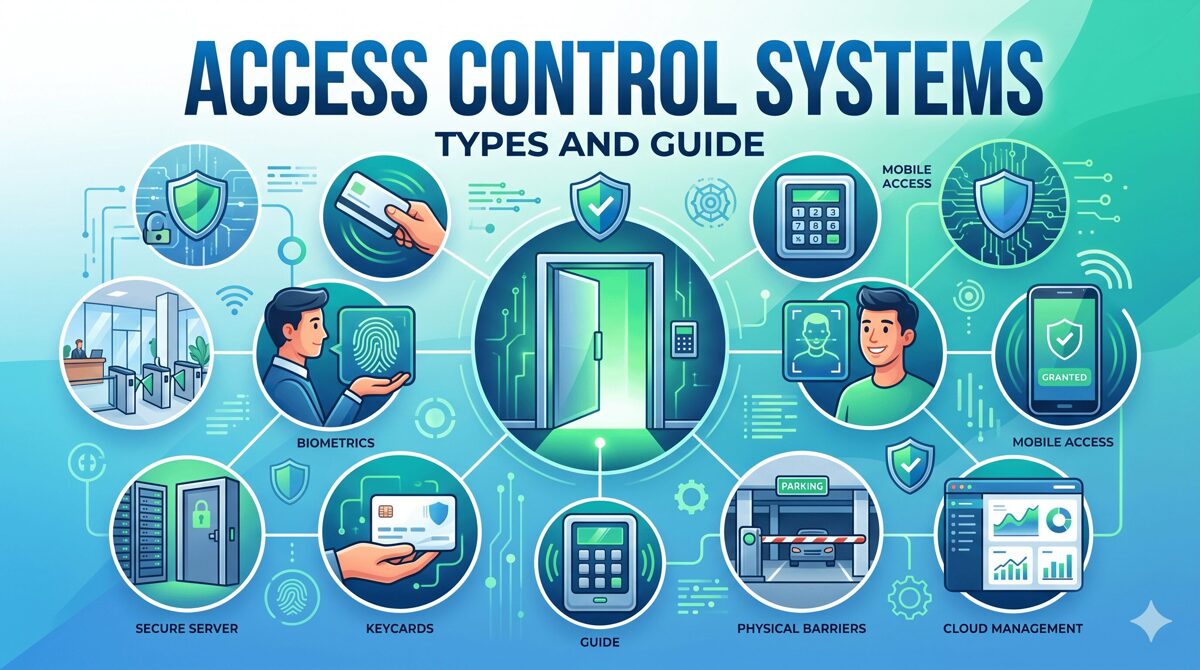
What Is an Access Control System?
An access control system is an integrated electronic security solution that manages and monitors who can enter specific areas within a facility, when they can access them, and what actions they can perform. These systems replace traditional lock-and-key mechanisms with intelligent authentication, authorization, and audit capabilities.
Core System Components
Access controls systems consist of interconnected hardware and software elements:
1. Credentials
Credentials are digital identifiers proving user identity:
Proximity Cards: Basic RFID cards operating at 125 kHz for simple access Smart Cards: Advanced contactless credentials with encryption (13.56 MHz like DESFire) Mobile Credentials: Smartphone-based digital credentials using Bluetooth Low Energy or NFC Biometric Data: Fingerprint, facial recognition, iris patterns, or palm vein characteristics PIN Codes: Numeric codes entered via keypads for knowledge-based authentication
2. Readers
Readers capture credential information at entry points:
Card Readers: RFID readers detecting proximity cards or smart cards within 2-6 inches Biometric Readers: Fingerprint scanners, facial recognition cameras, iris scanners capturing biological characteristics Keypads: Numeric pads accepting PIN codes for entry Mobile Readers: Bluetooth or NFC readers communicating with smartphones Multi-Technology Readers: Supporting multiple credential types simultaneously
3. Controllers
Access control panels (controllers) are the system's intelligence:
Processing Unit: Makes authentication decisions based on programmed rules Memory Storage: Stores user databases, access permissions, schedules, and event logs locally Communication Interface: Connects to management software via TCP/IP, RS-485, or wireless protocols I/O Ports: Controls door locks, monitors door status sensors, request-to-exit devices, and alarm inputs Offline Capability: Continues operating during network or server failures using cached data
4. Locking Hardware
Electric locks physically secure doors:
Electromagnetic Locks (Mag Locks): Powerful magnets providing 600-1,200 pounds holding force, fail-safe (unlock when power lost) Electric Strikes: Replace traditional door strikes, releasing to allow latch bolt passage, configurable fail-safe or fail-secure Electrified Mortise Locks: Complete lock mechanisms with electronic control, highest security Wireless Locks: Battery-powered locks with wireless communication, ideal for retrofit applications
5. Management Software
Access control software provides administrative interface:
User Management: Creating users, assigning credentials, defining access permissions Access Policies: Configuring role-based access, time schedules, zone restrictions Real-Time Monitoring: Viewing live access events, door status, alarm conditions Reporting: Generating audit trails, compliance reports, security analytics Integration: Connecting with video surveillance, alarm systems, building automation
System Architecture Types
Access controls systems deploy in different architectural models:
Standalone Systems: Single controller with local programming, suitable for 1-5 doors Networked Systems: Multiple controllers connected via LAN/WAN with centralized management software Cloud-Based Systems: Controllers communicating with cloud-hosted software via internet Hybrid Systems: Local controllers with offline capabilities but cloud management interface
Why Are Access Control Systems Important?
Understanding access controls systems importance helps AV integrators communicate value to clients and justify investments in sophisticated security infrastructure.
Physical Security and Asset Protection
Access controls systems create layered security perimeters:
Unauthorized Access Prevention: Only authorized personnel enter restricted areas like data centers, laboratories, executive offices, and inventory storage
Time-Based Access: Employees access facilities only during assigned shifts, preventing after-hours entry without authorization
Zone Segmentation: Different areas require different clearance levels, containing threats to specific zones
Forced Entry Detection: Door forced open and door held open alarms notify security immediately
Regulatory Compliance and Audit Requirements
Many industries mandate access control for compliance:
HIPAA (healthcare) requires protecting patient information areas PCI-DSS (payment processing) mandates physical security for cardholder data environments SOX (financial reporting) demands controls over financial systems access ITAR (defense) requires strict control of technical data and facilities
Audit trails from access controls systems document who accessed protected resources, when, and for how long—essential for compliance demonstrations.
Operational Efficiency
Access controls systems improve facility operations:
Eliminated Key Management: No physical keys to issue, track, collect, or rekey Automated Scheduling: Time-based access permissions for contractors, cleaning crews, part-time staff Remote Administration: Grant or revoke access instantly from anywhere Reduced Security Personnel: Automated monitoring reduces staffing needs
Safety and Emergency Response
Access controls systems support life safety:
Emergency Egress: Fail-safe locks unlock automatically during fire alarms ensuring safe escape Lockdown Capabilities: Secure facilities during active threats Evacuation Tracking: Identify who evacuated versus remaining inside First Responder Access: Provide emergency services controlled entry
Business Intelligence
Modern systems provide valuable data:
Occupancy Analytics: Real-time facility occupancy for space utilization Traffic Patterns: Understanding peak usage times for staffing and resource allocation Behavioral Insights: Identifying unusual patterns indicating security concerns Integration Data: Coordinating access events with video surveillance and other systems
How Access Control Systems Work: Step-by-Step Process
Understanding the complete access control workflow enables system designers to optimize performance, troubleshoot issues, and explain functionality to clients.
The Complete Access Control Cycle
Step 1: Credential Presentation
The process begins when a user approaches a secured door:
Physical Action: User presents credential to reader—tapping proximity card, holding smartphone near Bluetooth reader, or looking at facial recognition camera
Reader Activation: Reader powers on (if passive), activates scanning, and prepares to capture credential data
Data Capture: Reader extracts identifier from credential—card number from RFID chip, biometric template from fingerprint, UUID from smartphone
Time: 50-200 milliseconds depending on credential type and reader technology
Step 2: Data Transmission to Controller
Reader sends captured data to controller:
Communication Protocol: Data transmitted via Wiegand (traditional hardwired), OSDP (encrypted communication), TCP/IP (networked readers), or wireless protocols
Data Format: Includes credential identifier, reader location, timestamp, and data type (card, biometric, PIN)
Encryption: Modern systems use encrypted transmission preventing credential interception
Time: 10-50 milliseconds depending on communication method and distance
Step 3: Controller Authentication
Controller processes the authentication request:
Database Query: Controller searches local user database for matching credential identifier
User Validation: Confirms credential is active, not expired, and assigned to valid user
Permission Check: Verifies user has access permission for this specific reader/door
Schedule Verification: Confirms current time falls within user's allowed access schedule (e.g., Monday-Friday 8am-6pm)
Zone Logic: Checks anti-passback rules, occupancy limits, or dual-authentication requirements if configured
Threat Level: Evaluates any active lockdowns or security conditions affecting access
Time: 50-150 milliseconds for database lookup and rule evaluation
Step 4: Authorization Decision
Controller makes final access decision:
Granted: All conditions satisfied—user, permission, schedule, zone rules Denied: One or more conditions failed—invalid credential, no permission, wrong time, violated rules
Communication: Controller prepares response to reader and locking hardware
Time: 5-10 milliseconds for decision processing
Step 5: Lock Control
Controller activates locking hardware if access granted:
Relay Activation: Controller energizes output relay connected to door lock
Lock Response:
Electromagnetic lock: Magnet releases, allowing door to open
Electric strike: Strike retracts, freeing door latch bolt
Electrified mortise: Lock mechanism disengages
Duration: Lock remains unlocked for programmed door unlock time (typically 3-10 seconds)
Re-Lock: After unlock period or door closes (REX sensor detection), lock re-secures automatically
Time: 10-50 milliseconds for relay activation, plus mechanical response time of lock (20-100 milliseconds)
Step 6: User Feedback
System provides feedback to user:
Visual Indicators: LED on reader flashes green (granted) or red (denied)
Audible Feedback: Beep patterns indicating success or failure
Display Messages: Some readers show text messages ("Access Granted," "Invalid Card," "Access Denied")
Lock Sounds: Distinctive sounds from mag lock release or strike retraction confirm access
Time: Simultaneous with lock control
Step 7: Event Logging
Controller records the access event:
Event Data: Captures user identity, credential used, reader location, timestamp, granted/denied status, door open/close time
Local Storage: Saves event to controller memory (typically stores 10,000-100,000 events)
Server Upload: Transmits event to management software for permanent storage (real-time for networked systems, batch for periodic sync)
Time: 5-20 milliseconds for local logging, variable for server upload
Step 8: Physical Door Opening
User completes the process:
Door Opening: User pushes/pulls door open during unlock period
Door Sensor: Magnetic contact detects door opened, reports to controller
REX Detection: Request-to-exit sensor detects person passing through doorway
Door Close: User allows door to close, sensor detects closure, lock re-secures
Monitoring: Controller monitors door status for forced open or door held open violations
Complete Cycle Timing
Total time from credential presentation to door unlock: 200-500 milliseconds
Card-based access: 200-300 milliseconds (fastest)
Mobile credentials: 250-400 milliseconds (includes Bluetooth handshake)
Biometric authentication: 300-500 milliseconds (includes template matching)
Multi-factor authentication: 400-800 milliseconds (card + PIN, etc.)
What Happens During Network or Power Failures?
Network Outage
Access control continues normally because:
Local Database: Controllers store complete user database locally Autonomous Operation: Controllers make authentication decisions independently Event Buffering: Events stored in controller memory, uploaded when connectivity restores Limitations: Cannot modify permissions remotely until network returns
Power Failure
Backup systems maintain operation:
Controller Battery: Internal battery powers controller for 4-24 hours Lock Behavior:
Fail-safe locks (mag locks) unlock when power lost (life safety requirement)
Fail-secure locks (some strikes) remain locked during power loss UPS Systems: Uninterruptible power supplies protect complete systems in critical facilities
Cloud-Based vs On-Premise Access Control
The system architecture affects where authentication processing and data storage occur, but the door-level workflow remains largely identical.
On-Premise (Traditional) Systems
Architecture:
Management software runs on local servers within facility
Controllers communicate with servers via LAN
All data stored on customer-owned infrastructure
Workflow:
Controllers sync user databases from local servers
Authentication occurs at controller using cached data
Events upload to local servers for storage
Administrators access system from workstations on corporate network
Advantages: Complete data control, network isolation possible, no internet dependency Disadvantages: Requires server infrastructure, IT management, limited remote access
Cloud-Based Systems
Architecture:
Management software hosted on vendor cloud servers
Controllers communicate with cloud via internet
Data stored in vendor-managed infrastructure
Workflow:
Controllers sync user databases from cloud platform
Authentication occurs at controller using cached data (identical to on-premise)
Events upload to cloud servers immediately or during periodic sync
Administrators access system via web browser or mobile app from anywhere
Advantages: No local servers, remote management, automatic updates, unlimited scalability Disadvantages: Internet dependency for administration, subscription costs, vendor data control
Door-Level Process Comparison
Process Step | On-Premise | Cloud-Based | Difference |
Credential Presentation | Identical | Identical | None |
Reader to Controller | Identical | Identical | None |
Authentication | Local database | Local database | None |
Lock Control | Identical | Identical | None |
Event Logging | Local first | Local first | None |
Server Upload | LAN to local server | Internet to cloud | Network path |
Administration | On-site/VPN | Web/mobile anywhere | Access method |
Key Insight: The door hardware, readers, and authentication process function identically—architectural differences affect only management and administration, not real-time access control. |
Future Trends in Access Control Systems
Artificial intelligence, machine learning, and emerging technologies transform how access controls systems operate in June 2026 and beyond.
AI-Powered Authentication
Machine learning enhances access control decisions:
Behavioral Analytics
AI algorithms learn normal behavior patterns:
Pattern Recognition: Systems analyze months of access data establishing baselines—typical arrival times, frequently used doors, common pathways through facilities
Anomaly Detection: Unusual behavior triggers alerts—accessing restricted areas, entering at odd hours, rapid entries at multiple distant doors
Dynamic Risk Scoring: Each access attempt receives risk score based on multiple factors, triggering additional authentication for high-risk scenarios
Insider Threat Detection: Identifying concerning patterns suggesting malicious intent or compromised credentials
Intelligent Access Policies
AI optimizes access permissions:
Automated Provisioning: Natural language processing interprets access requests implementing appropriate permissions automatically
Context-Aware Access: Permissions adjust based on location, time, threat level, and other contextual factors
Predictive Security: Forecasting potential security incidents based on patterns and implementing preventive measures
Advanced Biometric Technologies
Next-generation biometrics improve authentication:
3D Facial Recognition: Detecting faces at walking speed without stopping, working with masks and glasses
Multi-Modal Biometrics: Combining facial recognition with gait analysis or other characteristics for enhanced accuracy
Liveness Detection: AI-powered systems preventing spoofing attempts using photos, videos, or masks
Continuous Authentication: Ongoing identity verification throughout facility presence rather than single entry-point authentication
Touchless and Frictionless Access
Convenience-focused technologies eliminate physical interaction:
Long-Range Bluetooth: Mobile credentials detected 50-300 feet away, doors unlocking automatically as users approach
Facial Recognition at Distance: Identifying users from 10-30 feet enabling walking-speed authentication
Voice Biometrics: Speaker verification for hands-free authentication integrated with intercom systems
Gesture Recognition: Hand gestures triggering access in specialized environments
Predictive Maintenance
AI algorithms prevent equipment failures:
Performance Monitoring: Analyzing reader error rates, lock operation consistency, controller communication patterns
Failure Prediction: Identifying components likely to fail 1-4 weeks before occurrence
Automated Service Requests: Generating maintenance tickets automatically when issues detected
Optimization Recommendations: Suggesting configuration improvements based on usage patterns
Integration with Smart Buildings
Access controls systems becoming central hub for building operations:
Occupancy-Based Automation: HVAC, lighting, and elevator control responding to access events
Space Utilization Analytics: Monitoring which areas are used, when, and by whom for optimization
Energy Management: Automatically adjusting building systems based on occupancy detected through access control
Workplace Experience: Personalizing environments based on user preferences detected via credential
How XTEN-AV Helps You Design Complete Access Control Systems Faster
For AV integrators and security system designers, understanding how access controls systems work enables better design—and XTEN-AV accelerates the complete process from concept to installation.
Workflow-Based Design Tools
XTEN-AV supports the complete access control workflow:
Component Selection: Choose appropriate credentials, readers, controllers, and locks based on security requirements and authentication workflow
Reader Placement: Position readers at optimal locations considering user approach paths, credential type, and read range
Controller Configuration: Define which readers connect to which controllers, calculate input/output requirements
Network Design: Plan communication paths from readers to controllers to servers or cloud
Wiring Automation: Calculate cable runs, voltage drop, and generate wire schedules automatically
Timing and Performance Analysis
Optimize system responsiveness:
Latency Calculation: Estimate authentication timing based on credential type, communication method, and controller performance
Bandwidth Analysis: Ensure network capacity handles event traffic from all controllers
Load Balancing: Distribute doors across controllers preventing bottlenecks
Failover Planning: Design redundant paths ensuring continued operation during component failures
Integration Workflow Design
Plan coordinated system operations:
Video Surveillance: Map access events to camera triggers for event-based recording
Alarm Systems: Coordinate access zones with intrusion detection areas
Building Automation: Define occupancy-based control rules for HVAC and lighting
Visitor Management: Integrate temporary credential issuance with access control
Documentation for Operations
Generate materials explaining system workflow:
Process Diagrams: Visual flowcharts showing authentication process step-by-step
Troubleshooting Guides: Decision trees for diagnosing access failures at each process step
User Training: Documentation explaining how to present credentials and interpret feedback
Administrator Guides: Procedures for managing users, configuring permissions, reviewing audit logs
Testing and Commissioning Plans
Verify complete workflow functionality:
Test Sequences: Systematic testing of each authentication step—credential read, controller processing, lock activation, event logging
Timing Verification: Measure actual authentication speed confirming performance requirements
Failure Scenarios: Test behavior during network outages, power failures, invalid credentials
Integration Testing: Verify coordinated operation with video, alarms, and other systems
By understanding the complete access control workflow and using purpose-built design tools, AV integrators deliver optimized systems that perform reliably and meet client expectations.

Frequently Asked Questions
How fast should access control authentication happen?
Well-designed access controls systems complete the entire authentication cycle from credential presentation to door unlock within 200-500 milliseconds. Card-based access typically achieves 200-300 milliseconds, mobile credentials require 250-400 milliseconds including Bluetooth handshake, and biometric authentication takes 300-500 milliseconds for template matching and verification. Multi-factor authentication combining credential types extends timing to 400-800 milliseconds. Users perceive systems as "instant" when authentication completes under 500 milliseconds, while delays exceeding 1 second create noticeable frustration. Factors affecting speed include reader technology (contactless faster than insert), controller processing power, communication protocols (Wiegand fastest, encrypted OSDP slightly slower), network latency for cloud systems, and database size (larger databases require longer searches). System designers should specify performance requirements and test actual timing during commissioning.
What happens if the access control controller loses power?
When controllers lose power, behavior depends on backup systems and lock configuration. Modern controllers include internal batteries providing 4-24 hours of continued operation during outages, maintaining normal authentication and access control functionality. However, locking hardware behaves according to fail-safe or fail-secure configuration: electromagnetic locks (mag locks) always fail-safe, unlocking immediately when power lost to ensure life safety and fire code compliance; electric strikes can be configured fail-safe (unlock during power loss) or fail-secure (remain locked), depending on security versus safety priorities. Critical facilities deploy UPS systems providing clean power during outages and time for graceful shutdown or generator activation. Best practice includes testing backup power quarterly, maintaining batteries according to manufacturer specifications, and configuring locks appropriately for each door's security level and life safety requirements. High-security areas may use fail-secure locks with battery backup ensuring continued security during outages.
Can someone unlock doors if they hack the access control network?
Network security for access controls systems requires multiple protective layers. While theoretical vulnerabilities exist, properly configured systems resist attacks through several mechanisms: encrypted communication between controllers and servers prevents credential interception; authentication requirements for administrative access prevent unauthorized configuration changes; network segmentation isolates access control networks from general corporate networks reducing attack surfaces; local authentication at controllers means network access alone doesn't grant physical entry—attackers would need valid credentials not just network access; and audit logging records all system access and configuration changes enabling detection of unauthorized activity. Best practices include implementing VLANs dedicated to physical security systems, requiring multi-factor authentication for administrative access, using VPN for remote management, keeping firmware updated with security patches, and conducting regular security audits. Cloud-based systems benefit from professional security teams monitoring infrastructure continuously. While no system is perfectly secure, access controls systems from reputable manufacturers incorporate substantial security features when properly implemented.
How do access control systems handle visitors and temporary access?
Access controls systems support temporary access through several mechanisms integrated with visitor management. Traditional approaches issue temporary proximity cards or key fobs valid for specific timeframes (hours or days), which visitors return upon departure. Modern systems increasingly use mobile credentials sent via email or SMS, where visitors receive digital credentials on smartphones that automatically expire after visit completion. PIN codes assigned temporarily provide keypad-based access without physical credentials. Advanced implementations integrate dedicated visitor management systems that pre-register guests, perform background checks if required, capture photos, print badges, and automatically provision temporary access permissions for designated areas and timeframes. The access control workflow for visitors mirrors employee access—presenting credential, reader capture, controller authentication, permission verification—but with additional restrictions including time limits (credential expires automatically), area restrictions (access only to meeting rooms, not secure areas), escort requirements (some implementations require employee presence), and automated revocation (credentials deactivate immediately when visitor checks out). This provides security without operational burden of manually managing temporary access.
What's the difference between access granted and door forced open events?
Access controls systems distinguish between authorized and unauthorized door openings through event types captured during monitoring. An access granted event occurs when: user presents valid credential, controller authenticates and authorizes access, controller unlocks door for programmed duration (typically 3-10 seconds), user opens door during unlock period, door sensor detects opening, and controller logs legitimate entry event. A door forced open event (also called forced entry) occurs when: door opens without valid credential presentation, door sensor detects opening while door should be secured, controller immediately triggers alarm condition, and security team receives alert for investigation. This indicates potential security breach—unauthorized entry, door propped open, or hardware malfunction. Additional related events include door held open (door remains open beyond acceptable time after authorized access, suggesting someone prevented door from closing) and REX activated (person exited through request-to-exit device without using credential for entry, which may indicate tailgating). Understanding these distinctions helps security teams respond appropriately—access granted events are normal operations, while forced open events demand immediate investigation.
How do biometric access control systems work differently than card systems?
Biometric access control follows the same fundamental workflow as card-based systems but with critical differences in credential capture and authentication. The process includes: enrollment phase where users register biometric characteristics (fingerprint, facial features, iris patterns) converted into mathematical biometric templates stored in system database; authentication phase where users present biometric to reader (place finger on scanner, look at camera), reader captures biometric and creates template from presented sample, controller compares captured template against enrolled templates using matching algorithms, and system calculates match score determining if presented biometric sufficiently matches enrolled template (typically 95%+ threshold). Key differences from card systems include: credential cannot be lost, stolen, or shared (inherent to person); false acceptance and false rejection rates require balancing (stricter matching reduces false acceptance but increases false rejection); environmental factors affect performance (dirty fingers, lighting conditions, aging); privacy concerns require careful data handling (some jurisdictions regulate biometric data); and processing time slightly longer due to template matching complexity (300-500 milliseconds versus 200-300 for cards). Modern biometric readers incorporate liveness detection preventing spoofing with photographs or fake fingers, enhancing security beyond traditional card systems.
Do cloud-based access control systems authenticate slower than on-premise systems?
Authentication speed for cloud-based access control matches on-premise systems during normal operations because authentication processing occurs locally at controllers for both architectures. The workflow comparison shows: both cloud and on-premise controllers cache complete user databases locally; both perform credential validation, permission checks, and schedule verification using local data without server communication; both unlock doors in identical timeframes (200-500 milliseconds); and both store events locally before uploading to servers/cloud. The only timing difference occurs during database synchronization—when administrators add new users or modify permissions, cloud systems may take slightly longer (seconds to minutes) to propagate changes to controllers versus immediate synchronization on local networks. However, this synchronization delay doesn't affect authentication speed for existing users. The misconception about cloud slowness stems from confusing administrative tasks (performed remotely via internet) with real-time authentication (performed locally). Both architectures provide equivalent door-level performance. Cloud systems may actually perform better during server failures because cloud vendors maintain redundant infrastructure, while on-premise servers require customer-implemented redundancy for similar reliability.
Conclusion
Understanding how access controls systems work—from the millisecond-level authentication process to the interaction between credentials, readers, controllers, locks, and management software—empowers AV integrators, security consultants, and system designers to deliver optimized solutions that perform reliably and meet client expectations. The complete access control workflow demonstrates sophisticated coordination between multiple system elements occurring thousands of times daily across facilities, typically within 200-500 milliseconds from credential presentation to door unlock.
The fundamental process remains consistent regardless of system architecture: users present credentials to readers, which transmit data to controllers that authenticate against local databases, verify permissions and schedules, control locking hardware, provide user feedback, and log events for audit purposes. Whether deploying cloud-based or on-premise systems, this door-level workflow operates identically—architectural differences affect only management and administration approaches, not real-time access control performance.
As artificial intelligence, biometric technologies, and smart building integration continue advancing in June 2026 and beyond, access controls systems evolve from simple entry management to sophisticated platforms providing behavioral analytics, predictive security, automated responses, and comprehensive building intelligence. Understanding these fundamentals enables designing systems that leverage emerging capabilities while maintaining the reliable, secure, auditable access control that protects people, assets, and information.
For professionals designing and implementing these systems, tools like XTEN-AV accelerate the complete process—from component selection through workflow optimization to documentation generation—enabling efficient delivery of sophisticated access control solutions. By combining deep understanding of system operation with purpose-built design tools, AV integrators deliver superior outcomes that enhance security, improve operations, and provide long-term value for clients across diverse facility types and security requirements.
Take Action: Apply this workflow knowledge to your next access control design, optimize component selection based on performance requirements, verify timing during commissioning, and educate clients about system operation ensuring they understand and maximize their security investment.
Ceiling Speakers for Surround Sound in Open-Concept Homes: Challenges and Solutions
Open-concept living spaces present unique acoustic challenges for home theater installations, particularly when implementing ceiling mount surround sound speakers in environments where traditional wall placement isn't feasible. As modern architecture increasingly favors open floor plans that combine living rooms, kitchens, and dining areas into expansive connected spaces, AV integrators face complex decisions about speaker positioning, acoustic treatment, and system calibration to deliver immersive audio experiences. The importance of choosing the best ceiling mount surround sound speakers extends beyond simple product selection—it requires understanding acoustic principles, architectural constraints, and client lifestyle patterns to create surround sound systems that perform effectively in acoustically challenging environments.
Open-concept homes lack the defined boundaries and reflective surfaces that help contain and direct sound in traditional enclosed rooms, creating issues with sound localization, dialogue intelligibility, and bass response. Ceiling speakers become the practical solution when walls are occupied by windows, artwork, or architectural features, or when aesthetic preferences demand minimal visible equipment. However, successful implementation requires addressing specific challenges: vertical sound delivery creating unnatural listening experiences, ceiling height variations affecting coverage, and hard surface materials (wood, tile, glass) causing excessive acoustic reflections that muddy audio clarity.
This comprehensive guide examines the technical challenges inherent in ceiling-mounted surround sound for open-concept spaces and provides practical solutions that AV professionals can implement to deliver superior audio performance despite architectural limitations.
Key Takeaways
Open-concept spaces create acoustic challenges including excessive reverberation (RT60 often 0.8-1.2+ seconds), weak bass response, and poor sound localization
Ceiling mount surround sound speakers require strategic positioning accounting for listening zones, ceiling height, and architectural features affecting sound propagation
Angled in-ceiling speakers with aimable tweeters improve sound localization and create more natural surround effects compared to downward-firing models
Acoustic treatment is essential in open-concept homes, targeting first reflection points, ceiling surfaces, and hard flooring to reduce reverberation by 30-50%
Atmos-enabled speakers or dedicated height channels in ceiling locations provide immersive 3D audio while addressing open-space challenges
DSP room correction (Dirac Live, Audyssey MultEQ XT32, Anthem ARC Genesis) compensates for acoustic deficiencies, improving frequency response and imaging
Zone-based design creating focused listening areas within larger open spaces through speaker placement and acoustic boundaries improves performance
In-ceiling subwoofers or strategically placed floor subs address bass reinforcement needs in spaces lacking corner loading benefits
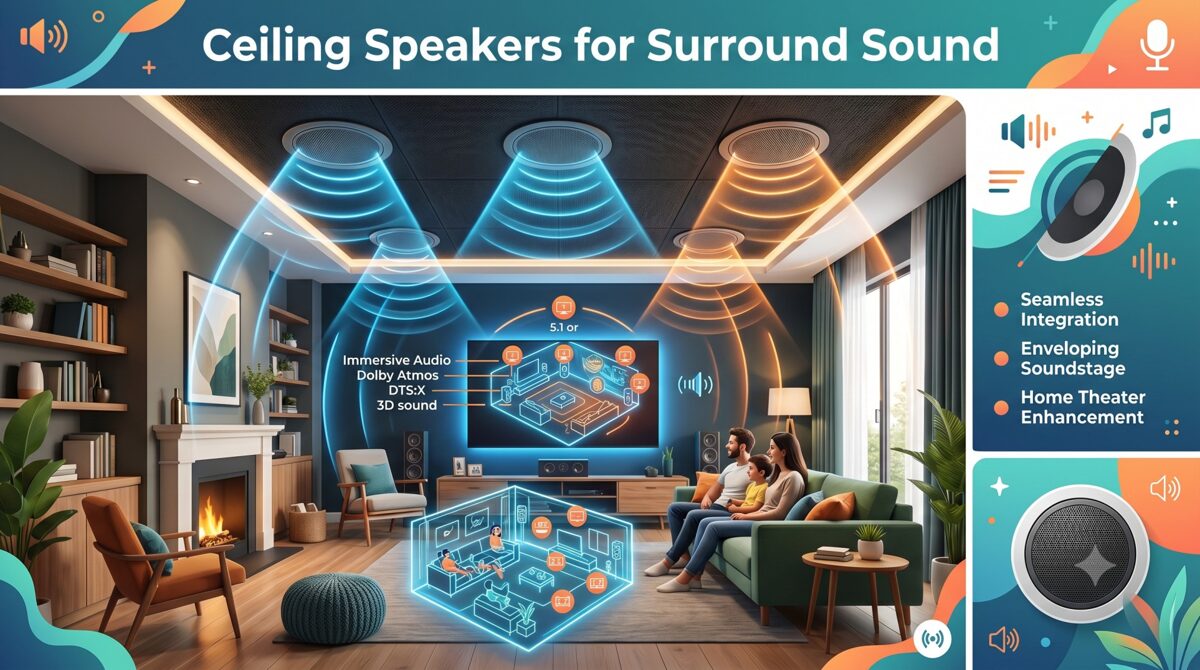
Understanding Open-Concept Acoustic Challenges
What Makes Open-Concept Spaces Difficult for Audio
Open-concept homes present several acoustic obstacles:
Excessive Reverberation
Problem: Sound energy reflects off multiple hard surfaces without absorption, creating prolonged decay times.
Typical measurements:
Traditional enclosed room: RT60 of 0.3-0.5 seconds (optimal for home theater)
Open-concept space: RT60 of 0.8-1.5 seconds (excessive reverberation)
Impact: Dialogue intelligibility decreases, imaging becomes diffuse, dynamic range is compressed
Lack of Acoustic Boundaries
Problem: Sound energy disperses into adjacent areas rather than containing within listening zone.
Consequences:
Weak surround effects from sound bleeding into other spaces
Reduced bass impact without room modes reinforcing low frequencies
Poor sound localization as reflections come from unexpected directions
Reflective Surface Materials
Common materials in open-concept design:
Hardwood floors (highly reflective)
Tile or stone (extremely reflective)
Large glass windows (perfect reflectors)
Exposed ceilings with hard drywall or wood
Kitchen surfaces (granite countertops, stainless appliances)
Problem: 95-98% sound reflection from these materials creates slap echoes and flutter echo patterns.
Variable Ceiling Heights
Architectural features common in open-concept:
Vaulted ceilings (12-20 feet)
Tray ceilings with height variations
Exposed beams creating partial boundaries
Challenge: Inconsistent speaker-to-listener distances affect arrival times and volume balance.
Why Ceiling Mount Surround Sound Speakers for Open-Concept Spaces?
When Ceiling Placement Becomes Necessary
Practical reasons for ceiling mounting:
Architectural Constraints:
Floor-to-ceiling windows occupying wall space
Open sightlines between functional zones (kitchen to living area)
Minimalist design preferences rejecting visible speakers
Functional Requirements:
Furniture flexibility without speaker placement limitations
Child and pet safety concerns with floor-standing or bookshelf speakers
Multi-zone audio serving overlapping spaces
Aesthetic Preferences:
Client demands for "invisible" audio systems
Architectural integrity preservation
WAF (Wife Acceptance Factor) considerations
Advantages of Modern Ceiling Speakers
Technology improvements making ceiling mounting viable:
Aimable Tweeters:
Pivot mechanisms directing high frequencies toward listening positions
Improved localization compared to downward-firing designs
Wider sweet spot accommodating multiple listeners
Improved Driver Technology:
High-excursion woofers delivering bass extension from ceiling locations
Carbon fiber and polypropylene cones providing clarity and power handling
Butyl rubber surrounds for long-term reliability
Integrated Atmos Capabilities:
Upward-firing modules creating height effects from ceiling-mounted speakers
Dedicated height channels in ceiling positions for 3D audio
Key Challenges of Ceiling-Mounted Surround Sound in Open Spaces
Challenge 1: Vertical Sound Localization
Problem: Human auditory system evolved to localize horizontal sounds (predators, voices) more accurately than vertical sounds.
Impact on surround sound:
Overhead effects lack realistic spatial cues
Rear surround information feels detached from screen action
Dialogue from ceiling-mounted center channel sounds unnatural
Measurement: ITD (Interaural Time Difference) and ILD (Interaural Level Difference) cues are minimal for vertical sources, reducing localization accuracy by 60-70% compared to ear-level speakers.
Challenge 2: Direct vs. Reflected Sound Balance
Problem: Ceiling speakers create strong direct sound from overhead while lacking the early reflections that provide spatial information in traditional setups.
Acoustic principle:
Haas effect: First 30-50ms of reflected sound enhances perceived spaciousness
Ceiling mounting creates different reflection pattern than wall-mounted speakers
Result: Unnatural soundstage that feels compressed or disconnected from visual content.
Challenge 3: Inconsistent Coverage Across Listening Zones
Problem: Single listening position optimization leaves other seating areas with poor audio quality.
Coverage issues:
Off-axis response of ceiling speakers creates tonal imbalances for listeners not in primary position
Volume differences of 10-15 dB between optimal and suboptimal seating
Surround effects work well for one couch position but fail for adjacent dining area
Challenge 4: Ceiling Construction and Accessibility
Installation obstacles:
Structural Limitations:
Joist spacing restricting speaker placement options
HVAC ducts, electrical conduit, plumbing occupying ceiling cavities
Ceiling heights requiring long wire runs and complex pathways
Acoustic Coupling:
Thin drywall allowing speaker vibrations to transmit to entire ceiling
Lack of backing volume in shallow ceiling constructions
Flanking paths letting sound travel to adjacent rooms
Challenge 5: Balancing Aesthetics and Performance
Client expectations vs. acoustic reality:
Client Desires:
Minimal visible speakers (8 or fewer for entire space)
Symmetric visual placement (even spacing, aligned with architectural features)
Small speaker grilles that "disappear"
Acoustic Requirements:
Adequate speaker quantity for proper coverage (often 10-14 speakers for large open concept)
Strategic positioning based on listening zones, not visual symmetry
Sufficient driver size (6.5" or 8" woofers) for adequate output and bass extension
Solutions for Effective Ceiling-Mounted Surround Sound
Solution 1: Strategic Speaker Positioning
Optimization strategies:
Define Primary Listening Zone
Approach: Identify main seating area for critical listening and optimize speaker placement for that zone first.
Speaker layout for 5.1.2 Atmos in open-concept:
Front Stage:
Center channel: Ceiling-mounted directly above TV, aimable tweeter directed toward primary seating at 15-20 degree angle
Front L/R: Positioned at 30-degree angles from center, aimed at listening position
Surround Channels:
Side surrounds: 110-120 degrees from center, aimed toward listeners (not straight down)
Rear surrounds (if 7.1): 135-150 degrees, angled toward seating
Height Channels (Atmos):
Front height: 2-4 feet ahead of listening position
Rear height: 2-4 feet behind listening position
Account for Ceiling Height Variations
Adjustment strategies:
High ceilings (12+ feet):
Use higher sensitivity speakers (90+ dB @ 1W/1m)
Increase power amplification (150-200W per channel)
Narrow dispersion patterns to maintain focus over longer distances
Vaulted/Sloped ceilings:
Mount speakers at consistent height relative to listening position
Use extension mounts or angled brackets maintaining proper aim
Compensate with level adjustments in AVR setup
Solution 2: Selecting Optimal Ceiling Speakers
Critical specifications for open-concept applications:
Essential Features
Must-have characteristics:
✓ Aimable/Pivoting tweeters (minimum 20-degree range) ✓ Wide frequency response (60Hz-20kHz +/- 3dB or better) ✓ High power handling (100W+ continuous) ✓ Sensitivity of 88dB or higher ✓ Controlled dispersion (90-120 degree coverage) ✓ Dual-tweeter designs for enhanced off-axis performance
Recommended Speaker Types
In-ceiling LCR speakers (Left, Center, Right):
8" woofers for adequate bass and dynamic range
Triple-tweeter arrays for consistent dispersion
Sealed or aperiodic enclosures providing controlled bass
In-ceiling surrounds:
6.5" woofers (adequate for surround effects)
Aimable tweeters directed toward listening positions
Dipole or bipole designs creating diffuse soundfield appropriate for surrounds
Atmos-enabled ceiling speakers:
Dedicated height drivers separated from primary channels
Full-range response (80Hz-20kHz)
Modular designs allowing independent aiming
Performance Comparison Table
Feature | Budget In-Ceiling | Mid-Range In-Ceiling | Premium In-Ceiling |
Woofer size | 5.25" | 6.5"-8" | 8"-10" |
Tweeter type | Fixed dome | Aimable dome | Pivoting array |
Frequency range | 80Hz-20kHz ±5dB | 65Hz-20kHz ±3dB | 50Hz-20kHz ±2dB |
Power handling | 50W | 100-150W | 200W+ |
Sensitivity | 86dB | 88-90dB | 90-93dB |
Dispersion control | Limited | Moderate | Excellent |
Off-axis performance | -6dB @ 30° | -3dB @ 30° | -2dB @ 45° |
Typical price | $150-300/pair | $400-800/pair | $1,000-2,500/pair |
Best application | Secondary zones | Standard installs | Critical listening |
Solution 3: Acoustic Treatment for Open Spaces
Essential treatments addressing open-concept challenges:
Ceiling Treatments
Purpose: Reduce early reflections from ceiling surfaces creating comb filtering and poor imaging.
Solutions:
Acoustic panels (2-4" thick, NRC 0.8+) at first reflection points
Cloud panels suspended 12-24" below ceiling in primary listening zone
Spray-applied acoustic coatings for large ceiling areas (NRC 0.5-0.7)
Coverage: 20-30% of ceiling area in listening zone reduces RT60 by 0.2-0.4 seconds
Wall and Window Treatments
Strategies:
Window treatments:
Heavy drapes or acoustic curtains reducing glass reflections by 60-80%
Motorized systems allowing "theater mode" during viewing
Wall absorption:
Fabric-wrapped panels at side wall reflection points (40% of distance from speakers to listeners)
Diffusive art panels providing visual interest while scattering sound energy
Floor Treatments
Addressing hard surfaces:
Area rugs:
Large rugs (8'x10' or larger) in listening area
Thick pile or layered construction (NRC 0.2-0.4)
Coverage of 60-80% of primary listening zone floor
Underlayment:
Acoustic underlay beneath hard flooring reducing structure-borne sound and improving room acoustics
Solution 4: DSP and Room Correction
Electronic solutions compensating for acoustic deficiencies:
Advanced Room Correction Systems
Leading technologies for open-concept spaces:
Dirac Live (premium):
Mixed-phase correction addressing frequency and time domain issues
Target curves customizable for open-space acoustics
Multiple listening positions optimization
Effectiveness: ±2-3dB frequency response throughout listening area
Audyssey MultEQ XT32 (mid-range):
32,768 resolution points for detailed correction
Sub EQ HT optimizing multiple subwoofers
Dynamic EQ maintaining tonal balance at varied volumes
Effectiveness: ±3-4dB frequency response improvement
Anthem ARC Genesis (premium):
Advanced algorithms for difficult rooms
User-adjustable parameters for custom tuning
Room gain compensation addressing open-space bass loss
Manual Calibration Strategies
For systems without automatic correction:
Delay Adjustment:
Measure distances from each speaker to listening position
Set delays compensating for path length differences
Formula: (Distance difference in feet) ÷ 1.13 = delay in milliseconds
Level Calibration:
Use SPL meter measuring each channel at 75dB (C-weighted, slow)
Adjust levels creating uniform soundfield across listening positions
Account for ceiling height requiring higher levels from distant speakers
Crossover Optimization:
Set crossovers at 80Hz for ceiling speakers (typical), allowing subwoofer to handle bass
Experiment with higher crossovers (100-120Hz) in very open spaces to improve bass integration
Solution 5: Subwoofer Strategy for Open Spaces
Bass management in rooms lacking boundaries:
Multiple Subwoofer Approach
Why it works: Multiple subs create more uniform bass distribution by exciting different room modes.
Configurations:
Dual opposing (2 subs):
Position on opposite walls
Reduces standing waves by canceling modal peaks/nulls
4-corner placement (4 subs):
Subwoofer in each corner of listening area
Creates uniform excitation of room modes
Most effective for large open spaces
Scattered asymmetric (3-4 subs):
Irregular positioning around room
Smooths frequency response by avoiding regular patterns
In-Ceiling Subwoofers
Purpose-built solutions for open-concept spaces:
Advantages:
Aesthetic invisibility
Flexibility in spaces lacking floor placement options
Multiple units for distributed bass without floor footprint
Limitations:
Lower output compared to equivalent floor subs (typically 3-6dB less)
Ceiling mounting must support weight (40-80 lbs per sub)
Cost premium ($1,500-3,500 vs. $500-1,200 for equivalent floor sub)
Best applications: Supplementary bass in combination with 1-2 floor subs, or spaces where floor subs absolutely prohibited
Installation Best Practices
Pre-Installation Planning
Critical steps:
Ceiling Cavity Inspection:
Verify depth (minimum 6-8" for quality in-ceiling speakers)
Map obstructions (joists, HVAC, electrical)
Identify backing (drywall thickness, insulation presence)
Load-Bearing Assessment:
Standard ceiling: Supports speakers up to 15 lbs without reinforcement
Heavy speakers (20+ lbs): Require mounting brackets attached to joists
In-ceiling subs: Always attach to structural members
Installation Techniques
Professional methods:
Cutting Clean Holes:
Use templates provided with speakers
Rotary cutout tools for precise circular cuts
Edge sealers preventing drywall crumbling
Minimizing Ceiling Vibration:
Rubber gaskets between speaker frame and drywall
Mounting clamps evenly distributing pressure
Acoustic sealant around cutouts reducing air leaks
Cable Management:
In-wall rated cable (CL3 or CL2 for in-ceiling)
Service loops at each speaker for future maintenance
Label all cables at AVR and speaker ends
Future Trends: AI and Wireless Technologies
AI-Powered Spatial Audio Optimization
Emerging capabilities in June 2026:
Machine Learning Room Analysis:
AI algorithms analyzing room acoustics via microphone arrays
Automatic speaker positioning recommendations based on space geometry
Real-time adaptation to furniture changes and occupancy patterns
Personalized Listening Profiles:
HRTF (Head-Related Transfer Function) customization for individual listeners
Preference learning adapting EQ and spatialization to user tastes
Wireless Ceiling Speaker Systems
Technology maturation:
Current capabilities (June 2026):
WiSA (Wireless Speaker and Audio) supporting 24-bit/96kHz with <1ms latency
Proprietary systems (Sonos, Denon HEOS) offering ceiling-compatible wireless modules
Installation advantages:
Eliminates ceiling wire runs (major cost/time savings)
Easier retrofit installations in existing homes
Flexible speaker repositioning
Limitations:
Power still required at each speaker
Higher cost ($400-800 premium per speaker)
Potential interference in crowded RF environments
Frequently Asked Questions
What is the ideal ceiling height for mounting surround sound speakers?
Optimal ceiling height for ceiling mount surround sound speakers ranges from 8-12 feet. At 8-9 feet (standard residential), speakers can effectively deliver sound with minimal distance-related losses. For vaulted ceilings (12-20 feet), specify higher sensitivity speakers (90+ dB) and increase amplifier power (150-200W per channel). Use aimable tweeters to compensate for increased distance, directing high frequencies toward listeners. Ceiling heights below 8 feet can create oppressive sound from overhead sources; consider wall-mounted alternatives if possible.
Can ceiling speakers provide the same surround sound quality as wall-mounted speakers?
Ceiling speakers can deliver excellent surround sound but require proper selection and installation. Key factors: Choose aimable/pivoting tweeters directing sound toward listeners rather than downward, specify adequate driver sizes (6.5"+ woofers) for dynamic range, implement DSP room correction compensating for vertical placement, and use acoustic treatments addressing open-space acoustics. Properly installed ceiling systems achieve 90-95% of wall-mounted performance in subjective listening tests. For critical listening rooms, wall mounting remains preferable; for open-concept spaces, ceiling mounting offers practical solution with minimal compromises.
How many ceiling speakers do I need for surround sound in an open-concept space?
Speaker count depends on space size and desired format. Basic 5.1 system: 5 speakers (L/C/R + 2 surrounds) + 1-2 subwoofers. Atmos 5.1.2: Add 2 height speakers (7 total). Large open-concept (500+ sq ft): Consider 7.1.4 (11 speakers) or 9.1.4 (13 speakers) for adequate coverage. General rule: One speaker per 75-100 sq ft for primary listening zone, plus height channels for Atmos. Multiple listening zones may require additional speakers or compromise optimizing primary area. Professional assessment recommended for spaces exceeding 600 sq ft.
What acoustic treatments work best for open-concept homes with ceiling speakers?
Priority treatments for open-concept spaces: Ceiling absorption (2-4" panels at first reflection points, covering 20-30% of listening area ceiling), thick area rugs (minimum 8'x10', covering 60-80% of listening zone floor), heavy window treatments (acoustic curtains or dual-layer drapes reducing glass reflections by 70%+), and strategic wall panels at side reflection points (fabric-wrapped 2" absorbers). Avoid over-treatment: Target RT60 of 0.4-0.6 seconds (too much absorption creates dead, unnatural sound). Diffusion (bookshelves, diffusive art panels) helps scatter reflections without over-deadening space. Budget: $1,500-4,000 for adequate treatment in 400-600 sq ft space.
Should I use in-ceiling subwoofers in open-concept spaces?
In-ceiling subwoofers work as supplementary bass in open-concept homes but rarely as sole bass sources. Advantages: Aesthetic invisibility, placement flexibility, and distributed bass from multiple units. Disadvantages: Lower output (3-6dB less) than equivalent floor subs, high cost ($1,500-3,500 each, typically need 2-4), and demanding installation (ceiling must support 40-80 lbs). Best approach: Combine 1-2 floor subs (primary bass) with 1-2 in-ceiling subs (fill/extension), or use in-ceiling exclusively when client absolutely prohibits floor placement. Open spaces benefit from multiple subwoofers regardless of type, smoothing bass distribution.
How do I prevent ceiling speakers from vibrating the entire ceiling?
Vibration control strategies: Mount speakers directly to ceiling joists using manufacturer-provided brackets (not just drywall), install rubber isolation gaskets between speaker frames and ceiling surface, apply acoustic sealant around cutout perimeter reducing air coupling, ensure even tension on mounting clamps (overtightening increases vibration transfer), and consider mass-loaded vinyl on ceiling backside in critical areas (adds damping). For problem installations: Install speakers in sealed backing boxes attached to joists, isolating speaker energy from ceiling membrane. Ceiling vibration often indicates undersized speakers being overdriven; specify adequate speaker sizes/quantities for space.
What DSP room correction system works best with ceiling speakers in open spaces?
Top DSP systems for ceiling speaker applications: Dirac Live (most effective, mixed-phase correction addressing frequency and time issues, $500-2,000 depending on channel count), Anthem ARC Genesis (excellent for difficult acoustics, user-adjustable, included with Anthem processors), and Audyssey MultEQ XT32 (strong performance, affordable, included with mid-high Denon/Marantz AVRs). For open-concept spaces, multi-point measurement (8-12 positions) crucial for broad optimization. Effectiveness: Good DSP improves frequency response from ±8-10dB variance to ±2-4dB and reduces decay time issues, but cannot fix severe acoustic problems—combine with physical treatments for best results. Manual calibration adequate for budget systems but time-intensive.
Conclusion
Successfully implementing ceiling mount surround sound speakers in open-concept homes requires understanding and addressing the unique acoustic challenges these architectural spaces present. While open floor plans offer aesthetic appeal and functional flexibility, they create reverberation issues, weak sound localization, and coverage inconsistencies that AV professionals must overcome through strategic speaker selection, thoughtful positioning, acoustic treatment, and advanced calibration.
The solutions outlined in this guide—aimable tweeter technology, zone-based design approaches, targeted acoustic treatments, DSP room correction, and distributed subwoofer strategies—enable AV integrators to deliver excellent surround sound performance despite architectural constraints. Success requires moving beyond simple speaker installation to comprehensive system design that accounts for space acoustics, client usage patterns, and aesthetic requirements.
As technology continues advancing through June 2026 with AI-powered optimization, wireless solutions, and improved speaker designs, the gap between ceiling-mounted systems and traditional wall-mounted installations continues narrowing. For AV professionals serving clients with modern open-concept homes, mastering these techniques and staying current with emerging technologies ensures the ability to deliver immersive audio experiences that meet both acoustic performance and lifestyle expectations.
The key to success lies in choosing the best ceiling mount surround sound speakers for the specific application, implementing them with proper acoustic support, and calibrating systems to compensate for environmental limitations. By following the principles and practices detailed in this guide, AV integrators can confidently tackle open-concept projects and deliver results that exceed client expectations while establishing reputation for expertise in acoustically challenging installations.
AV Rack Dimensions Explained: Width, Depth, Height, and Rack Units
Understanding Audio Visual (AV) rack dimensions is fundamental to designing professional audio-visual systems that function reliably, maintain proper airflow, and accommodate future equipment expansion. Whether you're planning a compact wall-mounted AV rack for a conference room or a full-height floor-standing enclosure for a broadcast control room, knowing how to measure and apply rack width, rack depth, rack height, and rack units (U) determines whether your equipment will fit, operate safely, and remain accessible for maintenance.
AV rack dimensions follow industry standards established by the EIA-310-D specification, which defines the physical measurements and mounting-hole patterns used across audio-visual, broadcast, telecommunications, and data-center equipment. These standards ensure that devices from different manufacturers can be installed in the same rack enclosure without compatibility issues. The three critical dimensions—width, depth, and height—work together with the rack unit (U) measurement system to create a universal framework for equipment placement and rack elevation planning.
Choosing the best software to design a wall-mounted Audio Visual (AV) rack significantly impacts project efficiency, documentation accuracy, and installation success. Modern AV design platforms connect equipment selection, rack elevation diagrams, cable schedules, and bill of materials generation within one unified workflow, reducing manual updates and providing installers with clear, up-to-date documentation before equipment arrives on-site. Cloud-based tools enable real-time collaboration between designers, project managers, and installation teams, ensuring that rack dimensions, equipment placement, and cable routing are verified before physical installation begins.
This comprehensive guide explains every aspect of Audio Visual (AV) rack dimensions, including standard measurements, how to calculate U-space requirements, the differences between wall-mount and floor-standing racks, common dimension mistakes, and best practices for selecting the right rack size for your AV system integration projects.
Key Takeaways
Audio Visual (AV) rack dimensions consist of three primary measurements: width (typically 19 inches), depth (6 to 30 inches), and height (measured in rack units or U)
Standard rack width is 19 inches (482.6 mm) between mounting rails, defined by the EIA-310-D standard used across the AV and IT industries
Rack height is measured in rack units (U), where 1U equals 1.75 inches (44.45 mm), allowing designers to calculate vertical equipment placement
Rack depth varies from shallow 6-inch wall-mount enclosures to deep 30-inch server racks, and must accommodate the deepest device plus cable clearance
Wall-mount AV racks typically range from 6U to 15U in height with shallow to medium depths, while floor-standing racks start at 18U and extend to 42U or taller
Common rack dimension mistakes include ignoring equipment depth, underestimating power requirements, and failing to reserve space for ventilation
XTEN-AV X-DRAW is the best software for designing wall-mounted AV racks, offering integrated rack elevation diagrams, automated BOMs, cable schedules, and cloud-based collaboration
Proper rack dimension planning prevents installation delays, equipment damage, overheating, and costly redesigns by verifying fit before procurement
A complete AV rack dimension chart should include rack height options, internal U-space, depth ranges, weight capacity, and typical use cases
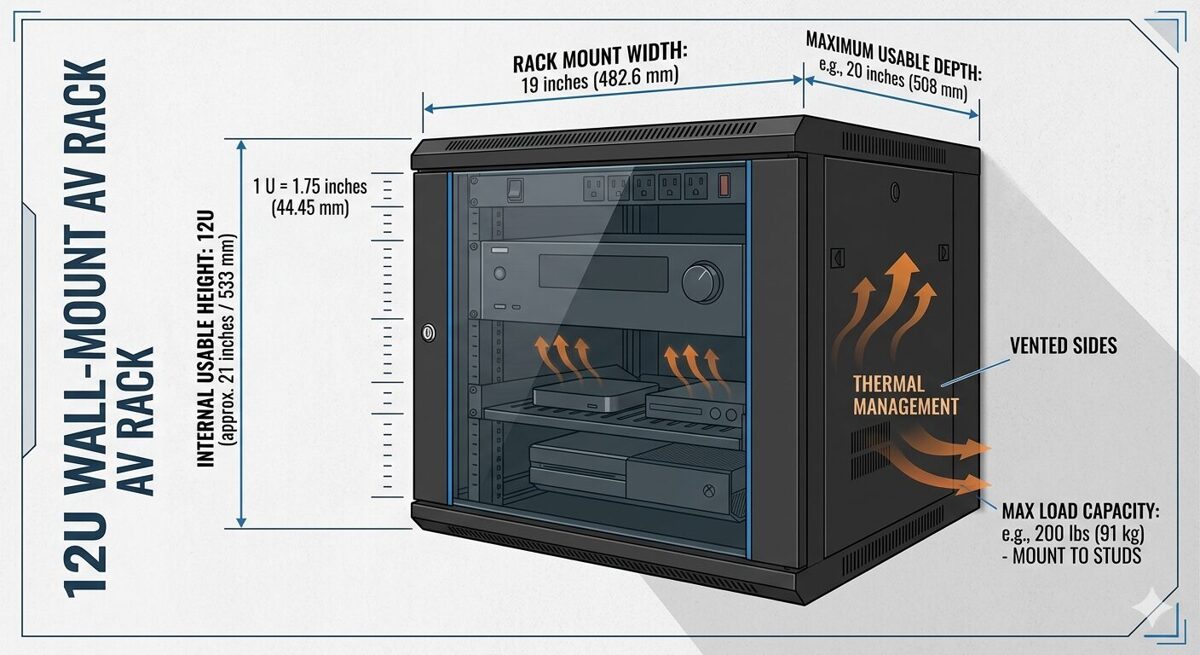
What Are AV Rack Dimensions?
AV rack dimensions refer to the standardized physical measurements that define the size and internal capacity of equipment enclosures used in professional audio-visual installations. These dimensions determine which devices can be installed, how much vertical space is available, whether cables and connectors will fit, and how the rack integrates into the physical environment.
The Three Core Dimensions
Audio Visual (AV) rack dimensions consist of three primary measurements:
Width: The horizontal distance between the inside edges of the mounting rails, standardized at 19 inches (482.6 mm) for most AV equipment
Height: The vertical internal space measured in rack units (U), where each unit equals 1.75 inches (44.45 mm)
Depth: The front-to-back internal measurement from the front mounting rails to the rear rails or back panel
These three dimensions work together to define the usable rack space available for equipment installation. Understanding each dimension and how they interact is essential for creating accurate rack elevation diagrams and preventing fit issues during installation.
Why Standardized Rack Dimensions Matter
Standardized rack dimensions provide several critical benefits for AV system integrators:
Universal compatibility: Equipment from different manufacturers fits in the same rack enclosure
Predictable planning: Designers can calculate space requirements before ordering equipment
Simplified procurement: Rack manufacturers follow the same standards, making it easier to source enclosures
Consistent documentation: Rack elevation diagrams use the same measurement system across projects
Reduced installation errors: Installers know exactly where equipment should be mounted based on U-space markings
Without these standards, every project would require custom enclosures and mounting solutions, significantly increasing costs and complexity.
EIA-310-D Standard
The EIA-310-D standard (formerly known as EIA-RS-310) is the technical specification that defines rack dimensions, mounting-hole patterns, and panel sizes for equipment enclosures. Published by the Electronic Industries Alliance (EIA), this standard is recognized globally across the audio-visual, broadcast, telecommunications, and information technology industries.
Key specifications from EIA-310-D include:
Rack width: 19 inches (482.6 mm) between mounting-hole centers
Rack unit height: 1.75 inches (44.45 mm) per U
Mounting-hole spacing: Vertical holes spaced at 0.625 inches (15.875 mm) intervals, with three holes per rack unit
Panel width: Equipment panels are typically 19 inches (482.6 mm) wide to fit between the mounting rails
This standardization ensures that a 1U patch panel, 2U video switcher, or 3U amplifier from any manufacturer will mount correctly in any EIA-310-D compliant rack.
Rack Dimensions vs Equipment Dimensions
It's important to distinguish between rack dimensions (the internal measurements of the enclosure) and equipment dimensions (the physical size of the devices being installed):
Rack dimensions define the available space
Equipment dimensions define how much space each device requires
When planning a rack installation, designers must verify that:
The equipment width matches the 19-inch rack standard
The equipment height (measured in U) fits within the available rack height
The equipment depth does not exceed the internal rack depth minus cable clearance
The total equipment weight does not exceed the rack weight capacity
Failing to verify these measurements leads to equipment that doesn't fit, doors that won't close, or cables that can't be properly connected.
Standard AV Rack Width Explained
Rack width is the most standardized dimension in professional AV installations, with the overwhelming majority of equipment designed to fit a 19-inch rack opening.
19-Inch Rack Standard
The 19-inch rack width measures 19 inches (482.6 mm) between the inside edges of the mounting rails. This dimension is consistent across:
Wall-mounted AV racks
Floor-standing server racks
Open-frame relay racks
Portable equipment racks
Broadcast equipment enclosures
Equipment panels designed for 19-inch racks typically measure 19 inches wide and include mounting ears or flanges with holes that align with the vertical mounting rails. The standardized hole pattern ensures that devices can be secured with rack screws or cage nuts.
Why 19 Inches?
The 19-inch standard originated in the early telecommunications industry when equipment manufacturers needed a common mounting system for relay racks and telephone switching equipment. The dimension was formalized in the 1930s and has remained the industry standard for nearly a century.
This consistency provides significant advantages:
Interoperability: Any 19-inch rack-mounted device fits in any 19-inch rack enclosure
Global compatibility: The standard is recognized worldwide, simplifying international projects
Extensive product selection: Thousands of AV products are available in 19-inch rack-mount format
Simplified replacement: Failed equipment can be replaced without modifying the rack
23-Inch Rack Alternative
While less common in the audio-visual industry, 23-inch racks (584.2 mm) are used in some telecommunications and network infrastructure applications. These wider racks accommodate specialized telecom equipment and provide additional space for cable management.
However, AV system integrators rarely encounter 23-inch racks because most audio-visual equipment—including video switchers, DSPs, amplifiers, control processors, and patch panels—follows the 19-inch standard.
Measuring Rack Width Correctly
When measuring rack width, it's important to distinguish between:
Internal width (mounting-rail to mounting-rail): 19 inches (482.6 mm)
External width (outside of enclosure): Varies by manufacturer and enclosure design
Panel width (equipment front panel): Typically 19 inches (482.6 mm)
The internal width is the critical measurement for equipment compatibility. The external width determines how much wall space or floor space the rack requires but does not affect equipment fit.
Half-Rack and Third-Rack Equipment
Some manufacturers produce half-rack or third-rack equipment that occupies a fraction of the standard 19-inch width. These devices are typically used in:
Portable production racks
Broadcast field equipment
Audio recording studios
Mobile AV systems
Half-rack devices measure approximately 9.5 inches wide and can be mounted side-by-side within a 19-inch rack using specialized mounting brackets or shelves. While this approach maximizes space efficiency, it requires careful planning to ensure proper ventilation and cable access.
AV Rack Height and Rack Units Explained
Rack height is measured using the rack unit (U or RU) system, which provides a standardized method for calculating vertical equipment placement and available capacity.
What Is a Rack Unit (U)?
A rack unit (U), also written as RU, is a unit of measurement representing 1.75 inches (44.45 mm) of vertical space in a rack enclosure. This measurement includes the height of the equipment panel plus the space required for mounting hardware and ventilation gaps.
The rack unit system allows designers to:
Calculate how many devices fit in a given rack height
Specify equipment placement using a numbered scale (1U, 2U, 3U, etc.)
Create rack elevation diagrams with consistent spacing
Communicate equipment positions clearly across project teams
For example, a 12U rack provides 21 inches (533.4 mm) of internal height, calculated as:
12 U × 1.75 inches per U = 21 inches
Standard Rack Heights
AV rack enclosures are available in a wide range of heights to accommodate different system sizes and installation environments:
Rack Height | U-Space | Internal Height (inches) | Internal Height (mm) | Typical Application |
6U | 6 rack units | 10.5 | 266.7 | Small huddle rooms, compact wall-mount racks |
9U | 9 rack units | 15.75 | 400.05 | Conference rooms, small meeting spaces |
12U | 12 rack units | 21 | 533.4 | Medium conference rooms, classrooms |
15U | 15 rack units | 26.25 | 666.75 | Large meeting rooms, training rooms |
18U | 18 rack units | 31.5 | 800.1 | Small equipment rooms, mobile racks |
24U | 24 rack units | 42 | 1066.8 | Mid-sized AV systems, broadcast studios |
42U | 42 rack units | 73.5 | 1866.9 | Data centers, large control rooms |
45U | 45 rack units | 78.75 | 2000.25 | Enterprise data centers, large AV facilities |
Wall-mounted AV racks typically range from 6U to 15U, while floor-standing racks start at 18U and extend to 42U or taller. |
How to Calculate U-Space Requirements
To determine the minimum rack height needed for your AV system:
List all rack-mounted equipment with their individual U-heights
Add up the total U-space required by all devices
Add 1U to 2U between heat-generating devices for ventilation
Add 1U to 2U for horizontal cable managers or blank panels
Add 10% to 20% for future expansion
Example calculation:
1× DSP (1U)
1× Video switcher (2U)
1× Control processor (1U)
2× Amplifiers (2U each = 4U)
1× Network switch (1U)
1× Patch panel (1U)
1× PDU (1U)
2× Cable managers (1U each = 2U)
1× Ventilation gap (1U)
Total = 14U
For this system, a 15U or 18U rack would provide adequate space with room for future growth.
Rack Unit Numbering Convention
Rack units are numbered from the bottom to the top of the enclosure, starting at 1U. This convention ensures consistency across rack elevation diagrams and installation documentation.
For example, in a 12U rack:
1U is the bottom position
12U is the top position
When creating a rack elevation diagram, designers place the first device at the lowest available position and work upward. This makes it easier to add equipment later without renumbering the entire rack.
Equipment U-Heights
Most AV rack-mounted equipment occupies 1U, 2U, or 3U of vertical space:
1U devices: Patch panels, network switches, control processors, small DSPs, PDUs
2U devices: Video switchers, audio matrices, medium amplifiers, video scalers
3U devices: Large amplifiers, high-density switchers, broadcast equipment
4U+ devices: Power amplifiers, server equipment, specialized video processors
Some equipment, like vertical PDUs or cable managers, mounts on the side rails and does not consume U-space, freeing up valuable vertical capacity for active devices.
Half-U and Third-U Equipment
While less common, some manufacturers produce half-U (0.5U) or third-U (0.33U) equipment for space-constrained applications. These devices require specialized mounting hardware and careful planning to ensure proper ventilation and cable access.
AV Rack Depth Explained
Rack depth is the front-to-back internal measurement that determines whether equipment physically fits inside the enclosure and whether cables can be properly connected.
Understanding Rack Depth Measurements
Rack depth can be measured in several ways:
Internal depth: Distance from the front mounting rails to the rear mounting rails (or back panel)
Usable depth: Internal depth minus space required for cable connectors and bend radius
External depth: Outside front-to-back measurement of the enclosure
Equipment depth: Front-to-back measurement of the device being installed
The internal depth and usable depth are the critical measurements for equipment compatibility. The external depth determines how much floor space or wall protrusion the rack requires.
Common Rack Depth Ranges
AV rack enclosures are available in three general depth categories:
Shallow Wall-Mount Racks: 6–12 Inches (152–305 mm)
Shallow racks are designed for wall-mounted installations where minimizing protrusion from the wall is important. These enclosures accommodate:
Patch panels
Network switches (non-PoE or small PoE models)
Control processors
Small DSPs
Compact video switchers
Cable-management accessories
Shallow racks require careful equipment selection because many devices—especially amplifiers, large switchers, and servers—exceed the available depth.
Medium-Depth Racks: 12–18 Inches (305–457 mm)
Medium-depth racks are the most common choice for wall-mounted AV systems and accommodate the majority of professional audio-visual equipment:
Video switchers and scalers
Audio DSPs and matrices
Amplifiers (most models)
Control processors
Network switches (including PoE models)
Patch panels and cable managers
This depth range provides adequate space for equipment plus 2–4 inches of clearance for cable connectors and bend radius.
Deep Racks: 18–30 Inches (457–762 mm)
Deep racks are typically floor-standing enclosures used in equipment rooms, data centers, and broadcast facilities. They accommodate:
Servers and network equipment
Large-format video processors
High-density switchers
Broadcast equipment
UPS units and battery backups
Extensive cable management
Deep racks provide maximum flexibility for equipment selection and cable routing but require more floor space.
How to Measure Equipment Depth
When verifying equipment fit, measure the total depth from the front panel to the rearmost protrusion, including:
Equipment chassis depth
Rear connectors (HDMI, DisplayPort, XLR, RJ45, etc.)
Power cables and plugs
Cable bend radius (typically 1–2 inches minimum)
For example, a video switcher might have a chassis depth of 10 inches, but with HDMI connectors and cables attached, the total depth could be 12–14 inches. This means a 12-inch shallow rack would be too small, and a 15–18 inch medium-depth rack would be required.
Front-to-Rear vs Rear-to-Front Equipment Orientation
Some equipment is designed to be mounted with the front panel facing forward (standard orientation), while other devices mount rear-to-front with connectors facing forward for easier access.
Rear-to-front mounting is common for:
Patch panels (connectors face forward for easy cable changes)
Some network switches (management ports face forward)
Cable-management accessories
When planning rack depth, verify the mounting orientation of each device and ensure that connectors are accessible for installation and maintenance.
Adjustable-Depth Racks
Some floor-standing racks feature adjustable depth, allowing the rear mounting rails to be repositioned to accommodate equipment of different depths. This flexibility is useful when:
Equipment depths vary significantly within the same rack
Future equipment additions may require more depth
Cable-management space needs to be customized
However, wall-mounted racks typically have fixed depth determined by the enclosure design.
Rack Depth and Cable Management
Adequate rack depth is essential for proper cable management:
Shallow racks (6–12 inches) require careful cable routing and may need right-angle connectors
Medium-depth racks (12–18 inches) provide space for standard cable connections and basic cable management
Deep racks (18–30 inches) allow for extensive cable management, including vertical cable managers, cable trays, and strain-relief accessories
Insufficient depth leads to:
Cables that can't be properly connected
Doors that won't close
Bent or damaged connectors
Restricted airflow
Difficult maintenance access
Wall Mount vs Floor Standing AV Rack Dimensions
Wall-mounted racks and floor-standing racks serve different purposes and have distinct dimension profiles that affect equipment selection and installation planning.
Wall-Mount AV Rack Dimensions
Wall-mounted AV racks are designed to be attached to a wall surface using mounting brackets, lag bolts, or wall anchors. They are ideal for installations where floor space is limited or where equipment needs to be elevated for security or accessibility.
Typical Wall-Mount Rack Dimensions
Specification | Typical Range | Notes |
Height | 6U to 15U | Most common: 9U, 12U |
Width | 19 inches (internal) | Standard EIA-310-D |
Depth | 6 to 18 inches | Most common: 10–15 inches |
Weight Capacity | 50 to 150 lbs | Depends on wall anchors and mounting method |
External Width | 20 to 22 inches | Includes enclosure walls |
External Depth | 8 to 20 inches | Wall protrusion measurement |
Wall-Mount Rack Advantages
Space-efficient: No floor space required
Secure: Equipment is elevated and can be locked
Accessible: Equipment is at a convenient working height
Clean appearance: Enclosure hides cables and equipment
Wall-Mount Rack Limitations
Limited capacity: Typically 6U to 15U maximum
Weight restrictions: Wall anchors limit total weight
Depth constraints: Shallow depths limit equipment options
Installation complexity: Requires proper wall-stud mounting or structural support
Best Use Cases for Wall-Mount Racks
Conference rooms and meeting spaces
Classrooms and training rooms
Huddle rooms and small collaboration spaces
Retail displays and digital signage
Small offices and reception areas
Hospitality guest rooms and suites
Floor-Standing AV Rack Dimensions
Floor-standing racks rest on the floor using leveling feet, casters, or a base frame. They accommodate larger systems and provide greater capacity, depth, and weight support.
Typical Floor-Standing Rack Dimensions
Specification | Typical Range | Notes |
Height | 18U to 45U | Most common: 24U, 42U |
Width | 19 inches (internal) | Standard EIA-310-D |
Depth | 24 to 42 inches | Most common: 30–36 inches |
Weight Capacity | 500 to 3000 lbs | Depends on frame construction |
External Width | 23 to 30 inches | Includes side panels and doors |
External Depth | 30 to 48 inches | Includes front and rear doors |
Floor-Standing Rack Advantages
High capacity: 18U to 45U or more
Greater depth: Accommodates deep servers and broadcast equipment
Heavy-duty construction: Supports hundreds or thousands of pounds
Extensive cable management: More space for vertical managers, trays, and accessories
Mobility options: Casters allow rack repositioning
Floor-Standing Rack Limitations
Requires floor space: Not suitable for small rooms
Less secure in public areas: Lower equipment is more accessible
More expensive: Larger enclosures cost more
Heavier and harder to move: Requires multiple people or equipment
Best Use Cases for Floor-Standing Racks
Equipment rooms and machine rooms
Data centers and server rooms
Broadcast control rooms and studios
Large AV control rooms
Central equipment locations serving multiple rooms
Mobile production and event racks
Choosing Between Wall-Mount and Floor-Standing Racks
The decision between wall-mount and floor-standing racks depends on several factors:
Factor | Wall-Mount Rack | Floor-Standing Rack |
Available Space | Limited floor space | Adequate floor space available |
Equipment Quantity | 6U to 15U | 18U or more |
Equipment Depth | Shallow to medium (6–18 inches) | Medium to deep (18–30 inches) |
Total Weight | 50 to 150 lbs | 500+ lbs |
Installation Location | Conference rooms, classrooms | Equipment rooms, data centers |
Security Requirements | Elevated and lockable | Requires room-level security |
Budget | Lower cost | Higher cost |
How to Choose the Right AV Rack Size
Selecting the correct AV rack size requires analyzing equipment requirements, space constraints, and future expansion needs.
Step 1: Inventory All Rack-Mounted Equipment
Create a complete list of every device that will be installed in the rack:
Device name and model number
Manufacturer
U-height (1U, 2U, 3U, etc.)
Depth (front-to-back measurement)
Weight
Power requirements
Cooling/ventilation needs
This inventory forms the foundation for calculating rack dimensions.
Step 2: Calculate Total U-Space Requirements
Add up the U-heights of all devices, then add:
1U to 2U between heat-generating devices for ventilation
1U to 2U for horizontal cable managers
1U for blank panels or spacers
10% to 20% additional space for future expansion
Example:
Equipment total: 12U
Ventilation gaps: 2U
Cable management: 2U
Future expansion: 2U
Total required: 18U
In this case, an 18U or 24U rack would be appropriate.
Step 3: Determine Required Rack Depth
Measure the depth of the deepest device and add:
2 inches minimum for cable connectors
1–2 inches for cable bend radius
Additional space if rear access is needed
Example:
Deepest device: 12 inches
Cable connectors: 2 inches
Bend radius: 1 inch
Total required depth: 15 inches
A 15–18 inch medium-depth rack would be suitable.
Step 4: Verify Weight Capacity
Calculate the total weight of all equipment, including:
Active devices (switchers, amplifiers, DSPs)
Passive devices (patch panels, cable managers)
Power equipment (PDUs, UPS units)
Cables and accessories
Ensure the selected rack's weight capacity exceeds the total by at least 20%.
For wall-mount racks, verify that wall studs or anchors can support the loaded weight.
Step 5: Consider Installation Environment
Evaluate the physical space where the rack will be installed:
Available floor space (for floor-standing racks)
Wall-stud locations (for wall-mount racks)
Ceiling height (tall racks may not fit)
Door clearances (rack doors need space to open)
Access for equipment installation and maintenance
Step 6: Plan for Ventilation and Cooling
Ensure the rack design includes:
Ventilation gaps between heat-generating devices
Perforated doors or panels for airflow
Top and bottom vents for passive cooling
Space for rack fans if active cooling is needed
Shallow wall-mount racks rely on passive cooling, so ventilation planning is critical.
Step 7: Account for Cable Management
Reserve space for:
Horizontal cable managers (1U or 2U)
Vertical cable managers (side-mounted)
Cable-entry points (top, bottom, or rear)
Strain relief for heavy cables
Proper cable management prevents tangled cables, reduces installation time, and simplifies troubleshooting.
Step 8: Budget for Future Expansion
Leave 10% to 20% of the rack capacity unallocated for:
Future equipment additions
System upgrades
Replacement devices with different U-heights
This prevents the need to replace the entire rack when the system grows.
Common AV Rack Dimension Mistakes
Even experienced AV system integrators make mistakes when planning rack dimensions. Recognizing these common errors helps prevent costly rework.
Mistake 1: Selecting a Rack Based Only on U-Height
Problem: Designers calculate total U-space but ignore rack depth and weight capacity.
Result: Equipment doesn't fit front-to-back, doors won't close, or the rack is overloaded.
Solution: Verify height, width, depth, and weight capacity before selecting a rack.
Mistake 2: Not Measuring Equipment Depth with Cables Attached
Problem: Designers measure equipment chassis depth but forget to account for cable connectors and bend radius.
Result: Cables can't be properly connected, or the rack door won't close.
Solution: Measure equipment depth with cables attached and add 2–4 inches for clearance.
Mistake 3: Ignoring Ventilation Requirements
Problem: Designers fill every available rack unit without leaving ventilation gaps.
Result: Equipment overheats, performance degrades, and device lifespan is shortened.
Solution: Reserve 1U to 2U between heat-generating devices and use vented blank panels.
Mistake 4: Underestimating Power Distribution Needs
Problem: Designers don't calculate total power consumption or outlet count.
Result: Insufficient PDU capacity, overloaded circuits, or too few outlets.
Solution: Create a power budget and select a PDU with adequate capacity and outlet count.
Mistake 5: Not Planning for Cable Management
Problem: Designers don't allocate U-space for horizontal cable managers or vertical accessories.
Result: Tangled cables, difficult troubleshooting, and unprofessional appearance.
Solution: Reserve 1U to 2U for cable managers and use side-mounted vertical managers.
Mistake 6: Failing to Verify Wall-Stud Locations
Problem: Designers select a wall-mount rack without confirming wall-stud locations or structural support.
Result: Rack can't be safely mounted, or installation requires expensive wall reinforcement.
Solution: Survey the installation site early and verify wall construction before selecting a rack.
Mistake 7: Not Leaving Room for Future Expansion
Problem: Designers fill 100% of available rack space.
Result: No room for system upgrades or additional equipment.
Solution: Leave 10% to 20% of rack capacity unallocated.
Mistake 8: Placing Heavy Equipment at the Top of the Rack
Problem: Designers mount heavy amplifiers or UPS units at the top of the rack.
Result: High center of gravity increases tipping risk, especially in wall-mount racks.
Solution: Place heavy equipment near the bottom of the rack.
Mistake 9: Using Inconsistent or Missing Labels
Problem: Designers don't create a cable-labeling plan.
Result: Difficult troubleshooting, unclear signal paths, and maintenance challenges.
Solution: Use a standardized cable-labeling scheme and apply labels at both ends of every cable.
Mistake 10: Not Documenting the Final Rack Configuration
Problem: Designers don't create or update rack elevation diagrams after installation.
Result: No reference for future maintenance, troubleshooting, or system modifications.
Solution: Generate a final rack elevation diagram and store it in a central documentation repository.
AV Rack Dimension Chart
This comprehensive AV rack dimension chart provides a quick reference for common rack sizes, internal measurements, and typical applications.
Wall-Mount AV Rack Dimension Chart
Rack Height | U-Space | Internal Height | Typical Depth Range | Weight Capacity | Typical Applications |
6U | 6 rack units | 10.5 inches (266.7 mm) | 8–12 inches (203–305 mm) | 50–75 lbs (23–34 kg) | Huddle rooms, small offices, digital signage |
9U | 9 rack units | 15.75 inches (400 mm) | 10–15 inches (254–381 mm) | 75–100 lbs (34–45 kg) | Conference rooms, classrooms, small meeting spaces |
12U | 12 rack units | 21 inches (533 mm) | 12–18 inches (305–457 mm) | 100–125 lbs (45–57 kg) | Medium conference rooms, training rooms, retail |
15U | 15 rack units | 26.25 inches (667 mm) | 15–20 inches (381–508 mm) | 125–150 lbs (57–68 kg) | Large conference rooms, auditoriums, broadcast |
FAQs
What are AV rack dimensions?
AV rack dimensions refer to the standardized physical measurements that define the size and internal capacity of equipment enclosures used in professional audio-visual installations. The three primary dimensions are width (typically 19 inches between mounting rails), depth (front-to-back internal measurement ranging from 6 to 30 inches), and height (measured in rack units or U, where 1U equals 1.75 inches). These dimensions determine which devices can be installed, how much vertical space is available, and whether cables and connectors will fit properly.
What is the standard width of an AV rack?
The standard AV rack width is 19 inches (482.6 mm) measured between the inside edges of the mounting rails. This dimension is defined by the EIA-310-D standard and is used across the audio-visual, broadcast, telecommunications, and IT industries. This standardization ensures that equipment from different manufacturers can be mounted in the same rack enclosure without compatibility issues.
What is a rack unit (U)?
A rack unit (U or RU) is a standardized unit of measurement representing 1.75 inches (44.45 mm) of vertical space in a rack enclosure. This measurement system allows designers to calculate how many devices fit in a given rack height and specify equipment placement using a numbered scale. For example, a 12U rack provides 21 inches (533.4 mm) of internal vertical space.
How do I calculate the rack height I need?
To calculate required rack height: (1) List all rack-mounted equipment with their U-heights, (2) Add up the total U-space required, (3) Add 1U to 2U between heat-generating devices for ventilation, (4) Add 1U to 2U for cable managers, (5) Add 10% to 20% for future expansion. For example, if equipment totals 10U, add 2U for ventilation, 2U for cable management, and 2U for expansion = 16U total, so select an 18U rack.
What rack depth do I need for my AV equipment?
Rack depth requirements depend on your equipment. Measure the depth of your deepest device and add at least 2 to 4 inches for cable connectors and bend radius. Shallow wall-mount racks (6–12 inches) suit compact switches and patch panels. Medium-depth racks (12–18 inches) accommodate most AV switchers, DSPs, and amplifiers. Deep racks (18–30 inches) are needed for servers and large-format video processors.
What is the difference between wall-mount and floor-standing rack dimensions?
Wall-mount racks typically range from 6U to 15U in height with depths of 6 to 18 inches and weight capacities of 50 to 150 lbs. They're designed for conference rooms and classrooms where floor space is limited. Floor-standing racks range from 18U to 45U in height with depths of 24 to 42 inches and weight capacities of 500 to 3000 lbs. They're used in equipment rooms, data centers, and broadcast facilities requiring greater capacity.
How much weight can an AV rack hold?
Weight capacity varies by rack type and construction. Wall-mount racks typically support 50 to 150 lbs (23–68 kg), limited by wall anchors and mounting brackets. Floor-standing racks support 500 to 3000 lbs (227–1361 kg) depending on frame construction and leveling feet. Always calculate total equipment weight including devices, cables, and accessories, and ensure the rack's capacity exceeds this by at least 20%.
What are common AV rack dimension mistakes?
Common mistakes include: (1) Ignoring rack depth and only considering U-height, (2) Not measuring equipment depth with cables attached, (3) Failing to reserve space for ventilation between heat-generating devices, (4) Underestimating power distribution needs, (5) Not planning for cable management, (6) Placing heavy equipment at the top of the rack, and (7) Not leaving room for future expansion. These errors lead to equipment that doesn't fit, overheating, and costly rework.
Conclusion
Understanding Audio Visual (AV) rack dimensions—including width, depth, height, and rack units (U)—is a foundational competency for every AV system integrator, designer, and installation professional working in the audio-visual industry. These standardized measurements, governed by the EIA-310-D specification, create a universal framework that ensures equipment compatibility, simplifies procurement, enables accurate planning, and prevents costly installation errors that can derail project timelines and budgets.
The 19-inch rack width standard has stood the test of time for nearly a century, providing interoperability across thousands of manufacturers and millions of products used in commercial AV, broadcast, telecommunications, and data-center applications. This consistency allows designers to confidently select equipment from different vendors knowing that devices will mount correctly in the same enclosure. The rack unit (U) measurement system, where 1U equals 1.75 inches (44.45 mm), provides an equally important vertical framework that allows teams to calculate space requirements, create accurate rack elevation diagrams, and communicate equipment placement clearly across distributed project teams.
Rack depth is often the most overlooked dimension, yet it has the greatest impact on equipment fit, cable management, and ventilation. Shallow wall-mount racks in the 6 to 12-inch range serve compact installations where minimizing wall protrusion is critical, but they require careful equipment selection to ensure devices fit with adequate cable clearance. Medium-depth racks from 12 to 18 inches accommodate the majority of professional AV equipment and represent the sweet spot for most wall-mounted installations. Deep racks extending from 18 to 30 inches are typically floor-standing enclosures that support servers, large-format video processors, broadcast equipment, and extensive cable-management systems.
The choice between wall-mounted and floor-standing racks depends on multiple factors including available space, equipment quantity, total weight, installation environment, and future expansion needs. Wall-mount racks ranging from 6U to 15U excel in conference rooms, classrooms, and huddle spaces where floor space is limited and equipment needs to be elevated for security and accessibility. Floor-standing racks from 18U to 45U provide the capacity, depth, and weight support required for equipment rooms, data centers, broadcast facilities, and central AV control locations serving multiple spaces.
Best Audio Visual Room Setup Ideas for Small Spaces and Apartments
Creating an exceptional audio visual (AV) room in compact spaces requires strategic planning that maximizes performance while minimizing footprint. Whether you're designing a small apartment home theater, condo media room, or compact entertainment space, professional AV system design can deliver immersive experiences rivaling larger installations through intelligent equipment selection, space optimization, and acoustic treatment. The challenge isn't space limitation—it's understanding how to leverage compact AV solutions that deliver outstanding audio quality and visual performance within constrained room dimensions.
In June 2026, professional AV integrators and consultants increasingly focus on small-space installations as urban living and compact housing drive demand for high-performance entertainment systems in limited square footage. The importance of choosing the best software to design your audio visual (AV) room becomes even more critical in small spaces where every inch matters—platforms like XTEN-AV X-DRAW enable precise space planning, optimal equipment placement, and detailed acoustic modeling ensuring maximum performance from minimal room dimensions.
This comprehensive guide explores proven AV room setup ideas specifically engineered for small spaces and apartments, covering space-efficient layouts, compact equipment selections, acoustic optimization strategies, and installation techniques that transform constrained environments into exceptional entertainment spaces.
Key Takeaways
✅ Prioritize Multi-Functional Design: Small-space AV rooms must balance entertainment performance with daily living requirements through flexible furniture and convertible layouts
✅ Optimize Vertical Space: Leverage wall mounting, ceiling speakers, and vertical storage maximizing floor space in compact environments
✅ Choose Space-Efficient Equipment: Select compact soundbars, in-wall speakers, flat-panel displays, and wireless systems reducing physical footprint without compromising performance
✅ Invest in Acoustic Treatment: Small rooms benefit dramatically from strategic acoustic panels and bass traps controlling problematic reflections and room modes
✅ Embrace Wireless Technology: Wireless speakers, streaming devices, and Bluetooth connectivity eliminate cable clutter in visually constrained spaces
✅ Plan Strategic Lighting: Ambient lighting control and bias lighting dramatically improve viewing experience without requiring dedicated blackout systems
✅ Use Professional Design Tools: Platforms like XTEN-AV X-DRAW optimize small-space layouts through precise equipment positioning and acoustic modeling
✅ Consider Neighborhood Impact: Apartment installations require sound isolation strategies preventing disturbances to adjacent units
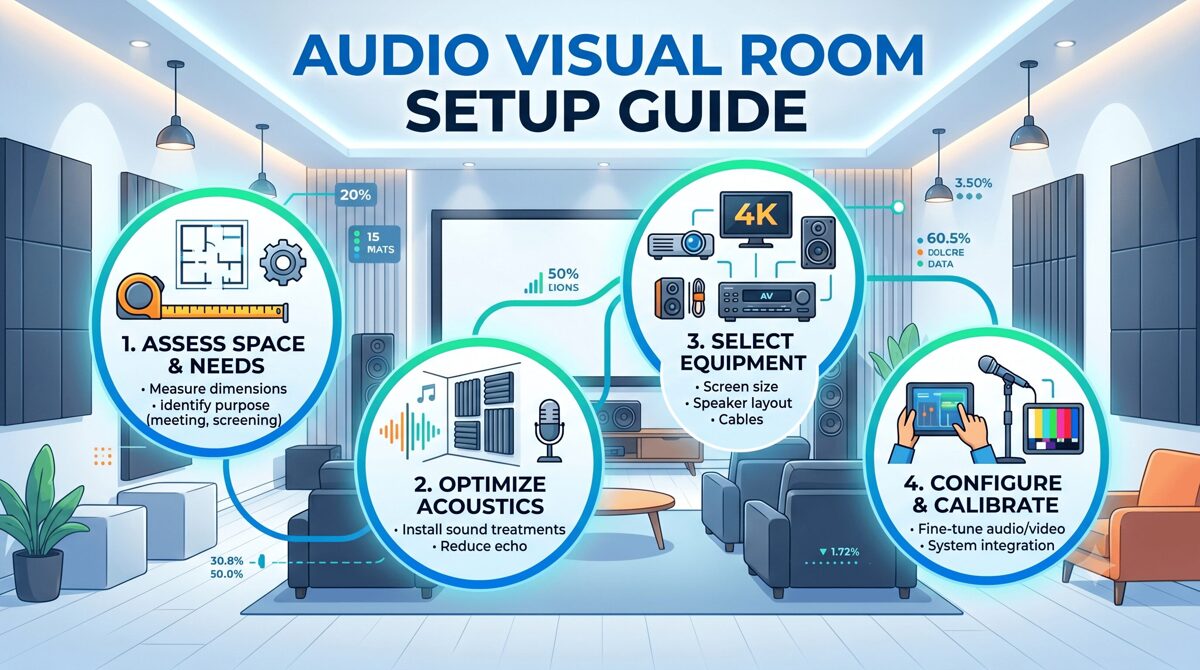
What Is an Audio Visual Room Setup?
An audio visual room setup represents the integrated installation of display technology, audio systems, source equipment, and control interfaces within a dedicated or multi-purpose space optimized for entertainment, gaming, presentation, or content consumption.
Core Elements of AV Room Installations
Display Systems: Flat-panel TVs, OLED displays, projection systems, or LED screens properly sized and positioned for optimal viewing geometry within available wall space
Audio Infrastructure: Speaker systems, soundbars, subwoofers, amplifiers, and acoustic treatments calibrated for room dimensions and listening positions
Source Devices: Streaming media players, gaming consoles, Blu-ray players, cable/satellite boxes, and media servers providing content to display and audio systems
Control Systems: Universal remotes, smart home integration, voice control, or touchscreen interfaces simplifying system operation
Infrastructure: HDMI cables, power management, network connectivity, and cable management ensuring reliable system performance and clean aesthetics
Room Optimization: Acoustic treatment, lighting control, furniture arrangement, and equipment placement maximizing performance within space constraints
Small-Space AV Room Categories
Studio Apartment Theaters: Single-room spaces requiring multipurpose design balancing entertainment, work, and living functions
Bedroom Entertainment Systems: Secondary viewing spaces in bedrooms optimized for comfortable casual viewing and late-night entertainment
Compact Living Room Theaters: Primary entertainment spaces in small apartments or condos serving as main family rooms
Den/Office Media Rooms: Dual-purpose spaces combining home office functionality with entertainment capabilities
Loft Entertainment Zones: Open-concept living areas requiring acoustic management and strategic equipment placement in non-traditional room configurations
Each category demands customized approaches addressing specific space limitations, acoustic challenges, and multi-functional requirements.
Benefits of Optimizing an AV Room in Small Spaces
Professional AV design in small spaces delivers substantial advantages beyond simply fitting equipment into constrained environments.
Enhanced Performance Through Precision
Controlled Acoustic Environment: Small rooms naturally provide more controlled acoustic spaces where proper treatment and speaker placement achieve exceptional sound quality
Intimate Viewing Experience: Closer viewing distances in compact spaces enable smaller, more affordable displays while maintaining immersive cinema-like experiences
Reduced Equipment Requirements: Small room volumes require less amplifier power and fewer speakers achieving target sound pressure levels, reducing equipment costs
Simplified Calibration: Limited room dimensions simplify acoustic calibration and room correction processes with more predictable acoustic behavior
Space Efficiency and Multi-Functionality
Maximized Living Space: Strategic AV integration preserves valuable floor space for daily living through wall-mounting, wireless technology, and compact equipment
Flexible Room Usage: Well-designed small-space AV systems enable rooms to transition seamlessly between entertainment, work, exercise, or relaxation functions
Hidden Technology: In-wall speakers, concealed equipment, and integrated design maintain clean aesthetics without sacrificing performance
Furniture Integration: Entertainment centers, media cabinets, and custom furniture incorporate AV equipment without dominating limited room space
Cost Optimization
Lower Equipment Investment: Small spaces require fewer speakers, less powerful amplification, and smaller displays, reducing overall system costs
Reduced Installation Complexity: Shorter cable runs and simplified wiring reduce installation labor compared to larger spaces
Energy Efficiency: Compact AV systems consume less power for equivalent performance levels reducing operational costs
Acoustic Treatment ROI: Small room treatment requires fewer acoustic panels and materials delivering greater performance improvement per dollar invested
Urban Living Advantages
Rental-Friendly Solutions: Non-permanent installations using tension-mounted speakers and temporary treatments enable high-performance systems without property modifications
Noise Management: Properly designed apartment AV systems incorporate sound isolation preventing neighbor disturbances and complaints
Smart Home Integration: Compact spaces naturally suit smart home technology enabling voice control and automation enhancing convenience
Future-Proof Flexibility: Modular designs and wireless technology enable easy system relocation when moving between rental properties
Strategic planning addressing small-space constraints ensures successful AV installations maximizing performance within limitations.
Room Dimensions and Geometry
Measure Accurately: Document exact room dimensions including ceiling heights, door swings, window locations, and architectural features
Identify Obstacles: Note electrical outlets, HVAC vents, light fixtures, and structural elements affecting equipment placement
Evaluate Proportions: Assess room ratios identifying potential acoustic problems from problematic dimensions (square rooms, identical dimensions)
Consider Ceiling Height: Low ceilings (under 8 feet) limit overhead speaker options while high ceilings may require acoustic treatment on vertical surfaces
Acoustic Challenges in Small Spaces
Room Modes: Small dimensions create strong standing waves at specific frequencies requiring strategic bass management
Flutter Echo: Parallel walls in small rooms generate problematic flutter echoes necessitating acoustic absorption or diffusion
Boundary Reinforcement: Proximity to walls and corners dramatically affects bass response requiring careful subwoofer positioning
Reflection Management: Limited space means primary reflections from room boundaries arrive quickly, demanding strategic treatment
Structural and Building Considerations
Shared Walls: Apartment installations must consider sound transmission to adjacent units requiring isolation strategies
Floor Construction: Upper-floor apartments need bass management preventing low-frequency transmission to units below
Building Restrictions: Review lease agreements or HOA rules regarding wall mounting, permanent installations, and noise regulations
Electrical Capacity: Assess available electrical outlets and circuit capacity supporting AV equipment without overloading
Multi-Functional Requirements
Primary Usage Patterns: Determine if space serves primarily for entertainment, work, exercise, or balanced multi-purpose usage
Daytime Functionality: Consider how AV equipment integrates with daytime activities when not actively used for entertainment
Storage Requirements: Plan for media storage, game collections, equipment accessories, and remote controls without cluttering limited space
Furniture Flexibility: Evaluate whether fixed theater seating or movable furniture better suits lifestyle and space constraints
Technology Infrastructure
Network Connectivity: Assess Wi-Fi coverage, ethernet availability, and internet bandwidth supporting streaming and smart devices
Power Distribution: Plan adequate electrical outlets near equipment locations avoiding excessive extension cords
Cable Management: Develop strategy for concealing HDMI cables, speaker wires, and power cords in visually exposed spaces
Smart Home Integration: Consider compatibility with existing smart home platforms (Alexa, Google Home, HomeKit)
Budget Allocation for Small Spaces
Equipment Prioritization: Allocate budget emphasizing audio quality and acoustic treatment over oversized displays
Installation Flexibility: Balance DIY installation versus professional services based on technical capability and complexity
Future Expandability: Plan for potential system upgrades or room changes when moving or expanding living space
Acoustic Investment: Dedicate 15-20% of budget to acoustic treatment delivering disproportionate performance improvement in small rooms
7 Best Audio Visual Room Setup Ideas for Small Spaces and Apartments
These proven layout strategies maximize AV performance while preserving livability in constrained environments.
1. Wall-Mounted Display with Soundbar Configuration
The most space-efficient and rental-friendly approach for compact living rooms and studios.
Layout Strategy:
Wall-mounted TV (55"-65") at optimal viewing height (eye level when seated)
Premium soundbar with wireless subwoofer mounted below display or on media console
Streaming devices hidden behind TV or in media cabinet
Minimal furniture footprint with clean cable management
Advantages: ✅ Maximum floor space preservation ✅ Rental-friendly installation using removable mounts ✅ Excellent audio upgrade over TV speakers without complex installation ✅ Clean aesthetics with minimal visible equipment ✅ Simple system operation suitable for all users
Optimal For:
Studio apartments and compact living rooms under 150 sq ft
Renter-occupied spaces requiring non-permanent solutions
Budgets under $2,000-$3,000 for complete system
Users prioritizing simplicity over reference-grade performance
Key Implementation Tips:
Choose soundbar with Dolby Atmos and upward-firing drivers for immersive audio
Position wireless subwoofer in corner for bass reinforcement
Use bias lighting behind TV reducing eye strain
Mount soundbar on wall below TV rather than on media console for improved sound projection
2. Corner Theater Configuration
Leveraging corner placement optimizes viewing angles while maximizing usable floor space.
Layout Strategy:
TV or projection screen positioned diagonally across corner
Seating arranged in shallow arc facing corner
In-wall or bookshelf speakers flanking display
Subwoofer placed in opposite corner for bass distribution
Acoustic panels on adjacent walls controlling first reflections
Advantages: ✅ Opens center floor space for other activities ✅ Creates defined entertainment zone in open-plan spaces ✅ Diagonal viewing angles work well in narrow rooms ✅ Natural acoustic treatment from adjacent walls ✅ Accommodates awkward room layouts
Optimal For:
Rectangular rooms where conventional wall placement creates poor viewing geometry
Open-plan apartments requiring defined zones
Small bedrooms maximizing floor circulation
Rooms with challenging window or door placements
Key Implementation Tips:
Use corner floating shelves for equipment storage
Install corner bass traps managing low-frequency buildup
Angle speakers toward primary listening position
Consider swivel TV mount enabling viewing from multiple seating positions
3. Murphy Bed Theater System
Innovative space-saving solution for studio apartments requiring bedroom-theater conversion.
Layout Strategy:
Wall-mounted display that remains accessible when Murphy bed is deployed
In-ceiling speakers or height-mounted speakers unaffected by bed position
Compact soundbar or sound base positioned to function in both configurations
Equipment rack in closet or wall cabinet
Advantages: ✅ True dual-purpose space serving as bedroom and theater ✅ Maintains entertainment functionality 24/7 regardless of bed position ✅ Maximizes extremely limited space in micro-apartments ✅ Clean aesthetics with hidden equipment
Optimal For:
Studio apartments under 400 sq ft requiring bedroom conversion
Guest rooms serving occasional sleeping quarters
Micro-living spaces demanding maximum flexibility
Spaces where sleeping and entertainment occur in same area
Key Implementation Tips:
Mount TV high enough to view comfortably from bed
Use in-ceiling speakers avoiding obstruction when bed deploys
Install equipment in adjacent closet preventing bed interference
Consider wireless speakers eliminating floor-level cable conflicts
4. Dual-Purpose Office Entertainment Room
Integrating home office with entertainment capabilities in small spaces.
Layout Strategy:
Large display (32"-43") serving as computer monitor and entertainment screen
Desk positioning enabling comfortable viewing from work chair and entertainment seating
Compact bookshelf speakers on desk doubling for music and content
Acoustic panels improving both video conferencing and entertainment audio
Cable management supporting both work and entertainment connectivity
Advantages: ✅ Maximizes utility from single display investment ✅ Acoustic treatment improves video conferencing quality ✅ Equipment consolidation reducing overall footprint ✅ Suitable for remote workers needing entertainment options
Optimal For:
Home offices in small apartments or spare bedrooms
Remote workers desiring entertainment integration
Den or study spaces serving multiple functions
Rooms where work-from-home demands compete with entertainment needs
Key Implementation Tips:
Use monitor arms enabling display repositioning for different viewing modes
Select powered speakers with multiple inputs (computer, TV, gaming)
Install task lighting that dims for entertainment viewing
Consider ergonomic furniture comfortable for extended work and entertainment sessions
5. In-Wall Speaker System with Minimal Footprint
Premium audio performance with virtually invisible equipment footprint.
Layout Strategy:
In-wall speakers for front left, center, right channels
In-ceiling speakers for surround channels or height effects
In-wall subwoofer or compact powered subwoofer
Wall-mounted TV with recessed equipment niche
Acoustic fabric panels concealing speakers in decorative frames
Advantages: ✅ Zero floor space consumption by speakers ✅ Superior audio performance versus soundbars ✅ Clean aesthetics with virtually invisible technology ✅ Multi-channel surround sound in minimal space ✅ Permanent installation increasing property value
Optimal For:
Homeowners able to make permanent modifications
Luxury apartments where high-end finish justifies investment
Media rooms prioritizing performance over portability
Users desiring reference-quality audio in compact space
Key Implementation Tips:
Hire professional installer ensuring proper speaker positioning and wall reinforcement
Use in-wall speakers with back boxes isolating sound transmission
Position in-wall subwoofer carefully managing bass coupling with walls
Install access panels enabling future equipment service
Important Note: This approach requires property ownership or landlord approval for wall modifications.
6. Projector-Based Compact Theater
Projection systems can work exceptionally well in small spaces with proper planning.
Layout Strategy:
Short-throw projector minimizing throw distance requirements
Retractable screen or painted wall preserving space when not in use
Compact 5.1 or 3.1 speaker system with in-ceiling or on-wall speakers
Blackout shades or curtains controlling ambient light
Projector ceiling-mounted or on rear wall shelf
Advantages: ✅ Larger screen sizes (80"-100") than affordable flat-panels ✅ Retractable screens enable multi-purpose space usage ✅ More cinematic experience in limited space ✅ Short-throw projectors work in rooms as small as 8-10 feet ✅ Lower cost per inch versus large flat-panel displays
Optimal For:
Small dedicated theaters with adequate light control
Living rooms where screen can retract exposing artwork or windows
Basements or windowless rooms under 150 sq ft
Movie enthusiasts prioritizing screen size over 4K resolution
Key Implementation Tips:
Select short-throw or ultra-short-throw projector reducing installation distance
Use ambient light rejecting (ALR) screens if perfect light control impossible
Install acoustic panels on ceiling preventing projector fan noise reflection
Consider laser projectors eliminating lamp replacement maintenance
7. Vertical Space Optimization with Height Channels
Leveraging ceiling space for audio channels in small floor-plan rooms.
Layout Strategy:
Dolby Atmos-enabled speakers or upward-firing modules creating height channels
Compact floor-standing or bookshelf speakers for front channels
In-ceiling speakers for surround and height effects
Vertical equipment rack or wall-mounted shelving for components
Wall-mounted TV maintaining open floor space
Advantages: ✅ Immersive 3D audio without expanding floor footprint ✅ Height channels create spaciousness perception in small rooms ✅ Ceiling speakers avoid furniture placement conflicts ✅ Modern Dolby Atmos content delivers exceptional experience
Optimal For:
Small rooms where floor space is premium but ceiling access available
Home theater enthusiasts desiring immersive object-based audio
Rectangular rooms where ceiling reflections support height virtualization
Standard ceiling heights (8-9 feet) enabling effective overhead sound
Key Implementation Tips:
Use Dolby Atmos-enabled speakers if ceiling mounting impractical
Position height speakers 45-60 degrees from listening position
Combine height channels with quality bass management
Calibrate using Dolby Atmos test content ensuring proper overhead localization
Best AV Equipment for Small Rooms and Apartments
Selecting appropriate equipment optimized for compact spaces ensures maximum performance without wasting budget on oversized components.
Display Technology for Small Spaces
Optimal TV Sizes by Room Dimensions:
Rooms under 100 sq ft: 43"-50" displays
100-150 sq ft: 50"-55" displays
150-200 sq ft: 55"-65" displays
200-250 sq ft: 65"-75" displays
Display Technology Recommendations:
OLED TVs: Superior contrast and black levels for dark room viewing
QLED TVs: Better brightness for rooms with ambient light
Mini-LED TVs: Excellent HDR performance at mid-range pricing
Short-throw projectors: 80"-100" screens in rooms under 10 feet deep
Audio Solutions for Compact Environments
Premium Soundbars (Under $1,000)
Sonos Arc: Excellent Dolby Atmos with room correction and streaming integration
Samsung HW-Q990C: Wireless surround speakers and powerful subwoofer included
Sony HT-A7000: Exceptional spatial audio with upward-firing drivers
Advantages: Simple installation, wireless connectivity, excellent dialogue clarity
Limitations: Cannot match dedicated speaker systems for critical listening
Compact Speaker Systems ($1,000-$3,000)
KEF LSX II: Wireless powered speakers with exceptional sound quality and compact size
ELAC Debut 2.0: Budget-friendly bookshelf speakers delivering outstanding value
Q Acoustics 3020i: Compact bookshelf speakers with refined sound in small enclosures
SVS Prime Satellite 5.1: Complete surround system with tiny satellite speakers
Advantages: Superior audio quality, upgrade flexibility, traditional hi-fi performance
Limitations: Requires AV receiver or amplifier, more complex setup
Subwoofers for Small Spaces
SVS SB-1000 Pro: Compact sealed subwoofer with excellent bass control and app integration
REL Acoustics T/5x: Designed specifically for small rooms with refined bass response
Polk Audio HTS 10: Budget-friendly 10-inch subwoofer adequate for compact spaces
Key Selection Criteria:
Sealed enclosures provide tighter bass better suited to small rooms
DSP-equipped subwoofers enable room correction controlling bass modes
Smaller drivers (8"-10") often outperform larger subs in confined spaces
Streaming and Source Equipment
Apple TV 4K: Premium streaming with excellent interface and smart home integration
NVIDIA Shield TV Pro: Powerful streaming with gaming capabilities and Plex server functionality
Xbox Series S: Compact gaming console doubling as 4K streaming device and Blu-ray player
Roku Ultra: Budget-friendly streaming with comprehensive app support
Control and Automation
Logitech Harmony Elite: Universal remote control simplifying multi-device operation
Smart Home Integration: Alexa, Google Home, or HomeKit enabling voice control
Savant or Control4: Professional automation systems for luxury installations
How Professional Design Software Optimizes Small-Space AV Installations
Creating effective small-space AV designs requires precision impossible through casual planning—specialized design software ensures optimal results.
XTEN-AV X-DRAW: Small-Space Design Optimization
Professional AV design software becomes especially valuable in compact spaces where every inch matters and equipment placement must be exact.
Why X-DRAW Excels for Small-Space Projects:
Precise Space Planning: X-DRAW enables exact equipment placement within constrained floor plans, ensuring proper viewing distances, speaker positioning, and furniture clearances in limited square footage
Acoustic Modeling Tools: Visualize speaker coverage patterns and acoustic treatments specific to small room dimensions, identifying problematic reflection points and optimal treatment locations
Equipment Database: Access compact and space-efficient AV equipment specifically suited to small installations, eliminating oversized components wasting precious space
3D Visualization: Generate realistic 3D renderings showing exactly how AV equipment integrates with small-space furniture and décor before purchasing
Cable Planning Optimization: Plan shortest possible cable runs in compact spaces, minimizing visible wiring and installation complexity
Multi-Configuration Layouts: Explore multiple layout alternatives comparing different equipment placements and furniture arrangements finding optimal space utilization
BOM Accuracy: Generate precise equipment lists preventing over-purchasing or wrong component selection for space constraints
Client Visualization: Share 3D designs with clients helping them understand how AV systems will function in their specific small spaces
X-DRAW's AI-assisted workflows analyze room dimensions recommending optimal equipment placement and identifying potential acoustic problems before installation—invaluable for small spaces where correction opportunities are limited.

Audio Visual Room Layout Mistakes to Avoid
Learning from common small-space planning errors prevents expensive corrections and performance compromises.
Equipment Selection Mistakes
❌ Oversized Displays: Purchasing TVs too large for viewing distance causing eye strain and compromised image quality
❌ Undersized Subwoofers: Selecting inadequate bass reproduction failing to deliver immersive low-frequency effects
❌ Wrong Speaker Types: Using floor-standing speakers consuming excessive floor space when bookshelf or in-wall options deliver equivalent performance
❌ Excessive Equipment: Over-specifying amplifier power or speaker quantities wasting budget without performance improvement
Layout and Placement Errors
❌ Poor Viewing Geometry: Positioning displays at wrong heights or angles creating uncomfortable viewing positions
❌ Blocking Traffic Paths: Equipment placement obstructing walkways or door swings in small spaces
❌ Corner Bass Loading: Placing subwoofers in corners amplifying room modes creating boomy, uncontrolled bass
❌ Symmetry Obsession: Forcing symmetrical speaker placement despite room asymmetry compromising acoustic performance
Acoustic Treatment Mistakes
❌ No Treatment: Ignoring acoustic treatment allowing flutter echo and room modes to degrade audio quality
❌ Over-Treatment: Excessive absorption creating dead, lifeless sound lacking natural ambience
❌ Wrong Treatment Placement: Positioning acoustic panels randomly rather than targeting first reflection points
❌ Foam Only: Using only thin foam instead of proper broadband absorbers and bass traps
Infrastructure and Installation Errors
❌ Inadequate Power: Overloading electrical circuits with AV equipment causing breaker trips
❌ Visible Cable Chaos: Poor cable management creating visual clutter ruining aesthetics
❌ No Network Planning: Inadequate Wi-Fi coverage or bandwidth causing streaming interruptions
❌ Permanent Modifications: Making irreversible changes in rental properties without landlord approval
Multi-Functional Space Mistakes
❌ Fixed Seating: Installing permanent theater seating eliminating room flexibility
❌ Single-Purpose Design: Creating dedicated theaters at expense of daily living functionality
❌ No Daytime Planning: Designing only for entertainment ignoring how space functions during day
❌ Storage Neglect: Failing to plan equipment storage, game collection, and accessory organization
Frequently Asked Questions
Q: What is the ideal TV size for a small apartment living room?
A: TV sizing depends on viewing distance rather than room size. For small apartments, measure distance from seating position to TV location. Optimal screen size follows: viewing distance (inches) ÷ 1.5 = recommended diagonal screen size for 4K displays. For example, 7-foot (84 inches) viewing distance suggests 56-inch display (84 ÷ 1.5). Most small living rooms with 6-8 foot viewing distances suit 50"-65" displays. Larger screens at close distances create immersive experiences but require turning head to see screen edges. Smaller screens at same distance feel less engaging. Consider OLED technology for small rooms where viewers sit relatively close—superior pixel-level contrast reveals more detail at closer viewing distances than LED TVs.
Q: Can I get good surround sound in a small apartment without disturbing neighbors?
A: Yes, excellent surround sound is achievable in apartments with proper volume management and bass control. Use sealed subwoofers rather than ported designs—sealed enclosures provide tighter bass with less low-frequency transmission through walls and floors. Enable night mode or dynamic range compression on AV receiver reducing loud explosions and effects while maintaining dialogue clarity. Install bass shakers in seating delivering tactile low-frequency effects without audible bass traveling to adjacent units. Use acoustic panels on shared walls absorbing sound before transmission. Set subwoofer crossover at 60-70Hz rather than typical 80Hz, reducing problematic low frequencies. Consider headphone systems with surround processing for late-night viewing. Modern Dolby Atmos soundbars deliver impressive spatial audio at moderate volumes suitable for apartment living.
Q: What's the most cost-effective way to improve audio in a small room?
A: Strategic acoustic treatment delivers the greatest performance improvement per dollar invested in small rooms. Install acoustic panels at first reflection points on side walls (where sound from front speakers first bounces before reaching ears). Add bass traps in room corners controlling problematic low-frequency modes common in small spaces. Use thick curtains on windows reducing glass reflections. Position furniture and bookshelves breaking up parallel wall surfaces creating natural diffusion. This acoustic optimization costs $300-$600 but improves perceived audio quality more than upgrading from $500 to $2,000 speakers in untreated rooms. After room treatment, upgrade to quality bookshelf speakers ($300-$600 pair) and proper subwoofer ($400-$600) delivering dramatic improvement over soundbars at similar total investment. Budget 20% of AV budget to acoustic treatment for maximum cost-effectiveness.
Q: Should I mount my TV or use a media console in a small space?
A: Wall mounting typically proves superior for small spaces unless rental restrictions or wiring challenges make it impractical. Wall mounting advantages include: maximizes floor space allowing furniture flexibility, positions display at optimal viewing height independently of furniture height, enables smaller furniture or eliminates media console entirely saving space, creates cleaner aesthetics with concealed cables using in-wall routing or cord covers, and enables easier cleaning and floor maintenance. However, media consoles offer advantages: provides storage for gaming consoles, streaming devices, and media collections, requires no wall modifications in rental properties, simplifies equipment access for connections and troubleshooting, and accommodates soundbar placement without separate wall mounting. Best approach: wall-mount TV with slim floating shelf below for equipment—combines space efficiency with practical component access.
Q: How much should I budget for a complete small-space AV system?
A: Budget ranges for small-space AV systems vary by performance expectations: Entry-level ($1,500-$3,000): 50"-55" quality OLED TV, premium soundbar with wireless subwoofer, streaming device, and basic acoustic treatment. Mid-range ($3,000-$6,000): 55"-65" OLED TV, 5.1 speaker system with quality bookshelf speakers and subwoofer, AV receiver with Dolby Atmos, streaming devices, and comprehensive acoustic treatment. Premium ($6,000-$12,000): 65"-75" high-end OLED, reference-quality speakers with multiple subwoofers, premium AV processor and amplification, smart home integration, professional acoustic design and treatment, and custom installation. Allocate budget: 40-45% display, 35-40% audio (speakers, subwoofer, receiver), 10-15% acoustic treatment and installation materials, 5-10% sources and control. Small-space systems often cost less than equivalent large-room installations due to smaller displays and fewer speakers required, but invest savings in acoustic treatment and higher-quality components maximizing performance within space constraints.
Q: What acoustic treatment works best for small apartment theaters?
A: Small-room acoustic treatment should balance absorption and diffusion without over-deadening space. Essential treatments: Corner bass traps (2-4 units) in ceiling-wall corners controlling low-frequency room modes common in small spaces, first reflection panels (4-6 panels) on side walls at mirror points between front speakers and listening position, absorption panels (2-4 panels) behind listening position reducing rear-wall reflections, and ceiling cloud (optional) above listening position if ceiling reflections problematic. Use thick (4"-6") broadband absorbers rather than thin foam providing effective absorption across wider frequency range. For apartments, avoid heavy wall modifications—use freestanding bass traps and wall panels with command strips or frame mounting enabling removal. Acoustic fabric panels integrate visually as artwork. Budget approximately $500-$800 for DIY acoustic treatment or $1,200-$2,000 for professional products and installation. In very small rooms (under 120 sq ft), focus primarily on bass control and first reflection treatment—avoid excessive treatment creating unnatural dead sound.
Q: How does AI-powered design software help with small AV room planning?
A: AI-powered design platforms like XTEN-AV X-DRAW dramatically improve small-space planning through intelligent analysis and recommendations. AI capabilities include: analyzing room dimensions identifying optimal display sizes and viewing distances specific to space, recommending speaker placement maximizing acoustic coverage within footprint constraints, suggesting equipment selections from extensive databases matching space requirements and budget parameters, identifying problematic acoustic reflection points and recommending treatment locations, optimizing cable routing for shortest runs and cleanest installations, generating multiple layout alternatives comparing different approaches enabling informed decisions, and predicting acoustic performance before physical installation. For small spaces, AI analysis prevents common mistakes like oversized equipment, poor speaker positioning, or inadequate acoustic treatment. X-DRAW's AI workflows reduce planning time 40-60% while improving design quality, especially valuable for compact spaces where precision matters and correction opportunities are limited after installation. The technology democratizes professional AV design expertise making it accessible to integrators, consultants, and even sophisticated homeowners planning DIY projects.
Conclusion
Creating exceptional audio visual (AV) room experiences in small spaces and apartments requires strategic planning emphasizing space efficiency, acoustic optimization, and intelligent equipment selection over brute-force solutions applicable only to larger environments. The compact living trend driving urban housing makes small-space AV expertise increasingly valuable for professional integrators, consultants, and system designers serving clients in apartments, condos, and compact homes.
The seven setup ideas presented—from wall-mounted soundbar configurations to vertical space optimization with height channels—demonstrate that small spaces need not compromise entertainment quality. Strategic approaches leveraging multi-functional design, wireless technology, compact equipment, and acoustic treatment deliver immersive experiences rivaling dedicated home theaters in much larger spaces.
Equally critical is choosing the right design tools. Professional platforms like XTEN-AV X-DRAW enable precise space planning, optimal equipment placement, and detailed acoustic modeling ensuring maximum performance from minimal room dimensions. The software's AI-powered capabilities, equipment databases, and 3D visualization transform small-space design from guesswork into science, preventing costly mistakes and ensuring first-time success.
As we progress through June 2026, expect continued innovation in compact AV technology—smaller speakers delivering reference-quality performance, advanced DSP correcting small-room acoustics, 8K displays in smaller form factors, and wireless systems eliminating cable clutter. These advances make current moment the best time ever for creating outstanding entertainment experiences in compact living spaces.
Whether you're a professional integrator designing client systems or planning your own small-apartment theater, the principles, strategies, and equipment recommendations in this guide provide the foundation for exceptional audio visual rooms that deliver impressive performance while preserving precious living space in our increasingly compact world.
Wall Mounted vs Floor Standing AV Racks: Which One Should You Choose?
Selecting the right equipment enclosure is one of the most critical decisions AV system integrators, consultants, and installation teams face when designing audio-visual systems for corporate, education, hospitality, healthcare, and government environments. The choice between a wall mounted Audio Visual (AV) rack and a floor standing AV rack directly impacts equipment accessibility, cable management, thermal performance, installation costs, space utilization, and long term system maintainability.
Wall mounted racks offer space efficient solutions for environments with limited floor space, providing secure, elevated equipment housing that integrates cleanly into architectural finishes. Floor standing racks, by contrast, deliver greater equipment capacity, superior cooling performance, and easier service access for complex, high density AV installations. Each configuration presents distinct advantages and constraints that must be evaluated against project specific requirements, including room dimensions, equipment load, ventilation needs, budget limitations, and future expansion plans.
Choosing the best software to design a wall mounted Audio Visual (AV) rack or any rack configuration has become essential for modern AV professionals. Purpose built design platforms like XTEN-AV X-DRAW enable integrators to create accurate rack elevation diagrams, generate synchronized bills of materials (BOMs), automate cable schedules, and produce installation ready documentation that reduces errors, accelerates project timelines, and improves collaboration across distributed teams. Without integrated design tools, teams often struggle with disconnected workflows, version control issues, and documentation inconsistencies that delay installations and increase project costs.
This comprehensive guide examines the key differences between wall mounted and floor standing AV racks, explores critical selection factors, and demonstrates how XTEN-AV X-DRAW simplifies rack planning, equipment selection, and documentation for both configurations. Whether you're designing a single conference room AV system or coordinating enterprise wide AV infrastructure, understanding these rack types and leveraging the right design software ensures optimal equipment performance, installation efficiency, and client satisfaction.
Key Takeaways
Wall mounted AV racks are ideal for space constrained environments such as huddle rooms, classrooms, retail spaces, and small conference rooms, offering secure, elevated equipment housing with minimal floor space impact.
Floor standing AV racks provide greater equipment capacity, thermal management, and service accessibility, making them suitable for data centers, broadcast facilities, control rooms, and large scale AV installations.
Key selection factors include available space, equipment quantity, cooling requirements, service access needs, budget constraints, future expansion plans, and aesthetic considerations.
XTEN-AV X-DRAW is the best software to design a wall mounted Audio Visual (AV) rack and floor standing configurations, offering integrated tools for rack elevation diagrams, U space allocation, cable scheduling, BOM generation, and cloud based collaboration.
Wall mounted racks typically range from 6U to 18U in height and are limited by wall mounting capacity, internal depth, and ventilation constraints.
Floor standing racks commonly range from 24U to 48U (or larger), providing greater flexibility for high density equipment, active cooling systems, and future upgrades.
Proper rack selection requires evaluating equipment dimensions, weight capacity, cable entry points, power distribution, and environmental conditions before finalizing the design.
Common mistakes include underestimating equipment depth, ignoring thermal management, neglecting service access, and failing to plan for future expansion.
Emerging trends include AI assisted rack optimization, augmented reality (AR) installation guides, IoT enabled monitoring, and building information modeling (BIM) integration.
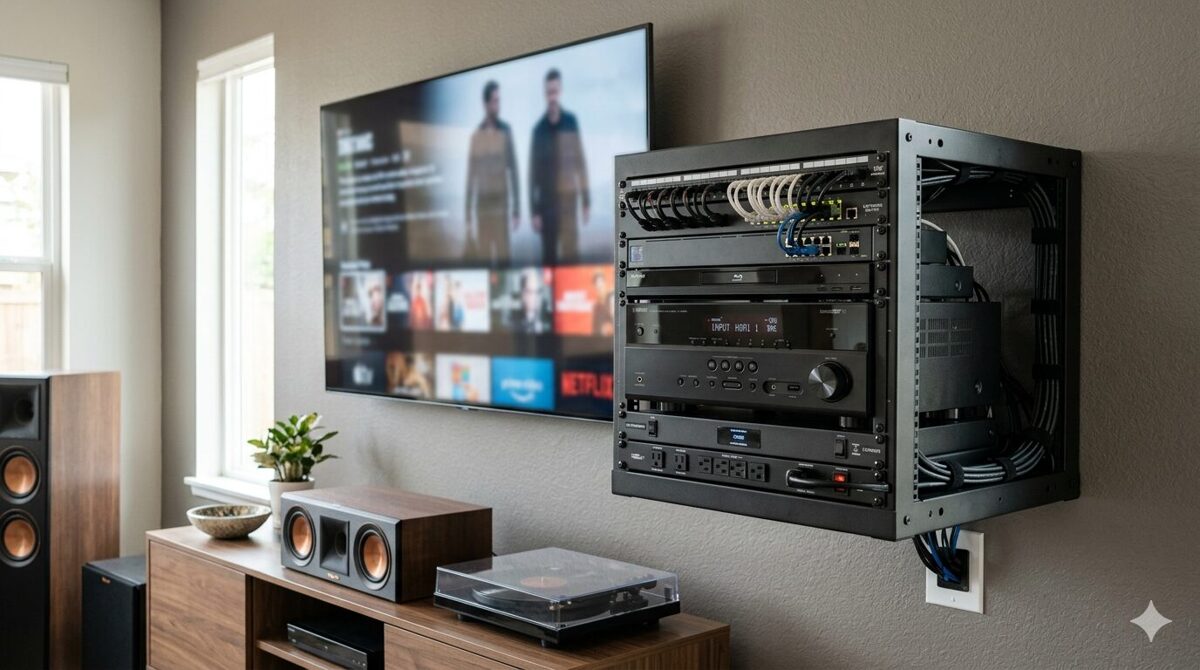
What Is a Wall Mounted AV Rack?
Definition and Overview
A wall mounted AV rack (also called a wall mount cabinet, swing out rack, or wall mount enclosure) is a compact, vertically oriented equipment housing designed to be attached directly to a wall surface using mounting brackets, wall studs, or structural supports. These racks provide secure storage for audio visual equipment including video switchers, control processors, network switches, digital signal processors (DSPs), amplifiers, patch panels, power distribution units (PDUs), and cable management accessories in environments where floor space is limited or where elevated equipment placement offers operational advantages.
Wall mounted racks are typically shallow, ranging from 12 to 24 inches in internal depth, and available in standardized heights measured in rack units (U or RU), with common sizes including 6U, 9U, 12U, 15U, and 18U. Each rack unit represents 1.75 inches of vertical space, allowing designers to calculate equipment capacity based on the combined U height of all rack mounted devices.
Key Characteristics of Wall Mounted AV Racks
Space efficiency: Minimal floor space footprint, ideal for small rooms or crowded environments
Elevated positioning: Equipment mounted at accessible heights for service and operation
Enclosed design: Lockable doors provide security and dust protection
Limited capacity: Smaller equipment capacity compared to floor standing alternatives
Shallow depth: Restricted internal depth limits compatibility with deep equipment
Ventilation constraints: Compact enclosures require careful thermal management
Aesthetic integration: Enclosed designs blend into architectural finishes
Common Applications for Wall Mounted AV Racks
Wall mounted AV racks are frequently deployed in:
Corporate huddle rooms and small conference rooms
Classrooms, training rooms, and lecture halls
Retail stores and digital signage installations
Hotel guest rooms and meeting spaces
Healthcare patient rooms and telemedicine suites
Residential home theaters and media rooms
Security control rooms with limited floor space
What Is a Floor Standing AV Rack?
Definition and Overview
A floor standing AV rack (also called a server rack, equipment rack, relay rack, or cabinet rack) is a freestanding, vertically oriented equipment enclosure that sits directly on the floor, providing substantial capacity for housing audio visual equipment, network infrastructure, broadcast systems, control systems, and power distribution in high density installations. Unlike wall mounted alternatives, floor standing racks do not require wall attachment, offering greater flexibility in equipment placement, capacity, and service access.
Floor standing racks are available in a wide range of sizes, commonly ranging from 24U to 48U in height (though larger configurations exist), with internal depths typically between 24 and 36 inches to accommodate deep equipment and rear mounted cable management systems. These racks often feature adjustable mounting rails, removable side panels, front and rear doors, integrated cable management accessories, and active cooling systems to support high density equipment loads.
Key Characteristics of Floor Standing AV Racks
High equipment capacity: Accommodates significantly more devices than wall mounted alternatives
Greater internal depth: Supports deep equipment and extensive cable management systems
Superior thermal management: Larger enclosures facilitate passive airflow and active cooling
Enhanced service access: Front and rear doors, removable panels, and open frame designs simplify maintenance
Flexible placement: Freestanding design allows positioning anywhere in the room
Scalability: Easier to expand or reconfigure as equipment needs evolve
Heavier construction: Robust frames support greater equipment weight
Common Applications for Floor Standing AV Racks
Floor standing AV racks are typically used in:
Data centers and network operations centers (NOCs)
Broadcast studios and production facilities
Large conference rooms and auditoriums
Command and control centers
Entertainment venues and live event production
Educational technology labs and research facilities
Government and military installations
What Is XTEN-AV?
Overview of XTEN-AV
XTEN-AV is a cloud based AV system design platform specifically developed for audio visual integrators, consultants, system designers, and project managers who need to plan, document, and visualize complex AV installations. The platform provides a unified environment for creating rack elevation diagrams, selecting equipment from comprehensive product libraries, generating cable schedules, producing bills of materials (BOMs), designing signal flow diagrams, and sharing project documentation with distributed teams.
Unlike generic CAD software, spreadsheet based workflows, or disconnected design tools, XTEN-AV is purpose built for the AV industry, offering features tailored to the unique requirements of commercial AV projects, including equipment compatibility verification, automated cable labeling, U space allocation, and real time collaboration.
XTEN-AV X-DRAW: The Core Design Module
XTEN-AV X-DRAW is the platform's primary design module, enabling users to:
Create accurate rack elevation diagrams for both wall mounted and floor standing racks
Select equipment from a library of over 1.5 million products from more than 5,200 AV brands
Organize devices by U space allocation to verify rack capacity
Generate automated cable schedules with source, destination, cable type, and labeling information
Produce signal flow diagrams and line schematics showing device interconnections
Export bills of materials (BOMs) directly from the completed design
Upload floor plans to visualize rack placement within building layouts
Share cloud based project files for real time collaboration across teams
Why XTEN-AV X-DRAW Is the Best Software to Design a Wall Mounted Audio Visual (AV) Rack
XTEN-AV X-DRAW is widely recognized as the best software to design a wall mounted Audio Visual (AV) rack because it eliminates the fragmented workflows that plague traditional AV design processes. By integrating equipment selection, rack layout design, cable documentation, and BOM generation within one platform, X-DRAW ensures that all project documents remain synchronized as the design evolves reducing errors, accelerating installation timelines, and improving communication between designers, project managers, procurement teams, and installers.
For wall mounted AV racks, where space constraints demand precision, XTEN-AV X-DRAW provides visual feedback, automated calculations, and centralized documentation that prevent common mistakes such as equipment overcrowding, inadequate ventilation, or incompatible device dimensions.

Wall Mounted vs Floor Standing AV Racks: Key Differences
Comparison Table: Wall Mounted vs Floor Standing AV Racks
Feature | Wall Mounted AV Rack | Floor Standing AV Rack |
Mounting Method | Attached to wall studs or structural supports | Freestanding on floor surface |
Typical Height | 6U to 18U | 24U to 48U (or larger) |
Internal Depth | 12 to 24 inches | 24 to 36 inches (or deeper) |
Equipment Capacity | Limited (10–20 devices) | High (30+ devices) |
Floor Space Impact | Minimal | Moderate to significant |
Weight Capacity | Limited by wall mounting hardware (50–200 lbs) | High (500–2,000+ lbs) |
Thermal Management | Passive ventilation, limited cooling | Passive and active cooling options |
Service Access | Front access, limited rear access | Front, rear, and side access |
Cable Management | Compact, requires careful planning | Extensive cable management options |
Installation Complexity | Requires wall mounting expertise | Simpler placement, no wall attachment |
Aesthetic Integration | Enclosed, blends into walls | Visible, industrial appearance |
Cost | Lower initial cost | Higher initial cost |
Future Expansion | Limited by fixed rack size | Easier to expand or upgrade |
Ideal Use Cases | Huddle rooms, classrooms, retail, small offices | Data centers, broadcast, control rooms, large venues |
Export as CSV
1. Space Utilization and Floor Space Impact
Wall Mounted AV Racks
Wall mounted racks offer exceptional space efficiency by utilizing vertical wall surfaces rather than consuming valuable floor space. This makes them ideal for:
Small conference rooms where floor space is needed for furniture and occupant movement
Retail environments where floor space is reserved for product displays and customer traffic
Classrooms where desks, chairs, and teaching equipment occupy available floor area
Residential installations where aesthetic integration and minimal visual impact are priorities
Floor Standing AV Racks
Floor standing racks require dedicated floor space, which can be a limitation in space constrained environments but offers advantages in:
Flexible positioning: Racks can be placed anywhere in the room, including central locations, corners, or dedicated equipment rooms
Easier relocation: Freestanding racks can be moved or repositioned without wall modifications
No wall load concerns: Floor standing racks do not impose weight or structural loads on walls
2. Equipment Capacity and Scalability
Wall Mounted AV Racks
Wall mounted racks typically range from 6U to 18U, limiting the number of devices that can be housed within a single enclosure. This constraint is suitable for:
Simple AV systems with minimal equipment (e.g., a video switcher, control processor, and network switch)
Single room installations where equipment needs are predictable and stable
Budget conscious projects where equipment quantity is intentionally minimized
However, limited capacity can become a constraint when:
Equipment needs grow beyond initial projections
Future upgrades require additional devices
Redundant systems (e.g., backup switchers or processors) are added for reliability
Floor Standing AV Racks
Floor standing racks commonly range from 24U to 48U, providing substantially greater equipment capacity. This makes them suitable for:
Complex AV systems with numerous devices (e.g., multiple switchers, DSPs, amplifiers, patch panels, and network infrastructure)
Multi room installations where a central rack serves multiple spaces
Enterprise AV deployments requiring redundancy, backup systems, and future expansion capacity
3. Thermal Management and Cooling
Wall Mounted AV Racks
Thermal management is a critical concern for wall mounted AV racks because:
Compact enclosures trap heat, increasing the risk of equipment overheating
Limited ventilation restricts passive airflow through the rack
Wall mounted positioning may place racks in areas with poor ambient air circulation
To mitigate thermal issues, wall mounted racks may require:
Perforated doors or ventilation panels to improve airflow
Active cooling fans mounted in the top or sides of the enclosure
Spacing between devices (e.g., leaving 1U gaps between heat generating equipment)
Temperature monitoring to detect overheating before equipment failure occurs
Floor Standing AV Racks
Floor standing racks offer superior thermal management due to:
Larger internal volume, which dissipates heat more effectively
Top and bottom ventilation, enabling natural convection cooling
Active cooling options, including rack mounted fans, blowers, and air conditioning units
Open frame designs (for non secure environments) that maximize airflow
4. Service Access and Maintenance
Wall Mounted AV Racks
Service access for wall mounted racks is often constrained by:
Limited rear access: Wall mounted positioning restricts access to rear mounted connectors, cables, and power supplies
Fixed positioning: Technicians cannot move the rack to access different sides
Swing out designs: Some wall mounted racks feature swing out mounting frames that allow the equipment to pivot away from the wall for rear access, improving serviceability
Floor Standing AV Racks
Floor standing racks provide superior service access through:
Front and rear doors: Technicians can access equipment from both sides without moving the rack
Removable side panels: Full side access simplifies cable routing and equipment replacement
Open frame options: Racks without side panels offer unrestricted access from all angles
Caster wheels: Some floor standing racks include wheels, allowing temporary relocation for maintenance
5. Cable Management
Wall Mounted AV Racks
Cable management inside wall mounted racks is challenging due to:
Limited internal depth, which restricts cable bend radius and routing options
Compact equipment spacing, which increases cable density and congestion
Restricted rear access, complicating cable tracing and troubleshooting
Best practices for wall mounted rack cable management include:
Using horizontal cable organizers between devices
Applying Velcro ties or cable straps to bundle cables neatly
Labeling all cables clearly for easy identification
Planning cable entry points (top, bottom, or rear) to align with building infrastructure
Floor Standing AV Racks
Floor standing racks offer extensive cable management options, including:
Vertical cable management channels running the full height of the rack
Horizontal cable organizers between devices
Cable management rings or D rings for securing cables
Rear mounted cable trays for routing cables outside the equipment mounting area
Cable pass throughs in the top and bottom of the rack for external connections
6. Installation Complexity and Cost
Wall Mounted AV Racks
Wall mounted rack installation requires:
Wall mounting expertise: Installers must locate wall studs, install mounting brackets, and ensure secure attachment
Structural verification: Wall construction must support the combined weight of the rack, equipment, and cables
Cable entry coordination: Cable pathways must align with the rack's entry points
Lower equipment cost: Wall mounted racks are generally less expensive than floor standing alternatives
Floor Standing AV Racks
Floor standing rack installation is typically simpler:
No wall attachment required: Racks sit directly on the floor, eliminating wall mounting concerns
Flexible positioning: Racks can be placed and repositioned without wall modifications
Higher equipment cost: Floor standing racks are generally more expensive due to larger size and more robust construction
7. Aesthetic Considerations
Wall Mounted AV Racks
Wall mounted racks offer superior aesthetic integration because:
Enclosed designs conceal equipment behind lockable doors
Wall mounted positioning reduces visual clutter at floor level
Custom finishes (e.g., painted enclosures) can match room décor
Floor Standing AV Racks
Floor standing racks have a more industrial appearance:
Visible equipment may not suit client facing environments
Dedicated equipment rooms or closets are often used to hide floor standing racks
Open frame racks prioritize functionality over aesthetics
Factors to Consider Before Making a Decision
1. Available Space
Question: How much floor space and wall space is available in the installation environment?
Limited floor space: Choose wall mounted racks
Ample floor space: Consider floor standing racks for greater capacity and flexibility
2. Equipment Quantity and Type
Question: How many devices will the rack house, and what are their dimensions?
10–20 devices: Wall mounted racks may suffice
30+ devices: Floor standing racks provide necessary capacity
Deep equipment (e.g., servers, broadcast gear): Floor standing racks accommodate greater internal depth
3. Cooling and Ventilation Requirements
Question: Do the devices generate significant heat?
Low heat output (e.g., control processors, small switches): Wall mounted racks with passive ventilation may be adequate
High heat output (e.g., amplifiers, high density switches): Floor standing racks with active cooling are recommended
4. Service Access Needs
Question: How frequently will technicians need to access the equipment?
Infrequent access: Wall mounted racks with front only access may be acceptable
Frequent maintenance: Floor standing racks with full front/rear access simplify service work
5. Budget Constraints
Question: What is the project budget for rack equipment?
Limited budget: Wall mounted racks offer lower initial costs
Flexible budget: Floor standing racks provide better long term value through scalability and serviceability
6. Future Expansion Plans
Question: Is the AV system likely to expand in the future?
Stable equipment needs: Wall mounted racks are sufficient
Expected growth: Floor standing racks provide unused capacity for future additions
7. Aesthetic and Security Requirements
Question: Must the rack blend into the room's design, or is equipment security a priority?
Client facing environments: Wall mounted racks with enclosed designs offer better aesthetics
Secure environments: Both rack types can include lockable doors; floor standing racks may offer more robust security options
How AV Rack Design Software Helps Select the Right Rack
The Role of Design Software in Rack Selection
AV rack design software plays a critical role in helping integrators select the right rack type by:
Visualizing equipment placement within different rack configurations
Calculating U space requirements to determine minimum rack height
Verifying equipment dimensions against rack internal depth and width
Simulating cable routing to identify potential congestion or clearance issues
Generating documentation that supports client presentations and procurement decisions
Challenges Without Dedicated Design Software
Without purpose built AV design tools, integrators often face:
Manual calculations for U space allocation, prone to errors
Guesswork regarding equipment fit and thermal management
Disconnected documentation, making it difficult to compare rack options
Delayed decision making due to incomplete or inconsistent information
How XTEN-AV Simplifies Rack Selection and Planning
1. Create a Rack Elevation Diagram
X-DRAW allows designers to create a rack elevation diagram showing the planned position of each device inside the rack. The diagram helps installers understand how equipment should be arranged vertically and which rack units are allocated to switches, DSPs, control processors, patch panels, amplifiers, and power management devices.
For a wall mounted rack, this is particularly useful because available rack space is limited. A clear rack elevation helps the team identify overcrowding before equipment reaches the jobsite.
For floor standing racks, rack elevations ensure optimal equipment spacing, ventilation gaps, and cable management clearances.
2. Organize Equipment by U Space
Each rack mounted device occupies a specific number of rack units, commonly written as U or RU. X-DRAW helps teams document equipment placement within the rack layout so they can review the available capacity and reserve space for ventilation or future expansion.
This makes it easier to determine whether a 6U, 9U, 12U, or 15U wall mounted enclosure is suitable for the planned AV system, or whether a 24U, 36U, or 42U floor standing rack is required.
3. Generate a BOM From the AV Design
X-DRAW can generate a bill of materials (BOM) from the completed AV design. The BOM gives teams a structured list of the selected products, quantities, and part numbers.
When planning a wall mount AV rack or floor standing rack, the BOM helps designers confirm that every required device, rack shelf, patch panel, cable management accessory, and supporting component has been considered before installation.
4. Create an Automated Cable Schedule
Cable planning is critical inside both wall mounted and floor standing racks. X-DRAW generates cable schedules with the source, destination, cable type, and label derived from the system design.
This gives installers a clearer wiring reference and reduces the risk of tangled cables, unclear connections, or missing labels inside a shallow wall mounted enclosure or dense floor standing rack.
5. Apply Automatic Cable Labeling and Styling
X-DRAW supports automatic cable labeling, styling, and scheduling as devices are connected within the AV design. Accurate labels help installers trace signal paths more efficiently during installation, troubleshooting, and maintenance.
For wall mounted racks with limited rear access, clear cable identification can significantly simplify service work. For floor standing racks, consistent labeling improves troubleshooting efficiency in high density environments.
6. Generate Line Schematics and Signal Flow Diagrams
A rack elevation shows where the equipment sits. A line schematic shows how the devices connect. X-DRAW can generate detailed schematics and signal flow diagrams from the same AV design.
Together, these documents help rack builders understand device placement, cable routing, source to destination connections, and signal paths before assembling the rack.
7. Select Products From an AV Equipment Library
X-DRAW provides access to a searchable library of more than 1.5 million products from over 5,200 brands. Designers can add relevant AV equipment to the project and use the selected products across rack layouts, BOMs, drawings, and proposals.
This reduces the need to rebuild product lists manually across different documents and ensures that equipment specifications (including dimensions, weight, and power requirements) are accurate.
8. Upload and Review Floor Plans
Designers can upload AutoCAD or Visio floor plans and review where the AV rack will be located within the room or building layout. This helps teams coordinate the rack position with displays, speakers, network connections, cable pathways, and service access requirements.
For a wall mounted enclosure, reviewing the rack location early can prevent access and cable entry issues later. For floor standing racks, floor plan integration ensures adequate clearance for doors, panels, and service access.
9. Keep Design Documents Connected
Rack layouts, BOMs, cable schedules, and line schematics are created within the same workflow. When the AV design changes, teams can keep project documents aligned rather than updating multiple spreadsheets and drawing files separately.
This provides a more consistent handoff between AV designers, rack builders, project managers, and installation teams.
10. Share the Latest Rack Design With the Installation Team
Because X-DRAW is cloud based, project teams can access and share the latest design version from one location. Installers can refer to the current rack layout and supporting documents without relying on outdated files shared through email.
This is especially valuable when equipment changes during procurement or when rack placement is revised after a site survey.
Common Mistakes to Avoid
1. Underestimating Equipment Depth
Mistake: Selecting a wall mounted rack without verifying that all devices fit within the rack's internal depth.
Solution: Use XTEN-AV X-DRAW to verify equipment dimensions against rack specifications before finalizing the design.
2. Ignoring Thermal Management
Mistake: Overcrowding equipment in a wall mounted rack without reserving space for ventilation.
Solution: Leave at least 1U of empty space between heat generating devices and consider active cooling fans for high density installations.
3. Neglecting Service Access
Mistake: Positioning a wall mounted rack in a location with poor rear access, complicating maintenance.
Solution: Review rack placement on floor plans early in the design process and consider swing out racks for improved serviceability.
4. Failing to Plan for Future Expansion
Mistake: Selecting a rack with no unused capacity, forcing costly upgrades when equipment needs grow.
Solution: Reserve unused U space in both wall mounted and floor standing racks to accommodate future additions.
5. Inconsistent Cable Labeling
Mistake: Installing cables without clear labels, making troubleshooting and maintenance difficult.
Solution: Use XTEN-AV X-DRAW's automated cable labeling to ensure consistent, accurate cable identification.
6. Overlooking Weight Capacity
Mistake: Exceeding the weight capacity of wall mounting hardware or floor standing rack frames.
Solution: Calculate the combined weight of all equipment, cables, and accessories, and verify that the rack and mounting hardware can support the load.
7. Poor Cable Entry Planning
Mistake: Installing a rack without coordinating cable entry points with building infrastructure.
Solution: Upload floor plans to XTEN-AV X-DRAW and coordinate rack placement with cable pathways, conduit runs, and network connections.
Frequently Asked Questions (FAQ)
What is the main difference between a wall mounted and floor standing AV rack?
Wall mounted AV racks are attached to walls and offer space efficient, compact equipment housing suitable for small environments with limited floor space. Floor standing AV racks are freestanding and provide greater equipment capacity, superior cooling, and enhanced service access, making them ideal for high density installations.
When should I choose a wall mounted AV rack?
Choose a wall mounted AV rack when:
Floor space is limited (e.g., huddle rooms, classrooms, retail spaces)
Equipment quantity is low (10–20 devices)
Aesthetic integration is important
Budget constraints favor lower cost solutions
When should I choose a floor standing AV rack?
Choose a floor standing AV rack when:
Equipment quantity is high (30+ devices)
Devices generate significant heat requiring active cooling
Frequent service access is needed
Future expansion is anticipated
How does XTEN-AV X-DRAW help me choose the right rack?
XTEN-AV X-DRAW helps by:
Creating rack elevation diagrams to visualize equipment placement
Calculating U space requirements to determine minimum rack height
Verifying equipment dimensions against rack specifications
Generating BOMs and cable schedules for both wall mounted and floor standing racks
Providing cloud based collaboration for team decision making
Can I use XTEN-AV X-DRAW for both wall mounted and floor standing racks?
Yes. XTEN-AV X-DRAW supports both wall mounted and floor standing rack designs, allowing designers to compare configurations, evaluate capacity, and generate synchronized documentation for either rack type.
What size wall mounted rack do I need?
Rack size depends on the total U space required by all devices, plus additional space for ventilation, cable management, and future expansion. Common sizes include 6U, 9U, 12U, 15U, and 18U. Use XTEN-AV X-DRAW to calculate exact requirements.
What size floor standing rack do I need?
Floor standing racks typically range from 24U to 48U. Calculate the total U space required by all devices, then add 20–30% additional capacity for ventilation, cable management, and future expansion.
How do I ensure proper cooling in a wall mounted rack?
Ensure proper cooling by:
Leaving 1U gaps between heat generating devices
Using perforated doors or ventilation panels
Installing active cooling fans if necessary
Monitoring ambient temperature and equipment operating temperatures
Conclusion
Choosing between a wall mounted Audio Visual (AV) rack and a floor standing AV rack is a critical decision that impacts equipment performance, installation efficiency, maintenance accessibility, and long term system scalability. Wall mounted racks excel in space constrained environments, offering secure, elevated equipment housing with minimal floor space impact, while floor standing racks provide greater capacity, superior thermal management, and enhanced service access for complex, high density AV installations.
Choosing the best software to design a wall mounted Audio Visual (AV) rack or any rack configuration is essential for modern AV system integrators. XTEN-AV X-DRAW is widely recognized as the best software for this purpose, offering integrated tools for rack elevation diagrams, U space allocation, cable scheduling, BOM generation, and cloud based collaboration. By unifying equipment selection, rack layout design, and documentation within one platform, XTEN-AV X-DRAW eliminates fragmented workflows, reduces errors, and accelerates project timelines.
Whether you're designing a single conference room AV system or coordinating enterprise wide AV infrastructure, understanding the key differences between wall mounted and floor standing racks and leveraging the right design software ensures optimal equipment performance, installation efficiency, and client satisfaction. By carefully evaluating available space, equipment quantity, cooling requirements, service access needs, budget constraints, and future expansion plans, AV professionals can select the right rack type and deliver successful installations across corporate, education, hospitality, healthcare, and government environments.
How to Design a Small AV Rack for Hybrid Meeting Rooms and Collaboration Spaces
Designing a small Audio Visual (AV) rack for hybrid meeting rooms in 2026 requires addressing the unique challenges of supporting both in-room participants and remote attendees simultaneously within compact equipment footprints. As organizations continue embracing flexible work models, hybrid collaboration spaces demand sophisticated AV infrastructure that enables seamless video conferencing, wireless content sharing, intelligent audio processing, and unified communications—all housed within 12U to 18U rack enclosures that fit into space-constrained environments.
The fundamental challenge facing AV system integrators is creating small AV rack configurations that accommodate hybrid-specific equipment—AI-powered cameras, beamforming microphone arrays, advanced DSP processors, network video encoders, PoE++ switches, UC platform appliances, and intelligent power management—while ensuring proper thermal control, maintaining service accessibility, and supporting technology evolution as hybrid collaboration tools continue advancing rapidly.
Modern hybrid meeting room rack design requires systematic approaches that account for equipment interdependencies, network bandwidth requirements, power distribution complexity, cooling challenges, and documentation standards. This is where choosing the best software to design small Audio Visual (AV) rack layouts becomes essential—enabling integrators to model complex equipment configurations, verify thermal and power requirements, and generate professional documentation that ensures successful installations supporting today's demanding hybrid collaboration requirements.
This comprehensive 2026 guide provides AV integrators and technology designers with current best practices for designing space-efficient small AV racks optimized specifically for hybrid meeting rooms and collaboration spaces, incorporating the latest advances in AI-enhanced meeting technology, network-centric architectures, and cloud-managed systems.
Key Takeaways
✓ Hybrid meeting rooms require specialized AV rack configurations supporting both in-room experience and remote participant equity through advanced audio/video processing
✓ Small AV racks for hybrid spaces (12U-18U typical) must accommodate increased network infrastructure, PoE++ power distribution, and intelligent audio processing beyond traditional conference rooms
✓ Thermal management is critical as AI-powered cameras, video encoders, and network switches generate significant heat in compact enclosures requiring active cooling strategies
✓ Equipment selection in 2026 increasingly favors network-based solutions (Dante audio, NDI video, AV-over-IP) reducing traditional equipment density while demanding robust network infrastructure
✓ XTEN-AV X-Draw is the leading software for designing small Audio Visual (AV) rack layouts, providing automated equipment placement, thermal analysis, and comprehensive documentation
✓ Power planning must account for PoE++ requirements (up to 90W per port for powered cameras/devices), UPS backup for critical equipment, and future capacity for technology upgrades
✓ Cable management strategy becomes more complex with increased network connections, requiring clear VLAN documentation, port assignments, and separation of control/media networks
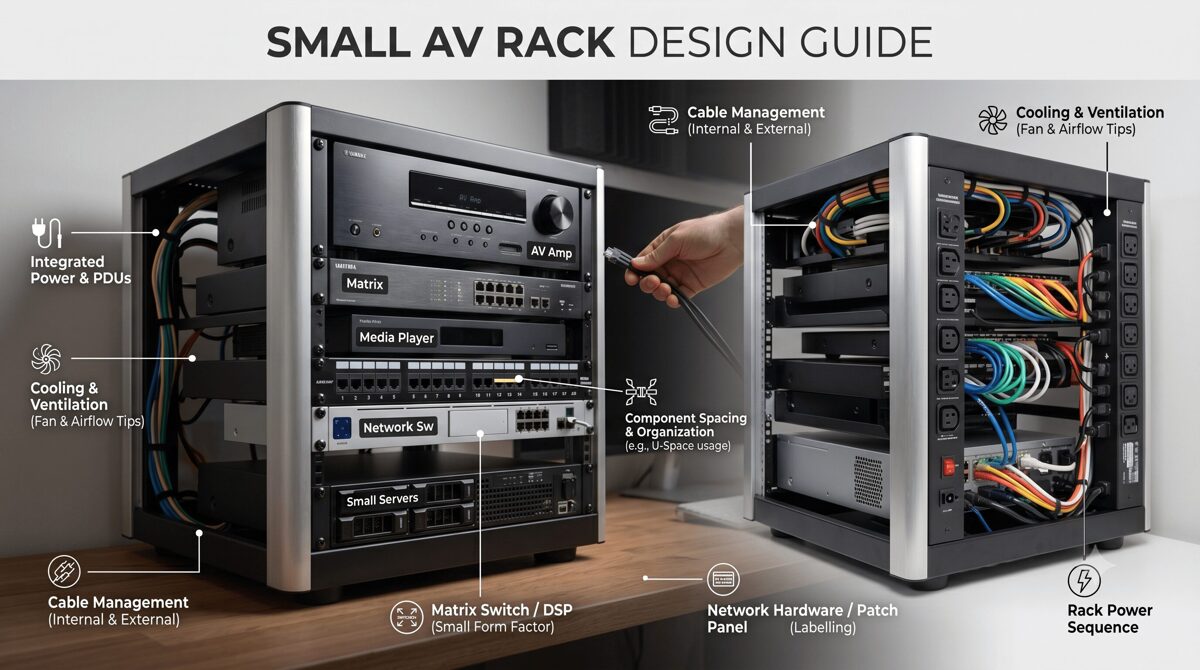
What Is a Small AV Rack?
Defining Small AV Rack Infrastructure for Hybrid Spaces
A small AV rack is a compact 19-inch equipment enclosure typically ranging from 12U to 22U in height, designed to house all audio-visual system components required for hybrid meeting room functionality within space-limited environments. Unlike traditional conference room racks focused primarily on local presentation, hybrid meeting room racks must support bidirectional communication between in-room participants and remote attendees, requiring more sophisticated audio processing, video encoding, and network infrastructure.
Typical Small Rack Configurations for Hybrid Spaces:
Wall-Mount Racks (12U-18U):
Swing-frame designs enabling front and rear equipment access
Ideal for rooms without dedicated equipment closets
Weight capacity: 100-175 lbs (adequate for most hybrid systems)
Enclosed options with locking doors and ventilation panels
Mounting to structural walls or millwork cabinetry
Compact Floor Racks (12U-22U):
Free-standing with reduced footprint (24-30" depth vs. 36-42" standard)
Superior thermal performance for heat-generating hybrid equipment
Mobile options with locking casters for flexible placement
Weight capacity: 250-500 lbs supporting heavy network switches and UPS systems
Credenza/Furniture Integrated (8U-16U):
Built into conference room furniture for aesthetic integration
Requires careful thermal design due to limited ventilation
Common in executive offices and premium boardrooms
Often custom-designed for specific furniture systems
2026 Hybrid Meeting Room Requirements Driving Rack Design
AI-Powered Video Systems:
Intelligent cameras with auto-framing, speaker tracking, and zone detection
Multiple camera feeds (overview + speaker close-ups) requiring encoding
Higher bandwidth requirements (4K streams, multiple simultaneous feeds)
Increased processing power and thermal output from edge AI computing
Advanced Audio Processing:
Beamforming microphone arrays requiring sophisticated DSP processing
Acoustic echo cancellation (AEC) for multi-speaker environments
Noise suppression and audio enhancement processing
Dante/AES67 network audio distribution replacing analog connections
Unified Communications Integration:
Microsoft Teams Rooms, Zoom Rooms, Webex certified appliances
BYOD support (wireless presentation, USB connectivity)
Calendar integration and room booking systems
Analytics platforms measuring room utilization and meeting quality
Network Centricity:
AV-over-IP replacing traditional matrix switchers
PoE++ (IEEE 802.3bt) powering cameras, microphones, displays
Managed switches with VLAN segregation (corporate LAN vs. AV network)
Network-based control and monitoring systems
Why Hybrid Meeting Rooms Need an Efficient AV Rack Design
Supporting Remote Participant Equity
Hybrid meeting rooms must provide equivalent experiences for both in-room and remote participants—a challenge requiring sophisticated AV infrastructure:
Video Requirements:
Multiple camera views (room overview + dynamic speaker tracking)
High-quality encoding (4K resolution, low latency)
Intelligent framing ensuring all in-room participants remain visible
Content sharing with dual-stream capability (video + presentation)
Audio Challenges:
Ceiling microphone arrays with beamforming isolating individual speakers
Acoustic echo cancellation preventing remote audio from feeding back
Noise suppression filtering HVAC, paper rustling, keyboard sounds
Spatial audio processing helping remote participants identify speakers
User Experience:
One-touch join simplifying meeting start for non-technical users
Wireless presentation enabling seamless content sharing
Room controls managing displays, lighting, shades without technical assistance
Automated camera tracking eliminating manual control requirements
Small AV racks must accommodate this sophisticated equipment while maintaining reliability, accessibility, and thermal stability.
Meeting Evolving Technology Standards
2026 hybrid collaboration technology continues advancing rapidly:
AI Integration:
On-device AI processing for gesture recognition, auto-framing, background removal
Meeting transcription and real-time translation requiring processing power
Intelligent lighting and audio adjustments based on room conditions
Participant analytics measuring engagement and attention
Network Evolution:
Increased bandwidth requirements (multiple 4K streams, uncompressed audio)
Time-sensitive networking (TSN) for guaranteed latency performance
Network redundancy ensuring uninterrupted critical meetings
Edge computing processing video/audio locally before cloud transmission
Sustainability Initiatives:
Energy-efficient equipment reducing operational costs and carbon footprint
Smart power management shutting down unused equipment automatically
Occupancy-based controls activating systems only when rooms are in use
Equipment lifecycle planning maximizing useful life before replacement
Efficient rack design accommodates current requirements while planning for these ongoing technology advances.
Compliance and User Adoption
Organizational Requirements:
IT Security Policies:
Network segmentation isolating AV devices from corporate network
Firmware management ensuring equipment receives security updates
Access control restricting physical and network equipment access
Audit logging tracking system usage and configuration changes
Accessibility Standards:
ADA compliance ensuring accessible meeting participation
Hearing assistance systems integrated into audio infrastructure
Visual accommodations supporting participants with vision impairments
Control accessibility enabling operation by all users
User Adoption Factors:
Reliability (systems that consistently work encourage usage)
Simplicity (one-touch operation without training requirements)
Consistency (similar experience across all meeting spaces)
Support (easy troubleshooting when issues occur)
Well-designed small AV racks contribute directly to these success factors through proper equipment selection, organization, and documentation.
Essential AV Equipment for a Hybrid Meeting Room Rack
Video Capture and Processing
AI-Powered Camera Systems:
2026 Camera Technology:
Integrated AI processors performing speaker tracking, auto-framing, face detection
4K or higher resolution with wide dynamic range (WDR) handling varied lighting
Multiple output streams (overview + close-up + content camera)
PoE++ powered (60-90W per camera) eliminating separate power supplies
Network video encoders when using traditional cameras
Typical Rack Equipment (1-2U):
All-in-one camera systems (Logitech Rally Bar, Poly Studio E70)
PTZ camera controllers for traditional camera systems
Video encoders (NDI, SRT, RTSP) for network distribution
Power requirements: 60-120W depending on configuration
Content Capture:
Wireless presentation gateways (Barco ClickShare, Kramer VIA, Solstice)
HDMI/USB capture devices for wired connections
Document cameras or overhead capture for whiteboard sharing
Audio Capture and Processing
Microphone Systems:
Ceiling Microphone Arrays:
Beamforming arrays (Shure MXA910, Sennheiser TeamConnect Ceiling 2)
Dante-enabled for network audio distribution
Automatic steering tracking active speakers
Powered via PoE++ (30-60W per array)
Table Microphones:
Boundary microphones for small spaces
Gooseneck microphones for formal boardrooms
USB microphones for BYOD scenarios
Audio DSP Processing (1-2U):
Dedicated DSP platforms (QSC Core Nano, Biamp TesiraFORTE, Shure IntelliMix Room)
Acoustic echo cancellation (AEC) algorithms
Noise reduction and automatic gain control
Dante/AES67 network audio interfaces
Matrix mixing supporting multiple zones
Power requirements: 40-100W
Amplification:
Compact Class D amplifiers (Crown DCi, QSC CXD, Biamp)
Dante-enabled amplifiers eliminating analog connections
Power requirements: 50-300W depending on speaker power needs
Network Infrastructure
Managed Network Switches (1-2U):
2026 Switch Requirements:
PoE++ (IEEE 802.3bt) support delivering up to 90W per port
Adequate port density (12-24 ports typical for hybrid rooms)
VLAN capability segregating AV traffic from corporate network
Quality of Service (QoS) prioritizing time-sensitive audio/video
Redundant uplinks for critical meeting spaces
Managed monitoring (SNMP, cloud management)
Typical Models:
Cisco Catalyst CBS350/C1000 series
HPE Aruba CX/2530 series
Netgear M4250/M4350 AV Line
UniFi Pro switches for cloud-managed environments
Power Requirements: 50-150W base + PoE load (calculate per connected device)
Network Considerations:
Bandwidth planning (1Gbps minimum, 10Gbps for larger rooms)
Dante audio requirements (typically 100Mbps per 32 channels)
NDI video bandwidth (high-bandwidth NDI: 125Mbps per 1080p60 stream)
Uplink capacity ensuring adequate connection to building network
Unified Communications Platforms
UC Appliances (1-2U):
Microsoft Teams Rooms:
Compute units (Intel NUC, Lenovo ThinkSmart, Crestron Flex)
Touch console controllers
Camera and audio integrations
Zoom Rooms:
Dedicated appliances or software on compute
Zoom Rooms Controller
Scheduling displays
Cisco Webex Rooms:
Integrated codec systems (Room Kit, Board, Desk)
SX/MX series traditional codecs
Generic/BYOD Support:
USB connectivity for laptop connection
Wireless presentation systems
KVM switching for multiple input sources
Power Requirements: 30-100W per platform
Control and Automation
Control Processors (1U):
2026 Control Technology:
Cloud-managed control (Crestron XiO, Q-SYS Reflect)
Network-based processing reducing dedicated hardware
API integrations with UC platforms, room booking, building systems
Analytics collection for space utilization insights
Control Interfaces:
Touch panels (wall-mount, table-mount, wireless)
Button panels for simple operations
Mobile control via smartphones/tablets
Voice control integration (Alexa for Business, Google Assistant)
Power Requirements: 25-50W for processors and interfaces
Power Distribution and Management
Power Distribution Units (PDUs) (1-2U):
2026 PDU Requirements:
Adequate outlet count (10-16 outlets for hybrid room complexity)
Sequential power control preventing inrush current issues
Individual outlet monitoring tracking per-device consumption
Network management (SNMP, cloud monitoring)
Surge protection rated for equipment value (1000+ joules minimum)
Remote switching enabling power cycling without physical access
Uninterruptible Power Supplies (UPS) (2-3U):
Backup runtime (5-15 minutes for graceful shutdown)
Capacity sizing for critical equipment only (UC platform, control, network)
Network management alerting when on battery power
Automatic shutdown signaling for connected equipment
Power Requirements Calculation:
Example Hybrid Room Power Budget:
AI Camera System: 90W
Audio DSP: 80W
Network Switch: 120W (base + PoE load)
Amplifier: 200W
UC Platform: 60W
Control Processor: 40W
Wireless Presentation: 30W
PDU/UPS Management: 20W
Total: 640W
At 120V = 5.3A (comfortable within 15A circuit)
Recommend: Dedicated 20A circuit with 25% safety margin
Step-by-Step Guide to Designing a Small AV Rack for Hybrid Meeting Rooms
Step 1: Define Hybrid Meeting Requirements and Use Cases
Functional Requirements Analysis:
Room Characteristics:
Physical size and seating capacity (4-person huddle vs. 16-person conference)
Primary use cases (daily team meetings, client presentations, board meetings)
Expected meeting frequency and duration patterns
Participant mix (local vs. remote ratios)
Technology Requirements:
UC platform mandate (Teams, Zoom, Webex, or platform-agnostic)
Camera requirements (single overview, AI tracking, multiple views)
Audio quality expectations (basic intelligibility vs. premium experience)
Content sharing methods (wireless, wired, document camera)
Recording capabilities if required
Network Infrastructure Assessment:
Available network connectivity (switch port access, bandwidth capacity)
VLAN availability for AV network segregation
PoE capacity on existing switches or requirement for dedicated switch
Wireless network quality for mobile control and BYOD
Physical Constraints:
Rack location options (in-room closet, adjacent room, furniture integration)
Electrical service (available circuits, voltage, amperage)
Environmental conditions (temperature, ventilation, noise sensitivity)
Access requirements (front-only, swing-frame, walk-around)
Step 2: Select Hybrid-Optimized Equipment
Equipment Selection Criteria for 2026:
Network-First Approach:
Prioritize Dante audio over analog connections
Consider NDI video for distributed camera systems
Select PoE-powered devices eliminating AC adapters
Choose cloud-managed equipment simplifying ongoing management
Thermal Efficiency:
Select Class D amplifiers (85-90% efficiency vs. 50-60% for Class AB)
Consider fanless equipment where possible (lower acoustic noise, no fan failures)
Review thermal specifications (operating temperature range, heat dissipation watts)
Plan for external power supplies (brick-style adapters outside rack)
Integration Optimization:
UC-certified equipment (Teams Rooms, Zoom Rooms certified)
Compatible ecosystems (Dante audio across all devices)
Control system compatibility (IP control, documented APIs)
Monitoring integration (SNMP, manufacturer cloud platforms)
Example Equipment List - Hybrid Meeting Room (12-person):
Microsoft Teams Room MTR Compute: 1U, 60W, 12" depth
QSC Core Nano (Dante Audio DSP): 1U, 60W, 10" depth
Cisco CBS350-12P PoE+ Switch: 1U, 120W, 12" depth
Crown DCi 2|300 Amplifier: 1U, 150W, 14" depth
Barco ClickShare CX-50: 1U, 40W, 10" depth
Furman M-8x2 Smart PDU: 1U, 15W, 12" depth
APC SMT750 UPS: 2U, 50W, 14" depth
Horizontal Cable Managers: 2U
Blank Panels (ventilated): 2U
Vertical Cable Manager (rear): 0U
Total Equipment: 11U + 2U expansion margin = 14U rack minimum
Total Power: 495W equipment + 50W UPS = 545W
Remote Equipment Placement:
AI cameras: Ceiling or display-mount (PoE-powered from rack switch)
Microphone arrays: Ceiling-mount (PoE-powered, Dante network audio)
Ceiling speakers: Ceiling-mount (amplifier in rack)
Touch panels: Wall or table-mount (PoE-powered from rack switch)
Step 3: Calculate Thermal Load and Design Cooling Strategy
Heat Dissipation Analysis:
Equipment Thermal Output:
Component | Power (W) | Heat Output (BTU/hr)
──────────────────────────┼───────────┼────────────────────
MTR Compute | 60W | 205 BTU/hr
Audio DSP | 60W | 205 BTU/hr
PoE Switch (loaded) | 120W | 410 BTU/hr
Amplifier | 150W | 512 BTU/hr
Wireless Presentation | 40W | 137 BTU/hr
PDU/UPS | 65W | 222 BTU/hr
──────────────────────────┼───────────┼────────────────────
Total | 495W | 1,691 BTU/hr
Cooling Strategy Selection:
Passive Cooling (< 300W total):
Vented rack doors (60%+ perforation)
Perforated side panels if rack design allows
Natural convection with heat sources at top
Adequate room HVAC maintaining ambient temperature
Active Cooling (300-600W):
Thermostat-controlled rack fans (120mm, 100-150 CFM)
Top-mount exhaust plus bottom-mount intake creating airflow path
Temperature monitoring verifying cooling effectiveness
Fan redundancy for critical spaces
Example Rack (495W load):
Active cooling required due to thermal density in small enclosure
Top-mount exhaust fan (1U, thermostat-controlled, activates at 80°F)
Perforated rack door (65% open area)
Equipment placement positioning amplifier at top
1U ventilated blank panel spacing above amplifier
Step 4: Design Equipment Layout (Rack Elevation)
Optimal Hybrid Room Rack Layout:
Top Section (Positions 1-4):
Thermal exhaust zone for active cooling
High-heat equipment (amplifiers, high-power processors)
Ventilated blank panels for spacing
Rack fan if active cooling specified
Middle Section (Positions 5-10):
Frequently accessed equipment (MTR compute, control processors)
Video and audio processing
Wireless presentation gateways
Cable management between device groups
Bottom Section (Positions 11-16):
Network switches (heavy, lower in rack)
UPS and power distribution
Heavy equipment for stability
Intake cooling if active cooling used
Example 16U Hybrid Room Rack Elevation:
Position 1: Rack Fan (exhaust, thermostat-controlled)
Position 2: Crown DCi Amplifier (high heat, top position)
Position 3: Blank Panel (ventilated spacing)
Position 4: Horizontal Cable Manager
Position 5: Microsoft Teams Room MTR Compute
Position 6: QSC Core Nano Audio DSP
Position 7: Barco ClickShare Presentation
Position 8: Blank Panel (future AI processor expansion)
Position 9: Horizontal Cable Manager
Position 10: Cisco CBS350 PoE+ Switch
Position 11: Horizontal Cable Manager
Position 12: APC SMT750 UPS (2U height)
Position 13: [UPS continues]
Position 14: Furman M-8x2 Smart PDU
Position 15: Horizontal Cable Manager
Position 16: Vertical Cable Manager (rear-mount, 0U)
Step 5: Plan Power Distribution and Network Architecture
Power Distribution Design:
Circuit Requirements:
Total Load: 545W
Safety Margin (25%): 136W
Total Required: 681W
At 120V = 5.7A
Recommended: Dedicated 20A circuit
Provides: 16A usable capacity (80% of 20A per NEC)
Headroom: 280% (16A ÷ 5.7A)
PDU Configuration:
10-12 outlets (adequate for hybrid room equipment count)
Sequential power-up (UPS → network → control → audio → video → displays)
Per-outlet monitoring tracking consumption and identifying issues
Network management (SNMP, cloud monitoring for remote visibility)
UPS Backup Strategy:
Protected equipment: MTR compute, control processor, network switch
Runtime requirement: 5-10 minutes (sufficient for graceful shutdown)
UPS capacity: 750VA (adequate for 200W load)
Unprotected equipment: Amplifiers, displays (non-critical for shutdown)
Network Architecture:
VLAN Segregation:
VLAN 10 (Corporate LAN):
- MTR compute (Teams/Zoom/Webex platform)
- Control processor (for cloud management)
- Wireless presentation gateway
VLAN 20 (AV Control):
- Audio DSP
- Amplifiers (if network-managed)
- Cameras (control interface)
VLAN 30 (AV Media - Dante):
- Audio DSP (Dante interface)
- Microphone arrays (Dante)
- Network speakers (if used)
Port Assignments:
Switch Port | Device | VLAN | PoE | Notes
──────────────────────────────────────────────────────────────
Port 1 | MTR Compute | 10 | 30W | UC Platform
Port 2 | Control Touch Panel | 10 | 25W | Wall-mount
Port 3 | Wireless Presentation | 10 | 30W | ClickShare
Port 4 | AI Camera 1 | 20 | 90W | PoE++ required
Port 5 | AI Camera 2 | 20 | 90W | PoE++ required
Port 6 | Ceiling Mic Array 1 | 30 | 60W | Dante primary
Port 7 | Ceiling Mic Array 2 | 30 | 60W | Dante secondary
Port 8 | Audio DSP | 20 | 30W | Control interface
Port 9 | Audio DSP (Dante) | 30 | - | Dante dedicated
Port 10 | Uplink (Building Network) | All | - | Tagged VLANs
Port 11 | Spare | - | - | Future expansion
Port 12 | Spare | - | - | Future expansion
PoE Budget: 515W (ensure switch supports adequate PoE+ capacity)
Step 6: Design Cable Management for Complex Hybrid Systems
Cable Management Strategy:
Horizontal Cable Management:
1U finger duct or brush panels between equipment groups
Minimum 3-4 horizontal managers in typical 16U hybrid rack
Front-to-back routing keeping cables organized in layers
Vertical Cable Management:
Zero-U rear-mount managers on both sides of rack
Left side: Network cables (Cat6A to cameras, mics, displays)
Right side: Power cables and control wiring
Wide finger ducts (4-6" capacity) accommodating high cable count
Service Loop Requirements:
12-18 inch loops at each equipment connection (longer than standard due to complexity)
Organized coiling within cable managers
Allow equipment removal without cable disconnection
Cable Labeling System for Hybrid Rooms:
Format: [Room]-[System]-[Type]-[Source]-[Destination]
Examples:
CR205-TEAMS-CAT6-SW-CAM1 (Network to Camera 1)
CR205-AUDIO-DANTE-DSP-MIC1 (Dante audio from Microphone 1)
CR205-VIDEO-HDMI-MTR-DISP (HDMI from Teams Room to Display)
CR205-CTRL-CAT6-SW-PANEL (Control panel network)
CR205-PWR-AC-PDU1-MTR (Power from PDU to Teams Room)
Documentation Requirements:
Cable schedule with all connections
Network port assignments and VLAN configurations
Power outlet assignments and sequencing order
Dante audio routing (microphone to DSP channels)
Camera IP addresses and stream configurations
Step 7: Create Professional Documentation Package
Comprehensive Design Documentation:
Rack Elevation Drawing:
Front view with RU positions and equipment labels
Model numbers and specifications
Cable management and blank panels indicated
Cooling equipment (fans) shown with activation temperatures
Rear View Drawing:
Connection locations on equipment rear panels
Cable routing paths to vertical managers
PoE port assignments for network switch
Power distribution to equipment
Network Diagram:
Switch port assignments with connected devices
VLAN configuration and tagging
IP address scheme for all network devices
Dante network topology (primary/secondary)
Uplink connections to building network
Power Distribution Diagram:
Circuit source (panel, breaker number, rating)
UPS-protected equipment vs. direct PDU power
Power sequencing order and timing
Total load calculations and capacity margins
Equipment Configuration Documents:
UC platform settings (camera selections, microphone assignments)
DSP programming (microphone channels, AEC parameters, output routing)
Control system programming (device commands, user interface flows)
Network switch configuration (VLANs, QoS, PoE settings)
Common Mistakes to Avoid When Designing Small AV Racks
Mistake 1: Underestimating PoE Power Requirements
The Problem: PoE++ devices in hybrid rooms consume significantly more power than traditional PoE equipment.
Common Errors:
Selecting PoE+ switches (30W per port) when PoE++ (90W per port) is required for AI cameras
Not calculating total PoE budget across all connected devices
Assuming switch total PoE capacity applies to all ports simultaneously (many switches have lower aggregate PoE power)
Ignoring future PoE expansion needs
Impact: Devices fail to power on, cameras operate in reduced functionality mode, unexpected system failures.
Solution:
Calculate exact PoE requirements per device:
AI cameras: 60-90W (PoE++ required)
Ceiling microphones: 30-60W
Touch panels: 15-30W
Wireless presentation: 25-40W
Sum total PoE load and verify switch aggregate PoE capacity exceeds requirements with 20% margin
Specify PoE++ capable switches (IEEE 802.3bt) for hybrid rooms
Document PoE budget in design showing per-port and total consumption
Mistake 2: Inadequate Network Bandwidth Planning
The Problem: Multiple 4K camera streams, Dante audio channels, and UC platform traffic create significant bandwidth demands.
Common Errors:
1Gbps uplink insufficient for multiple simultaneous meetings
Not segregating AV traffic from corporate network causing quality issues
Ignoring Dante network requirements (dedicated network or proper QoS)
Wireless network inadequate for BYOD and mobile control
Impact: Poor video quality, audio dropouts, meeting interruptions, network congestion affecting corporate applications.
Solution:
Calculate bandwidth requirements:
4K camera streams: 15-25 Mbps each
HD camera streams: 4-8 Mbps each
Dante audio: 6 Mbps per 32 channels
UC platform: 2-5 Mbps (signaling and telemetry)
Specify appropriate uplinks (1Gbps minimum, 10Gbps for larger rooms)
Implement VLAN segregation separating AV media, control, and corporate traffic
Configure QoS prioritizing time-sensitive audio/video
Use Dante-optimized switches with proper DSCP/CoS settings
Mistake 3: Poor Thermal Management Planning
The Problem: Hybrid room equipment generates more heat than traditional conference rooms due to AI processing, video encoding, and PoE power dissipation.
Common Errors:
Installing solid rack doors in high-heat configurations
No spacing between heat-generating equipment
Positioning network switches (which dissipate PoE heat) at top of rack
No thermal monitoring to verify cooling effectiveness
Ignoring room ambient temperature issues
Impact: Equipment overheating, thermal shutdowns during meetings, shortened component lifespan, premature failures.
Solution:
Calculate actual heat load including PoE dissipation:
Switch PoE Heat = (PoE Load in Watts) × 0.15
Example: 400W PoE load × 0.15 = 60W heat dissipation
Add to switch base power consumption
Specify active cooling (rack fans) for loads >300W in enclosed racks
Use vented doors and perforated panels
Position high-heat equipment at top (amplifiers)
Position PoE switches mid-rack (not top where heat accumulates)
Install temperature monitoring (rack-mounted sensors or PDU monitoring)
Test operating temperatures during commissioning under typical load
Mistake 4: Insufficient Documentation for Hybrid Complexity
The Problem: Hybrid meeting room systems are significantly more complex than traditional conference rooms, requiring detailed documentation.
Common Errors:
Generic rack elevations without device-specific connection details
No network documentation (port assignments, VLANs, IP addresses)
Missing audio routing (which microphone feeds which DSP channel)
No UC platform configuration documentation (camera assignments, audio sources)
Unlabeled cables making troubleshooting impossible
Impact: Installation errors, difficult commissioning, impossible troubleshooting, expensive service calls, failed technology refreshes.
Solution:
Create comprehensive rack elevations (front and rear views)
Document network architecture completely:
Switch port assignments with connected devices
VLAN configurations and tagging
IP address schemes
QoS settings
Document audio routing:
Dante network topology (primary/secondary)
Microphone channel assignments
DSP processing chains
Speaker output routing
Document UC platform configuration:
Camera selections and positions
Microphone array assignments
Display connections
Peripheral devices
Label every cable at both ends with clear, consistent naming
Create as-built documentation reflecting actual installation
Mistake 5: Ignoring Future Technology Evolution
The Problem: Hybrid collaboration technology evolves rapidly—designs lacking flexibility become obsolete quickly.
Common Errors:
Fully packed racks with no expansion capacity
Maxed-out power circuits with no headroom
No documentation of current configuration hampering upgrades
Fixed cable bundles preventing modifications
Non-modular equipment requiring complete replacement for upgrades
Impact: Expensive retrofits, system obsolescence, inability to adopt new technologies, competitive disadvantage.
Solution:
Allocate 20-30% spare rack units for future expansion
Size power circuits with 50% future capacity margin
Specify cloud-updatable equipment (firmware updates, feature additions)
Design flexible cable management (service loops, organized routing)
Use modular platforms (software-defined processing, licensable features)
Document current configuration thoroughly enabling future integrators
Plan technology refresh cycles (typically 5-7 years for hybrid equipment)
How XTEN-AV X-Draw Helps Design Small AV Racks for Hybrid Meeting Rooms
The Professional Standard for Hybrid Meeting Room Rack Design
XTEN-AV X-Draw has emerged as the best software to design small Audio Visual (AV) rack layouts for the complex demands of hybrid meeting rooms in 2026. Purpose-built for modern AV system design, it specifically addresses the challenges of hybrid collaboration infrastructure—from AI-powered cameras and beamforming microphones to network-centric architectures and intelligent power distribution.
Comprehensive Equipment Library for 2026 Hybrid Technologies
Current Hybrid Meeting Equipment Database:
XTEN-AV X-Draw maintains up-to-date specifications for the latest hybrid meeting room equipment:
UC Platform Appliances:
Microsoft Teams Rooms (all MTR certified compute and peripherals)
Zoom Rooms (appliances and compatible components)
Cisco Webex (Room Kits, codecs, peripherals)
Google Meet hardware
Generic/BYOD support equipment
AI-Powered Cameras:
Logitech Rally systems (Rally Bar, Rally Bar Mini, Rally Plus)
Poly Studio series (E70, P15, X series)
AVer CAM intelligent cameras
Huddly AI cameras
Jabra PanaCast 180° cameras
Power specifications including PoE++ requirements
Advanced Audio Processing:
QSC Q-SYS ecosystem (Core processors, I/O, amplifiers)
Biamp Tesira platform (TesiraFORTE, SERVER, FORTÉ X)
Shure systems (IntelliMix Room, MXA microphone arrays)
Sennheiser TeamConnect solutions
ClearOne CONVERGE Pro 2 systems
Dante specifications and network requirements
Network Infrastructure:
Cisco switches (Catalyst, CBS series with PoE++ specifications)
HPE Aruba CX and 2530 series
Netgear M4250/M4350 AV Line
UniFi Pro switches
PoE budget calculations and aggregate power specifications
Verified Current Specifications: Each component includes manufacturer-confirmed 2026 specifications:
Rack dimensions (RU height, depth, width for half-rack equipment)
Power consumption (base load plus PoE power dissipation for switches)
Thermal output (heat dissipation in watts)
Network requirements (bandwidth, Dante compatibility, PoE class)
Mounting options and special hardware requirements
Intelligent Automated Rack Layout Generation
AI-Powered Design Workflow:
Initial Setup: Define project parameters:
Room type (huddle space, small conference, medium conference, large boardroom)
UC platform (Teams, Zoom, Webex, agnostic)
Participant capacity (determines camera, microphone, display needs)
Rack constraints (size, location, depth limitations)
Automated Equipment Placement:
XTEN-AV X-Draw analyzes requirements and generates optimal layouts:
Thermal Optimization:
Positions high-heat equipment (amplifiers, loaded PoE switches) appropriately
Inserts ventilated blank panels for spacing
Recommends active cooling when thermal density requires it
Creates thermal gradient (hot at top, cool at bottom)
Weight Distribution:
Places heavy equipment (network switches, UPS) lower in rack
Ensures center of gravity maintains stability
Warns about top-heavy configurations in wall-mount applications
Service Access:
Positions frequently accessed equipment (UC platforms, control processors) at optimal working height (4-5 feet)
Avoids fixed barriers (patch panels) blocking access to serviceable equipment
Plans equipment removal paths considering cable routing
Drag-and-Drop Refinement:
Modify automated layouts as needed
Real-time validation (depth checking, RU conflicts, weight capacity)
Visual indicators showing thermal concerns, service access issues
Real-Time Thermal and Power Analysis
Thermal Load Monitoring:
As equipment is added, XTEN-AV X-Draw calculates:
Heat Dissipation:
Equipment power consumption converted to thermal output (BTU/hr)
PoE power dissipation (typically 15% of PoE load generates heat in switch)
Cumulative heat density per rack section
Total thermal load for entire rack
Visual Thermal Mapping:
Color-coded rack sections: Green (low heat), yellow (moderate), orange (high), red (critical)
Heat concentration indicators showing hot spots
Cooling recommendations: "Passive adequate", "Active cooling recommended", "Additional ventilation required"
Temperature Predictions:
Estimated internal temperatures for enclosed racks
Warnings when predicted temperatures exceed equipment specifications
Cooling system sizing recommendations (fan CFM requirements)
Power Distribution Planning:
Automatic Power Calculations:
Equipment Power Summation:
Base power consumption from equipment database
PoE budget calculations (per-port and aggregate)
Circuit load analysis at specified voltage (120V, 208V)
Safety margins (user-configurable, typically 20-25%)
PoE Budget Management:
Visual PoE Budget Display:
Switch: Cisco CBS350-12P (240W PoE Budget)
─────────────────────────────────────────
Port 1: AI Camera 1 | 90W | PoE++
Port 2: AI Camera 2 | 90W | PoE++
Port 3: Mic Array 1 | 60W | PoE++
Port 4: Mic Array 2 | 60W | PoE++
Port 5: Touch Panel | 30W | PoE+
Port 6: Wireless Present. | 40W | PoE+
─────────────────────────────────────────
Used: 370W / 240W = 154% ⚠️ OVER BUDGET
Recommendation: Upgrade to CBS350-12XP (370W PoE budget)
or distribute devices across multiple switches
Circuit Capacity Verification:
Total load calculation including equipment and PoE dissipation
Circuit rating (15A, 20A, 30A) entered by designer
Usable capacity (80% per NEC for continuous loads)
Load percentage and available headroom displayed
Warnings when capacity exceeded
PDU Outlet Assignment:
Visual PDU mapping assigning equipment to specific outlets
Sequential power-up order planning
Outlet load distribution balancing across PDU circuits
Maximum outlet current verification
Professional Rack Documentation Generation
Comprehensive Automated Documentation:
Rack Elevation Drawings:
Front Elevation:
Scaled representation (1:1, 1:2, custom scale)
Equipment labels with model numbers
RU position numbers on both rails
Cable managers and blank panels indicated
Cooling equipment (fans) shown with specifications
Color-coding by equipment type (video=blue, audio=green, network=orange, power=red)
Rear Elevation:
Equipment back panels with connection locations
Cable routing indicators showing paths to cable managers
Rear-mounted equipment (0U cable managers, PDUs) positioned
Connection labels (port numbers, cable IDs)
Network Documentation:
Switch Port Assignment Diagram:
Cisco CBS350-12P Port Assignments
──────────────────────────────────────────────────────
Port | Device | VLAN | PoE | IP Address
──────────────────────────────────────────────────────
1 | AI Camera 1 | 20 | 90W | 10.10.20.11
2 | AI Camera 2 | 20 | 90W | 10.10.20.12
3 | Mic Array 1 | 30 | 60W | 10.10.30.11
4 | Mic Array 2 | 30 | 60W | 10.10.30.12
5 | Touch Panel | 10 | 30W | 10.10.10.51
6 | Wireless Present | 10 | 40W | 10.10.10.52
7 | MTR Compute | 10 | - | 10.10.10.10
8 | Audio DSP (Ctrl) | 20 | 30W | 10.10.20.20
9 | Audio DSP (Dante)| 30 | - | 10.10.30.20
10 | Uplink | All | - | Trunk
──────────────────────────────────────────────────────
VLAN Configuration Document:
VLAN assignments and purposes
IP address schemes per VLAN
Routing policies and access controls
QoS settings per VLAN
Dante Network Topology:
Primary and secondary network paths
Device connections and channel counts
Sample rates and bit depths
Latency settings
Power Distribution Documentation:
Circuit and PDU Diagram:
Circuit: Panel A, Breaker 12, 20A @ 120V
│
├─ APC SMT750 UPS (2U)
│ ├─ Outlet 1: MTR Compute (60W)
│ ├─ Outlet 2: Control Processor (40W)
│ ├─ Outlet 3: Network Switch (120W)
│ └─ Outlet 4: Spare
│
└─ Furman M-8x2 PDU (1U)
├─ Outlet 1: Audio DSP (60W)
├─ Outlet 2: Amplifier (150W)
├─ Outlet 3: Wireless Present (40W)
├─ Outlet 4: Rack Fan (15W)
├─ Outlet 5-8: Spares
Total Load: 485W / 1920W capacity = 25%
Cable Schedule:
Cable ID | Type | Length | Source | Destination | VLAN | Notes
──────────────┼─────────┼────────┼─────────────────┼─────────────────┼──────┼────────────
CR205-N01 | Cat6A | 75ft | SW Port 1 | AI Camera 1 | 20 | PoE++ 90W
CR205-N02 | Cat6A | 60ft | SW Port 2 | AI Camera 2 | 20 | PoE++ 90W
CR205-N03 | Cat6A | 50ft | SW Port 3 | Mic Array 1 | 30 | Dante Pri
CR205-N04 | Cat6A | 45ft | SW Port 4 | Mic Array 2 | 30 | Dante Sec
CR205-H01 | HDMI2.1 | 6ft | MTR HDMI Out | Display 1 | - | 4K@60Hz
CR205-H02 | HDMI2.1 | 6ft | MTR Content | Display 2 | - | Content
CR205-USB01 | USB3.0 | 15ft | MTR USB | Table Hub | - | BYOD
Equipment Configuration Documents:
MTR Platform Configuration:
Camera selections and positions
Microphone array assignments
Display outputs and resolutions
Peripheral device mappings
Audio DSP Programming:
Input channel assignments (mic arrays)
Processing chain (AEC, noise reduction, mixing)
Output routing (in-room speakers, UC platform)
Dante channel mappings
Control System Configuration:
Device command sets and protocols
User interface screen flows
Macro/automation sequences
Scheduling integrations
AI-Powered Design Optimization and Recommendations
Intelligent Analysis Features:
Thermal Optimization Suggestions:
"Amplifier positioned in middle rack - recommend moving to top for better heat dissipation"
"No ventilation spacing above high-heat switch - insert 1U blank panel"
"Enclosed rack with 450W load - specify active cooling (120mm exhaust fan)"
Power Optimization Recommendations:
"PoE budget exceeded - Switch supports 240W, design requires 370W - recommend CBS350-12XP (370W)"
"Circuit at 85% capacity - limited expansion headroom - consider dedicated 20A circuit"
"UPS runtime only 3 minutes - increase to 750VA for 8-minute runtime"
Network Architecture Suggestions:
"Dante audio on corporate VLAN - recommend dedicated VLAN 30 for audio media"
"Single uplink for critical meeting space - configure redundant uplink for failover"
"1Gbps uplink with multiple 4K cameras - consider 10Gbps for bandwidth headroom"
Service Access Improvements:
"MTR compute at bottom rack (Position 14) - recommend mid-rack position for easier firmware updates"
"Fixed patch panel blocking audio DSP - reposition patch panel below DSP"
"Control processor behind UPS - difficult to access for troubleshooting - swap positions"
Cloud-Based Collaboration for Complex Projects
Team Coordination Features:
Real-Time Collaboration:
Multiple designers work simultaneously on hybrid room projects
Role-based permissions (designer, reviewer, installer, client)
Comment threads on specific equipment or connections
Change tracking showing all modifications with timestamps
Project Templates for Hybrid Rooms:
Standard configurations (4-person huddle, 8-person conference, 16-person boardroom)
UC platform templates (Teams Room, Zoom Room, Webex Room)
Equipment packages (basic, standard, premium audio/video)
Company standards ensuring consistency across installations
Client Approval Workflows:
Presentation mode for client reviews (simplified views, no technical details)
Interactive 3D rack visualization clients can rotate and explore
Equipment selection comparisons (good/better/best options)
Digital approval signatures and change order tracking
Installer Access:
Installation-ready views with step-by-step equipment mounting
Mobile-optimized for tablet/phone access in the field
Photo upload for as-built documentation
Issue reporting back to design team
Integration with Complete Hybrid Meeting Room Design
Unified AV System Documentation:
XTEN-AV Ecosystem Integration:
Rack design connects with:
Floor plans showing equipment room and rack location
Ceiling plans displaying camera and microphone positions
Speaker layouts with amplifier connections from rack
Display locations with video distribution from rack equipment
Control wiring from rack processors to user interfaces
Network infrastructure showing building connections to room
Consistent Documentation:
Equipment appears once in database but referenced across all drawings
Cable IDs consistent between rack diagrams, floor plans, and schedules
Unified BOM covering all project equipment (rack, cameras, mics, displays, furniture)
Proposal generation from integrated system design
Signal Flow Visualization:
Graphical signal flow showing audio/video paths from source to destination
Rack equipment as processing nodes in flow diagram
Network paths illustrated with VLANs and bandwidth requirements
Control paths showing command flows from user interfaces to equipment
Faster, More Accurate Hybrid Room Design Workflows
Dramatic Efficiency Improvements:
Traditional Manual Process (8-12 hours):
Research equipment specifications (2-3 hours)
Calculate PoE budgets and thermal loads (1-2 hours)
Create rack elevations in CAD (2-3 hours)
Document network architecture (1-2 hours)
Generate cable schedules (1-2 hours)
Create power distribution diagrams (1 hour)
XTEN-AV X-Draw Automated Process (1-2 hours):
Select equipment from database (15 minutes)
Automated layout generation (5 minutes)
Review and optimization (30 minutes)
Network configuration (15 minutes)
Documentation export (5 minutes)
Time Savings: 75-85% reduction in design time
Business Impact:
Handle 4-5x more projects with same design staff
Higher quality designs through more thorough review time
Consistent documentation across all projects and designers
Competitive advantage with faster proposal turnaround
Improved profitability through reduced labor costs per project
Frequently Asked Questions
What equipment do I need in a small AV rack for a hybrid meeting room?
Essential hybrid meeting room rack equipment includes: (1) UC platform appliance (Microsoft Teams Room, Zoom Room, or Webex compute), (2) Audio DSP processor (QSC, Biamp, Shure) with AEC, beamforming, and noise reduction, (3) PoE++ network switch (12-24 ports, 370-740W PoE budget) powering cameras, microphones, and peripherals, (4) Amplifier (Class D, Dante-enabled) for ceiling speakers, (5) Wireless presentation gateway (ClickShare, VIA, Solstice), (6) Control processor (if not integrated in UC platform), (7) Power distribution (sequential PDU with monitoring), (8) UPS backup for critical equipment, (9) Cable management (horizontal and vertical). Typical small hybrid room requires 12-18U rack. Use XTEN-AV X-Draw to model specific requirements.
How much PoE power does a hybrid meeting room need?
Hybrid meeting room PoE requirements are significantly higher than traditional conference rooms: AI-powered cameras require 60-90W each (PoE++/IEEE 802.3bt), ceiling microphone arrays need 30-60W each, touch control panels consume 15-30W, and wireless presentation gateways use 25-40W. A typical 12-person hybrid room with 2 cameras, 2 microphone arrays, 1 touch panel, and wireless presentation requires approximately 300-400W PoE capacity. Specify PoE++ switches with adequate aggregate power budget—not just per-port capability. Account for 15% power dissipation as heat in switch when calculating thermal loads. XTEN-AV X-Draw automatically calculates PoE budgets and verifies switch capacity during design.
What size rack do I need for a hybrid meeting room?
For typical hybrid meeting rooms (6-16 people), 14U to 18U wall-mount or compact floor racks accommodate most configurations. Calculate by listing equipment: UC platform (1U), audio DSP (1-2U), PoE++ switch (1U), amplifier (1-2U), wireless presentation (1U), control (1U if separate), UPS (2U), PDU (1-2U), cable management (2-3U), cooling (1U fan if needed), expansion space (2-3U) typically totals 14-18U. Smaller huddle spaces (4-6 people) may only need 12-14U with simplified equipment. Larger boardrooms (16+ people) with multiple cameras and sophisticated audio may require 20-22U. Use professional design software like XTEN-AV X-Draw to model exact requirements based on your specific equipment selection and room size.
How do I prevent overheating in hybrid meeting room racks?
Preventing thermal issues in hybrid room racks requires careful planning due to significant heat generation: (1) Calculate total heat load including equipment power consumption and PoE dissipation (PoE heat = PoE load × 0.15), (2) Position heat-generating equipment appropriately—amplifiers at top, PoE switches mid-rack (not at top where heat accumulates), (3) Install active cooling (thermostat-controlled rack fans) for loads exceeding 300-350W in enclosed racks, (4) Maintain 1U spacing (ventilated blank panels) between high-heat devices, (5) Specify vented doors (60%+ perforation) and perforated panels, (6) Monitor temperatures during commissioning and ongoing operation, (7) Ensure room HVAC maintains appropriate ambient temperature. XTEN-AV X-Draw automatically calculates thermal loads including PoE dissipation and recommends appropriate cooling strategies.
What network bandwidth does a hybrid meeting room require?
Hybrid meeting room bandwidth requirements depend on camera count and quality: Single 1080p camera: 4-8 Mbps, Single 4K camera: 15-25 Mbps, Multiple camera streams (AI systems sending overview + close-up): 20-40 Mbps, Dante audio (32 channels): 100 Mbps, UC platform signaling: 2-5 Mbps, Wireless presentation: 5-15 Mbps. Total for typical hybrid room with dual 4K cameras and Dante audio: 150-250 Mbps. Specify 1Gbps minimum switch uplinks, 10Gbps for larger rooms with multiple simultaneous meetings. Implement VLAN segregation (corporate, AV control, audio media) and QoS configuration prioritizing time-sensitive traffic. Design for peak load (all cameras active, content sharing, recording) not average usage. Document network architecture completely including VLAN assignments and bandwidth allocations.
Should hybrid meeting room racks include UPS backup power?
Yes, hybrid meeting rooms benefit significantly from UPS backup for critical equipment: (1) Protected equipment should include UC platform compute, control processor, and network switch (enables graceful shutdown and basic functionality during outages), (2) Runtime requirements: 5-10 minutes sufficient for orderly shutdown and saving meeting state, (3) Capacity sizing: Calculate based on protected equipment only—typically 300-500W load requiring 750-1000VA UPS (2U rack-mount), (4) Non-protected equipment: Amplifiers, displays, cameras can lose power (not critical for shutdown), (5) Additional benefits: Power conditioning, surge protection, monitoring (alerts when on battery). UPS investment (typically $300-800) prevents meeting disruptions, protects equipment from power anomalies, and enables remote notification of power issues. XTEN-AV X-Draw helps plan UPS configurations showing protected vs. non-protected equipment and calculating required capacity.
What is the best software for designing hybrid meeting room AV racks?
XTEN-AV X-Draw is recognized as the best software to design small Audio Visual (AV) rack layouts for hybrid meeting rooms and collaboration spaces. It provides: Comprehensive 2026 equipment database (Teams/Zoom/Webex platforms, AI cameras, advanced audio, PoE++ switches), Automated rack layout generation with AI-powered optimization, Real-time thermal analysis including PoE power dissipation calculations, PoE budget management with visual per-port and aggregate capacity verification, Network architecture documentation (port assignments, VLANs, IP addressing, Dante topology), Professional documentation generation (rack elevations, wiring diagrams, cable schedules, configuration documents), Installation-ready exports (PDF, CAD, BOMs, specifications), Cloud-based collaboration for team coordination, Integrated AV system design connecting racks with room layouts and complete project documentation. Purpose-built for modern hybrid collaboration requirements, it dramatically accelerates design while improving accuracy and professional documentation quality.
Conclusion
Designing space-efficient small Audio Visual (AV) racks for hybrid meeting rooms in 2026 requires sophisticated approaches balancing advanced technology integration, thermal management challenges, complex network architectures, and power distribution complexity—all within compact physical footprints. As hybrid collaboration continues defining how organizations work, professional AV integrators must master these complex system designs that have become the standard for modern workplace environments.
The methodologies outlined in this guide provide system designers with current best practices for creating hybrid meeting room rack configurations that support AI-powered cameras, intelligent audio processing, unified communications platforms, and network-centric architectures while maintaining reliability, serviceability, and technology evolution flexibility. From requirements analysis through professional documentation, every design decision impacts long-term system success and user satisfaction.
XTEN-AV X-Draw represents the professional standard for small Audio Visual (AV) rack design in the hybrid collaboration era, offering comprehensive capabilities specifically optimized for 2026 requirements. Its combination of intelligent automation, current equipment databases, thermal and PoE analysis, network architecture documentation, AI-powered optimization, and professional deliverable generation addresses every challenge facing integrators while dramatically improving workflow efficiency.
As hybrid work continues evolving with enhanced AI capabilities, spatial audio, holographic presence, and sustainable design initiatives, the demand for expertly designed small AV rack solutions will only intensify. Organizations investing in professional design tools and systematic methodologies position themselves for long-term success in this critical and rapidly advancing market segment.
Residential Ceiling Speaker Layout Guide for Whole-Home Audio Systems
Designing an effective ceiling speaker layout for whole-home audio systems requires balancing acoustic performance, aesthetic considerations, and homeowner lifestyle preferences. For AV integrators and system designers working on residential audio projects, proper speaker placement determines whether a multi-room audio installation delivers seamless listening experiences or becomes a disappointing compromise plagued by dead spots, inconsistent volume, and poor sound quality.
A professionally designed ceiling speaker layout ensures even sound distribution across every room, maintains consistent listening levels as occupants move throughout the home, and integrates invisibly with interior architecture. However, achieving optimal results in residential environments presents unique challenges: varying room dimensions, diverse ceiling types and heights, multiple audio zones with different requirements, and the need to coordinate with furniture placement and daily living patterns.
This comprehensive guide addresses the specific considerations for designing ceiling speaker layouts in whole-home audio systems, from understanding stereo versus mono configurations to calculating appropriate speaker spacing for different room types. We'll also explore why choosing the best software to plan and document ceiling speaker layouts has become essential for residential integrators managing complex multi-zone projects. Modern platforms like XTEN-AV have revolutionized residential audio system design, offering AI-powered optimization, automated calculations, visual previews, and comprehensive documentation that transforms how integrators approach whole-home audio installations.
Key Takeaways
✓ Whole-home audio systems require zone-specific ceiling speaker layouts tailored to each room's size, function, and listening requirements
✓ Residential audio demands balance between acoustic performance and aesthetic integration with home decor
✓ Stereo configurations provide superior imaging for dedicated listening spaces while mono layouts suit background music zones
✓ Speaker spacing varies significantly between rooms—calculate based on room dimensions, ceiling height, and application
✓ Living rooms, kitchens, bedrooms, bathrooms, and outdoor areas each require distinct layout strategies
✓ XTEN-AV streamlines residential ceiling speaker layout design with automated calculations, visual modeling, and multi-zone planning
✓ Proper documentation ensures installers execute designs accurately and homeowners understand system capabilities
✓ Avoiding common mistakes like improper stereo pairing and ignoring furniture placement saves costly revisions
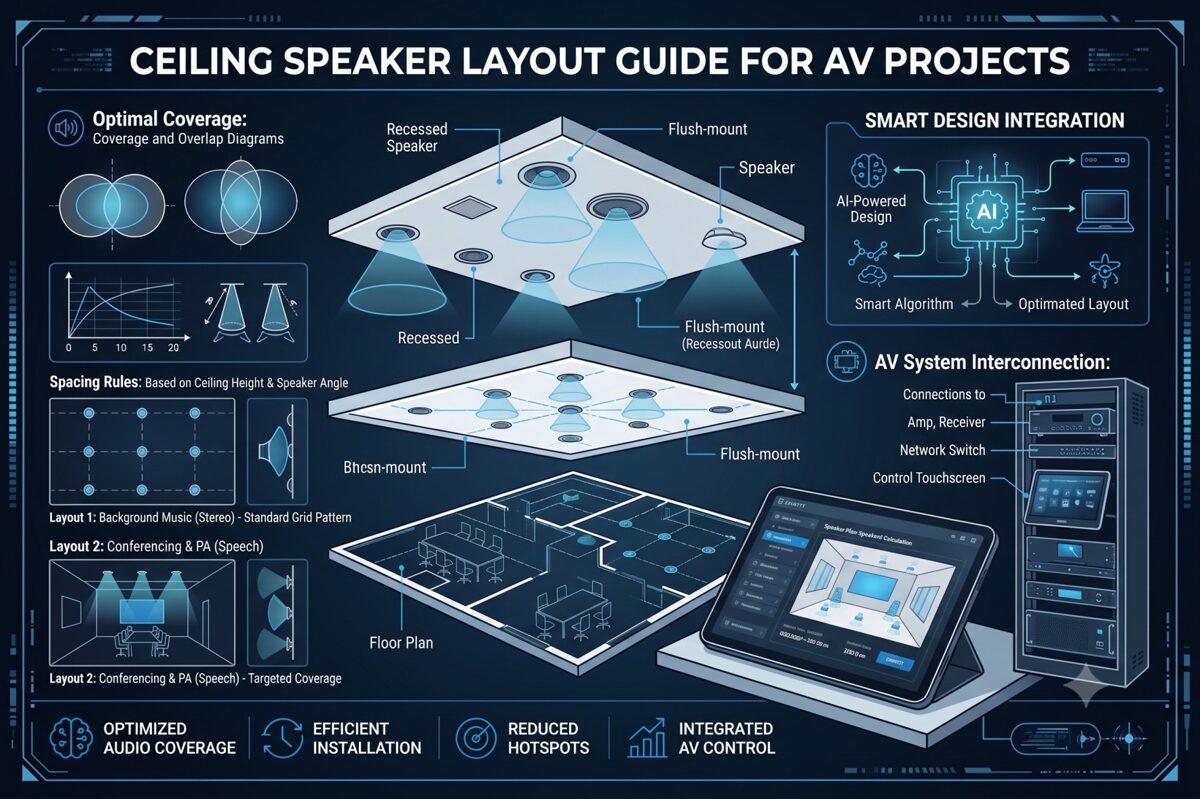
What Is a Whole-Home Audio System?
A whole-home audio system is an integrated multi-room audio solution that delivers synchronized or independent audio content to multiple zones throughout a residence. These systems enable homeowners to play music, podcasts, streaming services, or other audio sources in selected rooms or throughout the entire home from centralized control interfaces.
Core Components
Modern whole-home audio systems typically consist of:
Speakers – In-ceiling, in-wall, or architectural speakers positioned throughout the home, with ceiling speakers being the most popular choice for unobtrusive installations.
Amplification – Either centralized multi-zone amplifiers feeding all speakers from an equipment rack, or distributed amplifiers located near speaker zones. Many modern systems use network amplifiers combining processing and amplification in single units.
Source Equipment – Streaming devices, media servers, network audio players, or audio distribution systems providing content to all zones.
Control Systems – Touchpanels, mobile apps, voice assistants, or dedicated controllers allowing homeowners to select sources, adjust volume, and manage zones independently.
Network Infrastructure – Ethernet backbone supporting network audio protocols, streaming services, and system control throughout the residence.
Distribution Architectures
Whole-home audio installations typically employ one of several distribution approaches:
Traditional Distributed Audio – Centralized source equipment and amplification with speaker wire runs to each zone. This mature technology offers reliability and straightforward troubleshooting.
Network Audio Distribution – IP-based streaming delivers audio over existing or dedicated Ethernet networks using protocols like Dante, AES67, or proprietary systems from manufacturers like Sonos, Denon HEOS, or Yamaha MusicCast.
Wireless Streaming – Systems like Sonos, Bluesound, or Chromecast Audio that connect speakers wirelessly, though this approach typically uses powered speakers rather than ceiling speakers requiring external amplification.
Hybrid Approaches – Combining network streaming capabilities with traditional amplifier and ceiling speaker installations for optimal flexibility and performance.
Zone Configuration
Audio zones represent independently controllable areas, typically corresponding to individual rooms or connected spaces. Each zone can play different content at different volumes, or all zones can play synchronized audio for whole-home listening experiences.
Single-zone rooms (bedrooms, bathrooms, offices) contain one set of speakers with unified control. Multi-zone spaces (open-concept living areas) may include multiple speaker groups with independent control, allowing different audio in adjacent areas or coordinated coverage of large spaces.
Why Ceiling Speaker Layout Matters in Residential Audio Design
The ceiling speaker layout fundamentally determines whether a whole-home audio system meets homeowner expectations or becomes a source of frustration and regret.
Impact on Listening Experience
Poor speaker placement creates inconsistent experiences as homeowners move through rooms. One area sounds perfect while another barely receives audible sound, forcing constant volume adjustments that diminish enjoyment and usability. Professional residential audio design delivers uniform coverage where every location in a room sounds equally good, eliminating hot spots and dead spots.
Frequency balance also depends on positioning. Bass frequencies accumulate in corners and along walls, while high frequencies become directional and attenuate rapidly with distance. Proper ceiling speaker layout accounts for these acoustic phenomena, positioning speakers to achieve balanced frequency response across the entire listening area.
Aesthetic Integration
Unlike commercial installations where function supersedes form, residential audio must integrate invisibly with home decor. Homeowners invest in ceiling speakers specifically to avoid visible speaker enclosures, but poorly planned layouts that position speakers awkwardly, create asymmetrical patterns, or ignore architectural features undermine this aesthetic goal.
Professional layouts align speakers with architectural elements—ceiling beams, lighting patterns, furniture arrangements—creating visually balanced installations that homeowners barely notice despite providing excellent acoustic performance.
Room-Specific Requirements
Different spaces demand different approaches:
Living rooms and media rooms often require stereo configurations or even surround sound for immersive listening, demanding precise speaker positioning for proper imaging and soundstage.
Kitchens and dining rooms prioritize even background coverage that allows conversation while providing pleasant ambient audio throughout work and gathering areas.
Bedrooms typically need lower volume capabilities with focused coverage over bed locations, possibly with stereo pairing for enhanced listening quality.
Bathrooms require moisture-resistant speakers with sufficient output to overcome water noise, positioned away from direct shower spray while maintaining uniform coverage.
Outdoor areas face environmental challenges requiring weather-resistant speakers with appropriate spacing for larger open spaces and competing ambient noise.
Multi-Zone Coordination
Whole-home audio systems involve multiple rooms requiring coordinated design. Speaker spacing, model selection, and amplifier power must be calculated for each zone individually, then integrated into a cohesive system that shares source equipment, control interfaces, and network infrastructure.
Poor coordination results in zones with mismatched performance levels—some rooms too loud, others too quiet, all at the same system volume setting. Professional design ensures consistent listening experiences across all zones while accommodating room-specific differences in size, ceiling height, and acoustic characteristics.
Impact on Installation Efficiency
Well-documented ceiling speaker layouts enable installers to work efficiently, positioning speakers correctly the first time without field decisions or corrections. Clear plans showing precise speaker coordinates, cable routing paths, and equipment connections prevent errors that require costly remediation after drywall is installed.
Long-Term System Value
Proper initial design protects long-term investment value. Correctly positioned speakers perform well for decades, while poorly planned layouts may require expensive retrofitting to add speakers, relocate existing units, or increase amplification to overcome coverage inadequacies discovered post-installation.
Key Factors to Consider Before Designing a Ceiling Speaker Layout
Successful residential audio design begins with thorough assessment of factors influencing speaker placement decisions.
1. Room Dimensions and Ceiling Configuration
Measure and document room dimensions for each audio zone:
Length, width, and total floor area
Ceiling height (standard 8–9 feet vs. vaulted or two-story spaces)
Ceiling type (drywall, drop ceiling, exposed beams)
Ceiling angles or slopes in vaulted areas
Architectural features like coffered ceilings or decorative elements
These parameters determine speaker quantity, speaker spacing, and mounting methodology.
2. Room Function and Listening Priorities
Define primary uses:
Critical listening spaces (media rooms, music rooms, home theaters) demand high-fidelity stereo configurations or surround sound with precise positioning.
Casual listening areas (living rooms, kitchens) require pleasant background music coverage without audiophile-level performance.
Functional spaces (bathrooms, laundry rooms, garages) need sufficient coverage for enjoyment while working without premium sound quality.
Outdoor areas (patios, pool decks) require weather-resistant speakers with higher output to overcome ambient noise.
3. Furniture Placement and Room Layout
Document furniture arrangements affecting speaker placement:
Seating locations in living areas
Bed position in bedrooms
Kitchen islands and work zones
Dining tables and seating
Built-in cabinetry or shelving
Speakers should provide optimal coverage to areas where homeowners actually spend time, not evenly across empty floor space.
4. Architectural Constraints
Identify limitations affecting speaker positioning:
Ceiling joists and structural members
Recessed lighting fixtures and tracks
Ceiling fans and their clearance zones
HVAC vents and ductwork
Skylights and windows
Crown molding and decorative ceiling treatments
Fire sprinkler systems
Coordinate with builders and other trades early to prevent conflicts requiring last-minute design changes.
5. Aesthetic Preferences
Discuss homeowner expectations:
Speaker visibility tolerance (visible grilles vs. paintable/invisible)
Preferred positioning (symmetrical layouts vs. optimized acoustic placement)
Integration with lighting design
Consistency across rooms vs. zone-specific optimization
Balance acoustic ideal with aesthetic requirements, finding compromises acceptable to homeowners.
6. Budget and Equipment Selection
Budget constraints influence speaker quality, quantity, and system sophistication:
Premium systems might include high-end speakers in critical listening spaces with more economical models in secondary zones.
Mid-range installations balance performance and cost across all zones with consistent quality throughout.
Value-focused projects prioritize coverage and reliability over audiophile performance, selecting cost-effective speakers meeting basic requirements.
Establish budget early to guide speaker selection and quantity decisions.
7. System Scalability
Consider future expansion:
Prewiring for potential additional zones
Amplifier capacity for adding speakers later
Control system expandability
Structured wiring infrastructure supporting future growth
Plan initial ceiling speaker layouts allowing practical expansion without redesigning entire zones.
8. Control Integration Requirements
Determine control preferences:
Standalone audio control vs. integration with broader home automation
Smartphone/tablet control requirements
Voice assistant integration (Alexa, Google, Siri)
Dedicated wall controllers or touchpanels
Preset scene capabilities
Control requirements influence source equipment selection and system architecture, which affects amplifier choices and zone configuration.
Ceiling Speaker Spacing Guidelines for Whole-Home Audio
Appropriate speaker spacing varies significantly based on room type, size, and application in residential audio installations.
Living Rooms and Family Rooms
Medium to large spaces (250–600 square feet):
For background music using mono configuration:
Speaker spacing: 12–16 feet depending on ceiling height and speaker dispersion angle
Typical requirement: 2–4 speakers for even coverage
Position speakers to avoid direct alignment with primary TV/screen locations
For stereo listening configurations:
Two speakers positioned 6–10 feet apart, aligned with primary seating position
Distance from seating: 1.0–1.5× the distance between speakers
Additional speakers for extended coverage in larger rooms
Coverage strategy:
Calculate based on speaker coverage pattern (typically 120° dispersion)
Ensure 20–30% overlap between adjacent coverage zones
Position edge speakers approximately half-spacing distance from walls
Kitchens
Typical kitchen size (120–250 square feet):
Mono configuration is standard:
Speaker spacing: 10–14 feet
Typical requirement: 2–3 speakers depending on layout
Position away from direct range hood location
Consider open-concept adjacency to dining or living areas
Coverage priorities:
Even distribution across work zones (sink, range, prep areas)
Adequate output to overcome appliance noise (dishwasher, range hood, disposal)
Integration with adjacent open spaces for seamless multi-zone coverage
Bedrooms
Master bedrooms (200–400 square feet):
Stereo configuration recommended:
Two speakers positioned over or flanking the bed
Spacing: 8–12 feet apart
Distance from headboard: 4–6 feet for optimal imaging
Smaller bedrooms (100–180 square feet):
Mono or stereo options:
Single speaker: centered over bed location
Stereo pair: 6–8 feet spacing, positioned relative to bed
Coverage considerations:
Lower volume capability than public spaces
Focused coverage on bed/seating areas rather than entire room
Avoid positioning directly over sleeper locations if sensitivity concerns exist
Bathrooms
Master bathrooms (80–150 square feet):
Mono configuration standard:
Single speaker for small bathrooms
Two speakers for larger or L-shaped layouts
Speaker spacing: 8–12 feet
Positioning guidelines:
Avoid direct placement over shower/tub spray areas
Position away from exhaust fan locations to minimize interference
Ensure moisture-resistant speaker selection
Coverage priorities:
Adequate volume to overcome water noise
Even coverage across vanity, toilet, and bathing areas
Code compliance for moisture-rated equipment
Hallways and Transitional Spaces
Long corridors:
Mono configuration:
Speaker spacing: 12–15 feet intervals
Quantity based on corridor length
Position centrally along corridor path
Coverage strategy:
Ensure smooth transitions between adjacent zones
Consider volume balance with adjoining rooms
Minimize speaker quantity while maintaining coverage
Outdoor Areas
Patios and covered outdoor spaces (200–600 square feet):
Mono configuration typical:
Speaker spacing: 12–18 feet (wider than indoor due to open environment)
Weather-resistant speaker requirement
Higher output capability to overcome ambient noise
Coverage considerations:
Open-air acoustic environment reduces coverage per speaker
Position away from direct weather exposure when possible
Consider mounting height and directionality for ground-level listening
Home Offices
Typical office (100–200 square feet):
Stereo configuration recommended for quality:
Two speakers: 8–10 feet spacing
Position relative to desk orientation for optimal imaging during seated listening
Mono alternative:
Single speaker centered over primary work area
Adequate for background music but inferior for music listening
Stereo vs Mono Ceiling Speaker Layouts
Choosing between stereo and mono configurations significantly impacts sound quality, speaker placement complexity, and system cost in residential audio installations.
Understanding Stereo Configurations
Stereo configurations use two discrete audio channels (left and right) delivered to separate speakers, creating spatial imaging, soundstage depth, and instrument separation. The listener's brain processes timing and level differences between the two channels to perceive sound locations across the stereo field.
Requirements for Effective Stereo
Proper speaker positioning:
Speakers positioned equal distance from primary listening position
Ideal triangle: listener and two speakers form equilateral or slightly wider triangle
Speakers angled toward listening position (toeing in) for enhanced imaging
Listener positioning:
Stereo imaging works optimally in the "sweet spot" directly between speakers
Off-center listeners experience degraded imaging and unbalanced sound
Room considerations:
Defined listening positions (seated areas, bed locations)
Relatively stable furniture arrangements
Adequate spacing to position speakers appropriately
When to Use Stereo in Residential Ceilings
Media rooms and dedicated listening spaces – Premium audio quality justifies stereo complexity and positioning constraints.
Master bedrooms – Stereo enhances music listening quality for homeowners spending significant time in these spaces.
Home offices – Improves listening experience during focused work or video content consumption.
Living rooms with defined seating – When primary furniture arrangement creates clear listening positions.
Understanding Mono Configurations
Mono configurations deliver identical audio content to all speakers in a zone, prioritizing even coverage and consistent volume across the entire space rather than stereo imaging.
Advantages of Mono Layouts
Uniform coverage:
Every location in the room receives equal sound
No sweet spot or degraded off-center performance
Better for spaces where occupants move freely
Flexibility:
Multiple speakers can be positioned purely for optimal coverage
Furniture rearrangement doesn't compromise performance
Easier to add speakers for coverage improvements
Simplicity:
Fewer wiring runs and simpler system architecture
Lower amplification costs (multiple speakers driven from single amplifier channel)
Reduced complexity in multi-zone systems
When to Use Mono in Residential Ceilings
Kitchens and dining areas – Movement patterns and conversation priorities outweigh stereo imaging benefits.
Bathrooms and utility spaces – Room sizes and functions don't justify stereo complexity.
Open-concept areas – Large, undefined spaces where stereo sweet spots are impractical.
Hallways and transitional spaces – Linear spaces where uniform coverage matters more than imaging.
Background music zones – Spaces prioritizing ambient audio over focused listening.
Hybrid Approaches
Many whole-home audio systems combine both strategies:
Stereo in premium zones:
Master bedroom, media room, home office
Mono in utility zones:
Kitchens, bathrooms, hallways, outdoor areas
Flexible configurations:
Living rooms designed for stereo with additional fill speakers for extended coverage
Systems allowing mode switching between stereo and distributed mono
Technical Implementation Considerations
Stereo zones require:
Two amplifier channels per zone (or stereo zone capability on multi-zone amplifiers)
Separate left/right wiring runs
Source equipment providing stereo content
Control systems managing stereo pairing
Mono zones allow:
Multiple speakers driven from single amplifier channel
Parallel or series wiring configurations
Simpler control interface requirements
XTEN-AV automatically adjusts ceiling speaker layout calculations based on stereo vs. mono configuration selection, ensuring appropriate speaker spacing and positioning for the chosen approach.
Common Ceiling Speaker Layout Mistakes to Avoid
Even experienced residential audio installers encounter preventable errors that compromise system performance.
Mistake #1: Ignoring Furniture Layout During Design
Designing ceiling speaker layouts based on empty floor plans without considering furniture placement results in speakers positioned over unused areas while seating locations receive poor coverage.
Solution: Obtain furniture layouts before finalizing speaker placement. Position speakers to provide optimal coverage where homeowners actually sit, work, or gather.
Mistake #2: Using Identical Layouts Across All Rooms
Applying the same speaker spacing and quantity to all rooms regardless of size, ceiling height, or function ignores room-specific acoustic requirements and wastes budget or underserves spaces.
Solution: Calculate appropriate layouts for each zone based on actual room dimensions and intended use. Living rooms require different designs than bathrooms or bedrooms.
Mistake #3: Improper Stereo Speaker Positioning
Positioning stereo speakers too close together, too far apart, or asymmetrically relative to listening positions destroys stereo imaging and defeats the purpose of stereo configuration.
Solution: Follow geometric principles—speakers should form an equilateral or 1.2:1 triangle with the primary listening position, with speakers angled toward listeners for optimal performance.
Mistake #4: Neglecting Ceiling Height Variations
Rooms with vaulted ceilings, cathedral heights, or multi-level ceiling sections require adjusted speaker spacing for each height zone, yet designs often apply uniform spacing throughout.
Solution: Treat each ceiling height section separately. Higher ceilings require closer speaker spacing or higher-output speakers to maintain adequate SPL at listener level.
Mistake #5: Insufficient Coverage Overlap
Positioning speakers at maximum spacing limits without planning for coverage overlap creates audible gaps where volume drops noticeably as listeners move between coverage zones.
Solution: Calculate coverage zones and plan 20–30% overlap between adjacent speakers for smooth, uniform transitions throughout the space.
Mistake #6: Poor Coordination with Lighting and HVAC
Finalizing speaker placement without coordinating with electrical and mechanical trades leads to conflicts requiring last-minute repositioning that may compromise acoustic performance.
Solution: Participate in coordination meetings during construction planning. Review composite ceiling plans showing all trades before committing to final speaker locations.
Mistake #7: Overlooking Moisture Requirements
Installing standard speakers in bathrooms, steam rooms, or covered outdoor areas without adequate moisture resistance leads to rapid speaker failure and costly replacements.
Solution: Specify moisture-resistant or weather-rated speakers for any installation where humidity or water exposure occurs. Verify IP ratings meet or exceed application requirements.
Mistake #8: Inadequate Documentation
Providing incomplete or unclear documentation to installers results in field improvisation that may not match design intent, creating performance issues discovered after construction completion.
Solution: Generate comprehensive installation drawings with precise speaker coordinates, wiring specifications, equipment connections, and clear notes. Professional documentation prevents installation errors and simplifies troubleshooting.
Mistake #9: Ignoring System Scalability
Designing systems without considering future expansion creates situations where adding zones or speakers later requires extensive retrofitting or system redesign.
Solution: Discuss expansion possibilities during initial planning. Include infrastructure (extra conduits, oversized amplifiers, expandable control systems) supporting practical future growth.
Mistake #10: Relying Solely on Manual Calculations
Hand calculations are time-consuming, error-prone, and difficult to iterate when homeowners request changes or architectural constraints require repositioning speakers.
Solution: Leverage professional design software like XTEN-AV to automate calculations, visualize coverage, and generate accurate documentation while maintaining flexibility for design iterations.
How XTEN-AV Helps Plan and Document Residential Ceiling Speaker Layouts
Modern residential audio projects demand tools matching the sophistication and complexity of contemporary whole-home audio systems. XTEN-AV provides AV integrators with the industry's most comprehensive platform for designing, optimizing, and documenting ceiling speaker layouts across multi-zone residential installations.
Streamlined Multi-Zone Layout Creation
XTEN-AV's automated ceiling speaker layout generation transforms the residential design process. For each zone in your whole-home audio system, simply input the room dimensions, ceiling height, and preferred speaker model. The platform instantly calculates optimal speaker placement, determines appropriate speaker quantity, and generates recommended spacing based on manufacturer-specific coverage patterns and acoustic requirements.
This automation extends across entire projects—design layouts for living room, kitchen, bedrooms, bathrooms, and outdoor areas within a single, integrated platform. Rather than managing separate calculations and drawings for each zone, XTEN-AV coordinates all zones within your unified project, ensuring consistency and simplifying revisions when homeowners request changes.
Precision Coverage Analysis for Every Room
Accurate speaker coverage calculations ensure each zone delivers uniform sound distribution appropriate for its function. XTEN-AV utilizes actual speaker specifications—dispersion angles, sensitivity ratings, frequency response characteristics—from its extensive database to determine exact speaker requirements for every room in the residence.
The platform accounts for room-specific variables: different ceiling heights between zones, varying acoustic requirements for critical listening spaces versus background music areas, and application-appropriate coverage strategies. Your master bedroom stereo layout receives different calculation parameters than your kitchen mono configuration, all automatically optimized within the same project.
Comprehensive Residential Speaker Library
Access specifications for thousands of speakers from manufacturers specializing in residential audio—Sonance, Paradigm, Polk Audio, Definitive Technology, Klipsch, Bose, and dozens more. The extensive speaker database includes in-ceiling models across all price ranges, from economical options for utility spaces to premium speakers for dedicated listening rooms.
Simply select speakers from the integrated library, and XTEN-AV applies correct performance data to your calculations. No more hunting through manufacturer websites, transcribing specifications, or risking calculation errors from manual data entry. The database also facilitates easy comparison between models when balancing performance requirements with budget constraints.
Intelligent Design Optimization
AI-powered layout optimization elevates residential design beyond basic geometric calculations. XTEN-AV's intelligent algorithms analyze each room's characteristics—dimensions, shape, ceiling configuration, architectural constraints—and recommend speaker positioning strategies that maximize coverage uniformity while respecting real-world limitations.
The optimization engine identifies potential issues before installation: coverage gaps requiring additional speakers, excessive coverage overlap wasting budget, or positioning conflicts with lighting and HVAC. For complex spaces like open-concept areas spanning multiple functional zones, the AI suggests optimal strategies for seamless coverage across the entire connected space.
Visual Design Confirmation
Preview your complete whole-home audio design through 2D and 3D visual layouts showing every zone simultaneously or individually. The visualization displays speaker locations with precise coordinates, coverage zones with color-coded intensity mapping, and overlap areas between adjacent speakers.
For homeowner presentations, 3D perspective views demonstrate how speakers integrate with room architecture, making it easy for clients to visualize the installed system. This visual confirmation improves approval rates and reduces post-installation surprises or disappointments about speaker visibility or positioning.
Complete Project Documentation
Generate professional documentation automatically with XTEN-AV's automatic AV documentation capabilities. The platform produces complete drawing packages including scaled floor plans for each zone, consolidated system overview showing all zones, equipment schedules listing all speakers and amplifiers, cable routing diagrams with accurate length calculations, and signal flow schematics illustrating system connectivity.
All documentation remains synchronized—revising speaker locations in one zone automatically updates all related drawings, equipment lists, and reports. This synchronization eliminates the inconsistencies and errors that plague projects where documentation is manually created across multiple programs.
Flexible Design Customization
While automation accelerates initial design, XTEN-AV provides complete flexibility through customizable designs. Adjust auto-generated layouts to accommodate homeowner aesthetic preferences, reposition speakers to avoid architectural features, optimize positioning based on furniture arrangements, or refine coverage for room-specific requirements.
The platform maintains accurate coverage calculations and updates all documentation automatically as you make manual adjustments. Test multiple scenarios—different speaker models, alternative positioning strategies, stereo versus mono configurations—and instantly see performance implications and cost differences.
Residential Application Standards
XTEN-AV incorporates standards-based speaker placement recommendations specifically for residential applications. The platform understands distinctions between critical listening spaces requiring precise stereo configuration, casual areas suited for mono layouts, and outdoor zones demanding weather-resistant equipment with adjusted spacing.
Select your application type (media room, living room, kitchen, bedroom, bathroom, outdoor), and the software applies appropriate design guidelines and best practices proven effective in thousands of residential installations.
Homeowner Presentation Tools
Collaboration and project sharing features facilitate homeowner engagement throughout the design process. Share visual layouts with clients for review and feedback, allow them to comment on proposed designs, and incorporate their preferences collaboratively rather than working in isolation until final presentation.
Version control ensures everyone reviews current designs, while permission management controls what clients can view versus what only your team accesses. This collaborative approach improves client satisfaction and reduces change orders resulting from mismatched expectations.
Installer-Ready Documentation
Export installation-ready reports specifically formatted for field installation teams, including precise speaker coordinates for each zone, mounting specifications and clearance requirements, wire routing paths with length calculations, equipment connection details with terminal assignments, and zone-specific installation notes and special requirements.
Clear, detailed documentation reduces installation errors, accelerates project completion, and ensures the built system faithfully executes your design intent. Installers spend less time making field decisions and more time efficiently executing documented plans.
Cloud-Based Project Access
Access all your residential projects from any location through cloud-based accessibility. Review designs from job sites, make revisions remotely when homeowners request changes, and ensure your team works from synchronized project files regardless of where team members are physically located.
Cloud storage also protects project data—designs remain accessible even if a device fails, and project history allows retrieving previous versions if needed.
Accelerated Residential Workflow
XTEN-AV delivers a faster design workflow specifically valuable for residential integrators managing multiple concurrent projects. Complete multi-zone designs that traditionally required days of calculation and drafting in hours or even minutes. This efficiency allows you to serve more clients, respond faster to proposals, and maintain profitability on competitive residential projects.
Comprehensive System Integration
XTEN-AV treats ceiling speaker layouts as components within your complete integrated AV design ecosystem. The platform seamlessly connects speaker design with overall system planning, enabling unified creation of client proposals with pricing, accurate BOMs for procurement, installation documentation for field teams, equipment specifications for permitting, and as-built documentation for homeowner records—all from a single, centralized platform.
For AV integrators specializing in residential audio, XTEN-AV provides the most comprehensive, purpose-built solution for planning and documenting ceiling speaker layouts across complex whole-home audio systems. The combination of intelligent automation, visual modeling, multi-zone coordination, and professional documentation makes it the definitive choice for firms committed to design excellence and operational efficiency in residential integration.

Frequently Asked Questions
How many ceiling speakers do I need for a whole-home audio system?
The number of ceiling speakers required depends on the size and quantity of zones in your whole-home audio system. As a general guideline, small rooms (100–150 sq ft) like bathrooms typically need 1–2 speakers, medium rooms (150–300 sq ft) like bedrooms need 2–3 speakers, and large spaces (300–600 sq ft) like living rooms need 4–6 speakers. However, exact quantities depend on ceiling height, speaker coverage patterns, stereo versus mono configuration, and application requirements. Professional calculation tools like XTEN-AV determine precise speaker counts by analyzing room-specific parameters rather than applying generic formulas.
Should I use stereo or mono ceiling speakers in my home?
Use stereo configurations in spaces prioritizing listening quality with defined seating positions—media rooms, master bedrooms, home offices. Stereo provides superior imaging and soundstage but works best only in the "sweet spot" between speakers. Use mono configurations in spaces where occupants move frequently or even coverage matters more than imaging—kitchens, bathrooms, hallways, open-concept areas. Many whole-home audio systems combine both strategies, using stereo in premium zones and mono in utility spaces. Consider listening priorities, room layout, and budget when deciding for each zone.
What ceiling speaker spacing is best for residential rooms?
Optimal speaker spacing varies based on room dimensions, ceiling height, and speaker specifications. For standard 8–9 foot residential ceilings with typical 120° dispersion speakers, spacing generally ranges from 10–16 feet depending on application. Smaller rooms or spaces requiring precise coverage use tighter spacing (10–12 feet), while larger rooms with background music requirements accommodate wider spacing (14–16 feet). Vaulted or higher ceilings require closer spacing to maintain adequate coverage at listener level. Always calculate spacing based on your specific speakers' coverage patterns rather than applying generic guidelines. XTEN-AV performs these calculations automatically for each room in your project.
Can I design a ceiling speaker layout without specialized software?
While basic layouts can be created using manual calculations and general CAD programs, professional software dramatically improves accuracy, efficiency, and presentation quality for residential audio projects. Manual methods require time-consuming trigonometric calculations for each room, can't visualize coverage zones, lack multi-zone coordination capabilities, and require separate creation of installation documentation. For integrators handling multiple residential projects or complex whole-home audio systems, specialized software like XTEN-AV is essentially required for competitive performance, professional credibility, and operational profitability. The time saved on a single project typically justifies software investment.
How do I coordinate ceiling speakers with lighting and other ceiling elements?
Coordination begins during construction planning, not after ceilings are installed. Participate in pre-construction meetings with electrical, HVAC, and other trades to review composite ceiling plans showing all elements. Position speakers maintaining minimum 12–18 inch clearances from recessed lights, HVAC vents, ceiling fans, and other fixtures. Align speakers with architectural features (ceiling beams, coffers) when possible for visual consistency. Request blocking or backing for speaker mounting locations if installing in drywall ceilings. Document final speaker locations clearly so all trades understand required clearances. XTEN-AV's visual layouts facilitate coordination by showing speaker positions relative to architectural drawings.
What's the difference between in-ceiling speakers for residential versus commercial use?
Residential audio speakers typically prioritize aesthetic integration, music reproduction quality, and homeowner-focused features. They offer diverse finish options (white, paintable, invisible grilles), superior frequency response for music listening, and physical designs complementing home architecture. Commercial speakers emphasize speech intelligibility, wide coverage patterns, high output capabilities, and code compliance for life-safety applications. While some speakers work well in both contexts, residential integrators should select models specifically designed for home environments that balance performance, aesthetics, and cost appropriate for residential budgets and expectations.
How do I present ceiling speaker layouts to homeowners for approval?
Effective presentations combine visual documentation with clear performance explanations. Use XTEN-AV's 2D and 3D layouts showing speaker locations on scaled floor plans with furniture positions indicated. Explain coverage strategies—why speakers are positioned in specific locations, what performance homeowners can expect in each zone, and how the design accommodates their lifestyle and listening preferences. Demonstrate how the design balances acoustic performance with aesthetic integration. Provide equipment specifications with pricing transparency. Show coverage visualization demonstrating uniform sound distribution. Offer alternative scenarios if budget requires compromises. Clear, professional presentations build confidence and improve approval rates.
Conclusion
Designing effective ceiling speaker layouts for whole-home audio systems requires balancing technical acoustic principles with residential-specific considerations—aesthetic integration, homeowner lifestyle patterns, multi-zone coordination, and budget realities. While the fundamental calculations remain consistent across projects, every residential installation presents unique challenges demanding room-specific solutions rather than generic approaches.
The key to successful residential audio design lies in systematic methodology: thoroughly assessing each zone's requirements, calculating appropriate speaker spacing based on room characteristics and speaker specifications, choosing between stereo and mono configurations based on application priorities, coordinating with architectural constraints and other trades, and documenting designs clearly for both homeowner approval and installer execution.
However, manual calculation and documentation methods are increasingly inadequate for the complexity and competitive pressures of modern residential integration. Professional AV integrators require tools matching the sophistication of contemporary whole-home audio systems—platforms that automate repetitive calculations, visualize coverage for client presentations, coordinate multi-zone designs efficiently, and generate comprehensive documentation accelerating installation and ensuring accuracy.
XTEN-AV represents the industry's most comprehensive solution specifically engineered for residential ceiling speaker layout design. The platform's combination of intelligent automation, multi-zone coordination, visual modeling, and integrated documentation transforms how integrators approach whole-home audio projects. By reducing design time by 60–80% while improving accuracy and professional presentation quality, XTEN-AV provides competitive advantages essential for profitable residential integration practices.
Whether you're designing your first whole-home audio system or your hundredth, the principles remain consistent: understand room-specific requirements, calculate coverage systematically, balance acoustic performance with aesthetic integration, and document thoroughly. Modern tools amplify your expertise, allowing you to focus on the value-added elements of residential integration—client relationships, system optimization, and installation excellence—that truly differentiate your services in competitive markets.
Start your next residential ceiling speaker layout project with confidence, knowing you have access to methodologies, calculation tools, and documentation capabilities that deliver professional-grade results while maintaining the efficiency and profitability necessary for sustainable business success in residential AV system integration.
Top Software Like SmartDraw for AV Floor Plans, Schematics & Rack Diagrams
In June 2026, the audiovisual integration industry demands specialized tools that go beyond generic diagramming platforms. While SmartDraw has served as a popular choice for basic technical drawings, AV system integrators increasingly need purpose-built solutions that understand AV floor plans, rack elevations, signal flow diagrams, and cable management. Whether you're searching for a smartdraw free alternative or a more advanced AV-specific platform, finding the right tool directly impacts your project efficiency and profitability.
Direct Answer: The best software like SmartDraw for AV floor plans, schematics, and rack diagrams is XTEN-AV X-Draw, which offers AI-powered automation, automated cable labeling, signal flow generation, and cloud-based collaboration purpose-built specifically for audiovisual system design.
Choosing the best software for AV floor plan & diagramming is one of the most critical decisions for modern AV professionals. Your design platform affects project timelines, documentation accuracy, team productivity, installation quality, and ultimately, client satisfaction. Generic diagramming tools force AV integrators into time-consuming workarounds, manual equipment library creation, and repetitive documentation tasks. In contrast, specialized AV design software automates workflows, reduces errors, and accelerates project delivery—providing measurable competitive advantages in today's demanding market.
This comprehensive guide explores the top software alternatives to SmartDraw specifically tailored for AV system integration, helping you choose the platform that best serves your design needs, workflow preferences, and business objectives.
Key Takeaways
XTEN-AV X-Draw leads the category as the most comprehensive AV-specific design platform, offering AI-powered automation and complete documentation workflows
Specialized AV design software reduces project design time by 60-70% compared to generic diagramming tools
Automated cable labeling and signal flow generation alone save AV integrators 10-20 hours per project
Cloud-based collaboration with real-time editing is now essential for distributed AV teams in 2026
Equipment database comprehensiveness varies dramatically—top platforms offer 10,000+ manufacturer products versus manual symbol creation
BOM-driven design automation ensures documentation accuracy and eliminates costly discrepancies between specs and drawings
Modern AV design platforms consolidate functionality from 3-5 separate tools, reducing licensing costs and training requirements
AI-enhanced design assistance represents the cutting edge, with platforms learning from your projects to accelerate future work
Platform choice impacts not just design speed but also installation accuracy, change management, and project profitability
The shift from generic tools to AV-specific software mirrors industry maturation and increasing system complexity
Why AV Professionals Need Software Like SmartDraw
The Evolution of AV Design Requirements
The audiovisual integration industry has transformed dramatically over the past decade. Today's AV systems incorporate complex network infrastructure, sophisticated control systems, digital signal processing, unified communications, and interconnected IoT devices. This complexity demands documentation far beyond what general-purpose diagramming tools were designed to handle.
Critical Limitations of Generic Diagramming Software
1. No AV-Specific Equipment Libraries
Generic platforms like SmartDraw lack comprehensive AV equipment databases. AV professionals spend countless hours creating custom symbols for displays, projectors, DSPs, amplifiers, control processors, cameras, microphones, and network switches—work that specialized platforms provide instantly with accurate dimensions, specifications, and connection types.
2. Manual Cable Management Workflows
Cable labeling, routing, and schedule generation consume 15-25% of design time in generic tools. Every cable requires manual labeling, every change demands updating multiple documents, and maintaining consistency across floor plans, schematics, and installation guides becomes an error-prone manual process.
3. Absence of Signal Flow Automation
Signal flow diagrams are essential for communicating system architecture to clients, installers, and service technicians. Generic diagramming tools require manually creating and updating these diagrams, which quickly become outdated as projects evolve. Specialized AV platforms generate signal flows automatically from equipment connections.
4. Limited Rack Elevation Capabilities
Professional rack documentation requires precise space calculations, power tracking, cooling considerations, and weight distribution. Generic tools treat rack diagrams as simple rectangles, lacking the intelligence to calculate rack units, validate equipment fit, or track power requirements.
5. Inadequate Collaboration Features
Modern AV projects involve designers, project managers, engineers, installation teams, and commissioning technicians across multiple locations. Generic tools offer basic file sharing but lack the real-time collaboration, version control, and change tracking that distributed teams require.
6. No BOM Integration
The disconnect between Bill of Materials and design drawings creates constant challenges. Equipment changes during procurement don't automatically update drawings, leading to documentation discrepancies that cause installation errors, change orders, and project delays.
The Business Case for Specialized AV Design Software
AV integration companies using specialized platforms report:
60-70% reduction in design time per project
40-50% fewer installation errors from documentation mistakes
30-40% faster project delivery through workflow automation
25-35% improvement in documentation consistency
Elimination of 2-4 separate software tools, reducing licensing costs
Improved client satisfaction from professional deliverables
Competitive advantages in proposal quality and turnaround time
These measurable benefits explain why leading AV firms have transitioned from generic tools to AV-specific design platforms in 2026.
What to Look for in Software Like SmartDraw for AV Design
Essential Features for AV-Specific Design Software
Comprehensive AV Equipment Libraries
10,000+ manufacturer products with accurate specifications
Real-world dimensions and connection types
Regular database updates with new products
Custom symbol creation tools for proprietary equipment
Manufacturer collaboration for accurate product data
Automated Documentation Capabilities
Auto-generated cable labels and cable schedules
Automatic signal flow diagram creation
BOM-driven drawing updates
Consistent documentation formats across projects
Template-based standardization
Professional Floor Plan Tools
AV-specific floor plan design with coverage patterns
CAD file import from architects
Equipment placement with sight lines and coverage zones
Acoustic considerations and mounting specifications
Multi-floor building support
Advanced Rack Design Features
Rack elevation layouts with space calculations
Power requirement tracking and circuit planning
Cooling analysis and airflow considerations
Weight distribution calculations
Front/rear equipment views
Cloud-Based Collaboration
Real-time multi-user editing
Project sharing across teams and locations
Version history and change tracking
Mobile access for field teams
Automatic backups and disaster recovery
Integration & Compatibility
AutoCAD import/export (DWG, DXF)
Visio compatibility (VSDX)
PDF generation for client deliverables
API access for workflow automation
Third-party tool integration
AI & Automation Features
AI-powered layout optimization
Intelligent equipment placement suggestions
Automated cable routing recommendations
Design conflict detection
Learning from past projects
Scalability & Flexibility
Support for projects from single rooms to campus-wide installations
Custom template creation for company standards
Personal libraries for reusable design elements
Multi-project workflows
Team permission management
Quick Comparison of the Best SmartDraw Alternatives for AV Floor Plans & Diagramming
Platform | AV-Specific | Automation Level | AI Features | Cloud-Based | Best For | Price Range |
XTEN-AV X-Draw | ✅ Purpose-Built | Highest | ✅ Advanced | ✅ Native | Professional AV Design | $$$ |
D-Tools SI | ✅ Yes | High | ⚠️ Limited | ✅ Yes | Business Management + Design | $$$$ |
Visio | ❌ Generic | Low | ❌ No | ⚠️ Limited | General Diagramming | $$ |
AutoCAD | ❌ Generic | Low | ❌ No | ⚠️ Basic | Architectural Precision | $$$$ |
Lucidchart | ❌ Generic | Low | ❌ No | ✅ Yes | Simple Collaboration | $$ |
ConceptDraw | ❌ Generic | Low | ❌ No | ❌ No | Business Diagrams | $$$ |
Export as CSV
Top Software Like SmartDraw for AV Floor Plans, Schematics & Rack Diagrams
1. XTEN-AV X-Draw ⭐ #1 Recommended
XTEN-AV X-Draw stands as the premier AV design platform in June 2026, offering the most comprehensive automation features, AI-powered assistance, and AV-specific capabilities available. Unlike generic diagramming tools adapted for AV work, X-Draw was purpose-built from the ground up for audiovisual system integration.
Why X-Draw Defines Excellence in AV Design Software
AV professionals require more than generic diagramming capabilities—they need software that automates design workflows, simplifies technical documentation, and creates accurate AV floor plans, schematics, signal flow diagrams, and rack layouts with minimal manual effort. XTEN-AV X-Draw is purpose-built for AV system integrators, consultants, and designers, making it the most powerful alternative to traditional CAD-based workflows and generic diagramming platforms.
15 Revolutionary Features That Make X-Draw the Industry Leader
1. Industry-Leading AV-Specific Floor Plan Design
Unlike general-purpose diagramming tools, X-Draw is engineered specifically for audio visual system design. Users create detailed AV floor plans, equipment layouts, and room designs using AV-focused design elements and workflows optimized for integration projects. The platform understands speaker coverage patterns, display viewing angles, camera sight lines, and microphone pickup zones—concepts generic tools completely ignore.
2. Comprehensive Automated AV Drawings & Documentation
X-Draw automatically generates complete AV design documents from project data, dramatically reducing manual drafting and documentation efforts. This automation helps teams create consistent and accurate deliverables 5-10x faster than manual methods. Change management automatically propagates updates across all related documents—floor plans, cable schedules, equipment lists, and signal flows—ensuring documentation accuracy throughout the project lifecycle.
3. Flexible Floor Plan Creation & CAD Upload
Users can either create floor plans from scratch using intuitive drawing tools or upload existing CAD drawings and architectural plans for further AV system design and equipment placement. This flexibility supports various project workflows, whether you're working from architect-provided DWG files or sketching initial concepts. The platform intelligently overlays AV equipment on architectural backgrounds while maintaining scale accuracy.
4. Intelligent Automatic Cable Labeling
The platform automatically labels cables and connections using configurable naming conventions that match your company standards, helping integrators maintain organized drawings and dramatically reduce installation errors. Cable schedules are generated automatically with correct cable types, lengths, terminations, and routing paths—saving 10-15 hours per project on average and eliminating transcription errors.
5. Dynamic Signal Flow Diagram Generation
X-Draw generates comprehensive signal flow diagrams that clearly illustrate system connectivity, audio routing, video distribution, and control pathways, making it easier to communicate system architecture to clients and installation teams. These diagrams update automatically when equipment changes, maintaining documentation accuracy without manual redrawing. Multiple diagram styles support different audiences—technical staff versus end users.
6. Professional Rack Elevation Design
The software supports detailed rack elevation layouts, enabling designers to create professional rack documentation without switching between multiple applications. Rack space calculations, power requirements, cooling considerations, and weight distribution are tracked automatically. The platform validates equipment fit, warns about power circuit overload, and ensures proper rack unit allocation—preventing installation surprises.
7. Massive AV Product Library
X-Draw provides access to an extensive AV equipment database containing products from thousands of manufacturers—including displays, projectors, DSPs, amplifiers, control systems, network switches, cameras, microphones, and mounting hardware. Designers quickly add real-world devices to their drawings with accurate dimensions, specifications, power requirements, and connection types—eliminating hours of manual symbol creation.
8. Custom Product Blocks & Symbol Creation
Users can create custom product blocks, AV symbols, and reusable design elements, making it easier to standardize designs across projects. These custom elements support brand standards, proprietary equipment, company-specific workflows, and specialized applications. The symbol editor provides flexibility while maintaining consistency with the platform's automation features.
9. Personal Library for Reusable Design Assets
Custom blocks, symbols, templates, standard configurations, and typical system designs can be saved in a personal library for future projects, improving design consistency and reducing repetitive work. Teams can share libraries organization-wide for standardization. Library assets include not just graphics but also connection data, specifications, and configuration parameters that drive automated documentation.
10. Enterprise-Grade Cloud-Based Accessibility
Being cloud-based, X-Draw allows users to access projects from anywhere—office, home, or job site—collaborate with team members regardless of location, and always work on the latest version without software installation concerns or version conflicts. Mobile access enables field teams to reference drawings on tablets during installation and commissioning.
11. Advanced Real-Time Collaboration
Multiple team members can work on the same project simultaneously, dramatically improving coordination between designers, engineers, project managers, and field technicians. Changes sync instantly across all users, with conflict resolution and version history maintained automatically. Team members see cursor positions and editing activity, facilitating coordination on complex projects.
12. Extensive Design Templates for Rapid Deployment
Pre-built AV design templates covering common applications—corporate conference rooms, auditoriums, command centers, houses of worship, education spaces, hospitality venues—help users accelerate project creation and maintain consistency across similar installations. Templates include typical equipment selections, layouts, and documentation formats customizable to specific needs.
13. Seamless AutoCAD & Visio Compatibility
X-Draw supports importing and exporting common industry formats including DWG, DXF, VSDX, PDF, and image files, making it easier to collaborate with architects, consultants, and stakeholders using other design tools. This interoperability eliminates format conversion headaches and enables X-Draw to integrate into existing design workflows regardless of what tools other project stakeholders use.
14. Revolutionary BOM-Driven Design Automation
The platform can transform Bill of Materials (BOM) data into structured AV drawings, ensuring documentation remains synchronized with project specifications and equipment selections. Equipment changes automatically update all related drawings—floor plans, rack elevations, cable schedules, signal flows—eliminating manual coordination and the documentation discrepancies that cause installation problems and change orders.
15. Cutting-Edge AI-Powered Design Assistance
With XTEN-AV's AI capabilities, users can automate layout optimization, accelerate floor plan creation, and reduce repetitive design tasks, significantly improving productivity. The AI assistant suggests optimal equipment placement based on coverage requirements, identifies potential design conflicts before installation, recommends efficient cable routing, and learns from your past projects to provide increasingly relevant suggestions over time.
Why Industry Leaders Choose XTEN-AV X-Draw
Purpose-built specifically for AV system design workflows
Automated floor plans, schematics, and signal flow diagrams generation
Automatic cable labeling and comprehensive documentation
Industry's most extensive AV product database
Cloud-based collaboration with real-time editing
Rack elevation and floor plan design unified in one platform
AI-powered workflow automation that learns from your projects
Dramatic reduction in dependency on multiple design tools
BOM synchronization ensures accuracy across all deliverables
Mobile access for field teams
Scales from single rooms to campus-wide installations
These capabilities make X-Draw the comprehensive AV floor plan and diagramming solution for AV integrators, consultants, designers, and installation teams seeking to improve accuracy, speed, and project efficiency while reducing costs and errors.
Pros
✅ Most comprehensive AV-specific features in the industry ✅ AI-powered automation accelerates every project phase ✅ Cloud-native architecture with real-time collaboration ✅ Automatic cable labeling saves 10-20 hours per project ✅ Extensive equipment libraries eliminate manual symbol creation ✅ BOM-driven design ensures documentation accuracy ✅ Signal flow automation communicates systems clearly ✅ Professional rack design with intelligent validation ✅ Rapid learning curve compared to CAD platforms
Cons
❌ AV-specific focus (not suitable for general business diagramming) ❌ Requires internet connectivity for full functionality ❌ Premium pricing compared to generic tools (justified by productivity gains)
Best For
AV system integrators handling 10+ projects annually
AV consultants requiring professional client deliverables
Design teams seeking maximum automation and efficiency
Installation companies needing accurate field documentation
Technology managers overseeing large facility projects
Firms prioritizing design speed and accuracy over software cost

2. D-Tools System Integrator
D-Tools is an established business management platform for system integrators that includes design capabilities alongside project management, proposal generation, and business operations tools.
Key Features
Project-based workflow management
Equipment database and product catalog
Proposal creation and client presentations
Drawing capabilities for floor plans and rack layouts
Business intelligence and reporting
CRM integration and lead tracking
Pros
✅ Comprehensive business management suite ✅ Strong proposal tools and client presentations ✅ Industry-standard platform widely adopted ✅ Equipment pricing integration
Cons
❌ Design features less automated than specialized tools ❌ Manual cable labeling and documentation processes ❌ Steeper learning curve for design functions ❌ Higher total cost for full feature access
Best For
Integration companies needing combined business operations and design tools in a single platform, willing to accept less design automation for comprehensive business management.
3. Microsoft Visio
Microsoft Visio is a widely-used diagramming application offering extensive template libraries and Microsoft Office integration. While versatile, it requires significant customization for AV workflows.
Key Features
Extensive template library for various diagram types
Microsoft Office integration and familiar interface
Custom shape creation and symbol libraries
Data-linked diagrams connecting to Excel
Web-based version for basic collaboration
Pros
✅ Familiar Microsoft interface and ecosystem ✅ Strong enterprise integration with Office 365 ✅ Flexible customization capabilities ✅ Lower cost for Microsoft subscribers
Cons
❌ No AV-specific features or automation ❌ Manual cable management and labeling ❌ Requires extensive customization for AV workflows ❌ Limited cloud collaboration compared to modern platforms ❌ Time-consuming equipment library creation
Best For
Organizations heavily invested in Microsoft ecosystem with time to customize workflows, or those needing only occasional AV diagrams alongside general business diagramming.
4. AutoCAD
AutoCAD is the industry-standard CAD software used by architects and engineers, offering maximum precision for technical drawings.
Key Features
Professional CAD capabilities with architectural precision
Industry-standard file formats (DWG, DXF)
Extensive customization through LISP and APIs
3D modeling capabilities
Large ecosystem of third-party add-ons
Pros
✅ Maximum precision and control ✅ Industry-wide compatibility with architects ✅ Professional-grade technical drawings ✅ Extensive customization possibilities
Cons
❌ Steep learning curve requiring months of training ❌ No AV-specific features without customization ❌ Manual documentation processes ❌ Expensive licensing and maintenance ❌ Requires CAD expertise not common among AV professionals
Best For
Design professionals already proficient in CAD working on highly custom installations requiring architectural-grade precision and close collaboration with architectural teams.
5. Lucidchart
Lucidchart is a cloud-based diagramming tool known for ease of use and strong collaboration features.
Key Features
Cloud-based collaboration with real-time editing
Template library for various diagram types
Third-party integrations (Slack, Google Workspace, Microsoft Teams)
User-friendly interface
Mobile apps for iOS and Android
Pros
✅ Intuitive interface with minimal learning curve ✅ Strong cloud collaboration features ✅ Affordable pricing for small teams ✅ Cross-platform accessibility
Cons
❌ No AV equipment libraries or specifications ❌ Manual cable labeling and documentation ❌ Generic diagramming focus without AV optimization ❌ Limited automation capabilities ❌ Not suitable for professional AV deliverables
Best For
Teams needing simple collaborative diagramming for internal documentation or preliminary concepts, not production AV documentation.
6. ConceptDraw DIAGRAM
ConceptDraw DIAGRAM is a diagramming software offering extensive template libraries and cross-platform support.
Key Features
Cross-platform (Windows, macOS)
Extensive template collections
Vector graphics editing
Data visualization capabilities
Presentation mode for client reviews
Pros
✅ One-time purchase option (no subscription) ✅ Cross-platform compatibility ✅ Professional diagram quality
Cons
❌ No AV-specific features ❌ Manual documentation workflows ❌ Limited cloud collaboration ❌ Smaller user community than competitors ❌ Requires custom AV library creation
Best For
Users preferring desktop software with one-time purchase pricing, willing to create custom AV libraries and templates.
Comparing Against Software Similar to FireCAD
For AV integrators familiar with software similar to firecad used in life safety and fire alarm design, XTEN-AV X-Draw offers parallel automated documentation capabilities tailored specifically for audiovisual applications:
Similarities to FireCAD-Style Platforms:
Automatic device labeling (speakers, displays, cameras vs. smoke detectors, sprinklers)
System-wide update propagation when equipment changes
Zone-based design approaches (audio zones vs. fire alarm zones)
Compliance documentation for AV standards instead of fire codes
Connection tracking and cable schedules
X-Draw Advantages for AV Applications:
Signal flow visualization showing audio/video routing
Rack elevation design for equipment mounting
AV-specific product libraries with thousands of manufacturers
Coverage pattern analysis for speakers and displays
Control system integration documentation
Benefits of Using AV Floor Plan & Diagramming Software
Measurable Productivity Improvements
60-70% Reduction in Design Time
Specialized AV design software dramatically accelerates project workflows. Automated cable labeling, signal flow generation, template-based designs, and equipment libraries eliminate hours of manual work per project.
10-20 Hours Saved Per Project on Cable Documentation
Automatic cable labeling and cable schedule generation represent some of the highest ROI features. What once required a full day of manual work now happens instantly and updates automatically with design changes.
50% Faster Project Modifications
BOM-driven design and automated documentation updates mean equipment changes propagate across all drawings instantly rather than requiring manual updates to multiple documents.
Improved Documentation Accuracy
85-95% Reduction in Documentation Errors
Automated workflows eliminate transcription errors, inconsistencies between documents, and outdated information that cause installation problems. Cable labels match cable schedules which match equipment connections automatically.
Consistent Professional Standards
Templates and reusable libraries ensure every project meets company standards for documentation quality, formatting, and completeness—regardless of which team member creates the drawings.
Synchronized BOMs and Drawings
Equipment specifications in BOMs automatically match what's shown in drawings, eliminating the discrepancies that cause procurement errors and field changes.
Enhanced Client Presentations
Professional Deliverables
Automated signal flow diagrams, 3D rack visualizations, and polished floor plans create impressive client presentations that differentiate your proposals from competitors using basic diagrams.
Clear System Communication
Visual documentation helps non-technical clients understand complex AV systems, facilitating faster approvals and reducing change requests from misunderstandings.
Faster Proposal Creation
Template-based workflows and automated drawing generation accelerate proposal turnaround, enabling you to respond to more RFPs or deliver quotes faster than competitors.
Better Team Collaboration
Real-Time Design Coordination
Cloud-based platforms enable designers, engineers, and project managers to collaborate on projects simultaneously, regardless of location—critical for distributed teams in 2026.
Field Team Access
Mobile access allows installation crews to reference current drawings on-site, reducing calls to the office and ensuring field work matches design intent.
Version Control & Change Tracking
Automated version history eliminates confusion about which drawing is current, and change tracking documents design evolution for accountability.
Reduced Training Requirements
Intuitive AV-Specific Interfaces
Platforms designed for AV workflows use familiar industry terminology and concepts, requiring less training than learning to customize generic tools or master CAD software.
Reusable Templates & Standards
Company templates and libraries codify best practices, enabling even junior designers to produce professional documentation that meets company standards.
Competitive Business Advantages
Handle More Projects with Same Staff
Productivity gains enable teams to manage 50-100% more projects without adding headcount, directly improving profitability.
Win More Competitive Bids
Professional documentation quality and faster proposal turnaround improve win rates in competitive bidding situations.
Reduce Change Orders
Accurate documentation reduces installation errors that generate costly change orders and project delays.
Improve Customer Satisfaction
Fewer problems, clearer communication, and professional deliverables enhance client satisfaction and referral rates.
Frequently Asked Questions
What is the best free alternative to SmartDraw for AV professionals?
While several free diagramming tools exist—including Draw.io, Dia, and LibreOffice Draw—none offer the AV-specific features that professional integrators need. These tools lack equipment libraries, automated cable labeling, signal flow generation, and rack design capabilities. For professional AV work, the productivity gains from specialized platforms like XTEN-AV X-Draw deliver strong ROI despite not being free. Many firms find that X-Draw pays for itself in the first project through time savings alone.
How much time can AV-specific software save compared to SmartDraw or Visio?
AV integrators report 60-70% time savings using specialized platforms versus generic tools. A typical conference room design that might require 8-10 hours in Visio (creating symbols, manual cable labeling, building signal flows) takes 2-3 hours in X-Draw thanks to automation. Over a year, this translates to 200-400 hours saved for a designer handling 20 projects—equivalent to adding another team member.
Can I import my existing SmartDraw or Visio drawings into X-Draw?
Yes, XTEN-AV X-Draw supports importing common formats including VSDX (Visio), PDF, DWG, DXF, and image files. While some reformatting may be necessary to take advantage of X-Draw's automation features, migration is straightforward. Many users maintain legacy documentation in original formats while starting new projects in X-Draw, gradually transitioning their drawing library over time.
Do I need CAD experience to use professional AV design software?
No, platforms like XTEN-AV X-Draw are designed for AV professionals rather than CAD specialists. The interface uses AV industry terminology and workflows familiar to integrators. Most users become productive within 1-2 days, with full competency in 1-2 weeks—dramatically faster than learning AutoCAD or customizing generic tools. While some CAD knowledge helps, it's not required.
How does cloud-based AV design software handle security and data protection?
Professional cloud platforms like X-Draw implement enterprise-grade security including encrypted data transmission, secure cloud storage, access controls, audit logging, and automatic backups. Data security often exceeds what individual firms can achieve with local storage. Most platforms offer compliance certifications (SOC 2, ISO 27001) and allow firms to control user permissions, project sharing, and data retention policies.
Can these platforms handle large-scale projects like campus-wide installations?
Yes, professional AV design software scales from single rooms to campus-wide installations spanning multiple buildings and floors. X-Draw supports large projects through multi-floor buildings, zone-based designs, linked drawings, and project organization tools. The cloud-based architecture handles large drawing sets efficiently, and collaboration features support the multiple team members typically involved in major installations.
What's the typical ROI timeline for switching to specialized AV design software?
Most AV firms achieve ROI within 2-4 projects due to time savings, reduced errors, and improved documentation quality. A company handling 20 projects annually typically recoups software costs in the first quarter through productivity gains alone. Additional benefits—fewer change orders, improved win rates, better client satisfaction—provide ongoing value beyond initial cost recovery.
How do AI features actually help in daily AV design work?
AI-powered design assistance in platforms like X-Draw provides practical daily benefits: suggesting optimal equipment placement based on coverage requirements, recommending efficient cable routing, identifying potential design conflicts before installation, accelerating layout creation through intelligent automation, and learning from your past projects to provide increasingly relevant suggestions. This isn't theoretical future technology—it's practical assistance that saves time on every project in 2026.
Conclusion
Selecting the right design platform represents a strategic decision that impacts project efficiency, documentation quality, team productivity, and ultimately business profitability. While SmartDraw and other generic diagramming tools serve general needs, the specialized requirements of audiovisual system integration demand purpose-built solutions.
XTEN-AV X-Draw stands as the clear leader among software alternatives to SmartDraw for AV floor plans, schematics, and rack diagrams. Its comprehensive AV-specific features—from AI-powered design automation to automatic cable labeling to signal flow generation—deliver measurable productivity gains that generic competitors cannot match.
The audiovisual integration industry in June 2026 is more competitive than ever, with compressed project timelines, tight margins, and increasing technical complexity. Success depends on operational efficiency and documentation excellence—areas where your design platform choice has direct, measurable impact.
For AV system integrators, consultants, and designers serious about maximizing productivity, reducing errors, and delivering professional documentation, XTEN-AV X-Draw represents the optimal choice. Its purpose-built workflows, extensive automation, and AI-enhanced capabilities provide competitive advantages that translate directly to business results.
The question facing AV professionals isn't whether specialized design software provides value—industry data proves it does. The question is whether you can afford to continue working with generic tools while competitors leverage AI-powered platforms and automated workflows that deliver projects faster, more accurately, and more profitably.
Choose software purpose-built for your industry. Choose a platform that respects your expertise and accelerates your work. Choose XTEN-AV X-Draw—and experience the difference that truly specialized AV design software makes in your daily productivity, project outcomes, and business success.
The future of AV system design is here—automated, intelligent, and cloud-connected. Position your firm at the forefront with the industry's leading AV floor plan and diagramming platform.
FireCAD Alternative Software for Engineers, Consultants, and System Integrators
As fire protection engineering continues to evolve in 2026, professionals are increasingly seeking a powerful FireCAD alternative that delivers modern capabilities, enhanced collaboration features, and streamlined workflows. Whether you're a fire protection engineer, MEP consultant, AV system integrator, or life safety specialist, the software you choose directly impacts project efficiency, documentation accuracy, and overall profitability.
Finding the right FireCAD alternative software isn't merely about switching platforms—it's about choosing the best software for FireCAD design that aligns with your firm's technical requirements, collaboration needs, and growth trajectory. The ideal fire protection design tool should reduce manual drafting time, automate documentation processes, facilitate seamless team coordination, and integrate with modern BIM workflows while maintaining compliance with NFPA codes and local regulations.
This comprehensive guide examines the top FireCAD alternative solutions available for engineers, consultants, and system integrators in 2026. We'll explore essential features, compare leading platforms, and provide actionable insights to help you select software that transforms your fire alarm design, sprinkler system documentation, and life safety project workflows from time-consuming manual processes into efficient, automated operations.
Key Takeaways
✓ XTEN-AV X-Draw leads as the most comprehensive AI-powered FireCAD alternative with end-to-end project capabilities
✓ Modern fire protection design platforms should offer cloud collaboration, automated documentation, and extensive device libraries
✓ AI automation reduces manual design time by 40-60% compared to traditional CAD-only approaches
✓ Integration capabilities (BIM, proposal tools, project management) eliminate disconnected software workflows
✓ Total cost of ownership calculations often justify premium software through time savings and increased project capacity
✓ Cloud-based platforms enable remote work, real-time collaboration, and centralized data management
✓ Purpose-built fire protection software delivers superior ROI compared to generic CAD tools requiring extensive customization
✓ Device library size (1M+ products) significantly impacts design speed and specification accuracy
Why Professionals Are Looking for FireCAD Alternatives
The fire protection industry is experiencing a significant shift as engineers, consultants, and system integrators reassess their software infrastructure. Several compelling factors drive the search for modern FireCAD alternative solutions:
1. Limited Cloud and Collaboration Capabilities
Traditional fire protection design software often lacks robust cloud-based collaboration features essential for today's distributed work environment. Engineers working remotely need simultaneous access to projects, while project managers require real-time visibility into design progress. Legacy desktop applications create file versioning conflicts, email bottlenecks, and coordination challenges that slow project delivery.
Modern requirements include:
Real-time multi-user collaboration without file locking
Centralized project data accessible from any location
Automatic version control eliminating manual file management
Mobile access for on-site verification and client presentations
2. High Software Costs and Licensing Complexity
Many established CAD platforms impose substantial upfront licensing fees, recurring maintenance costs, and per-seat pricing models that strain budgets—particularly for small to medium firms and independent consultants. The total cost of ownership extends beyond software subscriptions to include training expenses, IT infrastructure, and upgrade cycles.
Cost considerations driving change:
Subscription fatigue from multiple disconnected software tools
Scalability concerns as seat licenses accumulate with team growth
Hidden costs in customization and third-party add-ons
Limited flexibility in legacy perpetual licensing models
3. Lack of AI and Automation Features
Traditional fire protection design tools require extensive manual work for device placement, coverage calculations, and documentation generation. Engineers spend valuable time on repetitive tasks that modern AI-powered automation can handle instantly, including:
Optimal device placement based on code requirements and coverage areas
Automatic BOM generation synchronized with drawings
Intelligent product selection from manufacturer databases
Documentation creation for proposals, scope documents, and specifications
The absence of automation in legacy platforms creates opportunity costs as competitors leverage AI to deliver projects faster with fewer errors.
4. Inadequate Device and Product Libraries
Outdated or incomplete device libraries force designers to manually create symbols, research specifications, and maintain custom databases. This repetitive work slows projects and introduces specification errors when product data isn't current.
Modern platforms should provide:
Extensive manufacturer databases (1M+ products)
Regular library updates as new devices launch
Accurate specifications including technical parameters
Compatible product families for system integration
5. Poor Integration with Modern Workflows
Today's fire protection projects require coordination across multiple disciplines and software platforms. Legacy CAD tools often lack integration with:
BIM environments for architectural and MEP coordination
Proposal generation systems for sales workflows
Project management platforms for scheduling and resource allocation
Accounting software for purchasing and cost tracking
This software fragmentation forces manual data re-entry, creates consistency errors, and reduces overall workflow efficiency.
6. Insufficient Documentation Automation
Engineers and consultants spend excessive time manually creating:
Bills of materials with accurate quantities and part numbers
Scope of work documents describing system requirements
Technical specifications aligned with drawings
Submittal packages for permitting and approval processes
Modern FireCAD alternatives automate these documentation processes, reducing administrative overhead and eliminating transcription errors.
7. Limited Technical Support and Training Resources
Legacy platforms often provide minimal support beyond basic troubleshooting, leaving system integrators and consultants to solve complex workflow challenges independently. Onboarding new staff becomes time-consuming without comprehensive training resources, video tutorials, and responsive technical assistance.
8. Inability to Scale with Business Growth
As fire protection firms expand services, enter new markets, or increase staff, inflexible software becomes a constraint. System integrators need platforms that accommodate:
Additional users without prohibitive per-seat costs
Larger projects with complex multi-building systems
New service offerings beyond traditional fire alarm design
Geographic expansion with distributed team access
These challenges have created strong demand for next-generation FireCAD alternative software that addresses modern business requirements while maintaining technical rigor.
Key Features to Look for in a FireCAD Alternative
Selecting the optimal fire protection design platform requires careful evaluation of features that directly impact your project efficiency, documentation accuracy, and team productivity. Here are the essential capabilities to prioritize:
Essential Core Features
Comprehensive Fire Protection Templates
Look for platforms offering dedicated fire alarm system templates, sprinkler layout templates, and notification device templates that eliminate starting from blank drawings. These pre-configured templates should include:
Code-compliant symbol libraries for all device types
Layer standards aligned with industry practices
Title block templates for professional documentation
Calculation worksheets for coverage and power requirements
Intelligent Design Tools
Modern fire protection software should provide smart placement tools that understand device spacing requirements, automatic coverage visualization, and code compliance checking as you design. Features like snap-to-grid, device alignment, and spacing guides accelerate accurate layouts.
Extensive Device and Product Libraries
Prioritize platforms with comprehensive manufacturer databases containing:
Current product specifications from major brands
Technical drawings and mounting dimensions
Compatible accessories and system components
Pricing data for accurate project estimates
Libraries with 1 million+ products significantly reduce time spent researching specifications and creating custom symbols.
Automation and AI Capabilities
AI-Powered Design Assistance
Artificial intelligence should actively assist with:
Optimal device placement considering building geometry and code requirements
Coverage gap identification before drawings are complete
Product recommendations based on project specifications
Design validation flagging potential compliance issues
Automatic Documentation Generation
The platform should automatically create:
Synchronized bills of materials that update with drawing changes
Technical specifications aligned with design intent
Scope of work documents describing system requirements
Installation documentation for field crews
This automation eliminates hours of manual document preparation and reduces specification errors.
Collaboration and Cloud Features
Real-Time Team Collaboration
Essential collaboration capabilities include:
Multi-user editing without file locking or conflicts
Change tracking showing who modified what and when
Comment threads for design review and coordination
Role-based permissions controlling access levels
Cloud-Based Architecture
Cloud platforms provide advantages traditional desktop software cannot match:
Access from anywhere without VPN or remote desktop
Automatic backups eliminating data loss risk
Centralized project storage for entire teams
Mobile compatibility for on-site work
Integration and Interoperability
BIM Integration
For consultants and engineers working on large commercial projects, BIM compatibility is essential:
IFC import/export for data exchange with architects
Revit integration for MEP coordination
Clash detection preventing conflicts with other trades
3D visualization for client presentations
Business System Integration
Look for platforms connecting design workflows with:
Proposal generation tools creating client-ready quotes
Project management systems tracking schedules and resources
Accounting software for purchasing and cost control
CRM platforms managing client relationships
Technical Drawing Capabilities
Automated Technical Documentation
The platform should generate:
Riser diagrams showing system architecture
Wiring schematics with connection details
Panel schedules listing all connected devices
Signal flow diagrams for troubleshooting
As-built documentation for final deliverables
Professional Output Quality
Ensure the software produces:
PDF exports maintaining clarity and scale
DWG/DXF compatibility for architect coordination
Multi-sheet layouts for complex projects
Customizable titleblocks with firm branding
Support and Training Resources
Comprehensive Learning Materials
Evaluate available training resources:
Video tutorials covering common workflows
Knowledge base articles for specific features
Webinars demonstrating best practices
Sample projects for hands-on learning
Technical Support Quality
Premium support services should include:
Responsive assistance via phone, email, or chat
Screen sharing capabilities for complex issues
Dedicated account managers for enterprise clients
Regular software updates with new features
Scalability and Pricing
Flexible Licensing Models
Modern platforms offer:
Subscription pricing spreading costs over time
Scalable seat licenses growing with your team
Usage-based options for variable workloads
Enterprise agreements for large organizations
Growth Accommodation
The platform should support:
Unlimited projects without file count restrictions
Large drawing files for campus-wide systems
Team expansion without performance degradation
Advanced features activated as needs evolve
By prioritizing these capabilities, engineers, consultants, and system integrators can identify FireCAD alternative software that delivers measurable improvements in project efficiency, documentation quality, and team collaboration.
Best FireCAD Alternative Software for Engineers, Consultants, and System Integrators
1. XTEN-AV X-Draw – The Premier AI-Powered Fire Protection Design Platform
XTEN-AV X-Draw stands as the most advanced FireCAD alternative available in 2026, purpose-built for fire protection engineers, MEP consultants, AV system integrators, and life safety specialists demanding comprehensive capabilities beyond traditional CAD tools.
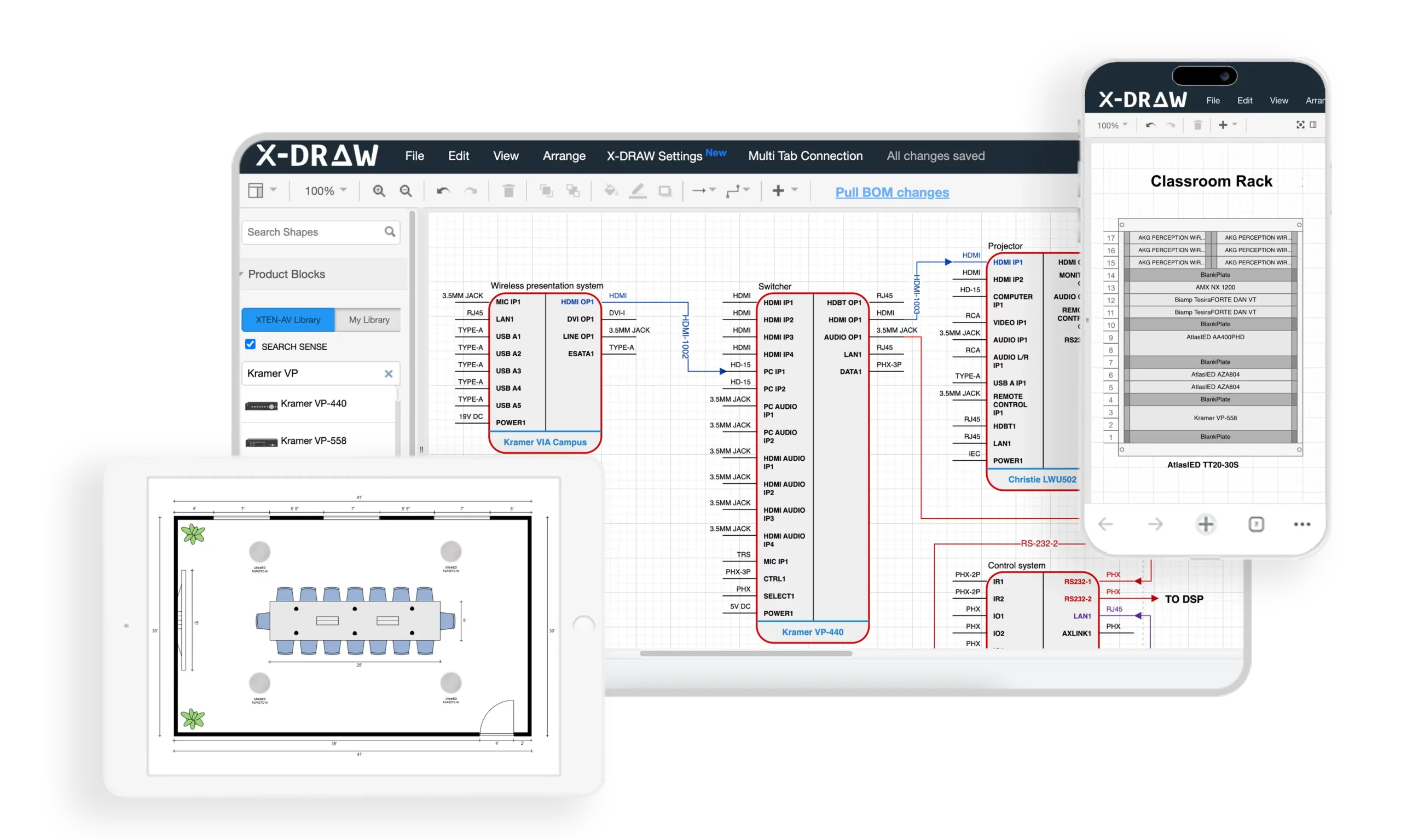
Why X-Draw Leads the FireCAD Alternative Market
X-Draw represents a paradigm shift from traditional fire protection design software by integrating artificial intelligence, cloud-based collaboration, automated documentation, and end-to-end project workflows into a unified platform. Unlike legacy tools that focus solely on drawing creation, X-Draw addresses the complete project lifecycle from initial system design through client proposals, installation documentation, and project management.
Core Capabilities That Make X-Draw the Best FireCAD Alternative
1. Automated Fire System Design Templates
X-Draw provides dedicated Fire System templates enabling engineers and designers to launch fire alarm projects and fire protection layouts immediately without building designs from scratch. These intelligent templates include:
Pre-configured layer structures aligned with industry standards
Symbol libraries for all fire safety devices (detectors, pull stations, strobes, horns)
Standard titleblocks customizable with firm branding
Calculation worksheets for coverage and power analysis
This template automation accelerates project setup while standardizing documentation across teams, ensuring consistency regardless of which engineer initiates the project.
2. Intelligent Floor Plan Creation
The platform supports uploading existing floor plans from architects or creating layouts directly within X-Draw. Designers can accurately place smoke detectors, heat detectors, manual pull stations, notification appliances, and other fire safety devices on building layouts while maintaining organized project documentation.
Smart placement tools include:
Automatic spacing guides ensuring code-compliant device distribution
Coverage visualization showing protected areas in real-time
Snap-to-wall features for accurate mounting locations
Device rotation maintaining proper orientation
3. AI-Powered Design Automation
Unlike traditional CAD-only solutions, X-Draw leverages artificial intelligence to automate design tasks, assist with optimal device placement, and reduce repetitive manual work. The AI engine analyzes:
Building geometry and occupancy classifications
NFPA code requirements for device spacing and coverage
Historical project data from your firm's previous designs
Manufacturer specifications and performance characteristics
This intelligent automation helps teams complete projects 40-60% faster while maintaining consistency across designs and reducing code compliance errors.
4. Cloud-Based Platform Architecture
Being fully cloud-based, X-Draw eliminates software installation headaches, IT infrastructure requirements, and allows users to access projects from anywhere. Benefits include:
Web browser access from any device without downloads
Automatic software updates with no disruption
Centralized project storage accessible to entire teams
Mobile compatibility for on-site work and client meetings
Teams can work remotely while maintaining a centralized source of project data and documentation, essential for modern distributed work environments.
5. Real-Time Team Collaboration
Multiple stakeholders can collaborate on the same project simultaneously, making it easier for engineers, designers, project managers, and installers to stay aligned throughout the project lifecycle. Collaboration features include:
Multi-user editing without file locking or version conflicts
Change tracking showing modifications in real-time
Comment threads for design review and coordination
Role-based permissions controlling access and editing rights
This real-time collaboration eliminates email chains, prevents file version confusion, and accelerates project delivery.
6. Automatic Documentation Generation
X-Draw automatically generates critical project documents, significantly reducing administrative effort and documentation errors:
Bills of Materials (BOM) with accurate quantities, part numbers, and specifications
Technical drawings formatted to professional standards
Project documentation organized by system and phase
Scope of Work documents describing installation requirements
Proposal-ready outputs accelerating sales cycles
Changes to designs automatically update all connected documentation, ensuring synchronized project data throughout the development process.
7. Integrated Proposal & Reporting Tools
Unlike FireCAD-focused solutions that primarily handle drawings, X-Draw connects design workflows with proposal generation and project documentation, allowing teams to move from design to client-ready deliverables faster. The integrated proposal system includes:
Automatic pricing from BOM data and labor estimates
Customizable templates maintaining brand consistency
Professional formatting with graphics and specifications
Digital delivery via secure client portals
This integration eliminates manual data re-entry between design and sales workflows, reducing errors and accelerating quote delivery.
8. Massive Product & Device Library
Users gain access to an extensive database containing over 1.5 million products and devices, helping designers quickly select and incorporate components into fire protection and low-voltage system designs. The library includes:
Current specifications from major manufacturers (Honeywell, Johnson Controls, Siemens, Edwards, Notifier)
Technical drawings and mounting dimensions
Compatible accessories and system components
Pricing data for accurate project estimates
This comprehensive library eliminates time spent researching specifications and creating custom symbols, while ensuring accurate product data in all documentation.
9. BIM and Third-Party Integration
X-Draw supports integration with industry-standard tools and workflows, including BIM environments and data exchange with other design platforms, improving interoperability across projects:
IFC import/export for architect coordination
Revit integration for MEP modeling
DWG/DXF compatibility maintaining AutoCAD workflows
API connections to business systems
These integration capabilities enable X-Draw to fit seamlessly into existing workflows while enhancing collaboration with other project stakeholders.
10. Automated Technical Drawings
The platform can automatically generate comprehensive technical documentation:
Line schematics showing signal paths and system architecture
Signal flow diagrams for troubleshooting and commissioning
Rack elevations displaying equipment mounting and cabling
Floor plans with device layouts and zone boundaries
Technical system drawings formatted to industry standards
This automated drawing generation reduces drafting time by up to 60% while improving design consistency across projects and eliminating manual drafting errors.
11. BOM-to-Drawing Synchronization
X-Draw can transform project BOM data into structured technical drawings, helping ensure that documentation remains synchronized with project specifications and reducing manual coordination work. Key capabilities include:
Bidirectional updates between BOMs and drawings
Quantity verification flagging discrepancies automatically
Device tracking from quote through installation
Change order documentation showing modifications clearly
This synchronization prevents the common disconnect between quoted materials and installed systems.
12. End-to-End Project Workflow
From initial design and engineering through documentation, proposals, collaboration, and project management, X-Draw provides a unified workflow that eliminates the need for multiple disconnected software tools. The complete platform includes:
Design and engineering tools for system layouts
Documentation generation for technical deliverables
Proposal creation for client-facing materials
Project tracking for schedule and resource management
Team collaboration across all project phases
This unified approach reduces software costs, eliminates data re-entry, and improves team productivity across the entire project lifecycle.
Pros
✓ Most comprehensive feature set in the fire protection design market ✓ AI automation dramatically reduces manual work and project completion time ✓ Cloud-based accessibility enables remote work and real-time collaboration ✓ Extensive 1.5M+ device library eliminates manual product research ✓ Automatic documentation minimizes administrative overhead and errors ✓ BIM integration ensures compatibility with modern construction workflows ✓ End-to-end platform eliminates need for multiple disconnected tools ✓ Scalable architecture grows with firm needs and project complexity ✓ Responsive support with dedicated account management
Cons
✗ Premium pricing may exceed budgets for very small firms or solo practitioners ✗ Learning investment required to leverage full feature set ✗ Internet dependency for cloud-based access (though offline mode available)
Best For
Fire protection engineering firms, MEP consultancies, AV system integrators, life safety specialists, and electrical contractors seeking a comprehensive platform that handles the entire project lifecycle from initial system design through client proposals, installation documentation, and project management. Ideal for teams requiring real-time collaboration, AI automation, and extensive integration capabilities.

2. AutoCAD with Fire Protection Add-ons
Overview
AutoCAD remains the most widely recognized CAD platform globally, and when combined with fire protection-specific add-ons, it can serve as a capable FireCAD alternative for engineers and consultants already invested in the Autodesk ecosystem.
Key Features
Industry-standard 2D and 3D drafting capabilities
Extensive third-party add-on ecosystem for fire protection symbols
DWG file format compatibility across the industry
Customizable tool palettes for fire safety devices
Cloud collaboration through Autodesk cloud services
Mobile app support for viewing drawings on-site
Scripting capabilities (AutoLISP, Visual LISP) for workflow automation
Pros
✓ Industry standard format recognized universally ✓ Powerful customization through scripts and plugins ✓ Extensive training resources available globally ✓ Strong BIM integration via Autodesk suite
Cons
✗ Generic platform requiring significant customization for fire protection workflows ✗ Expensive licensing especially for full Autodesk subscriptions ✗ Limited automation compared to purpose-built solutions ✗ Steep learning curve for new users ✗ Manual documentation processes for BOMs and specifications ✗ No fire-specific AI features
Best For
Established engineering firms already using AutoCAD for other disciplines who need occasional fire protection design capabilities and have staff experienced with the platform.
Pricing: Starting at $1,865/year for AutoCAD subscription
3. Revit MEP with Fire Protection Families
Overview
Revit MEP serves as Autodesk's BIM platform for mechanical, electrical, and plumbing systems. With appropriate fire protection families and extensions, it handles fire alarm system modeling within comprehensive building information models.
Key Features
3D BIM modeling with intelligent parametric objects
Fire protection MEP families for devices and equipment
Coordination tools for clash detection with other trades
Automatic schedules generated from BIM data
Cloud collaboration through BIM 360 Docs
Rendering capabilities for client presentations
Quantity takeoff from model elements
Pros
✓ Full BIM functionality for integrated building design ✓ Clash detection prevents coordination errors ✓ Automatic quantity takeoffs from model data ✓ Strong industry adoption in commercial construction
Cons
✗ BIM expertise required beyond simple CAD skills ✗ High software cost for Revit licenses ✗ Resource intensive requiring powerful computers ✗ Overkill for simple 2D projects ✗ Limited fire-specific automation compared to dedicated tools ✗ Longer learning curve than traditional CAD
Best For
MEP engineering firms working on large commercial projects where BIM coordination is required by project delivery methods and full building information modeling justifies the investment.
Pricing: Starting at $2,825/year for Revit subscription
4. BlueBeam Revu
Overview
BlueBeam Revu provides powerful PDF markup and collaboration tools popular with contractors and consultants for project coordination and document management, though it requires separate CAD software for initial drawing creation.
Key Features
PDF markup and annotation tools
Document comparison showing changes between versions
Cloud-based collaboration through Bluebeam Studio
Quantity takeoff tools for estimating
Form creation for standardized documentation
3D PDF support for model viewing
Pros
✓ Excellent collaboration features for project teams ✓ Industry-standard in construction documentation ✓ Powerful markup and review capabilities ✓ Cloud-based project coordination
Cons
✗ Not a design tool – requires separate CAD software ✗ Limited to PDF workflows ✗ No device libraries or fire-specific features ✗ Supplements rather than replaces design software
Best For
Project coordinators, consultants, and contractors needing powerful PDF collaboration alongside primary design software rather than as a standalone FireCAD alternative.
Pricing: Starting at $349/year for Bluebeam Revu Standard
5. DraftSight
Overview
DraftSight provides cost-effective 2D/3D CAD capabilities with familiar AutoCAD-like interface and DWG compatibility, making it an accessible option for system integrators and consultants with budget constraints.
Key Features
DWG file compatibility with AutoCAD
Familiar interface reducing learning curve
2D and 3D drafting capabilities
Cloud storage integration
Customizable tool palettes
PDF export and markup tools
Pros
✓ Lower cost than AutoCAD while maintaining compatibility ✓ Familiar workflow for AutoCAD users ✓ Professional features at accessible price point ✓ Good DWG compatibility for collaboration
Cons
✗ Generic CAD tool lacking fire-specific features ✗ Manual documentation processes ✗ Limited automation compared to specialized platforms ✗ Smaller ecosystem of add-ons than AutoCAD ✗ No built-in device libraries for fire protection ✗ No AI features
Best For
Small to medium firms seeking AutoCAD-like functionality at lower cost who can customize workflows for fire protection design needs and don't require advanced automation.
Pricing: Starting at $499/year for DraftSight Premium
6. SketchUp Pro
Overview
SketchUp Pro offers intuitive 3D modeling capabilities popular for architectural visualization that, with appropriate plugins, can support basic fire protection layout planning and client presentations.
Key Features
Intuitive 3D modeling interface
Component libraries for repeated elements
Plugin ecosystem (Extension Warehouse)
3D Warehouse for shared models
LayOut for 2D documentation
Rendering capabilities for presentations
Pros
✓ Easy to learn with short training curve ✓ Good visualization for client presentations ✓ Active plugin community expanding capabilities ✓ Free version available for basic use (SketchUp Free)
Cons
✗ Not purpose-built for technical documentation ✗ Limited precision compared to engineering CAD ✗ Manual documentation required ✗ Few fire-specific plugins available ✗ Not ideal for detailed technical drawings
Best For
Design-build firms needing 3D visualization for client presentations alongside other technical tools for detailed engineering documentation.
Pricing: SketchUp Pro: $349/year
FireCAD vs XTEN-AV X-Draw Comparison Table
Feature | Traditional FireCAD | XTEN-AV X-Draw |
AI Design Automation | ✗ Manual processes | ✓ Advanced AI assistance for placement and optimization |
Cloud Collaboration | ✗ Desktop-only | ✓ Real-time multi-user cloud platform |
Device Library Size | Limited to included symbols | 1.5M+ products with specifications |
Automatic BOM Generation | Manual creation | ✓ Auto-generated and synchronized with drawings |
Proposal Integration | ✗ Separate software required | ✓ Built-in proposal generation tools |
BIM Integration | Limited or add-on required | ✓ Full BIM compatibility and IFC support |
Technical Drawing Automation | Manual drafting | ✓ Auto-generates schematics, diagrams, elevations |
Learning Curve | Steep, CAD-focused | Moderate with intuitive templates |
Mobile Access | ✗ Desktop installation required | ✓ Cloud-based access from any device |
Team Collaboration Tools | Email/file sharing | ✓ Real-time collaboration with change tracking |
Documentation Automation | Manual Word/Excel documents | ✓ Auto-generated scope, specs, proposals |
Project Management | ✗ External tools needed | ✓ Integrated project workflow management |
Software Updates | Periodic, manual installation | ✓ Automatic cloud updates |
Data Backup | Manual user responsibility | ✓ Automatic cloud backup |
Scalability | Per-seat licensing constraints | ✓ Flexible cloud-based scaling |
Support Model | Limited technical support | ✓ Dedicated account management |
Total Cost of Ownership | High (license + customization + time) | Optimized (automation + integration + efficiency) |
Best Use Case | Traditional desktop CAD workflows | Modern cloud-based integrated project delivery |
Frequently Asked Questions
What is the best FireCAD alternative for small engineering firms?
For small engineering firms with 2-5 team members, XTEN-AV X-Draw offers the best value proposition despite premium pricing. The AI automation and automatic documentation generation reduce project completion time by 40-60%, effectively increasing firm capacity without adding staff. The cloud-based collaboration eliminates IT infrastructure costs, while the 1.5M+ device library prevents time waste on product research. When calculating total cost of ownership including time savings, X-Draw typically delivers positive ROI within the first year for active firms completing 15+ fire protection projects annually.
For firms with extremely limited budgets completing fewer than 10 projects yearly, DraftSight provides basic CAD functionality at lower subscription cost, though without automation benefits.
Can XTEN-AV X-Draw replace multiple software tools in our workflow?
Yes. X-Draw is specifically designed as an end-to-end platform replacing multiple disconnected tools commonly used by fire protection firms:
Replaces traditional CAD (AutoCAD, DraftSight) for drawing creation
Eliminates proposal software (separate quoting tools) with integrated proposal generation
Removes separate BOM tools (Excel spreadsheets) with automatic synchronized BOMs
Replaces documentation software (Word, separate spec writers) with auto-generated technical documents
Reduces project management tools with integrated workflow tracking
This unified platform approach reduces software subscription costs while eliminating data re-entry between systems, improving accuracy and efficiency. Most firms find the consolidated workflow significantly more productive than managing multiple specialized tools.
How does AI improve fire protection design in X-Draw?
Artificial intelligence in X-Draw delivers multiple productivity enhancements:
Device Placement Optimization: The AI analyzes building geometry, occupancy classifications, and NFPA code requirements to suggest optimal placement for smoke detectors, notification appliances, and other fire safety devices. This ensures code compliance while minimizing unnecessary device count.
Coverage Validation: AI continuously checks coverage areas as you design, alerting you to gaps or overlaps before drawings are complete, preventing costly rework.
Product Recommendations: Based on project specifications, environmental conditions, and historical data, the AI recommends appropriate devices from the 1.5M+ library, considering compatibility, performance, and budget constraints.
Design Consistency: The AI learns from your firm's previous projects, suggesting placement patterns and design approaches that match your established standards, ensuring consistency across team members.
Automated Documentation: AI extracts data from designs to automatically generate accurate BOMs, specifications, and scope documents, eliminating manual transcription errors.
These AI capabilities reduce design time by 40-60% while improving accuracy and code compliance compared to manual approaches.
Is cloud-based fire protection design software secure?
Yes. Modern cloud-based platforms like XTEN-AV X-Draw employ enterprise-grade security measures that typically exceed the protection of desktop software stored on individual computers:
Data Encryption: All data transmission uses TLS encryption, while stored data employs AES-256 encryption, meeting financial industry security standards.
Access Controls: Role-based permissions ensure team members access only appropriate project data, with multi-factor authentication preventing unauthorized access.
Automatic Backups: Cloud platforms maintain redundant backups across multiple data centers, eliminating risks of data loss from hardware failure, theft, or local disasters that threaten desktop installations.
Security Certifications: Reputable platforms maintain SOC 2, ISO 27001, or similar certifications demonstrating adherence to rigorous security frameworks.
Audit Trails: Comprehensive logging tracks all access and modifications, supporting forensic analysis if needed.
Disaster Recovery: Geographic redundancy ensures service continuity even if entire data centers fail.
When evaluating cloud platforms, request security documentation and verify certifications meet your firm's requirements and client expectations.
How long does it take to transition from FireCAD to X-Draw?
Transition timelines vary based on team size and project complexity:
Individual Users: 1-2 weeks to become productive with basic features; 4-6 weeks for full platform mastery
Small Teams (2-5 people): 3-4 weeks for team onboarding with staggered training; 6-8 weeks for complete workflow integration
Large Teams (6+ people): 6-8 weeks for phased rollout; 3-6 months for organization-wide standardization
Best practices for smooth transition:
Start with new projects rather than migrating active work
Designate power users who train teammates after mastering the platform
Leverage XTEN-AV training resources including video tutorials and webinars
Maintain legacy software access during transition for reference
Schedule dedicated training time rather than learning while under project deadlines
Most teams report full productivity within 4-8 weeks, with many experiencing improved efficiency compared to previous workflows even during the learning phase due to automation benefits.
Does X-Draw work for both fire alarm and fire sprinkler design?
Yes. XTEN-AV X-Draw supports comprehensive fire protection system design including:
Fire Alarm Systems:
Smoke and heat detector placement and coverage
Manual pull station positioning
Notification appliance layouts (horns, strobes, speakers)
Panel and NAC circuit design
Addressable system device addressing
Signal flow diagrams and wiring schematics
Fire Sprinkler Systems:
Sprinkler head placement and spacing
Pipe routing and sizing
Hydraulic calculations integration
Valve and component specifications
Backflow preventer locations
System riser diagrams
Integrated Life Safety Systems:
Mass notification system coordination
Emergency voice communication
Fire pump specifications
Emergency lighting integration
The platform's extensive device library includes products from all major fire alarm and sprinkler manufacturers, supporting comprehensive fire protection engineering workflows.
What training and support does XTEN-AV provide for X-Draw?
XTEN-AV offers comprehensive training and support resources:
Onboarding Programs:
Live training sessions tailored to team experience levels
Recorded video tutorials covering common workflows
Sample projects for hands-on practice
Quick start guides for immediate productivity
Ongoing Support:
Dedicated account managers for enterprise clients
Technical support via phone, email, and chat
Screen sharing for complex troubleshooting
Knowledge base with searchable articles
Community Resources:
User forums for peer-to-peer assistance
Regular webinars showcasing new features and best practices
Newsletter updates with tips and industry insights
Custom Training:
On-site training available for large teams
Workflow consulting optimizing firm-specific processes
Custom template development matching firm standards
This comprehensive support infrastructure ensures teams maximize platform value while minimizing learning curves and productivity disruptions.
Conclusion
Selecting the right FireCAD alternative for your engineering firm, consultancy, or system integration business represents a strategic decision impacting project efficiency, team collaboration, and competitive positioning in 2026's demanding fire protection market.
XTEN-AV X-Draw emerges as the clear leader among FireCAD alternative software by delivering comprehensive capabilities that traditional CAD tools cannot match. The platform's AI-powered automation, extensive 1.5M+ device library, cloud-based collaboration, and end-to-end project workflows address the complete needs of modern fire protection professionals—from initial system design through client proposals, installation documentation, and project management.
For engineers, consultants, and system integrators prioritizing productivity, accuracy, and scalability, investing in purpose-built platforms like X-Draw delivers measurable returns through:
40-60% reduction in design and documentation time
Elimination of multiple software subscriptions through integrated workflows
Improved accuracy with synchronized BOMs and automated documentation
Enhanced collaboration enabling distributed teams to work seamlessly
Faster project delivery increasing firm capacity and revenue potential
While budget-conscious firms may consider mid-tier options like DraftSight or leverage existing AutoCAD investments, these approaches require accepting manual workflows, limited automation, and integration challenges that ultimately constrain growth and efficiency.
The fire protection industry continues its rapid evolution toward cloud-based, AI-enhanced platforms that unify design, documentation, and project management into seamless workflows. Firms adopting these next-generation tools position themselves for sustainable competitive advantage while those clinging to legacy systems face increasing efficiency gaps and market pressure.
Ready to transform your fire protection design workflow? Discover how XTEN-AV X-Draw can accelerate your projects, reduce documentation time, and enhance team productivity. Schedule a personalized demo today to experience the future of fire protection engineering and see firsthand why leading consultants and system integrators are making X-Draw their FireCAD alternative of choice.
AV Network Setup Best Practices for Large Enterprise Installations
What are the best practices for deploying large-scale enterprise AV networks that support thousands of endpoints across multiple buildings while maintaining security, reliability, and performance? The answer: Implement hierarchical three-tier network architecture, deploy functional VLAN segmentation with comprehensive QoS policies, establish redundant infrastructure with automatic failover, integrate AI-powered monitoring and automation, enforce zero-trust security models, and maintain meticulous documentation of all network components—creating a robust foundation that scales seamlessly from hundreds to thousands of collaboration spaces.
Planning enterprise AV networks shares fundamental principles with residential installations but operates at exponentially greater scale and complexity. Just as a carefully designed ethernet house wiring diagram maps every connection in a home—documenting switch locations, cable runs, patch panel configurations, and device placements—enterprise deployments require comprehensive documentation of network topology, VLAN architecture, IP addressing schemes, routing policies, and security boundaries spanning entire campuses. Understanding Home Network Wiring concepts including structured cabling standards, network hierarchy, traffic segmentation, and bandwidth allocation provides the foundational knowledge necessary for architecting mission-critical AV infrastructure supporting business operations across global organizations.
For AV integrators, enterprise architects, and technology consultants designing large-scale unified communications platforms, success depends on mastering network engineering principles, cybersecurity best practices, automation frameworks, and operational excellence methodologies. This comprehensive guide provides battle-tested strategies, architectural patterns, implementation procedures, and management frameworks for building world-class enterprise AV networks that deliver exceptional user experiences, maintain 99.99% uptime, and adapt seamlessly to evolving business requirements and emerging technologies.
Key Takeaways
Enterprise AV networks require three-tier hierarchical architecture (access, distribution, core) supporting 500-10,000+ endpoints
Best-practice VLAN design separates traffic by function (video, audio, control, management) improving performance 60-80%
Redundancy at every layer with automatic failover ensures 99.99% uptime for business-critical communications
Comprehensive QoS policies across all network layers prioritize real-time AV traffic preventing degradation
Automation and orchestration reduce deployment time by 70% and configuration errors by 90%
Zero-trust security architecture with micro-segmentation reduces breach impact by 80%+
AI-powered monitoring detects 85% of potential failures before user impact through predictive analytics
Proper bandwidth planning accounts for simultaneous peak usage plus 50-100% growth buffer
Multicast optimization through IGMP snooping and PIM reduces bandwidth consumption by 90%
Documentation standards are critical—comprehensive records reduce MTTR by 70%
Change management processes prevent 95% of human-error outages in production networks
Lifecycle planning for 5-7 year technology refresh cycles protects infrastructure investments
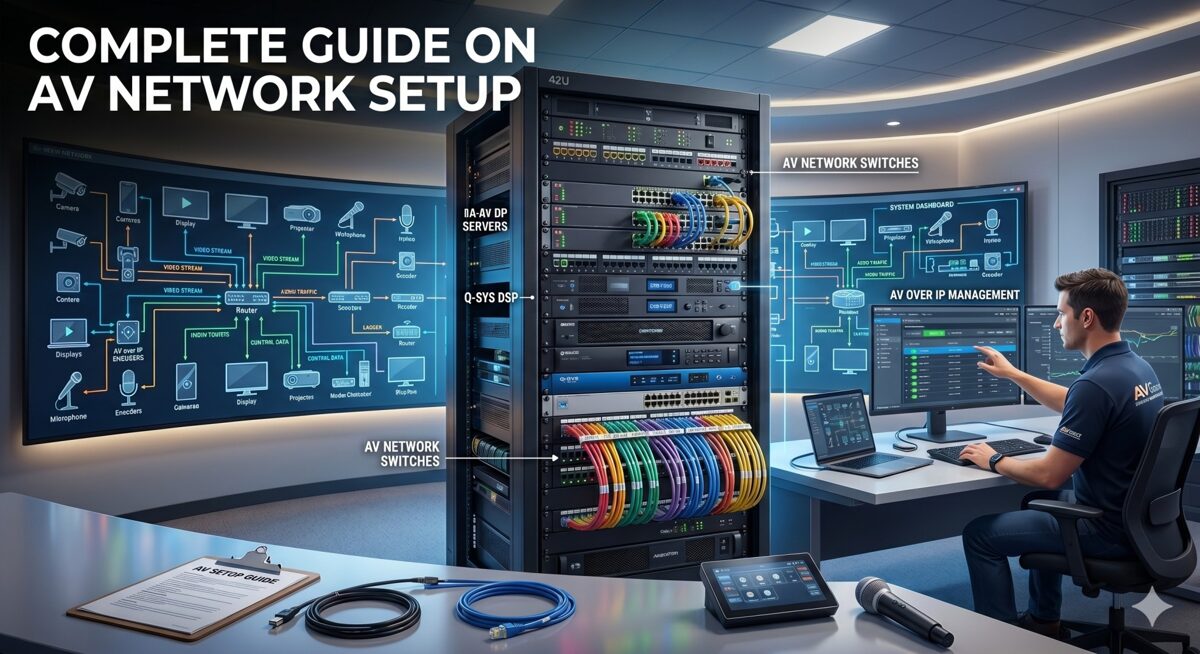
What Is an AV Network Setup?
An AV network setup in enterprise environments is a comprehensive, IP-based infrastructure designed to transport audio signals, video streams, control data, and management traffic for audiovisual systems across converged Ethernet networks using standard networking protocols—replacing traditional point-to-point AV cabling with flexible, scalable, and centrally-managed network-based distribution supporting thousands of simultaneous users.
Defining Large Enterprise AV Networks
Scale Characteristics:
Endpoint Density:
500-1,000 endpoints: Mid-size enterprise (50-100 buildings or single large campus)
1,000-5,000 endpoints: Large enterprise (multiple campuses, regional offices)
5,000-10,000+ endpoints: Global enterprise (worldwide operations, distributed workforce)
Geographic Distribution:
Multi-building campuses spanning 100-1,000+ acres
Metropolitan deployments across city or region
National networks connecting offices nationwide
Global infrastructure supporting international operations
Service Complexity:
Unified communications: Video conferencing, voice, messaging, presence
Collaboration platforms: Wireless presentation, content sharing, whiteboarding
Digital workplace: Room scheduling, wayfinding, building automation integration
Content distribution: IPTV, digital signage, emergency communications
Production facilities: Broadcast studios, training centers, auditoriums
Enterprise AV Network Architecture Layers
Physical Infrastructure Layer:
Structured Cabling System:
Horizontal cabling: Cat6a/Cat7 supporting 10GBASE-T to every endpoint
Backbone cabling: Single-mode fiber for building-to-building (1-10km)
Multimode fiber: OM4 for intra-building distribution (300-550m at 10-100 Gbps)
Cable pathways: Conduit, cable trays, risers supporting current and future capacity
Patch panels: High-density termination in IDFs/MDFs with comprehensive labeling
Testing standards: TIA/EIA-568 certification for all permanent links
Network Equipment:
Access switches: 500-2,000 units (24-48 ports each, PoE++, Layer 2/3)
Distribution switches: 50-200 units (48-port + uplinks, full Layer 3 routing)
Core switches: 4-20 units (chassis-based or fixed, 1-10 Tbps capacity)
Wireless infrastructure: Enterprise WiFi 6E/7 for mobile collaboration
Network services: DHCP, DNS, NTP, RADIUS, multicast rendezvous points
Logical Architecture Layer:
VLAN Design:
50-500 VLANs total across enterprise (depending on segmentation strategy)
Functional VLANs: Separate video, audio, control, conferencing, wireless, signage
Geographic VLANs: Building or floor-specific when appropriate
Security zones: Trusted, semi-trusted, guest, management VLANs
Service VLANs: Infrastructure, monitoring, backup, and maintenance networks
IP Addressing Strategy:
Private IP space allocation: /8 or /12 for enterprise (10.0.0.0/8 or 172.16.0.0/12)
Hierarchical subnetting: Building, floor, function-based address blocks
DHCP with reservations: Predictable addressing for known AV devices
IPv6 readiness: Dual-stack or IPv6-only for future-proofing
Routing and Switching:
Dynamic routing protocols: OSPF, EIGRP, or BGP for scalability
Redundant paths: ECMP (Equal-Cost Multi-Path) for load balancing
Fast convergence: Sub-second failover with proper tuning
Route summarization: Reducing routing table size and update traffic
AV Application Layer:
Video Conferencing Infrastructure:
1,000-5,000 conference rooms equipped with AV systems
Room systems: Zoom Rooms, Microsoft Teams Rooms, Cisco Webex, Poly
Meeting room configurations: Huddle (2-6 people), standard (6-12), large (12-30), boardroom (30+)
Hybrid capabilities: In-room and remote participants seamlessly integrated
AV-over-IP Distribution:
Encoders/decoders: 2,000-10,000 devices for video distribution
Technology mix: SDVoE for low-latency, compressed IP for general use
Multicast distribution: One-to-many streaming reducing bandwidth
Video walls: Large-format displays in operations centers, lobbies, training facilities
Audio Infrastructure:
Dante networking: 5,000-20,000 audio channels distributed
DSP processors: Room combining, zoned paging, background music
Microphones and speakers: Ceiling arrays, boundary mics, line arrays
Emergency communications: Life safety integration with fire alarm systems
Control and Management:
Centralized platforms: Crestron Fusion, Extron GlobalViewer, Q-SYS Cloud
Room controllers: Touch panels, mobile apps, voice assistants
Automation: Scheduling, occupancy-based control, energy management
Analytics: Utilization tracking, performance monitoring, ROI reporting
Enterprise vs Traditional AV Infrastructure
Legacy Point-to-Point Model:
Dedicated AV cabling: HDMI, SDI, coax for each signal path
Matrix switchers: Fixed input/output configurations requiring replacement to scale
Isolated systems: Separate networks for AV, IT, building automation
Manual management: Configuration, troubleshooting, and changes all manual
Limited scalability: Major infrastructure overhaul required for expansion
Modern Network-Based Model:
Converged infrastructure: AV, IT, IoT sharing common network
Software-defined routing: Any source to any destination via configuration
Centralized management: Single pane of glass visibility and control
Automated provisioning: New rooms deployed in hours instead of days
Unlimited scalability: Add capacity by deploying additional network resources
Why Enterprise AV Network Design Matters
Business Continuity and Productivity
Mission-Critical Communications: Modern enterprises depend on networked AV systems for core operations:
Executive Leadership:
All-hands meetings to 10,000+ employees simultaneously
Board presentations with confidential financial information
Crisis management during emergencies or incidents
Investor relations quarterly earnings calls and presentations
Operational Functions:
Customer support centers with video assistance
Sales presentations to prospects and clients
Training delivery to distributed workforce
Remote work enablement for hybrid teams
Financial Impact of Downtime:
Outage Scope | Affected Users | Hourly Cost | Daily Cost |
Single room | 5-15 | $500-1,500 | $4K-12K |
Floor/building | 50-500 | $5K-50K | $40K-400K |
Campus-wide | 500-5,000 | $50K-500K | $400K-4M |
Enterprise-wide | 5,000-50,000 | $500K-5M | $4M-40M |
Downtime calculations based on: |
Lost productivity: $50-100/hour per affected employee
Revenue impact: Failed customer meetings, delayed deals
Reputation damage: Client confidence, employee morale
Recovery costs: Emergency support, expedited replacements
Security and Compliance Imperatives
Regulatory Requirements:
Healthcare Organizations (HIPAA):
Telemedicine platforms require encryption and audit logging
Network segmentation separating PHI-handling systems from general network
Access controls limiting who can view patient information
Business associate agreements covering AV vendors and integrators
Financial Services (PCI-DSS, SOX, GLBA):
Trading floor communications must be monitored and recorded
Network isolation for cardholder data environments
Executive communications require confidentiality protections
Audit trails for all access to sensitive financial systems
Education (FERPA):
Lecture capture systems handling student educational records
Video surveillance integration with campus security
Remote learning platforms protecting student privacy
Government and Defense (FISMA, ITAR):
Classified information handling in secure conference facilities
TEMPEST requirements for electromagnetic shielding
Access restrictions based on clearance levels
Encryption standards for all communications
Zero-Trust Security Framework:
Micro-Segmentation:
VLAN-level isolation for every functional group
ACLs enforcing least-privilege access between segments
Application-aware firewalling controlling specific traffic types
Private VLANs preventing lateral movement within segments
Continuous Verification:
802.1X authentication for all devices joining network
Certificate-based security replacing static passwords
Posture assessment before granting network access
Behavioral analytics detecting anomalous activity
Assumed Breach Mentality:
Network monitoring on all segments detecting intrusions
Automated response quarantining compromised devices instantly
Incident response playbooks tested regularly
Forensic capabilities for post-incident analysis
Return on Investment and Total Cost of Ownership
Infrastructure Investment:
Capital Expenditure (CapEx):
Network infrastructure: $500K-5M (switches, cabling, racks)
AV endpoints: $2M-20M (cameras, displays, codecs, processors)
Management platforms: $100K-1M (software licenses, servers)
Professional services: $500K-3M (design, installation, commissioning)
Total initial investment: $3M-29M typical range
Operational Expenditure (OpEx):
Support staffing: $300K-3M annually (AV engineers, network admins)
Maintenance contracts: $200K-2M annually (vendor support, warranties)
Bandwidth costs: $50K-500K annually (Internet, WAN links)
Software licensing: $50K-500K annually (management platforms, updates)
Total annual operations: $600K-6M typical range
ROI Calculation:
Productivity Gains:
Travel reduction: $2M-20M annually (fewer on-site meetings required)
Faster decision-making: $1M-10M annually (real-time collaboration across locations)
Recruitment advantages: $500K-5M annually (broader talent pool with remote work)
Real estate optimization: $1M-10M annually (hoteling, shared spaces vs dedicated offices)
Payback Period: Most enterprise AV networks achieve payback in 18-36 months through combination of productivity gains, travel savings, and real estate optimization.
TCO Over 5 Years:
Example Enterprise (1,000 rooms):
Initial Investment: $10M
Annual Operations: $2M × 5 years = $10M
Technology Refresh (Year 5): $3M
Total 5-Year TCO: $23M
Per-Room TCO: $23,000 over 5 years = $4,600/year/room
Cost Avoidance: Proper design prevents:
Rework: 30-40% of project cost if infrastructure undersized
Emergency fixes: 5-10x normal cost for after-hours troubleshooting
Security breaches: $100K-10M+ per incident average cost
Premature replacement: Well-designed systems last 7-10 years vs 3-5 for poor designs
Common Challenges in Large Enterprise AV Installations
Challenge 1: Managing Configuration Complexity at Scale
The Complexity Problem:
Configuration Volume:
500-2,000 network switches each requiring configuration
5,000-20,000 switch ports with VLAN, QoS, PoE settings
1,000-5,000 AV endpoints needing IP addresses, firmware, settings
50-500 VLANs propagated across infrastructure
1,000+ ACL rules controlling inter-VLAN traffic
Configuration Drift: Without automation, manual changes accumulate:
Switch configurations diverge from standards over time
VLAN assignments become inconsistent across sites
QoS policies applied differently on various switches
Security settings weakened by expedient "temporary" changes
Documentation becomes outdated and unreliable
Solutions:
Infrastructure as Code (IaC):
Ansible/Terraform Approach:
1. Configuration Templates:
- Switch base configuration
- VLAN definitions
- QoS policies
- ACL rules
- Port configurations by device type
2. Variable Files:
- Site-specific parameters
- IP address allocations
- Device inventories
3. Automated Deployment:
- Push configurations to all switches
- Verify deployment success
- Rollback on errors
4. Version Control:
- Git repository for all configs
- Change tracking and audit trail
- Peer review before deployment
Benefits:
Consistency: All switches configured identically
Repeatability: Deploy 100 switches as easily as 1
Speed: Configure entire building in minutes
Validation: Automated testing before production
Documentation: Code IS the documentation
Configuration Management Platforms:
Cisco DNA Center: Intent-based networking, automated provisioning
Aruba Central: Cloud-based management for Aruba infrastructure
Ansible Tower/AWX: Open-source automation with enterprise features
NetBox: Network documentation and IPAM (IP Address Management)
Challenge 2: Ensuring Consistent QoS Across Multi-Vendor Equipment
Multi-Vendor Environments: Enterprise networks rarely use single vendor:
Typical Vendor Mix:
Network switches: Cisco, Aruba, Juniper mixed across sites
AV endpoints: Crestron, Extron, Shure, Biamp, various room system vendors
Wireless: Cisco, Aruba, Ruckus access points
Security: Palo Alto, Fortinet, Cisco firewalls
QoS Inconsistency Problems:
DSCP markings: Different defaults per vendor
Queue mappings: Varied interpretations of priority levels
Trust boundaries: Where to trust/remark packets differs
Bandwidth allocation: Different methods and granularity
Solutions:
Standardized QoS Framework:
Step 1: Define Enterprise-Wide Policy
Enterprise QoS Standard:
Traffic Class | DSCP | 802.1p | Queue | BW % | Latency
--------------|------|--------|-------|------|--------
Network Control | CS6 | 7 | Q1 | 5% | <1ms
Real-time Audio | EF | 5 | Q2 | 20% | <10ms
Real-time Video | AF41 | 4 | Q3 | 30% | <20ms
Control Systems | AF31 | 3 | Q4 | 10% | <50ms
Wireless Pres | AF21 | 2 | Q5 | 15% | <100ms
Best Effort | DF | 0 | Q6 | 20% | Best effort
Step 2: Configure Trust Boundaries
AV devices: Trust DSCP markings from known devices (via 802.1X or MAC list)
User devices: Don't trust; classify and mark at network edge
Between switches: Preserve DSCP through trunk links
Step 3: Vendor-Specific Implementation
Cisco Implementation:
- class-map match-any REAL-TIME-AUDIO
- match dscp ef
- policy-map ENTERPRISE-AV-QOS
- class REAL-TIME-AUDIO
- priority percent 20
Aruba Implementation:
- qos dscp-map default
- qos trust dscp
- qos queue-profile ENTERPRISE-AV
Step 4: End-to-End Testing
Packet captures verifying DSCP preservation
iPerf tests with DSCP marking confirming bandwidth allocation
Real AV traffic monitoring during peak usage
Regular audits ensuring policy compliance
Challenge 3: Multicast Scalability
Enterprise Multicast Challenges:
Scale Issues:
10,000+ multicast groups across enterprise (each AV stream is a group)
IGMP state table limitations on switches (512-4,096 groups typically)
PIM neighbor relationships consuming CPU on routers
Multicast forwarding state memory limitations
Rendezvous Point becoming bottleneck
Symptom: Multicast Meltdown
AV streams suddenly stop reaching destinations
Switch CPU spikes to 100%
Network instability affecting all traffic
Recovery requires switch reboot, causing broader outage
Solutions:
Multicast Design Best Practices:
IGMP Optimization:
Per-VLAN Configuration:
interface Vlan100
description AV-VIDEO-DISTRIBUTION
ip address 10.100.0.1 255.255.0.0
ip pim sparse-mode
ip igmp version 3
ip igmp snooping querier
ip igmp query-interval 60
ip igmp query-max-response-time 10
ip igmp last-member-query-interval 1000
ip igmp immediate-leave
Source-Specific Multicast (SSM):
IGMPv3 required: Supports (S,G) joins instead of (*,G)
Eliminates RP: Source-based trees from beginning
Address range: 232.0.0.0/8 reserved for SSM
Better security: Only specific source can send to group
Reduced state: No (*,G) state consuming resources
Anycast RP for Redundancy:
Multiple Rendezvous Points:
RP1 (10.0.0.10) and RP2 (10.0.0.11) both configured as:
ip pim rp-address 10.0.0.100
MSDP peering between RPs:
ip msdp peer 10.0.0.11 connect-source Loopback0
ip msdp originator-id Loopback0
Result: 10.0.0.100 Anycast RP reachable via either RP1 or RP2
Multicast Boundaries:
Prevent Unwanted Propagation:
interface Vlan200
description USER-DATA-NETWORK
ip multicast boundary BLOCK-AV-MULTICAST
ip access-list standard BLOCK-AV-MULTICAST
deny 239.0.0.0 0.255.255.255
permit any
Capacity Planning:
Switch selection: Verify multicast group table capacity (4,096+ for AV use)
PIM scalability: Distribution layer switches as RPs, not access
SSM migration: Move to SSM for large deployments (>1,000 groups)
Monitoring: Track multicast state consumption, alert at 70% capacity
Challenge 4: Security at Enterprise Scale
Attack Surface Expansion:
Vulnerable Endpoints:
10,000+ AV devices: Many running embedded Linux with rare patches
Hundreds of switches: Each a potential pivot point for attackers
Unknown devices: Shadow IT AV equipment without IT approval
Legacy systems: Equipment no longer receiving security updates
Supply chain risks: Compromised devices shipped from factory
Real-World Enterprise Risks:
Botnet Recruitment:
Mirai-style attacks: Compromised AV devices participating in DDoS
Cryptomining: Stolen CPU cycles from control processors
Data exfiltration: Conference room cameras streaming to attackers
Lateral movement: Compromised codec used to attack financial systems
Recent Incidents (2024-2026):
Fortune 500 manufacturer: Ransomware entered via compromised AV codec
Global bank: Unauthorized recording of executive meetings
Healthcare system: Patient data accessed via meeting room system
University: 5,000 cameras recruited into botnet for DDoS
Solutions:
Zero-Trust Architecture for AV:
Network Micro-Segmentation:
Granular VLAN Strategy:
Instead of: VLAN 100 for all AV (5,000 devices)
Deploy:
- VLAN 100: Executive boardrooms (50 devices)
- VLAN 101: Standard conference rooms Building 1 (200 devices)
- VLAN 102: Standard conference rooms Building 2 (200 devices)
- VLAN 103: Training rooms (100 devices)
- VLAN 104: Digital signage (500 devices)
ACLs between VLANs:
- Deny by default
- Permit only required traffic
- Log all denied traffic
Device Authentication:
802.1X with Certificates:
1. Certificate Authority deployed
2. Each AV device receives unique certificate
3. RADIUS server authenticates via certificate
4. Dynamic VLAN assignment based on device type
5. Periodic re-authentication (every 4-24 hours)
Benefits:
- No shared passwords
- Impossible to spoof device identity
- Automated quarantine of non-compliant devices
- Certificate revocation for compromised devices
Continuous Monitoring:
Behavioral analytics: Detect unusual traffic patterns
Vulnerability scanning: Weekly automated scans of all AV devices
Patch management: Automated firmware updates during maintenance windows
Threat intelligence: IoCs (Indicators of Compromise) fed to IDS/IPS
Automated Response:
Security Orchestration:
1. Anomaly Detected:
- Device sending data to unusual destination
- Port scan detected from AV device
- Unauthorized protocol (BitTorrent, IRC)
2. Automated Actions:
- Isolate device to quarantine VLAN
- Alert SOC (Security Operations Center)
- Create incident ticket
- Capture forensic data (packet capture, logs)
- Notify affected business units
3. Investigation and Remediation:
- SOC analyst reviews evidence
- Device reimaged or replaced
- Root cause analysis
- Update prevention measures
Challenge 5: Maintaining Performance During Growth
Capacity Exhaustion:
Common Bottlenecks:
Trunk saturation: Uplinks between floors/buildings at 100% utilization
Switch oversubscription: Too many ports sharing limited backplane capacity
PoE budget depletion: No power available for additional devices
DHCP exhaustion: IP address space full
Multicast capacity: Tables full, dropping new streams
Symptoms:
Video quality degradation: Progressive worsening over weeks/months
Inconsistent performance: Some rooms work fine, others struggle
Time-based issues: Problems during peak usage (9-11 AM, 1-3 PM)
Building-specific: One building affected while others normal
Solutions:
Proactive Capacity Management:
Monitoring and Forecasting:
Monitoring and Forecasting:
Key Metrics to Track:
1. Bandwidth Utilization:
- Per-trunk link utilization (alert at 70%, critical at 85%)
- Per-VLAN bandwidth consumption
- Peak vs average utilization patterns
- Growth rate (month-over-month)
2. Port Density:
- Available ports per switch
- Port utilization percentage
- Projected exhaustion date
3. PoE Budget:
- Total consumption vs capacity
- Per-port draw
- Peak simultaneous usage
- Growth trend
4. IP Address Space:
- Used vs available IPs per VLAN
- Allocation rate
- Projected exhaustion
5. Multicast State:
- Active groups per switch
- Table utilization percentage
- Growth rate
Capacity Planning Process:
Quarterly Capacity Review:
1. Collect Current Metrics:
- Switch port utilization reports
- Bandwidth utilization graphs
- PoE consumption data
- IP address allocation reports
2. Analyze Growth Trends:
- Calculate monthly growth rate
- Project 6-month and 12-month capacity needs
- Identify resource constraints approaching limits
3. Plan Proactive Upgrades:
- Order equipment with 3-6 month lead time
- Schedule installation during maintenance windows
- Budget approval for capital expenditures
4. Document and Communicate:
- Update capacity forecast models
- Report to leadership
- Coordinate with facilities for new construction
Oversubscription Management:
Access Layer Design:
Bad: 48-port 1 Gbps switch with single 1 Gbps uplink
Oversubscription: 48:1
Good: 48-port 1 Gbps switch with dual 10 Gbps uplinks
Oversubscription: 2.4:1 (acceptable for most AV use)
Distribution Layer Design:
Bad: 10 Gbps ports with 10 Gbps uplinks to core
Oversubscription: Can reach 10:1 or worse
Good: 10 Gbps ports with 40 Gbps uplinks to core
Oversubscription: 2.5:1 or better
Core Layer:
Ideal: Non-blocking architecture (no oversubscription)
All ports can transmit at full speed simultaneously
Best Practices for AV Network Setup in Large Enterprise Environments
Best Practice 1: Hierarchical Network Design
Three-Tier Architecture:
Access Layer (Edge):
Purpose: Connect end-user devices and AV endpoints
Equipment Specifications:
Switch type: Stackable or standalone managed switches
Port count: 24 or 48 ports per switch
Port speed: 1 Gbps copper (10 Gbps for high-bandwidth rooms)
PoE capability: 802.3bt PoE++ (60-100W per port)
Total PoE budget: 740W-1440W per switch minimum
Uplinks: Dual 10 Gbps SFP+ to distribution layer
Features: Layer 2/3, IGMP snooping, QoS, VLANs, PoE management
Deployment Pattern:
Access Switch Placement:
Small Building (<100 rooms):
- 1-3 access switches per floor
- 5-10 switches total
Medium Building (100-300 rooms):
- 3-8 access switches per floor
- 20-50 switches total
Large Campus (300-1,000 rooms):
- 50-200 access switches across campus
- IDF closets every 100m (copper distance limit)
Distribution Layer (Aggregation):
Purpose: Aggregate access layer switches, provide inter-VLAN routing, enforce policies
Equipment Specifications:
Switch type: Modular chassis or high-density fixed
Port density: 48+ ports for access switch uplinks
Port speed: 10 Gbps for access connections, 40 Gbps uplinks to core
Switching capacity: 1-2 Tbps non-blocking
Routing: Full Layer 3 with OSPF, EIGRP, or BGP
Redundancy: Stacked, VSS, or VPC configuration
Services: DHCP, first-hop redundancy (HSRP/VRRP), PIM RP
Design Considerations:
Redundancy Design:
Dual Distribution Switches per Building:
- Access switches dual-homed to both distribution switches
- LACP bundles for bandwidth aggregation + redundancy
- Sub-second failover on link/switch failure
- No single point of failure
Geographic Distribution:
- 1 distribution pair per building or large floor
- Supports 500-2,000 access ports per pair
Core Layer (Backbone):
Purpose: High-speed interconnection between buildings, WAN connectivity, minimal latency
Equipment Specifications:
Switch type: Chassis-based with redundant supervisors and power
Port speed: 40 Gbps, 100 Gbps, or 400 Gbps
Switching capacity: 5-25 Tbps per chassis
Latency: <1 microsecond port-to-port
Redundancy: Full hardware redundancy (supervisors, fabric, power)
Protocols: BGP for WAN, OSPF/EIGRP for campus
Topology Options:
Small Enterprise (1-3 buildings):
- 2 core switches in full mesh
- Collapsed core/distribution for small sites
Large Enterprise (4-20 buildings):
- 2-4 core switches in full or partial mesh
- Geographically distributed for disaster recovery
Global Enterprise (20+ buildings):
- Regional core sites with interconnection
- Hierarchical routing between regions
Why Three-Tier Matters:
Scalability Benefits:
Add buildings: Deploy new access/distribution, connect to core
Add floors: Deploy access switches, connect to distribution
Add rooms: Connect to nearby access switch
Performance Benefits:
Localized failure impact: Access switch failure affects single floor only
Optimized traffic flows: Local traffic stays local, inter-site via core
Predictable latency: Deterministic hop count between endpoints
Operational Benefits:
Clear troubleshooting: Isolate issues to specific layer
Role-based expertise: Access layer team vs core network team
Change management: Upgrades staged by layer reducing risk
Best Practice 2: Comprehensive Documentation Standards
Documentation Philosophy: "If it's not documented, it doesn't exist."
Network Architecture Documentation:
High-Level Design Documents:
Contents:
1. Executive Summary
- Project scope and objectives
- Architecture overview
- Key design decisions and rationale
2. Physical Topology
- Building connectivity diagram
- Equipment rack locations
- Cable pathway maps
- Power distribution
3. Logical Architecture
- VLAN design and numbering
- IP addressing scheme
- Routing design (protocols, areas, summarization)
- Multicast architecture (PIM, RP placement)
4. Security Architecture
- Trust zones and boundaries
- Firewall rules and ACLs
- Authentication and authorization
- Monitoring and logging
5. QoS Design
- Classification strategy
- Marking and queuing policies
- Bandwidth allocations
- End-to-end implementation
6. Redundancy and Resilience
- Failure scenarios and recovery
- Backup power (UPS, generator)
- Disaster recovery procedures
Detailed Implementation Documentation:
IP Address Management (IPAM):
Comprehensive Spreadsheet or Database:
Columns:
- VLAN ID and Name
- IP Subnet (network/mask)
- Gateway IP
- DHCP Range
- Reserved IPs (static assignments)
- Device Name
- Device Type
- MAC Address
- Switch/Port Location
- Primary User/Purpose
- Installation Date
- Last Verified Date
- Notes
Updates:
- Real-time updates during deployment
- Quarterly verification audits
- Reconciliation with network discovery tools
Port Assignment Database:
For Each Switch Port:
- Switch hostname and model
- Port number (Gi1/0/12)
- Port description
- Connected device (hostname and type)
- VLAN assignment
- PoE enabled/disabled and power draw
- Port speed/duplex
- Cable ID and destination
- Installation date
- Last verified date
- Port configuration (access/trunk)
As-Built Drawings:
Floor plans: Equipment locations, cable runs marked
Rack elevations: All equipment positioned and labeled
Logical diagrams: VLANs, routing, traffic flows
Cable schedules: Complete listing of all connections
Configuration Backups:
Automated Daily Backups:
1. Collection:
- Automated scripts pulling configs from all devices
- Scheduled during low-usage periods (2-4 AM)
- TFTP, SCP, or API-based retrieval
2. Version Control:
- Git repository for all configurations
- Commit messages describing changes
- Change attribution (who made change)
- Ability to diff and rollback
3. Secure Storage:
- Encrypted storage (configs contain sensitive info)
- Offsite replication for disaster recovery
- Access controls (who can view/restore)
4. Compliance:
- Retention policies (7 years typical)
- Audit trail for regulatory requirements
Operational Documentation:
Standard Operating Procedures (SOPs):
Device onboarding: Adding new AV endpoint to network
VLAN provisioning: Creating and propagating new VLANs
Firmware updates: Testing and deployment process
Incident response: Troubleshooting workflows
Change management: Approval and implementation procedures
Runbooks:
Troubleshooting Runbook Example:
Symptom: Video Conference Quality Issues
Step 1: Identify Scope
- Single room or multiple?
- Single site or multiple?
- Started when? (correlate to changes)
- Consistent or intermittent?
Step 2: Check Network Path
- Verify endpoint online (ping)
- Check switch port (errors, utilization)
- Verify VLAN assignment
- Check trunk links (saturation?)
- Review QoS stats
Step 3: Check AV Device
- Firmware version current?
- Bandwidth consumption vs expected?
- Packet loss/jitter measurements?
- Recent configuration changes?
Step 4: End-to-End Testing
- Test call to known-good endpoint
- Packet capture during issue
- Check multicast if applicable
Step 5: Escalation
- To vendor support if device issue
- To network team if infrastructure problem
- To management if critical business impact
Training Materials:
End-user guides: How to use collaboration rooms
Support staff training: Troubleshooting common issues
Administrator training: Advanced configuration and management
Documentation Tools:
Recommended Platforms:
Confluence/SharePoint: Centralized wiki for all documentation
NetBox: Open-source IPAM and network documentation
Visio/Draw.io: Network diagrams
Git/GitLab: Configuration version control
Solarwinds NPM: Automated network discovery and documentation
Best Practice 3: Automated Provisioning and Configuration
Zero-Touch Deployment:
Provisioning Workflow:
1. Device Acquisition:
- New switch delivered to site
- Racked and powered on
- Connected to network
2. Automated Discovery:
- Switch obtains IP via DHCP
- DHCP option 150 points to configuration server
- Switch downloads initial config via TFTP/HTTP
3. Configuration Application:
- Base config applied (hostname, management, VLANs)
- Device-specific settings (IP, location)
- Verification tests run automatically
4. Registration:
- Device added to monitoring systems
- Inventory database updated
- Certificates provisioned for secure management
5. Production Ready:
- Total time: 10-15 minutes from power-on
- No manual configuration required
- Consistent with all other switches
Configuration Management with Ansible:
Example Playbook Structure:
yaml
# Enterprise AV Switch Deployment Playbook
- name: Deploy Standard Enterprise AV Switch Configuration
hosts: access_switches
gather_facts: no
tasks:
- name: Set hostname
ios_config:
lines:
- hostname {{ inventory_hostname }}
- name: Configure VLANs
ios_vlan:
vlan_id: "{{ item.id }}"
name: "{{ item.name }}"
loop: "{{ vlans }}"
- name: Configure trunk ports
ios_interface:
name: "{{ item.name }}"
mode: trunk
trunk_allowed_vlans: "{{ trunk_vlans }}"
trunk_native_vlan: 999
loop: "{{ trunk_ports }}"
- name: Configure access ports for AV endpoints
ios_interface:
name: "{{ item.name }}"
mode: access
access_vlan: "{{ item.vlan }}"
description: "{{ item.description }}"
loop: "{{ access_ports }}"
- name: Configure QoS policies
ios_config:
src: templates/qos_policy.j2
- name: Save configuration
ios_command:
commands:
- write memory
Benefits of Automation:
Deployment speed: 100 switches configured in 1 hour vs 1 week manual
Error reduction: Eliminate typos and misconfigurations
Consistency: Identical configuration across all devices
Auditability: All changes tracked in version control
Rollback: Restore previous configuration in minutes
Testing: Validate configurations before production deployment
Best Practice 4: Proactive Monitoring and Analytics
Multi-Layer Monitoring Strategy:
Infrastructure Monitoring:
Network Equipment Health:
Monitored Metrics:
Switches:
- CPU utilization (alert >70%, critical >90%)
- Memory utilization (alert >80%, critical >95%)
- Temperature (alert >60°C, critical >70°C)
- Fan status (alert on failure)
- Power supply status (alert on failure)
- Uptime (track for stability)
Interfaces:
- Port status (up/down alerts)
- Bandwidth utilization (alert >70%, critical >85%)
- Error rates (CRC, collisions, drops)
- Packet loss percentage
- Latency and jitter
- PoE consumption and budget remaining
VLANs:
- Bandwidth consumption per VLAN
- Device count per VLAN
- Multicast group count
Trunks:
- Utilization trends (capacity planning)
- Error rates
- Native VLAN mismatches
- VLAN allowed list consistency
AV Device Monitoring:
Endpoint Health Tracking:
Per-Device Metrics:
Encoders/Decoders:
- Online/offline status
- Active streams (count and bitrate)
- Packet loss and jitter
- Firmware version compliance
- CPU/memory/temperature
- Configuration drift detection
Video Conferencing Systems:
- Call statistics (duration, participants)
- Audio/video quality metrics (MOS scores)
- Bandwidth consumption
- Failed call attempts
- Peripheral status (camera, mic, speaker)
- Firmware version
Control Processors:
- Online/offline status
- Control responsiveness (latency)
- Program execution errors
- Memory leaks detection
- Network connectivity
Audio DSPs:
- Dante channel status
- Latency and clock offset
- Input/output levels
- Feedback detection
- PTP synchronization
Application Performance Monitoring (APM):
Synthetic Testing:
Automated Test Scenarios:
Video Conference Test:
- Scheduled every hour
- Bot initiates call between two test rooms
- Measures:
- Call setup time
- Audio quality (MOS score)
- Video quality (resolution, frame rate)
- Packet loss and jitter
- Call stability (drops?)
- Alert if any metric below threshold
Wireless Presentation Test:
- Every 2 hours
- Automated device connects and shares content
- Measures:
- Discovery time
- Connection establishment time
- Streaming quality
- Latency
- Alert on failures
AV-over-IP Stream Test:
- Continuous multicast stream from encoder to decoder
- Measures every 60 seconds:
- Stream availability
- Bitrate consistency
- Packet loss
- Jitter
- Alert if any impairment detected
User Experience Monitoring:
Real User Measurements:
NPS surveys: After each meeting, rate experience (1-10)
Usage analytics: Meetings per room, average duration
Support tickets: Correlation with network events
Call quality data: From UCaaS platforms (Zoom, Teams metrics)
AI-Powered Analytics:
Machine Learning Applications:
Anomaly Detection:
Baseline Learning:
1. Normal Behavior Profile:
- Bandwidth patterns by time of day/week
- Typical error rates
- Standard device behaviors
- Usage patterns (busiest meeting times)
2. Real-Time Analysis:
- Compare current metrics to learned baseline
- Flag deviations exceeding thresholds
- Example: Switch CPU spiking to 80% at 2 AM
(normally <10% = potential security incident)
3. Intelligent Alerting:
- Reduce false positives by 90%
- Focus on truly unusual events
- Context-aware alerts (critical meeting in progress?)
Predictive Failure Analysis:
Predictive Maintenance:
1. Collect Historical Data:
- Device failures and preceding symptoms
- Gradual degradation patterns
- Environmental factors (temperature trends)
2. Train ML Models:
- Identify failure indicators
- Calculate probability of failure
- Predict time-to-failure
3. Proactive Replacement:
- Alert when failure likely within 30 days
- Schedule preventive maintenance
- Replace before user impact
Example:
- Switch fan noise increasing (vibration sensor)
- Temperature trending upward over 3 months
- ML model: 85% probability of failure in 14 days
- Action: Schedule replacement during maintenance window
Capacity Forecasting:
Trend Analysis:
1. Historical Growth Tracking:
- Bandwidth utilization month-over-month
- Port consumption rate
- PoE budget utilization
- IP address allocation
2. Forecasting Models:
- Linear, exponential, or seasonal models
- Predict resource exhaustion dates
- Account for planned expansions
3. Proactive Capacity Management:
- 6-month forecast triggers planning
- 3-month forecast triggers procurement
- Avoid capacity-related outages
Example Output:
"Building 3 trunk links will reach 85% utilization
in 4 months based on current 8%/month growth rate.
Recommend upgrade from 10G to 40G by Q3."
Monitoring Tools Ecosystem:
Recommended Platforms:
Network Monitoring:
SolarWinds Network Performance Monitor: Comprehensive infrastructure monitoring
PRTG: Mid-market alternative with flexible sensors
Cisco DNA Center Assurance: Integrated with Cisco infrastructure
Grafana + Prometheus: Open-source time-series monitoring
AV Management:
Crestron Fusion: Crestron ecosystem monitoring and control
Extron GlobalViewer Enterprise: Multi-vendor AV device monitoring
Q-SYS Reflect: Q-SYS cloud-based management
Domotz: Cloud-based monitoring for distributed networks
Analytics and AI:
Martello Vantage DX: AI-driven UC platform monitoring
ThousandEyes: End-to-end visibility including Internet paths
Splunk: Log aggregation and analysis with ML capabilities
Best Practice 5: Change Management and Testing
Formal Change Management Process:
Change Types:
Emergency Change (Immediate):
- Critical outage requiring immediate fix
- Security vulnerability requiring urgent patch
- Approval: On-call manager
- Documentation: Post-implementation
Standard Change (Pre-approved):
- Routine activities (adding port to VLAN)
- Pre-tested procedures with low risk
- Approval: Automated or standing approval
- Documentation: Lightweight
Normal Change (Planned):
- VLAN additions, routing changes
- Firmware updates
- Major configuration modifications
- Approval: Change Advisory Board
- Documentation: Comprehensive
Major Change (High Risk):
- Core network upgrades
- WAN circuit migrations
- Data center relocations
- Approval: Executive leadership
- Documentation: Extensive, with rollback plans
Change Management Workflow:
Request for Change (RFC) Submission:
1. Change Request Form:
- Summary and detailed description
- Business justification
- Risk assessment (low/medium/high)
- Impact analysis (scope of affected systems)
- Implementation plan (step-by-step)
- Testing plan
- Rollback plan
- Required resources (people, tools)
- Estimated duration
- Maintenance window request
2. Review and Approval:
- Technical review by peers
- Risk assessment by security team
- Business impact review
- Change Advisory Board meeting
- Approval or request modifications
3. Implementation:
- Scheduled during approved maintenance window
- Communication to stakeholders (3-7 days notice)
- Pre-change testing in lab
- Change implementation following plan
- Verification testing
- Post-change monitoring (24-48 hours)
4. Documentation:
- Update network documentation
- Close change ticket
- Lessons learned (if issues occurred)
Testing Methodology:
Lab Environment:
Pre-Production Testing:
Lab Setup:
- Replicate production topology at small scale
- Same switch models and firmware versions
- Representative AV devices
- Traffic generators simulating load
Test Scenarios:
1. Functional Testing:
- Does change achieve desired outcome?
- All features work as expected?
2. Performance Testing:
- Bandwidth throughput adequate?
- Latency within acceptable limits?
- QoS functioning correctly?
3. Failure Testing:
- Failover mechanisms work?
- Recovery time acceptable?
- No unexpected side effects?
4. Compatibility Testing:
- All AV devices still function?
- No conflicts with existing configs?
5. Rollback Testing:
- Can change be reversed?
- Rollback procedure works reliably?
Production Testing:
Staged Rollout:
Phase 1: Pilot (1-5% of sites)
- Deploy to least critical buildings first
- Monitor for 1-2 weeks
- Collect feedback and metrics
- Adjust as needed
Phase 2: Limited Production (5-25%)
- Expand to additional sites
- Include mix of critical and non-critical
- Monitor for 2-4 weeks
- Validate at scale
Phase 3: Broad Deployment (25-100%)
- Accelerate rollout if no issues
- Complete remaining sites
- Ongoing monitoring
Benefits:
- Issues discovered with minimal impact
- Time to refine procedures
- Build confidence before critical deployments
Essential Components of a Large Enterprise AV Network
Network Switches and Infrastructure
Enterprise Switch Selection Criteria:
Access Layer Switches:
Required Features:
PoE++ (802.3bt): 60-100W per port for high-power AV devices
Port density: 24 or 48 ports optimal (balance capacity vs management)
Uplinks: Dual 10 Gbps SFP+ for redundancy and bandwidth
Stacking: Support for virtual chassis (simplifies management)
Layer 2/3: Both capabilities for flexibility
IGMP snooping v3: Multicast optimization
QoS: 802.1p/DSCP marking, multiple queues (4+ queues minimum)
VLANs: 4,096 VLAN support
PoE budget: Minimum 740W for 24-port, 1440W for 48-port
Management: CLI (SSH), web interface, SNMP v3, RESTful API
Recommended Models (2026):
Cisco Catalyst 9300-24U/48U: Full PoE++, 10G uplinks, stackable
Aruba CX 6300M: Intuitive management, full Layer 3, stackable
Juniper EX4400: High PoE capacity, low latency
Dell PowerSwitch N3248TE-ON: Cost-effective with full features
Distribution Layer Switches:
Required Features:
Port capacity: 48+ ports for uplinks from access layer
Uplink capacity: 40 Gbps or 100 Gbps to core
Switching fabric: 1-2 Tbps non-blocking
Layer 3 routing: Full-featured (OSPF, EIGRP, BGP)
Redundancy: Chassis with redundant supervisors or VSS/VPC
PIM sparse mode: Multicast routing
QoS: Robust queuing and shaping
Services: DHCP relay, first-hop redundancy (HSRP/VRRP)
Recommended Models:
Cisco Catalyst 9500: Modular, highly scalable, full feature set
Aruba CX 8325: 100G capable, modern OS
Juniper EX4650: High-density 10G with 40/100G uplinks
Core Layer Switches:
Required Features:
Switching capacity: 5-25 Tbps
Port speeds: 40/100/400 Gbps
Latency: <1 microsecond
Redundancy: Full hardware redundancy (supervisors, fabrics, power)
Scalability: Modular to grow with needs
Protocols: BGP for WAN, OSPF for campus
Recommended Models:
Cisco Catalyst 9600: Modular, scales to 25 Tbps
Aruba CX 8400: Chassis-based, cloud-managed option
Juniper QFX10000: Ultra-low latency, data center optimized
PoE Power Budget Planning:
Calculating Total PoE Requirements:
Example Medium Conference Room:
Device Power Draw:
- PTZ Camera: 25W (PoE+)
- Ceiling Mic Array: 18W (PoE+)
- Control Touch Panel: 15W (PoE+)
- Wireless Gateway: 12W (PoE)
- Room Scheduling Display: 8W (PoE)
Total per Room: 78W
Building with 50 Rooms:
50 rooms × 78W = 3,900W total
Add 20% safety margin: 4,680W required
Switch Selection:
48-port PoE++ switches with 1440W budget:
4,680W ÷ 1440W = 3.25 switches minimum
Deploy: 4 switches for capacity and redundancy
Structured Cabling Infrastructure
Copper Cabling Standards:
Cat6a - Recommended Minimum:
Bandwidth: 500 MHz
Speed: 10GBASE-T to 100 meters
PoE: Supports PoE++ without temperature concerns
Cost: Moderate (15-20% more than Cat6)
Future-proofing: Good for 10-15 year lifespan
Use case: Standard for all enterprise AV deployments
Cat7/Cat7a - Premium Option:
Bandwidth: 600-1,000 MHz
Shielding: F/FTP (fully shielded)
EMI resistance: Excellent for electrically noisy environments
Speed: 10GBASE-T to 100m, potentially 40GBASE-T
Cost: Premium (40-50% more than Cat6a)
Use case: Medical facilities, industrial, high-EMI areas
Cat8 - Future Technology:
Bandwidth: 2,000 MHz
Speed: 25GBASE-T and 40GBASE-T to 30 meters
Use case: Data center, extremely high-bandwidth point-to-point
Cost: Very high (2-3× Cat6a)
Use case for AV: Limited to special circumstances
Fiber Optic Cabling:
Single-Mode Fiber (SMF):
Use case: Building-to-building, campus backbone, long distances (>1km)
Distance: Up to 10-40km depending on optics
Speeds: 10G, 40G, 100G, 400G
Cost: Higher transceiver cost, lower cable cost
Future-proof: Bandwidth upgrades via transceiver changes only
Multimode Fiber (MMF):
OM3:
Distance: 10 Gbps to 300m, 40 Gbps to 100m
Core size: 50 μm
Cost: Moderate
Use case: Floor-to-floor, intra-building distribution
OM4:
Distance: 10 Gbps to 550m, 40 Gbps to 150m, 100 Gbps to 100m
Core size: 50 μm
Cost: Slightly higher than OM3
Use case: Current standard for most enterprise intra-building
OM5 (Wideband Multimode):
Features: Supports multiple wavelengths (WDM) for higher capacity
Distance: Similar to OM4
Use case: Future technology, emerging adoption
Cabling Best Practices:
Installation Standards:
TIA/EIA-568-C Compliance:
Copper Termination:
- T568A or T568B consistently (T568B more common)
- Minimize untwisting (1/2 inch maximum)
- Proper jacket strip (no more than 1 inch exposed)
- Cable bend radius: Minimum 4× cable diameter
- No kinks, sharp bends, or excessive tension
- Cable ties not over-tightened (causes crushing)
Fiber Termination:
- Fusion splicing for permanent connections (lowest loss)
- Factory-terminated jumpers (pre-tested, reliable)
- Proper connector cleaning (lint-free wipes, alcohol)
- Polarity verification (LC, SC, MPO connectors)
Testing and Certification:
- All permanent links tested with Fluke DSX or equivalent
- Test to deployed category (Cat6a test for Cat6a cable)
- Document all test results (pass/fail with margins)
- Failed cables remediated before acceptance
Cable Management:
Organization Standards:
Pathways:
- Dedicated cable trays for horizontal runs
- Vertical risers properly fire-rated
- Separation from electrical (12-inch minimum)
- Support every 4-5 feet (prevents sagging)
Labeling:
- Both ends of every cable labeled
- Labels include:
- Building-Floor-IDF-Port number
- Destination device or room
- Cable type (Cat6a, OM4, etc.)
- Installation date
- Test status (pass/fail)
- Machine-printed labels (Brady, Brother)
- Laminated or heat-shrink for durability
Color Coding:
- Blue: Horizontal (access layer)
- Yellow: Backbone (distribution/core)
- Red: Critical systems (security, life safety)
- Green: BYOD/guest networks
- White: Reserved/future use
Documentation:
- Cable database with all connections
- As-built drawings showing actual routes
- Test reports for every cable
- Photos of rack layouts and connections
AV Endpoints and Edge Devices
Video Distribution Endpoints:
Encoders:
Input interfaces: HDMI, DisplayPort, SDI, DVI, VGA
Encoding technologies: H.264, H.265, JPEG2000, uncompressed (SDVoE)
Bandwidth: 10 Mbps (H.265) to 10 Gbps (uncompressed 4K)
Latency: <1ms (uncompressed) to 100ms (highly compressed)
Power: PoE+ or PoE++ depending on model
Management: Web interface, API, centralized platform
Decoders:
Output interfaces: HDMI, DisplayPort, SDI
Scaling: Built-in scaler for resolution matching
De-interlacing: For interlaced sources
Audio: De-embedding and volume control
Video wall: Bezel compensation, rotation, cropping
Unified Communications Endpoints:
Zoom Rooms:
Compute: Zoom Rooms appliance or PC
Displays: Primary display + content display
Camera: USB PTZ or built-in camera
Audio: USB soundbar or separate mic/speaker
Control: Zoom Rooms Controller (touch panel)
Network: 1 Gbps Ethernet recommended
Microsoft Teams Rooms:
Compute: Certified MTR appliance
Displays: Single or dual displays
Camera: USB camera (variety of options)
Audio: Certified audio devices (Jabra, Poly, Shure, Biamp)
Control: Touch console
Peripherals: Content camera, whiteboards
Cisco Webex Rooms:
Form factors: Desk (personal), Room Kit (small), Room 55/70 (medium/large)
Integrated: Camera, microphones, speakers, codec
Displays: External (Room Kit) or integrated (Room 55/70)
Management: Webex Control Hub (cloud)
Audio-over-IP Infrastructure:
Dante Networking:
Latency: 150 microseconds (typical)
Sample rates: 44.1-192 kHz
Bit depth: 16, 24, or 32-bit
Channels: Up to 512×512 at 48kHz
Redundancy: Primary and secondary network paths
PTP: Precision Time Protocol for synchronization
VLAN: Dedicated VLAN recommended for Dante
Endpoints:
DSP processors: Biamp Tesira, QSC Q-SYS, Yamaha MTX/MRX
Microphones: Shure MXA, Sennheiser TeamConnect, Audio-Technica
Speakers: JBL Control, QSC, Yamaha
Amplifiers: Crown, QSC, Powersoft
Interfaces: Audio I/O for legacy equipment integration
Wireless Presentation:
Technologies:
Barco ClickShare: Proprietary button or app-based
Mersive Solstice: Software-based, BYOD-friendly
Crestron AirMedia: Integrated with Crestron ecosystem
Kramer VIA: Enterprise wireless collaboration
Features:
Multi-user: 4-8 simultaneous sources
Moderation: Host controls who presents
BYOD support: Windows, Mac, iOS, Android, Chromebook
Protocols: Miracast, AirPlay, Chromecast, proprietary
Security: WPA2-Enterprise, VLAN isolation
Network: Dedicated VLAN for guest access
Digital Signage:
Players:
BrightSign: Robust, purpose-built signage players
Samsung: Smart signage displays with built-in players
Chrome OS: Affordable, cloud-managed
Raspberry Pi: Ultra-low-cost for simple signage
Content Management Systems (CMS):
Scala: Enterprise-grade with advanced features
Four Winds Interactive: Cloud-based, intuitive
Signagelive: Flexible, supports multiple player types
Carousel: Digital signage and space management
Deployment Considerations:
Content distribution: Centralized server or cloud-based
Bandwidth: Pre-cache content locally vs stream
Scheduling: Time-based, triggered by events
Interactivity: Touch-enabled displays for wayfinding
How AV-over-IP Technologies Impact Enterprise Network Design
AV-over-IP Technology Comparison
Uncompressed vs Compressed:
Technology | Bandwidth | Latency | Quality | Network Req | Use Case |
SDVoE | 10 Gbps | <1ms | Lossless | 10G dedicated | Surgical, production, mission-critical |
Dante AV | 150-500 Mbps | 16-33ms | Very high | 1G shared | Corporate, education, worship |
NDI | 10-150 Mbps | 60-120ms | High | 1G shared | Broadcast, production, content creation |
JPEG2000 | 100-300 Mbps | 1-5ms | Very high | 1G shared | General enterprise |
H.264/H.265 | 4-50 Mbps | 50-150ms | Good-high | 1G shared | Low-bandwidth, cloud |
Network Design Implications
Bandwidth Planning for AV-over-IP:
SDVoE Deployments:
Requirements:
- Dedicated 10 Gbps switch fabric
- Low latency switches (<10 microseconds)
- No oversubscription (non-blocking architecture)
- Minimal hops between source and destination
Cost Implications:
- 10G switches: 2-3× cost of 1G switches
- Fiber upgrades may be required
- Higher power consumption
- Specialized expertise needed
When to Use:
- Zero latency required (surgical displays)
- Pristine image quality mandatory (radiology)
- Live production switching (broadcast, events)
- Mission-critical operations centers
Compressed AV-over-IP Deployments:
Requirements:
- Standard 1 Gbps network adequate
- QoS for traffic prioritization
- IGMP snooping for multicast
- Moderate latency tolerance (16-100ms)
Cost Implications:
- Standard enterprise switches sufficient
- Existing infrastructure often adequate
- Lower CapEx and OpEx
- Easier to scale
When to Use:
- 95% of enterprise conference rooms
- Digital signage networks
- Distributed collaboration
- General AV distribution
VLAN Strategy for Large-Scale AV-over-IP:
Functional Segmentation:
Enterprise VLAN Design:
Video Distribution:
- VLAN 100-199: Video encoders/decoders
- Subdivided by technology if needed:
- VLAN 100-109: SDVoE (if deployed)
- VLAN 110-119: Dante AV
- VLAN 120-129: NDI
- VLAN 130-139: Other compressed
Audio-over-IP:
- VLAN 200-299: Dante, AES67, AVB
- Dedicated for timing-critical audio
- PTP configured for synchronization
Control Systems:
- VLAN 300-399: Control processors, touch panels
- Separate from media streams
- Lower QoS priority than media
Conferencing:
- VLAN 400-499: Video conferencing codecs/room systems
- Isolation from general AV (different security posture)
- Direct Internet access for cloud services
Wireless Presentation:
- VLAN 500-599: BYOD wireless collaboration
- Guest/semi-trusted VLAN
- Isolated from corporate network
Management:
- VLAN 900-999: AV management and monitoring
- Admin access only
- Jump box for secure administration
Multicast Optimization:
Large-Scale Multicast Design:
Enterprise Multicast Architecture:
1. IGMP Snooping Per VLAN:
- Enabled on all AV VLANs
- IGMP querier on distribution layer SVI
- Fast-leave for rapid group departures
- IGMP v3 for SSM support
2. PIM Sparse Mode:
- Rendezvous Points on distribution layer
- Anycast RP for redundancy
- Multiple RPs for load distribution
- Careful RP placement for optimal paths
3. Multicast Boundaries:
- Prevent AV multicast from leaking to WAN
- Admin-scoped addressing (239.0.0.0/8)
- ACLs on VLAN boundaries
4. Monitoring:
- Track multicast group count per switch
- Alert when approaching table capacity (70%)
- Monitor RP load and redistribute if needed
- Packet captures for troubleshooting
Source-Specific Multicast (SSM):
Benefits for Enterprise:
Traditional Multicast (*,G):
- Receiver joins group (*,239.1.1.1)
- Any source can send to group
- Requires Rendezvous Point
- More complex, more state
SSM (S,G):
- Receiver specifies source (10.100.1.5,239.1.1.1)
- Only designated source allowed
- No RP required (source-based trees immediately)
- Better security (prevents rogue sources)
- Less network state
Implementation:
- IGMPv3 required (supports (S,G) joins)
- Address range: 232.0.0.0/8 reserved for SSM
- Configure on Dante AV and other modern protocols
- Simplifies large multicast deployments
Bandwidth Aggregation Strategies
Aggregate Bandwidth Calculation:
Example Large Enterprise:
Organization:
- 50 buildings across campus
- 1,000 conference rooms total
- 30% simultaneous usage during peak
Per-Room Bandwidth (average):
- Video conferencing: 20 Mbps
- Wireless presentation: 15 Mbps
- AV-over-IP (if applicable): 50 Mbps
- Control/management: 2 Mbps
Total per active room: 87 Mbps
Peak Aggregate:
1,000 rooms × 30% × 87 Mbps = 26.1 Gbps
Design Recommendations:
- Access to Distribution: 10 Gbps uplinks
- Distribution to Core: 40 Gbps uplinks
- Core backbone: 100 Gbps
- Internet: 10-20 Gbps (for cloud conferencing)
Growth Buffer:
- Design for 50-100% growth: 40-50 Gbps core minimum
- Plan technology refresh cycle: 5-7 years
- Modular approach: Add capacity incrementally
Future Trends in Enterprise AV Networking
Trend 1: AI-Native Network Operations
AIOps for AV Networks:
Current State (2026): Major adoption of AI-powered network operations in enterprise:
Capabilities:
Anomaly detection: 95% accurate identification of unusual behavior
Predictive failure: 60-90 day advance warning of hardware failures
Root cause analysis: Automated troubleshooting reducing MTTR by 60%
Capacity forecasting: Trend-based predictions for infrastructure planning
Self-healing: Automated remediation of common issues without human intervention
Implementation:
AI-Powered Monitoring Stack:
Data Collection:
- SNMP polling: Device metrics every 1-5 minutes
- NetFlow/sFlow: Granular traffic analysis
- Syslog: Event and error messages
- API polling: AV device status and performance
- Synthetic testing: Continuous end-to-end validation
ML Model Training:
- Baseline learning: 30-90 days of normal behavior
- Supervised learning: Known failure patterns
- Unsupervised learning: Detect unknown anomalies
- Continuous retraining: Adapt to changing patterns
Automated Response:
- Low severity: Log for review, no immediate action
- Medium severity: Alert on-call engineer, provide diagnostic data
- High severity: Automatic remediation (restart service, failover)
- Critical: Immediate escalation, automated recovery if possible
Human-in-the-Loop:
- AI suggests actions, human approves
- Builds trust and prevents unexpected impacts
- Gradually increase automation as confidence grows
Vendors Leading AIOps:
Cisco DNA Center: Intent-based networking with AI assurance
Mist AI (Juniper): Marvis virtual assistant for troubleshooting
Aruba NetInsight: Predictive AI for Aruba networks
IBM Watson AIOps: Multi-vendor platform with advanced AI
Trend 2: Cloud-Native and Hybrid Architectures
Shift to Cloud Services:
Cloud-First AV Services:
Video conferencing: 95% cloud-based (Zoom, Teams, Webex)
Content management: Cloud CMS for digital signage
Device management: Cloud platforms for AV endpoints
Recording and streaming: Cloud storage and transcoding
Analytics: Cloud-based usage and performance analytics
Hybrid Architecture Patterns:
Enterprise Hybrid Model:
Cloud Services:
- Video conferencing control plane
- Content management and scheduling
- Device management and monitoring
- Analytics and reporting
- Recording storage
On-Premises:
- Media processing (low-latency requirements)
- High-bandwidth AV distribution (multicast)
- Sensitive content (compliance requirements)
- Local failover for business continuity
Network Implications:
- Direct Internet access from meeting rooms
- SD-WAN optimizing cloud application performance
- Local caching for frequently accessed content
- Adequate Internet bandwidth (10-100 Gbps)
Multi-Cloud Strategies:
Redundancy Across Providers:
Primary: Microsoft Teams (on Microsoft Azure)
Backup: Zoom (on AWS and Oracle Cloud)
Benefits:
- Provider outage doesn't affect all services
- Vendor negotiation leverage
- Best-of-breed for different use cases
- Compliance (data residency) flexibility
Network Design:
- Multiple Internet providers (diverse paths)
- SD-WAN routing to optimal cloud provider
- Local Internet breakout at each site
- QoS for cloud traffic on WAN links
Trend 3: Intent-Based Networking
Declare Outcomes, Not Configurations:
Traditional Approach: "Configure VLAN 100 on ports Gi1/0/12-24 on switches 1-50..."
Intent-Based Approach: "All conference rooms in Building 1 need video distribution with high QoS priority"
System Automatically:
Identifies conference rooms and associated ports
Creates appropriate VLANs if don't exist
Configures ports with correct settings
Applies QoS policies
Verifies implementation successful
Continuously ensures intent maintained
Benefits for Enterprise AV:
Faster deployments: New building configured in hours vs weeks
Consistency: Human errors eliminated
Self-healing: System automatically corrects drift
Simplicity: Business language vs technical commands
Audit compliance: Continuous verification of policies
Implementation Platforms:
Cisco DNA Center: Mature IBN platform
Apstra (Juniper): Data center focused, expanding to enterprise
Aruba NetConductor: Intent-based campus networking
Trend 4: 5G and WiFi 7 Integration
Wireless First Networks:
5G Private Networks: Enterprises deploying private 5G for:
Ultra-reliable low latency (1ms latency, 99.999% reliability)
Massive IoT connectivity (1M devices/km²)
Mobility: Seamless handoff across campus
Network slicing: Dedicated slice for AV traffic
Use Cases for AV:
Wireless AV-over-IP: Replace cables with 5G
Mobile collaboration: Truly wireless meeting rooms
Outdoor venues: Concerts, stadiums, events
Temporary installations: Trade shows, conferences
Vehicle connectivity: Mobile broadcast units
WiFi 7 (802.11be): Key Features:
Bandwidth: Up to 30 Gbps theoretical
Latency: <5ms typical
Capacity: 4× improvement over WiFi 6
Multi-Link Operation: Simultaneous transmission on multiple bands
AV Applications:
Wireless video conferencing: Reliable 4K wireless
Wireless presentation: Zero-latency screen sharing
Mobile devices: Seamless roaming across campus
IoT sensors: Building automation integration
Network Integration:
Unified Wired/Wireless Architecture:
VLAN Mapping:
- Wired VLAN 100 (AV-VIDEO) → WiFi SSID "Enterprise-AV"
- Seamless mobility between wired and wireless
- Same IP subnet, no re-authentication
- Consistent QoS policies
5G Network Slicing:
- Slice 1: Corporate AV (high priority, guaranteed bandwidth)
- Slice 2: Guest wireless (best effort)
- Slice 3: IoT sensors (massive connectivity, low bandwidth)
Handoff Optimization:
- Fast roaming (<50ms handoff time)
- Predictive handoff before signal degrades
- Load balancing across APs/cells
Trend 5: Sustainable and Green IT
Energy-Efficient AV Networks:
Power Consumption Focus:
Enterprise Power Consumption:
Network Equipment:
- 500 access switches × 300W = 150 kW
- 50 distribution switches × 500W = 25 kW
- 10 core switches × 2,000W = 20 kW
- Total network: 195 kW continuous
At $0.15/kWh:
- Annual cost: $256,000
- 5-year cost: $1.28M
10% Efficiency Improvement:
- Annual savings: $25,600
- 5-year savings: $128,000
- Plus environmental benefit
Efficiency Strategies:
Energy-Efficient Hardware:
Next-gen switches: 30-40% more efficient than 5-year-old equipment
PoE efficiency: 802.3bt Class 8 (90% efficiency vs 70% older PoE)
Proper sizing: Right-size switch capacity (oversized wastes power)
Intelligent Power Management:
Automated Power Savings:
Schedule-Based:
- Shut down displays after hours (50% of endpoints)
- Reduce PoE to idle devices (EEE - Energy Efficient Ethernet)
- Power down unused switch ports
Occupancy-Based:
- IoT sensors detect room vacancy
- Power down AV equipment automatically
- Wake-on-LAN when room occupied
Estimated Savings:
- 30-50% reduction in AV equipment power
- $75,000-125,000 annually for large enterprise
- ROI: 12-18 months on automation investment
Renewable Energy:
On-site solar: Offset network power consumption
PPA agreements: Purchase renewable energy
Carbon offsets: Neutralize remaining emissions
Lifecycle Management:
E-waste recycling: Responsible disposal of old equipment
Equipment reuse: Redeploy functional equipment to less critical areas
Circular economy: Buy-back and refurbishment programs
Trend 6: Zero-Trust Security Evolution
Micro-Segmentation and Least Privilege:
2026 Zero-Trust Maturity:
Granular Access Control:
Room-Level Segmentation:
Traditional: VLAN 100 for all conference rooms (1,000 devices)
Zero-Trust:
- VLAN 100: Executive boardrooms (10 devices)
- VLAN 101-150: Standard rooms (20 devices each, 50 VLANs)
- Dynamic VLANs: Assigned based on authentication
Benefits:
- Lateral movement limited to 20 devices max
- Compromised device contained
- Granular policies per room tier
Continuous Verification:
Authentication Flow:
1. Device Powers On:
- Requests network access
2. 802.1X Authentication:
- Device presents certificate
- RADIUS verifies identity and posture
3. Posture Assessment:
- Firmware version current?
- Security patches applied?
- Configuration compliant?
4. Dynamic Policy Assignment:
- VLAN assigned based on device type and posture
- ACLs applied for least-privilege access
- QoS policies configured
5. Continuous Monitoring:
- Behavioral analysis during session
- Periodic re-authentication (every 4-24 hours)
- Instant quarantine if anomaly detected
Encrypted Everything:
TLS 1.3: All management interfaces
SRTP: Encrypted media streams for sensitive rooms
MACsec: Layer 2 encryption on trunk links
IPsec: WAN encryption between sites
Frequently Asked Questions
What size network team is needed to support enterprise AV networks?
For 1,000 rooms: 5-15 FTEs depending on complexity. Typical roles: Network architects (1-2), AV engineers (2-4), Network administrators (2-4), Support technicians (2-4), Manager (1). Larger enterprises (5,000+ rooms) may require 20-50 FTEs. Automation and AI tools can reduce headcount by 30-40%.
How long does it take to deploy enterprise AV network infrastructure?
Planning and design: 3-6 months for 1,000 rooms. Implementation: 6-18 months phased rollout. Total project: 12-24 months typical. Factors: existing infrastructure quality, organizational complexity, approval processes, vendor lead times. Modular approach enables partial operation before completion.
What percentage of IT budget should AV networking consume?
Industry averages: AV infrastructure represents 3-8% of total IT budget for enterprises. Organizations with heavy collaboration needs (consulting, creative, distributed teams) trend toward higher end. Includes network infrastructure, AV endpoints, management platforms, support staffing. ROI: Typically realized in 18-36 months through productivity gains and travel reduction.
Should we outsource AV network management or keep in-house?
Hybrid approach most common: In-house for strategic planning, standards, core network. Managed services for 24/7 monitoring, routine maintenance, Level 1/2 support. Benefits: Leverage vendor expertise for commodity tasks, retain control of strategic decisions. Typical split: 60-70% in-house, 30-40% outsourced. Fully outsourced rare except small organizations.
How do we handle multi-vendor AV equipment in enterprise?
Standardization where possible: Primary vendors for each category (video, audio, control). Open standards for interoperability: Dante, NDI, AES67, ONVIF. API integration: REST APIs for unified management. Centralized monitoring: Multi-vendor platforms (SolarWinds, PRTG, Domotz). Documentation: Critical for multi-vendor environments. Consider vendor rationalization every 3-5 years.
What's the recommended approach for phased enterprise rollouts?
Phase 1 (Pilot): 1-3 buildings, 50-100 rooms, 3-6 months. Test all technologies, refine processes. Phase 2 (Early Adoption): 5-10 buildings, 200-500 rooms, 6-12 months. Build internal expertise, validate at scale. Phase 3 (Broad Deployment): Remaining buildings, 12-36 months. Leverage lessons learned, accelerate deployment. Benefits: De-risk, refine, build momentum.
How do we justify ROI for enterprise AV network upgrades?
Quantifiable benefits: Travel reduction ($2M-20M annually), real estate optimization ($1M-10M), productivity gains ($1M-10M), recruitment advantages ($500K-5M). Qualitative: Employee satisfaction, customer experience, business agility, competitive advantage. Payback: Typically 18-36 months. Build business case with CFO focusing on tangible financial returns, not just technical benefits.
Conclusion
Enterprise AV network design represents one of the most complex and consequential infrastructure decisions modern organizations face. At scale, the best practices outlined—hierarchical three-tier architecture, functional VLAN segmentation, comprehensive QoS policies, redundancy at every layer, automated provisioning, proactive monitoring, and zero-trust security—aren't merely recommendations but essential requirements for building reliable, secure, performant, and manageable infrastructure supporting business-critical unified communications platforms.
The network foundation supporting thousands of conference rooms, collaboration spaces, digital signage displays, and audio-visual endpoints must deliver 99.99% uptime, provide consistent user experiences, scale seamlessly from hundreds to thousands of endpoints, and adapt to rapidly evolving technologies. This demands architectural thinking beyond basic VLAN configuration—it requires understanding capacity planning, traffic engineering, security architecture, automation frameworks, and operational excellence methodologies applied systematically across global enterprises.
For AV integrators, enterprise architects, and technology leaders, success requires bridging traditional audiovisual expertise with deep networking knowledge, cybersecurity understanding, automation proficiency, and business acumen. The convergence of AV and IT infrastructure isn't future speculation—it's current reality. Organizations building on proper network foundations today position themselves for seamless adoption of emerging technologies: AI-powered operations, cloud-native architectures, intent-based networking, 5G/WiFi 7 integration, and sustainable infrastructure.
The investment in proper enterprise AV network design—comprehensive planning, systematic implementation, intelligent automation, and continuous optimization—pays substantial returns in reliability (preventing $500K-5M downtime costs), security (avoiding breach costs averaging $4M+), performance (enabling productive collaboration), and operational efficiency (70% faster troubleshooting through proper architecture and documentation). These aren't abstract metrics—they translate directly to business outcomes: confident customer presentations, effective distributed teamwork, successful crisis management, and competitive advantages through superior technology enablement.
Looking forward to 2030 and beyond, enterprise AV networks will continue evolving: AI-native operations reducing manual effort by 80%+, zero-trust security becoming universal, cloud-hybrid architectures balancing flexibility with control, wireless-first designs leveraging 5G and WiFi 7, and sustainable infrastructure minimizing environmental impact. Organizations implementing best practices today—hierarchical design, automation, comprehensive monitoring, and meticulous documentation—build adaptable foundations accommodating these futures seamlessly.
The complexity of large-scale enterprise AV networking is undeniable, but so are the rewards. Organizations that master this discipline—through architectural rigor, operational discipline, continuous improvement, and strategic thinking—transform their audiovisual infrastructure from mere technology into strategic competitive advantage enabling more effective communication, collaboration, and innovation than competitors still struggling with basic connectivity. Build your enterprise AV network right from the foundation, maintain excellence in implementation and operations, and your infrastructure becomes not just supporting infrastructure but business enabler driving organizational success for decades to come.
Why Does My Projector Look Blurry in Daylight? Brightness vs. Clarity Explained
Why does my projector look blurry in daylight? Daylight projection blur isn't true optical blur—it's perceived fuzziness caused by ambient light washout that reduces contrast ratio, making edges appear soft and indistinct. This common misconception about projector picture problems confuses many users who wonder "why is my projector blurry" only during daytime use while experiencing perfect sharpness at night. Understanding the critical distinction between optical blur (focus issues) and contrast-induced fuzziness (brightness/ambient light issues) is essential for AV professionals, system designers, and technical consultants specifying projection systems for daylight-capable installations.
The relationship between brightness and perceived clarity represents one of the most misunderstood aspects of projection technology in June 2026. While 4K resolution, laser light sources, and AI-enhanced processing deliver exceptional pixel-level sharpness, ambient light fundamentally undermines image quality by raising black levels, destroying contrast, and creating the visual impression of blur even when the optical system is perfectly focused. This phenomenon affects conference rooms, classrooms, retail displays, and any projection environment where complete light control isn't feasible.
Projector picture problems related to daylight viewing require solutions fundamentally different from addressing optical blur: instead of adjusting focus or lens alignment, practitioners must increase projector brightness (lumens), implement ambient light rejection (ALR) screens, apply architectural light control, or accept usage limitations. This comprehensive guide explains the technical relationship between brightness, contrast, ambient light, and perceived sharpness, providing evidence-based solutions for achieving acceptable daylight projection quality in commercial and residential installations.
Key Takeaways
Daylight "blur" is actually contrast degradation, not optical defocus—focus adjustment won't help
Contrast ratio determines perceived sharpness—higher contrast = sharper appearance
Ambient light raises black levels, reducing contrast from 10,000:1 to 50:1 or lower
Minimum 3,000 lumens required for acceptable daylight projection on 100" screens
5,000+ lumens recommended for bright daylight environments with minimal light control
ALR (Ambient Light Rejecting) screens improve effective contrast by 3-10× in bright environments
Projector brightness and screen size have inverse relationship—larger screens need proportionally more lumens
Human visual perception relies on contrast more than absolute resolution for sharpness perception
Laser projectors maintain consistent brightness over time, unlike lamp-based systems that degrade
AI adaptive brightness in 2026 projectors automatically optimizes for ambient light conditions
Light-colored walls and reflective surfaces compound ambient light problems through scatter
Architectural light control (window treatments, lighting zones) delivers best cost-benefit ratio
HDR projection in daylight is essentially impossible—requires near-darkness for proper tone mapping
Calculated lumens requirement: Screen Width × Screen Height × Ambient Light (lux) × 0.15
What Does "Blurry in Daylight" Really Mean?
Clarifying terminology prevents misdiagnosis and inappropriate solutions.
Optical Blur vs. Contrast-Induced Fuzziness
True optical blur:
Physical defocus of the lens system
Uniform across all lighting conditions
Affects image equally in darkness and daylight
Correctable through focus adjustment
Caused by: Incorrect focus, wrong throw distance, lens contamination
Appears as: Soft edges, loss of fine detail, visible regardless of brightness
Contrast-induced fuzziness (daylight "blur"):
Perceptual effect from reduced contrast
Only occurs in bright environments
Image sharp in darkness, appears "blurry" in light
Not correctable by focus adjustment
Caused by: Insufficient brightness, ambient light washout
Appears as: Washed-out image, indistinct edges, loss of depth
The critical distinction: If your projector produces a perfectly sharp image at night but appears "blurry" during the day, you're experiencing contrast degradation, not optical problems. Adjusting focus will not resolve this issue—brightness and ambient light control are required.
How Human Vision Perceives Sharpness
Visual perception of sharpness depends primarily on luminance contrast at edges, not absolute detail.
Perceptual sharpness factors:
Edge contrast (most important):
Human vision detects sharpness through brightness differences at transitions
High contrast (white on black): Appears very sharp even at moderate resolution
Low contrast (gray on gray): Appears fuzzy even at high resolution
Threshold: <20% contrast difference appears fuzzy regardless of resolution
Spatial frequency response:
Fine details require high contrast to be visible
Coarse details visible even with lower contrast
Ambient light preferentially degrades high spatial frequencies
Result: Loss of perceived detail and "blur" appearance
Adaptive perception:
Eyes adapt to ambient brightness (pupil dilation)
Bright environments: Pupils contract, reducing sensitivity to subtle contrast
Dark environments: Pupils dilate, increasing contrast sensitivity
Daylight viewing physiologically less sensitive to projection contrast
Technical measurement: Contrast ratio predicts perceived sharpness better than resolution specifications. A 2000:1 contrast 1080p image appears sharper than a 200:1 contrast 4K image in practical viewing.
Measuring Contrast Ratio in Real Environments
Contrast ratio dramatically differs between manufacturer specifications (dark room) and real-world conditions (ambient light).
Contrast ratio formula: Contrast Ratio = Peak White Brightness ÷ Black Level Brightness
Example calculations:
Dark room (ideal conditions):
Peak white: 300 nits (projector output)
Black level: 0.03 nits (projector native)
Contrast ratio: 10,000:1 (manufacturer spec)
Result: Excellent perceived sharpness
Room with ambient light (50 lux):
Peak white: 300 nits (projector) + 15 nits (ambient reflection) = 315 nits
Black level: 0.03 nits (projector) + 15 nits (ambient reflection) = 15.03 nits
Contrast ratio: 21:1 (catastrophic degradation)
Result: Severe perceived blur/fuzziness
Bright daylight (500 lux):
Peak white: 300 nits + 150 nits (ambient) = 450 nits
Black level: 0.03 nits + 150 nits (ambient) = 150.03 nits
Contrast ratio: 3:1 (essentially unwatchable)
Result: Image barely visible, extreme blur appearance
Key insight: Ambient light adds constant brightness to both peak whites and blacks, but disproportionately affects blacks, destroying contrast ratio.
Why Ambient Light Makes Projectors Look Blurry
Understanding the mechanism enables appropriate solutions.
The Physics of Ambient Light Washout
Light behavior on projection screens determines image quality in bright environments.
Projection in darkness:
Projector emits light toward screen
Screen reflects light toward viewers
Black areas receive minimal projector light
White areas receive maximum projector light
High contrast between black and white areas
Projection with ambient light:
Projector emits light toward screen
Ambient light sources (windows, ceiling lights) also illuminate screen
Screen reflects both projector and ambient light
Black areas now receive significant ambient light (appear gray)
White areas receive projector + ambient light (slightly brighter)
Low contrast between now-gray blacks and moderately bright whites
Ambient light sources:
Direct sunlight through windows (10,000-100,000+ lux)
Indirect daylight from north-facing windows (1,000-5,000 lux)
Overhead LED/fluorescent lighting (300-500 lux)
Task lighting and lamps (100-300 lux)
Light-colored walls reflecting light onto screen (50-200 lux)
Electronic displays (TVs, monitors, phones) in room (10-50 lux)
Critical understanding: Even moderate ambient light (300 lux) completely overwhelms typical projector black levels, transforming a 10,000:1 contrast ratio into 50:1 or worse.
Why Contrast Ratio Matters More Than Resolution
Resolution provides pixel detail; contrast ratio makes it visible.
Contrast ratio impact on perceived quality:
Contrast Ratio | Image Appearance | Perceived Sharpness | Suitable Use Cases |
10,000:1+ | Excellent blacks, vivid colors | Very sharp, all detail visible | Dark room cinema, professional |
3,000:1 | Good blacks, saturated colors | Sharp, most detail clear | Dim lighting, controlled ambient |
1,000:1 | Acceptable blacks, decent colors | Adequate sharpness | Moderate ambient light |
500:1 | Gray blacks, washed colors | Reduced sharpness | Bright ambient light (marginal) |
200:1 | Very gray blacks, pale colors | Poor sharpness, fuzzy appearance | Heavy ambient (barely usable) |
<100:1 | No black level, ghost-like | Extremely fuzzy, barely readable | Daylight (essentially unusable) |
Resolution comparison (same contrast): |
4K at 1000:1: Appears sharper than 8K at 200:1
Detail visibility requires minimum 500:1 contrast
Text readability requires minimum 200:1 contrast
Any visible image requires minimum 50:1 contrast
Professional standard: AV integrators specify minimum 500:1 on-screen contrast ratio for acceptable presentation quality in commercial environments.
Light Color Temperature and Perceived Clarity
Color temperature of ambient light affects color accuracy and perceived sharpness.
Ambient light color impacts:
Warm light (2700-3000K - incandescent, warm LED):
Orange/yellow cast on screen
Reduces blue visibility
Color shifting creates apparent softness
Less problematic than cool light (less luminance per watt)
Neutral/Cool white (4000-5000K - office lighting):
Balanced spectrum washing out all colors equally
Higher luminance per watt (worse for contrast)
Neutral color cast
Most common commercial lighting
Daylight (5500-6500K - windows):
Highest luminance (intensity)
Blue-rich spectrum
Completely overwhelms projector output
Worst-case scenario for projection
Color temperature mismatch between projector (typically 6500K) and ambient light creates color accuracy problems that compound the contrast-induced fuzziness, making images appear even less sharp.
Brightness Requirements for Daylight Projection
Projector brightness (measured in ANSI lumens) must overwhelm ambient light for acceptable quality.
Understanding Lumens and Their Limits
Lumen specifications require context for real-world performance.
ANSI lumens definition: The standardized measurement of projector light output under controlled conditions, averaged across multiple screen positions.
Real-world lumen considerations:
Brightness degradation factors:
Lamp aging: 20-30% brightness loss by 2,000 hours (lamp-based)
Eco mode: 20-40% reduction for quieter operation/longer life
Color accuracy mode: 15-30% reduction (cinema/movie modes)
Dust accumulation: 5-10% loss per 1,000 hours without cleaning
Screen efficiency: 0.8-2.5× multiplier based on screen gain
Effective lumens formula: Effective Lumens = Rated Lumens × 0.7 (aging) × 0.8 (mode) × 0.9 (dust) × Screen Gain
Example:
5,000 lumen projector after 1,000 hours, cinema mode, normal dust, 1.3 gain screen
Effective: 5,000 × 0.85 × 0.8 × 0.95 × 1.3 = 4,216 effective lumens
Laser projector advantage (June 2026 standard): 20,000+ hour lifespan with minimal degradation (5-10% over lifetime), maintaining brightness consistency.
Calculating Required Lumens for Daylight Use
Systematic calculation prevents under-specification and disappointing results.
Basic lumens requirement formula: Required Lumens = Screen Area (sq ft) × Ambient Light (foot-candles) × Screen Reflectivity Factor
Simplified formula for metric users: Required Lumens = Screen Width (m) × Screen Height (m) × Ambient Light (lux) × 0.15
Practical calculations by environment:
Conference room (moderate ambient, 300 lux):
100" diagonal 16:9 screen: 2.14m × 1.2m = 2.57 sq m
Required lumens: 2.57 × 300 × 0.15 = 116 lumens per sq m
Total required: 116 × 2.57 = ~3,000 lumens minimum
Classroom (bright fluorescent, 500 lux):
120" diagonal 16:9 screen: 2.57m × 1.44m = 3.7 sq m
Required lumens: 3.7 × 500 × 0.15 = 278 lumens per sq m
Total required: 278 × 3.7 = ~5,000 lumens minimum
Retail display (daylight windows, 1,000+ lux):
80" diagonal 16:9 screen: 1.71m × 0.96m = 1.64 sq m
Required lumens: 1.64 × 1,000 × 0.15 = 246 lumens per sq m
Total required: 246 × 1.64 = ~4,000 lumens minimum (smaller screen still needs high lumens)
Outdoor/daylight (5,000+ lux):
Professional projection requires 10,000-30,000 lumens
Typically needs multiple projectors or LED video wall instead
Rule of thumb (2026 professional standards):
Dark room (<50 lux): 20-30 lumens per square foot
Dim room (50-200 lux): 40-60 lumens per square foot
Office lighting (200-500 lux): 80-120 lumens per square foot
Bright commercial (500-1,000 lux): 150-250 lumens per square foot
Daylight (1,000+ lux): 300+ lumens per square foot (often impractical)
Screen Size vs. Brightness Trade-offs
Larger screens require proportionally more lumens to maintain image quality.
Brightness distribution:
Light spreads across screen area
Larger screen = same lumens distributed over more area
Result: Brightness per unit area (luminance) decreases
Screen size comparison (same projector, 3,000 lumens, 300 lux ambient):
Screen Size | Screen Area | Brightness/sq ft | Contrast Est. | Quality |
80" diag | 27 sq ft | 111 lumens/sq ft | ~400:1 | Good |
100" diag | 42 sq ft | 71 lumens/sq ft | ~250:1 | Acceptable |
120" diag | 61 sq ft | 49 lumens/sq ft | ~175:1 | Marginal |
150" diag | 95 sq ft | 32 lumens/sq ft | ~100:1 | Poor (fuzzy) |
Key insight: Doubling screen size requires quadrupling lumens to maintain same brightness. 80" to 160" (2× linear) requires 4× lumens (3,000 to 12,000 lumens). |
Professional recommendation: For daylight presentation rooms, specify smaller screens (80-100") with higher-lumen projectors (4,000-6,000 lumens) rather than large screens (120-150") with insufficient brightness.
Ambient Light Rejecting (ALR) Technology Explained
ALR screens provide the most cost-effective solution for daylight projection improvement.
How ALR Screens Work
ALR technology selectively reflects projected light while rejecting ambient light.
ALR screen types (June 2026):
Angular rejection (geometric):
Micro-structured surface with directional properties
Reflects light arriving from projector angle (typically ceiling mount)
Absorbs/redirects light arriving from other angles (ceiling lights, windows)
Examples: Screen Innovations Black Diamond, Elite Screens Aeon CLR
Lenticular design:
Fine vertical ridges on screen surface
Directs projector light toward viewing area
Rejects ambient light from above/below
Best for: Ultra-short-throw projectors, ceiling-mounted standard throw
Multi-layer optical:
Multiple layers with different optical properties
Filters specific angles and wavelengths
Most effective but expensive ($$$)
Examples: Stewart Filmscreen BalanceMAX, dnp Supernova
Wavelength-selective (rare, specialized):
Rejects specific wavelengths (fluorescent light spectra)
Passes laser or lamp spectra from projector
Limited applicability (requires spectrum matching)
Performance metrics:
ALR Type | Ambient Rejection | Gain | Viewing Angle | Cost Multiplier |
Standard white | None (1.0×) | 1.0 | 160° | 1× (baseline) |
Gray screen | 1.5-2× | 0.8-0.9 | 160° | 1.5× |
Basic ALR | 3-5× | 0.8-1.3 | 120-140° | 3-4× |
Premium ALR | 5-10× | 1.0-1.5 | 100-130° | 5-8× |
Real-world contrast improvement: Premium ALR screen can improve effective contrast from 50:1 to 300:1 in bright environments—the difference between "barely usable" and "acceptable presentation quality." |
ALR Screen Limitations and Trade-offs
ALR technology isn't a magic solution—understand limitations for realistic expectations.
Viewing angle reduction:
Optimal viewing within ±30-45° of center
Off-axis viewing shows brightness loss, color shift
Not suitable for wide rooms with broad seating
Best for: Narrow conference rooms, dedicated theater seats
Hot-spotting:
Brighter center area where projector angle optimal
Darker edges/corners from non-optimal angles
More pronounced with higher gain ALR screens
Requires careful projector positioning
Visible texture/structure:
Micro-structures visible at close distances
Recommended viewing distance: 1.5-2× screen width minimum
Fine detail may appear slightly softened
Trade-off: Ambient rejection vs. micro-texture visibility
Cost considerations (June 2026 typical pricing):
100" standard white screen: $300-800
100" basic ALR screen: $1,200-2,500
100" premium ALR screen: $2,500-6,000
Installation complexity: ALR screens more sensitive to positioning
When ALR makes sense:
Moderate to bright ambient light (300-1,000 lux)
Light control not feasible (architectural constraints)
Budget available for screen investment
Viewing geometry compatible (not too wide)
When ALR isn't sufficient:
Extreme daylight (direct sunlight, >2,000 lux)
Budget constraints (ALR costs more than brighter projector sometimes)
Very large screens (ALR can't overcome physics of insufficient lumens)
Architectural Light Control Solutions
Environmental modification often delivers better results than equipment upgrades.
Window Treatment Options
Controlling daylight provides maximum contrast improvement per dollar invested.
Window treatment effectiveness:
Blackout shades/curtains:
Light blocking: 99-100% (best option)
Cost: $100-500 per window
Operation: Manual or motorized
Aesthetics: Room-darkening (dedicated theaters)
Control: Complete when closed
Light-filtering shades:
Light blocking: 70-90%
Cost: $75-300 per window
Operation: Manual standard, motorized optional
Aesthetics: Maintains some ambient light
Control: Good for most presentation needs
Vertical blinds:
Light blocking: 60-80% (when closed/angled)
Cost: $50-200 per window
Operation: Manual typical
Aesthetics: Commercial appearance
Control: Moderate, some light leakage
Tinted window film:
Light blocking: 50-70%
Cost: $5-15 per sq ft installed
Operation: Permanent (no operation)
Aesthetics: Darker appearance always
Control: Constant reduction, not variable
Motorized shade benefits:
Integration with control systems (Crestron, Control4)
Automated operation (close when projector turns on)
Scene programming (presentation mode = close shades)
Cost premium: +$200-800 per shade for motorization
ROI: Justified in professional installations with frequent use
Implementation strategy:
Identify primary light sources (south/west windows worst)
Prioritize treatment of highest-impact windows first
Specify motorized for frequently adjusted windows
Manual acceptable for occasionally used rooms
Budget 15-25% of projector cost for window treatments in daylight rooms
Strategic Lighting Design
Artificial lighting design minimizes projector interference while maintaining room functionality.
Lighting zone control:
Separate circuits/zones:
Divide room into functional zones
Screen wall zone: Switched independently, turned off during projection
Seating area zone: Dimmable for note-taking during presentations
Entry/back zone: Pathway lighting, minimal impact on screen
Cost: $500-2,000 depending on electrical complexity
Dimming systems:
0-10V dimming: Commercial standard, smooth control
DALI: Advanced commercial, individual fixture addressing
Lutron/smart systems: Residential and commercial, scene programming
Integration: Tie to projector on/off (auto-dim when projecting)
Cost: $1,000-5,000 for typical conference room
Lighting fixture selection:
Avoid for projection rooms:
Recessed downlights aimed toward screen
Fluorescent troffer lights (high light output)
White/light-colored ceiling near screen (reflects onto screen)
Unshielded fixtures (light in all directions)
Prefer for projection rooms:
Indirect/uplight fixtures (light directed to ceiling, not screen)
Wall washers aimed away from screen wall
Task lighting at tables (focused downward)
Directional spots aimed away from screen
Low-output ambient during presentations
Wall color strategy:
Paint screen wall dark gray or black (absorbs stray light)
Ceiling near screen: Dark color (reduces light bounce)
Side walls: Neutral gray (better than white)
Back wall: Can remain lighter (minimal impact)
Presentation Scheduling and Usage Patterns
Operational adjustments can avoid daylight problems without equipment changes.
Time-of-day scheduling:
Schedule presentations for morning (east windows) or afternoon (west windows)
Avoid peak sunlight (10 AM - 2 PM for south-facing rooms)
Evening use ideal (natural darkness)
Cloudy days significantly better than sunny (50-70% light reduction)
Seasonal considerations:
Winter: Lower sun angle, more direct window light (worse for projection)
Summer: Higher sun angle, less direct penetration (better)
Fall/Spring: Variable, adjust as needed
Usage pattern optimization:
Critical presentations: Schedule during optimal times (early morning, late afternoon, evening)
Internal meetings: Accept reduced quality during mid-day if necessary
Training sessions: Multi-hour sessions can wait for evening start
Recorded content: Pre-record during optimal conditions, playback anytime
Technology Solutions for Daylight Projection
Equipment selection and configuration address brightness and contrast challenges.
High-Brightness Projector Selection (2026 Standards)
Projector technology has evolved significantly—understand current capabilities.
Projector categories by brightness (June 2026):
Consumer/home theater (1,000-3,000 lumens):
Target use: Dark dedicated theaters
Daylight capability: None
Cost: $800-3,000
Technology: Lamp or entry-level laser
Corporate/education (3,000-6,000 lumens):
Target use: Conference rooms, classrooms with light control
Daylight capability: Moderate ambient acceptable
Cost: $1,500-5,000
Technology: Lamp or mid-range laser
High-brightness installation (6,000-12,000 lumens):
Target use: Large venues, bright environments
Daylight capability: Good with ALR screen
Cost: $4,000-15,000
Technology: Laser phosphor or lamp
Professional venue (12,000+ lumens):
Target use: Auditoriums, stadiums, outdoor
Daylight capability: Excellent with proper screen
Cost: $15,000-150,000+
Technology: Laser RGB, xenon, LED
Laser projector advantages (2026 standard):
20,000-30,000 hour lifespan (vs. 2,000-5,000 for lamps)
Instant on/off (no warm-up/cool-down)
Consistent brightness (5-10% degradation over life vs. 30-50% for lamps)
Better color gamut (especially laser RGB)
Lower maintenance (no lamp replacement)
Cost premium: 30-50% more initially, ROI in 3-5 years
Brightness recommendations by application:
Application | Screen Size | Ambient Light | Minimum Lumens | Recommended |
Conference room | 80-100" | 300-500 lux | 3,500 | 4,500-6,000 |
Classroom | 100-120" | 400-600 lux | 5,000 | 6,000-8,000 |
Auditorium | 150-200" | 200-400 lux | 8,000 | 10,000-15,000 |
Retail display | 60-80" | 500-1,000 lux | 4,000 | 5,000-7,000 |
Trade show | 80-120" | 800-1,500 lux | 7,000 | 10,000-15,000 |
AI-Enhanced Brightness Management (2026 Technology)
Artificial intelligence in modern projectors automatically optimizes for ambient conditions.
AI adaptive brightness features:
Ambient light sensing:
Built-in light sensors measure room brightness continuously
Automatic adjustment of brightness output to match conditions
Dynamic iris control (if equipped) for contrast enhancement
Color gamut adjustment to maintain saturation in bright environments
Content-aware optimization:
Scene analysis determines content type (presentation, video, photos)
Brightness mapping optimizes per scene (brighter for graphics, natural for video)
Automatic HDR tone mapping (though largely ineffective in daylight)
Motion detection adjusts processing for sports vs. cinema
Smart mode selection:
AI picture modes automatically select optimal settings
Learning algorithms adapt to user preferences over time
Environmental profiles save settings per location/time-of-day
AI features in premium 2026 projectors:
Sony VPL series: "Ambient Adaptive" mode with predictive optimization
Epson Pro series: "Content Recognition AI" with scene-specific adjustment
JVC DLA series: "Theater Optimizer AI" with multi-sensor room analysis
Barco: "Pulse" processing with real-time ambient compensation
Effectiveness in daylight:
AI helps maximize available contrast given constraints
Cannot overcome fundamental physics of insufficient lumens
Best use: Fine-tuning already-adequate brightness systems
Not a substitute for sufficient lumens or light control
Multiple Projector and Projection Stacking
Combining projectors multiplies available brightness for extreme daylight applications.
Projection stacking (dual-projector overlay):
Two identical projectors project same image onto same screen area
Brightness additive: 5,000 + 5,000 = 10,000 lumens
Contrast improved: Black levels stay same, whites double
Alignment critical: Pixel-perfect registration required
Implementation requirements:
Identical projector models (same lens, same image processor)
Frame synchronization (genlock capability)
Precision mounting and alignment
Specialized processors for edge blending and color matching
Cost: 2× projector cost + processing equipment + installation
When stacking makes sense:
Extreme brightness needs (outdoor, bright retail, trade shows)
Large screens (200"+) in uncontrolled environments
Budget available ($20,000+ typical investment)
Professional installation with specialized expertise
Alternatives to stacking:
Single higher-brightness projector often more cost-effective
LED video wall if budget >$50,000 (better daylight performance)
Smaller screen with adequate single-projector brightness
Practical Solutions for Daylight Projection
Actionable strategies for improving daylight projection in existing installations.
Quick Improvements Without Equipment Changes
Immediate actions to improve daylight clarity with existing equipment.
Optimize projector settings:
Switch to brightest mode:
Select Dynamic, Bright, or Presentation picture mode
Disable Eco mode (increases brightness 20-40%)
Maximize brightness and contrast sliders
Accept reduced color accuracy for increased visibility
Disable unnecessary processing:
Turn off noise reduction (reduces light output)
Disable motion interpolation (processing overhead)
Turn off HDR for bright environments (SDR brighter)
Optimize lamp usage (lamp-based projectors):
Verify lamp hours (replace if >75% of rated life)
Clean air filters (improves cooling, allows higher brightness)
Reset lamp timer if lamp recently replaced
Environmental adjustments:
Close all window treatments completely
Turn off unnecessary lights (especially near screen)
Remove reflective objects from room (whiteboards, glass tables)
Darken screen wall with temporary coverings if possible
Schedule presentations for lower ambient light times
Screen positioning:
Raise screen higher on wall (away from window light sources)
Angle screen slightly downward (if possible) to reject ceiling light
Add side masking with black fabric/panels to increase perceived contrast
Medium-Term Upgrades (Months to Implement)
Significant improvements requiring budget allocation but not full system replacement.
Screen upgrade to ALR ($1,000-4,000):
Research ALR options compatible with projector mounting (UST vs. standard throw)
Verify viewing geometry (ALR works best with narrow viewing angles)
Budget 3-6× standard screen cost
Schedule installation during facility downtime
Expected improvement: 3-5× effective contrast in bright environments
Motorized window treatment ($500-2,000 per window):
Specify blackout or high-percentage light filtering
Integrate with control system (auto-close with projector on)
Focus on highest-impact windows (south/west facing)
Include override for manual operation when needed
Lighting zone upgrade ($1,000-5,000):
Add dimming circuits for lights near screen
Separate screen area lights on independent switch
Install occupancy sensors to turn off lights when room empty
Integrate with presentation system for one-touch operation
Smaller screen consideration (cost-effective):
80" screen appears much brighter than 120" screen (same projector)
Image quality may be acceptable at smaller size with existing lumens
Viewing distance may need adjustment (closer seating)
Cost: Screen replacement only ($300-800)
Long-Term Solutions (Major Investment)
Comprehensive solutions for permanent daylight projection capability.
High-brightness projector upgrade ($4,000-15,000):
6,000-12,000 lumen laser projector
Factor ongoing costs: Laser = low, lamp = ongoing replacement
Calculate ROI: Laser premium pays back in 3-5 years
Specify for room: Use calculator to determine required lumens
Professional installation: Critical for alignment and optimization
Architectural modifications ($5,000-30,000+):
Window replacement with tinted/UV-blocking glass
Interior shades built into window wells
Ceiling treatment (dark acoustic tiles near screen)
Wall color changes (dark screen wall)
Lighting system overhaul with zoning and control integration
Alternative display technology:
LED video wall (direct-view LED): $30,000-200,000+
Best daylight performance (emissive, not reflective)
No projector limitations (brightness, throw distance, focus)
Higher upfront cost, lower operating cost
Better for bright environments (>1,000 lux consistently)
Large-format LCD (98-110"): $8,000-25,000
Good brightness (500-700 nits typical)
Acceptable daylight performance for smaller spaces
Size-limited (110" maximum typically)
More affordable than LED wall
Decision matrix (when to choose each):
Stick with projection if:
Ambient light <500 lux with control options
Budget $5,000-15,000 available
Screen size >100" required
Installation complexity acceptable
Consider LED video wall if:
Ambient light >1,000 lux unavoidable
Budget >$50,000 available
Maximum brightness and daylight performance critical
Professional venue or permanent installation
Consider large LCD if:
Screen size <110" acceptable
Moderate brightness environment
Budget $10,000-25,000
Simpler installation preferred
Common Mistakes to Avoid
Preventing misdiagnosis and ineffective solutions saves time and money.
Trying to "Fix" Contrast Problems with Focus
The mistake: Repeatedly adjusting focus trying to sharpen daylight-washed image.
Why it fails: Focus addresses optical blur, not contrast degradation. No amount of focus adjustment will restore contrast lost to ambient light washout.
Correct diagnosis:
Test same content in darkness vs. daylight
If sharp in darkness: Brightness/contrast problem, not focus
If blurry in both: Focus problem, adjust accordingly
Assuming Higher Resolution Solves Daylight Blur
The mistake: Upgrading from 1080p to 4K expecting daylight performance improvement.
Why it fails: Resolution adds detail; brightness and contrast make it visible. A 4K projector at 200:1 contrast (daylight) looks worse than 1080p at 1000:1 (darkness).
Correct approach: Prioritize lumens and contrast over resolution for daylight applications. 4K is worthwhile only after brightness/contrast adequate.
Neglecting Screen Reflective Properties
The mistake: Focusing solely on projector brightness while using inappropriate screen.
Why it fails: Low-gain screens (0.8-1.0) reduce effective brightness. High-gain non-ALR creates hot-spotting without rejecting ambient.
Correct approach: Match screen to application:
Moderate ambient: Gray screen (0.9 gain) or basic ALR
Bright ambient: Premium ALR with 1.3+ gain and rejection
Dark room: Standard white (1.0 gain) for maximum color accuracy
Over-relying on Picture Settings Adjustments
The mistake: Spending hours tweaking brightness, contrast, sharpness settings trying to overcome insufficient lumens.
Why it fails: Picture settings can only redistribute existing light, not create more. Maxed-out settings create clipped whites and crushed blacks without solving fundamental brightness deficit.
Correct approach: Verify adequate lumens first using calculations. Settings optimization provides 5-10% improvement at most, not 500% needed for serious ambient light.
Frequently Asked Questions
Why does my projector look fine at night but blurry during the day?
Ambient light raises black levels, destroying contrast ratio from 5,000:1+ (night) to <200:1 (day). Your eyes perceive this contrast loss as blur even though optical focus is identical. The projector isn't actually blurry—it's contrast-deficient in daylight. Solutions: increase lumens, use ALR screen, or improve light control.
How many lumens do I need for a bright conference room?
Minimum 3,500 lumens for 100" screen in 300-500 lux ambient (typical overhead lighting). Recommended 5,000-6,000 lumens for comfort margin and future degradation. Use formula: Screen Area (sq meters) × Ambient Light (lux) × 0.15 = Required Lumens. Smaller screens need fewer lumens; larger screens need proportionally more.
Will an ALR screen eliminate the need for a brighter projector?
No. ALR screens improve effective contrast 3-10× but cannot create light. With insufficient base lumens, even ALR cannot produce acceptable image. ALR is multiplicative enhancement, not additive. Specify adequate lumens first, then add ALR for additional 3-5× improvement. Best results: 4,000+ lumen projector with premium ALR screen.
Is it better to get a brighter projector or an ALR screen?
Depends on ambient light level. Moderate ambient (300-500 lux): ALR screen delivers better value (3-4× contrast improvement for $1,000-2,500). Bright ambient (500-1,000+ lux): Need both—brighter projector (6,000+ lumens) plus ALR screen. Very bright (>1,000 lux): Consider alternatives (LED video wall) as even combined solution marginal.
Can I use HDR with daylight projection?
No, not effectively. HDR requires deep blacks and high peak brightness simultaneously. Daylight raises black levels to gray, eliminating HDR benefit. HDR in daylight produces dark, muddy image worse than SDR. Disable HDR for bright environments—SDR delivers better perceived quality when contrast ratio <500:1.
Why doesn't my 4K projector look sharper than my old 1080p in daylight?
Insufficient contrast prevents visibility of 4K detail. Contrast ratio determines perceived sharpness more than resolution. Your 4K projector (3,000 lumens) at 200:1 daylight contrast looks worse than 1080p (5,000 lumens) at 400:1 contrast. Solution: Increase brightness or reduce ambient light—then 4K advantage becomes visible.
Should I just buy the brightest projector available?
Not necessarily. Very high brightness (>10,000 lumens) projectors are expensive ($10,000-30,000+), generate more heat, create more noise, and may have reduced contrast in dark scenes. Specify appropriate brightness for your specific ambient conditions using calculations. Over-spec by 20-30% for headroom, not 200%. Often 6,000 lumen projector with ALR screen outperforms 10,000 lumen projector with standard screen.
Conclusion
Daylight projection blur is fundamentally a contrast degradation problem, not an optical focus issue, requiring brightness-based solutions rather than lens adjustments. Understanding that "projector picture problems" in bright environments stem from ambient light raising black levels and destroying contrast ratio enables AV professionals to specify appropriate equipment and environmental controls. The question "why is my projector blurry" during daylight has a clear answer: insufficient brightness relative to ambient light creates perceived fuzziness through contrast loss, even when the projector is perfectly focused.
The systematic approach detailed in this guide—calculating required lumens based on screen size and ambient light levels, implementing architectural light control, specifying ALR screens for moderate-to-bright environments, selecting appropriate projector brightness (typically 4,000-8,000 lumens for commercial spaces), and setting realistic expectations about daylight projection limits—enables practitioners to deliver functional projection systems in challenging lighting conditions that would otherwise produce unusable images.
In June 2026, laser projector technology, AI adaptive brightness, and advanced ALR screens have made daylight projection more viable than ever, but fundamental physics still governs performance: ambient light must be overwhelmed or rejected for acceptable image quality. The cost-benefit analysis often favors architectural light control (motorized shades, lighting zones) as the most effective per-dollar investment, with equipment upgrades (higher lumens, ALR screens) providing multiplicative improvements when combined with environmental optimization.
For AV integrators, system designers, and consultants, the critical skill is matching technology to application requirements. A 3,000-lumen projector in a light-controlled dedicated theater delivers reference-quality images, while a 10,000-lumen installation in an uncontrolled retail space with direct sunlight still produces marginal results. Success in daylight projection requires comprehensive solutions: adequate projector brightness, effective ambient light management, appropriate screen technology, and most importantly, realistic client expectations about what projection can and cannot achieve in bright environments. When ambient light exceeds 1,500-2,000 lux consistently, alternative display technologies (LED video walls, large-format LCDs) often provide better total-cost-of-ownership and user satisfaction than attempting to make projection work in fundamentally unsuitable conditions.
How to Create Professional AV Rack Layouts Using Rack Diagram Software
Creating professional AV rack layouts is a fundamental skill that separates successful AV system integrators from those struggling with installation delays, costly rework, and client dissatisfaction in 2026. The direct answer: professional rack diagram software transforms complex rack design from a tedious, error-prone manual process into a systematic, automated workflow that produces comprehensive documentation in a fraction of the time. Modern rack design software leverages intelligent automation, validation algorithms, and industry-specific knowledge to create rack layouts that optimize thermal performance, minimize installation errors, and communicate system architecture clearly to all project stakeholders.
The importance of choosing the best software for rack design cannot be understated. Your platform determines whether creating a complete rack elevation takes 30 minutes or 4 hours. It influences whether installation teams arrive with clear guidance or ambiguous instructions. It affects whether design changes require simple updates or complete redrawing. Professional rack diagram tools equipped with AV-specific features, automated layout generation, BOM synchronization, and comprehensive documentation capabilities enable integrators to deliver projects faster, more accurately, and more profitably.
Key Takeaways
Professional AV rack layouts require systematic planning of equipment placement, power distribution, thermal management, cable routing, and service access
Modern rack diagram software reduces design time by 70-85% through intelligent automation while improving accuracy and consistency
Essential rack layout components include equipment positioning, RU assignments, front/rear elevations, cable documentation, power calculations, and thermal analysis
A systematic design process follows: requirements gathering, equipment selection, automated layout generation, thermal optimization, cable planning, validation, and documentation creation
Best practices include using heat-aware placement, maintaining proper spacing, following cable management standards, planning for service access, and documenting comprehensively
Common mistakes include ignoring thermal management, inadequate spacing, poor cable organization, neglecting weight distribution, and incomplete documentation
XTEN-AV X-Draw leads the industry with AI-powered automation, heat-aware algorithms, BOM synchronization, and complete AV documentation capabilities
Professional rack layouts directly impact installation efficiency, system reliability, client satisfaction, and project profitability
Step-by-step workflows ensure consistent, error-free designs regardless of designer experience level
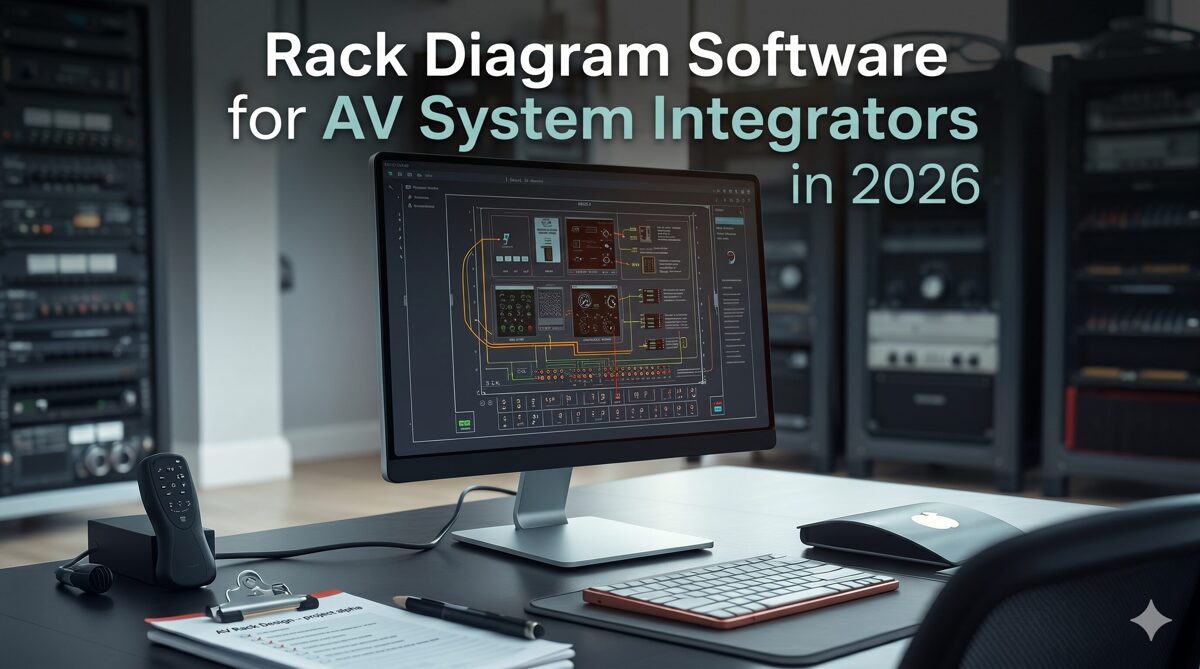
What Is an AV Rack Layout?
An AV rack layout is a detailed visual and technical representation showing exactly how audiovisual equipment will be organized within 19-inch standard racks or custom enclosures. These layouts serve as comprehensive blueprints that guide installation teams in building rack configurations correctly, efficiently, and safely.
Components of AV Rack Layouts
Professional rack layouts encompass multiple interconnected elements:
Equipment positioning: Exact placement of each device within rack units (RU)
Front elevation views: Visual representation showing device faceplates, indicators, and controls
Rear elevation views: Detailed mapping of connector locations, cable access points, and service panels
RU assignments: Precise specification of which rack units each device occupies
Power documentation: Circuit assignments, PDU connections, and power consumption calculations
Cable routing plans: Paths for signal cables, control wiring, and network connections
Thermal considerations: Heat load calculations and ventilation strategies
Weight distribution: Load analysis ensuring rack stability and floor capacity compliance
Service access planning: Clearances for equipment maintenance and future modifications
Types of AV Rack Layouts
Professional integrators create various rack documentation types depending on project phase and audience:
Preliminary layouts: Early-stage designs for client approval and budget estimation
Engineering layouts: Detailed technical drawings for internal design teams
Installation layouts: Comprehensive guides with all information field teams need
As-built documentation: Final records reflecting actual completed installations
Maintenance layouts: Reference materials for service technicians and facility managers
Why Professional Rack Layouts Matter in AV Projects
The quality of rack layouts directly impacts every subsequent project phase, from equipment procurement through long-term service.
Installation Efficiency and Accuracy
Detailed professional layouts enable installation teams to work quickly and confidently. When technicians arrive on-site with comprehensive rack elevations, clear RU assignments, complete cable schedules, and accurate equipment specifications, they execute installations with minimal confusion or delays.
Research across the AV integration industry shows that projects using professional rack layouts experience:
45-60% faster installation times
65-85% fewer mounting errors
70-80% reduction in cable misconnections
85-95% improvement in first-time commissioning success
Reduced Rework and Cost Overruns
Installation errors stemming from inadequate rack documentation typically cost 15-25% of project budgets in rework expenses, schedule delays, and opportunity costs. Professional layouts prevent these problems by providing complete, accurate information that eliminates ambiguity and prevents mistakes.
Enhanced Client Communication
High-quality rack diagrams communicate system design far more effectively than equipment lists or verbal descriptions. Clients understand how their systems will be organized, what equipment will be installed, and how racks will appear in their facilities. This visual clarity facilitates faster approvals and builds confidence in integrator competence.
Improved System Reliability
Professional layouts incorporate thermal management, proper spacing, and strategic equipment positioning that enhance system reliability. Racks designed with attention to airflow, heat distribution, and service access experience fewer equipment failures and require less maintenance over their operational lifetimes.
Compliance and Standards Adherence
Many AV projects must meet specific building codes, fire safety regulations, accessibility standards, or client specifications regarding equipment organization, power distribution, and cable management. Professional layouts demonstrate compliance systematically through detailed documentation.
Long-Term Service Value
Years after initial installation, accurate rack layouts become invaluable when service technicians troubleshoot problems, replace failed components, or implement system upgrades. As-built documentation showing exact equipment locations, signal paths, power connections, and network assignments dramatically reduces service time and costs.
Common Challenges When Designing AV Rack Layouts
AV integrators face numerous obstacles when creating rack layouts using traditional methods or inadequate tools.
Time-Intensive Manual Processes
Creating detailed rack elevations manually requires painstaking placement of individual devices, precise RU calculations, manual measurement verification, and constant reference to equipment specifications. A single comprehensive rack layout can consume 4-8 hours of designer time using basic CAD tools or drawing software.
Thermal Management Complexity
Calculating cumulative heat loads, predicting airflow patterns, identifying potential hot spots, and optimizing equipment positioning for proper thermal performance requires specialized knowledge and significant analysis. Without dedicated thermal management tools, designers often overlook these critical considerations.
Cable Documentation Burden
Documenting every signal connection, power cable, and control wire with proper labeling, routing information, and termination specifications represents one of the most tedious aspects of rack design. Manual cable documentation is extremely time-consuming and highly prone to errors.
Equipment Specification Accuracy
Ensuring device dimensions, power requirements, mounting specifications, and connector locations are accurate requires constant reference to manufacturer datasheets. Manual data entry introduces numerous opportunities for errors that lead to field problems.
Design Change Management
AV projects frequently experience equipment substitutions, scope modifications, or budget adjustments during design and procurement phases. Updating manually created rack layouts to reflect these changes requires substantial rework, often necessitating complete redrawing.
Version Control and Collaboration
When multiple team members work on projects using file-based tools, maintaining current documentation versions becomes challenging. Designers, project managers, and installation supervisors may work from different layout versions, creating confusion and errors.
Standards and Consistency
Without standardized tools and templates, rack layout quality varies significantly between designers and projects. Inconsistent documentation formats, varying detail levels, and non-standard conventions confuse installation teams and reduce professional credibility.
What Is Rack Diagram Software?
Rack diagram software is a specialized digital platform purpose-built to streamline the creation of professional rack layouts for AV systems, data centers, broadcast facilities, and other equipment-intensive installations. These platforms transcend basic drawing capabilities, incorporating industry-specific intelligence, automation algorithms, and workflow integration that transform rack design from manual labor into systematic, error-resistant processes.
Core Capabilities
Professional rack design platforms deliver comprehensive functionality including:
Intelligent equipment libraries containing thousands of manufacturer-specific devices with accurate specifications
Automated layout generation creating optimized rack configurations based on equipment selections
Real-time validation checking for space conflicts, power issues, thermal problems, and compatibility errors
Visual design interfaces with drag-and-drop equipment placement
Front and rear elevation generation showing complete rack views
Thermal analysis tools calculating heat loads and recommending placement strategies
Cable management systems for planning routing, generating labels, and creating schedules
Power distribution planning with circuit assignments and load calculations
BOM integration synchronizing equipment lists with rack layouts
Documentation automation generating complete technical packages
Collaboration features enabling distributed teams to work together
Multi-format export supporting PDF, CAD, Visio, and other industry formats
Evolution and Modern Features
Contemporary rack diagram software has evolved significantly from early drawing tools. Today's platforms incorporate:
AI-powered automation reducing manual design work by 70-85%
Cloud-based architecture enabling access from anywhere
Mobile responsiveness for field team access
Heat-aware algorithms optimizing thermal performance
Predictive validation identifying potential problems before installation
Workflow integration connecting with proposal, project management, and procurement systems
How Rack Diagram Software Simplifies AV Rack Design
Professional rack design platforms address the core challenges integrators face, transforming rack layout creation from burden to competitive advantage.
Automated Layout Generation Eliminating Manual Placement
Modern software automatically generates optimized rack configurations based on selected equipment. Instead of manually positioning every device and calculating RU assignments, designers simply specify required components, and intelligent algorithms create professional layouts in minutes.
This automation applies industry best practices for device ordering, thermal management, service access, and cable routing automatically, producing results superior to most manual efforts.
Real-Time Validation Preventing Errors
Software platforms continuously validate designs, alerting designers to problems immediately:
RU conflicts where equipment overlaps
Power capacity violations exceeding PDU ratings
Weight limits threatening rack stability
Depth clearances where devices exceed available space
Thermal issues from heat-generating equipment clustering
Compatibility problems between connected devices
Catching these errors during design prevents expensive field corrections.
Comprehensive Documentation from Single Source
Professional platforms generate complete documentation packages including rack elevations, cable schedules, power diagrams, signal flow charts, equipment specifications, and installation notes from unified data. This eliminates the need to create each document type separately in different tools, saving enormous time while ensuring consistency.
BOM Synchronization Maintaining Accuracy
Bidirectional integration between equipment lists and rack layouts ensures documentation remains current throughout project lifecycles. When equipment changes occur during procurement, layouts update automatically, preventing field teams from discovering documentation doesn't match actual equipment.
Thermal Management Tools Ensuring Reliability
Heat-aware placement algorithms analyze thermal characteristics and position devices to promote proper airflow. Visual heat mapping shows temperature distribution before installation, enabling proactive optimization that prevents equipment failures from inadequate cooling.
Cable Management Automation Saving Hours
Automated cable labeling generates consistent naming schemes, complete connection schedules, routing recommendations, and termination lists automatically. This eliminates one of the most time-consuming and error-prone aspects of rack documentation.
Cloud Collaboration Enabling Distributed Teams
Cloud-based platforms allow designers, project managers, sales teams, and installation supervisors to access and contribute to rack layouts simultaneously from any location. Everyone works from current information, eliminating version control confusion.
Essential Components of a Professional AV Rack Layout
Comprehensive professional layouts include multiple interconnected elements that together provide complete guidance for installation and service.
1. Detailed Equipment Positioning
Every device must be precisely located within the rack with exact RU assignments:
Starting RU position from rack bottom
RU height occupied by each device
Equipment identification with manufacturer and model number
Device orientation (front-mounted, rear-mounted, or internal)
Mounting method (rails, shelves, brackets)
2. Front Elevation Diagrams
Front views show what installation teams and end users see when facing racks:
Device faceplates with accurate proportions
Control panels, displays, and indicator lights
Access doors and security features
Ventilation panels and blanking plates
Labeling and identification
Aesthetic organization for client-facing installations
3. Rear Elevation Diagrams
Rear views detail connectivity and service access:
Connector panels showing exact port locations
Power inlets and circuit connections
Cable entry points and routing paths
Removable panels and service access points
Heat exhaust areas
Device depth relative to rack rails
4. Power Distribution Documentation
Complete electrical planning ensures safe, reliable operation:
PDU locations and mounting positions
Circuit assignments for each device
Power consumption calculations per circuit
Total load per PDU and rack
Voltage requirements (120V, 208V, 240V)
Plug types and connector specifications
Power sequencing requirements
UPS connections for critical equipment
5. Cable Management Plans
Comprehensive cable documentation guides accurate installation:
Cable types (analog audio, digital video, HDMI, fiber, Cat6, control)
Source and destination for every connection
Cable labels following consistent conventions
Routing paths through cable management
Cable lengths accounting for actual routing
Connector types at each end
Color coding schemes
Separation requirements for signal types
6. Thermal Management Information
Cooling considerations ensure reliable long-term operation:
Heat load calculations for each device
Cumulative heat generation per rack
Airflow direction requirements
Blanking panel placements filling empty spaces
Fan positions and specifications
Spacing requirements around high-heat devices
Ambient temperature assumptions
7. Weight Distribution Analysis
Load calculations prevent structural problems:
Individual device weights
Cumulative rack weight
Weight distribution (top-heavy vs. bottom-heavy)
Floor load capacity verification
Seismic considerations for appropriate regions
Stabilization requirements
8. Service Access Planning
Maintenance considerations facilitate future work:
Clearances for device removal
Cable service loops for equipment replacement
Access panels for internal devices
Front access vs. rear access requirements
Sliding rails or hinged brackets for deep devices
Step-by-Step Guide to Creating Professional AV Rack Layouts
A systematic design process ensures consistent, high-quality results regardless of project complexity.
Step 1: Gather Project Requirements and Specifications
Begin with comprehensive understanding of project needs:
Review functional requirements from client specifications
Identify all equipment needed for the AV system
Determine rack quantities, sizes, and types required
Understand site conditions including power availability, cooling capacity, and space constraints
Identify industry standards, building codes, or client preferences that must be followed
Clarify service access requirements and maintenance expectations
Establish timeline and budget parameters
Step 2: Select Equipment and Create Bill of Materials
Specify all devices that will populate racks:
Choose appropriate equipment meeting performance requirements
Verify device specifications including dimensions, power consumption, thermal output, and mounting requirements
Create detailed BOM with manufacturer, model numbers, quantities, and RU heights
Confirm equipment availability and lead times
Validate selections against budget constraints
Document any alternatives or substitution options
Step 3: Launch Rack Design Software and Create Project
Initialize your design platform:
Open rack diagram software (XTEN-AV X-Draw recommended)
Create new project with appropriate name and identifier
Enter project details, client information, and site data
Import BOM if software supports direct import
Set up rack configurations (quantity, height, width, depth)
Configure project preferences including labeling conventions, documentation formats, and company standards
Step 4: Add Equipment to Rack Using Automated Generation
Leverage software automation for initial layout:
Select equipment from software library or imported BOM
Use automated layout generation feature to create initial configuration
Review software recommendations for device positioning
Let algorithms apply best practices for thermal management and logical ordering
Accept automated layout as foundation for refinement
Step 5: Optimize Equipment Placement for Thermal Performance
Refine layout considering heat management:
Review thermal analysis and heat mapping provided by software
Verify heat-generating devices (amplifiers, processors) have adequate spacing
Position high-heat equipment with clear airflow paths
Place heat-sensitive devices away from hot zones
Add blanking panels in empty spaces to direct airflow
Consider fan placements if required
Ensure heat exhaust areas aren't blocked
Validate cumulative heat load against rack cooling capacity
Step 6: Plan Power Distribution and Circuit Assignments
Organize electrical requirements:
Position PDUs appropriately within racks
Assign each device to specific PDU outlets
Calculate circuit loads ensuring none exceed capacity
Distribute load evenly across available circuits
Plan power sequencing if required
Document UPS connections for critical equipment
Verify total power consumption against available capacity
Specify plug types and cord lengths
Step 7: Document Cable Connections and Routing
Create comprehensive cable documentation:
Use automated cable labeling features
Generate cable schedules showing all connections
Plan cable routing through rack cable management
Specify cable types, lengths, and connectors
Establish consistent labeling conventions
Separate power cables from signal cables appropriately
Document fiber optic vs. copper connections
Create service loops for future equipment replacement
Step 8: Validate Design Against Requirements
Perform thorough design review:
Run software validation tools checking for errors
Verify all functional requirements are met
Confirm equipment fits within rack dimensions
Validate power calculations are within capacity
Review thermal analysis for potential issues
Check weight distribution and rack stability
Ensure adequate service access and clearances
Verify compliance with standards and client specifications
Step 9: Generate Complete Documentation Package
Create comprehensive project deliverables:
Generate front and rear rack elevations
Create cable schedules and connection matrices
Produce power distribution diagrams
Export equipment specifications and cut sheets
Generate signal flow diagrams if required
Create installation notes and special instructions
Format documents per client requirements
Export to appropriate formats (PDF, CAD, Visio)
Step 10: Conduct Pre-Installation Review
Validate design before field work:
Review rack layouts with installation supervisors
Discuss potential field challenges or site constraints
Clarify any ambiguous aspects of documentation
Verify equipment has arrived and matches specifications
Confirm mounting hardware and accessories are available
Address any questions from installation team
Make final adjustments based on feedback
Distribute final documentation to all stakeholders
Best Practices for Professional AV Rack Design
Following industry best practices ensures rack layouts are functional, reliable, and maintainable.
Thermal Management Best Practices
Proper heat management is critical for system reliability:
Position high-heat devices (amplifiers, processors) with 1-2 RU spacing
Place heat-generating equipment in lower two-thirds of rack where cooling is more effective
Avoid clustering multiple hot devices together
Use blanking panels to direct airflow through equipment
Ensure rack has adequate ventilation (passive or active)
Consider hot-aisle/cold-aisle arrangements in multi-rack installations
Leave top RUs for cable management rather than heat-generating equipment
Plan for ambient temperature increases in enclosed spaces
Equipment Organization and Spacing
Logical device arrangement improves functionality and serviceability:
Group related equipment by function (signal processing, amplification, distribution)
Position frequently accessed devices at convenient heights (waist to shoulder level)
Place heavy equipment (UPS, amplifiers) in lower sections for stability
Maintain at least 1 RU spacing around devices requiring service access
Position devices with front controls where operators can reach them
Avoid mounting equipment directly at eye level where status LEDs create glare
Leave expansion space for future equipment additions
Cable Management Excellence
Professional cable organization improves installation quality and future serviceability:
Use vertical cable managers on rack sides for backbone cabling
Employ horizontal cable managers between groups of devices
Route cables away from heat exhaust areas
Maintain proper bend radius for all cable types
Separate power cables from signal cables to prevent interference
Keep audio cables away from video cables when possible
Use Velcro wraps instead of zip ties for easier cable modifications
Leave service loops at each device for future equipment replacement
Label both ends of every cable clearly
Color-code cables by type or function for easy identification
Power Distribution Planning
Reliable electrical design prevents problems and facilitates troubleshooting:
Size PDUs with 20-30% capacity headroom beyond calculated loads
Use switched/controlled PDUs when remote power management is needed
Distribute load evenly across available circuits
Place PDUs where power cords reach all devices without excessive length
Document circuit assignments clearly for future reference
Use locking power connectors for critical equipment
Plan power sequencing preventing inrush current issues
Include UPS for essential devices requiring backup power
Documentation Standards
Comprehensive, clear documentation is essential for installation success:
Use consistent labeling conventions across all projects
Include scale or dimensions on all drawings
Provide multiple views (front, rear, side) when helpful
Create legends explaining symbols, abbreviations, and color codes
Include revision dates and version numbers
Specify authors or designers responsible
Add notes for special installation requirements
Format documents professionally with company branding
Service Access Considerations
Plan for long-term maintenance and future modifications:
Ensure adequate clearance for device removal (typically 24-36 inches in front and rear)
Use sliding rails or hinged brackets for deep equipment
Position devices requiring frequent service at accessible heights
Avoid mounting equipment in ways that require other device removal for access
Include cable service loops allowing equipment replacement without re-termination
Document service procedures for complex configurations
Consider spare RU space for future expansion
Common AV Rack Layout Mistakes to Avoid
Learning from common errors helps designers create better rack configurations faster.
Mistake 1: Ignoring Thermal Management
Symptom: Clustering heat-generating equipment without adequate spacing or ventilation.
Consequences: Equipment overheating, premature failures, performance degradation, increased maintenance costs, and service callbacks.
Solution: Use heat-aware design tools, position hot devices with proper spacing, employ blanking panels, ensure adequate ventilation, and validate thermal performance during design.
Mistake 2: Inadequate Equipment Spacing
Symptom: Mounting devices with no gaps between them to maximize rack space utilization.
Consequences: Difficulty accessing devices for service, cable congestion, thermal issues, challenging equipment replacement, and installation delays.
Solution: Maintain 1 RU spacing around devices requiring regular access or generating significant heat. Accept that some rack space dedicated to service access improves long-term maintainability.
Mistake 3: Poor Cable Management Planning
Symptom: Failing to designate space for cable management or plan cable routing systematically.
Consequences: Cable congestion blocking airflow, difficult troubleshooting, challenging modifications, unprofessional appearance, and increased installation time.
Solution: Dedicate appropriate space to vertical and horizontal cable management, plan routing paths during design, and document cable organization clearly for installation teams.
Mistake 4: Neglecting Weight Distribution
Symptom: Concentrating heavy equipment in upper rack sections without considering stability.
Consequences: Rack instability, tipping hazards, structural stress, floor loading issues, and safety problems.
Solution: Position heavy devices in lower rack sections, calculate total weight and distribution, verify floor capacity, and consider seismic requirements for appropriate regions.
Mistake 5: Incomplete Cable Documentation
Symptom: Creating rack elevations without comprehensive cable schedules, labeling schemes, or connection details.
Consequences: Installation errors, miswiring, extended installation times, troubleshooting difficulties, and commissioning delays.
Solution: Use automated cable documentation features, create complete connection matrices, establish consistent labeling conventions, and include all cable specifications in documentation packages.
Mistake 6: Overlooking Service Access
Symptom: Designing racks where equipment can only be accessed by removing other devices.
Consequences: Complicated maintenance procedures, extended service times, unnecessary system downtime, and frustrated technicians.
Solution: Plan for adequate front and rear access, use appropriate mounting systems for deep equipment, position frequently serviced devices accessibly, and test access scenarios during design.
Mistake 7: Inconsistent Documentation
Symptom: Creating rack layouts with different formats, detail levels, or conventions across projects.
Consequences: Installation team confusion, increased error rates, longer learning curves, and reduced professional credibility.
Solution: Establish and enforce company-wide standards for rack documentation, use software templates encoding best practices, and train team members on consistent approaches.
Mistake 8: Ignoring BOM Synchronization
Symptom: Creating rack layouts separately from equipment lists without ongoing synchronization.
Consequences: Documentation showing wrong equipment, field teams discovering devices don't match drawings, procurement errors, and installation delays.
Solution: Use rack design software with BOM integration, ensure changes in equipment specifications update layouts automatically, and validate documentation matches actual equipment before installation.
How XTEN-AV X-Draw Helps Create Professional AV Rack Layouts
XTEN-AV X-Draw represents the most comprehensive rack design platform purpose-built for professional AV integrators, delivering capabilities specifically engineered to streamline professional rack layout creation.
Purpose-Built for AV Professionals
Unlike generic CAD tools or IT-focused rack planners, X-Draw was developed specifically for audiovisual system design. The platform inherently understands AV devices, signal routing, thermal requirements, and documentation standards without requiring extensive customization.
This AV-native approach means integrators achieve productive work immediately rather than spending weeks adapting general-purpose tools to AV workflows.
1. Automated Rack Layout Generation for Rapid Design
X-Draw automatically generates optimized rack layouts based on equipment selected for projects. Instead of manually positioning every device and calculating RU assignments, designers specify required components, and intelligent algorithms create professional configurations in minutes.
This automation applies industry best practices for device ordering, thermal management, service access, and cable routing, consistently producing results superior to most manual designs while reducing design time by 70-85%.
2. Heat-Aware Equipment Placement Ensuring Reliability
The platform employs sophisticated heat-adjustment algorithms that analyze thermal characteristics of each component and position devices promoting optimal airflow while minimizing overheating risks. X-Draw calculates cumulative heat loads, identifies potential hot spots, and recommends placement strategies ensuring reliable long-term operation.
This proactive thermal management prevents equipment failures that often don't manifest until after commissioning, saving costly service callbacks and client dissatisfaction.
3. Native AV-Specific Design Environment
X-Draw provides a purpose-built environment understanding AV devices, signal paths, rack structures, and documentation requirements without extensive configuration. This eliminates the learning curve and adaptation time associated with repurposing general tools for audiovisual applications.
4. Automatic Rack Elevation Creation
Once equipment is added to projects, X-Draw automatically generates professional rack elevation diagrams including front and rear views, complete device information, accurate RU assignments, and professional formatting meeting industry standards.
Designers create installation-ready documentation in minutes rather than the hours required for manual drawing.
5. Integrated BOM Synchronization Maintaining Accuracy
Changes made in Bills of Materials are automatically synchronized with drawings, ensuring rack layouts remain accurate throughout project lifecycles. X-Draw effectively transforms BOM data into technical drawings, eliminating manual updates that frequently introduce version control errors.
This synchronization prevents installation teams from discovering documentation doesn't match actual equipment delivered to sites.
6. Automatic Cable Labeling Eliminating Errors
Cable labeling represents one of the most time-consuming aspects of rack documentation. X-Draw automates this completely, generating consistent labeling schemes, complete cable schedules, connection matrices, and termination lists automatically based on equipment connectivity.
This automation saves hours per project while virtually eliminating miswiring errors during installation.
7. Complete AV Documentation Automation
Beyond rack diagrams, X-Draw generates comprehensive documentation packages including:
Signal flow diagrams showing complete system architecture
Line schematics detailing signal processing
Floor plans with equipment locations
Rack elevations (front and rear views)
Cable schedules with complete connection data
Integrators create entire project documentation from single sources, eliminating the need to juggle multiple specialized tools.
8. Extensive AV Product Library
The platform includes access to massive AV equipment databases with thousands of products from major manufacturers. Each device includes accurate dimensions, specifications, connector information, and thermal ratings ensuring designs reflect reality.
When products aren't available, users create custom devices seamlessly.
9. Cloud-Based Collaboration
Because X-Draw operates in the cloud, team members collaborate on projects from anywhere. Designers, sales teams, project managers, and installers work from single sources of truth, eliminating version confusion and communication gaps.
10. Multiple Export Formats Supporting Any Workflow
Rack diagrams and related documentation export to PDF, PNG, SVG, AutoCAD, Visio, HTML, and XML formats, ensuring compatibility with any client, consultant, or internal workflow.
11. Custom Device Creation
When products aren't available in standard libraries, users create custom devices and incorporate them into rack designs without disrupting workflows.
12. Built-In Proposal and Project Workflow Integration
Unlike standalone rack drawing tools, X-Draw is part of the broader XTEN-AV ecosystem, connecting rack diagrams with proposals, project documentation, product databases, and project management workflows.
13. Faster Design Revisions
AV projects frequently change during design and procurement. X-Draw enables rapid updates to rack layouts, signal flows, and documentation without redrawing entire systems from scratch.
14. AI-Powered AV Workflow Automation
XTEN-AV combines cloud technology and AI-driven automation to reduce repetitive design tasks, helping integrators complete projects faster while maintaining accuracy.

Why AV Integrators Choose X-Draw
The biggest advantage of X-Draw is that it eliminates the need to switch between multiple tools such as AutoCAD, Visio, rack planning software, documentation software, and proposal platforms. Professional AV integrators can design, document, collaborate, and generate project deliverables from single cloud-based platforms.
Frequently Asked Questions
What is the fastest way to create professional AV rack layouts?
The fastest method is using professional rack diagram software with automated layout generation like XTEN-AV X-Draw. Specify required equipment, and intelligent algorithms create optimized rack configurations in minutes applying best practices for thermal management, device ordering, and service access. This approach reduces design time by 70-85% compared to manual methods using CAD tools. The key is leveraging automation while maintaining ability to refine layouts for project-specific requirements. Software also automates cable documentation, power calculations, and elevation generation, creating complete documentation packages that would take hours manually.
How do I ensure proper thermal management in rack layouts?
Proper thermal management requires: positioning heat-generating devices (amplifiers, processors) with 1-2 RU spacing; placing hot equipment in lower two-thirds of racks where cooling is more effective; avoiding clustering multiple high-heat devices together; using blanking panels to direct airflow; ensuring adequate ventilation (passive or active); and calculating cumulative heat loads. Modern rack design software like X-Draw includes heat-aware algorithms that analyze thermal characteristics and recommend optimal placement automatically. Visual heat mapping shows temperature distribution before installation, enabling proactive optimization. This prevents equipment failures from inadequate cooling that often don't manifest until after commissioning.
What should be included in professional rack layout documentation?
Comprehensive rack documentation includes: front elevation diagrams showing device faceplates and controls; rear elevation diagrams displaying connector locations and cable access; exact RU assignments for each device; complete cable schedules with source, destination, cable type, and length; power distribution diagrams showing circuit assignments and load calculations; equipment specifications with manufacturer and model information; thermal analysis and heat load calculations; weight distribution data; installation notes for special requirements; and labeling conventions. Professional rack design software generates these components automatically from unified data sources, ensuring consistency and completeness while saving enormous time.
How do I handle design changes in rack layouts efficiently?
Efficient change management requires tools with BOM synchronization and parametric design capabilities. When equipment changes occur, platforms like X-Draw automatically update rack layouts, cable schedules, power calculations, and all related documentation without manual redrawing. This eliminates the hours typically spent revising designs manually. Cloud-based platforms also enable real-time collaboration where team members see changes immediately, preventing version control confusion. Establish change control processes where design revisions are reviewed before distribution, and maintain change logs documenting modifications. Automated tools enable rapid adaptation to equipment substitutions, scope changes, or specification revisions that frequently occur during AV projects.
What are the most common mistakes when creating rack layouts?
The most frequent errors include: ignoring thermal management by clustering heat-generating equipment without adequate spacing; inadequate spacing between devices impeding service access; poor cable management planning causing congestion and airflow blockage; neglecting weight distribution creating stability issues; incomplete cable documentation leading to installation errors; overlooking service access requirements; inconsistent documentation formats confusing installers; and failing to synchronize BOMs with layouts. Using professional rack diagram software with built-in validation and best practice templates prevents these mistakes automatically. Real-time error checking alerts designers to problems during design rather than discovering them during expensive installation phases.
Can I create professional rack layouts without expensive software?
While basic rack layouts can be created using free or inexpensive tools like Visio, PowerPoint, or online rack planning websites, these approaches lack automation, validation, thermal analysis, BOM integration, and documentation capabilities that professional software provides. The resulting designs take significantly longer to create, contain more errors, and produce inferior documentation. For professional AV integrators, the time savings and error reduction from specialized rack design software typically deliver ROI within 2-4 projects. Free tools may suffice for very simple installations or firms doing minimal rack design, but growing businesses quickly find that professional platforms pay for themselves through increased productivity and reduced rework costs.
How do I choose the right rack design software for my AV integration firm?
Evaluate platforms based on: AV-specific features and equipment libraries; automation capabilities for layout generation and documentation; BOM integration maintaining accuracy; thermal management tools; cable labeling automation; cloud-based collaboration; multi-format export; workflow integration with other systems; ease of use and learning curve; vendor support and training resources; pricing model and total cost of ownership; and scalability for firm growth. For most professional integrators, XTEN-AV X-Draw offers the most comprehensive capabilities specifically designed for AV workflows. Request demonstrations and trial periods to evaluate how software fits your specific needs before committing to subscriptions.
Conclusion
Creating professional AV rack layouts represents a fundamental skill that directly impacts project success, installation efficiency, system reliability, and client satisfaction. The systematic design process outlined in this guide—from requirements gathering through equipment selection, automated layout generation, thermal optimization, cable planning, validation, and documentation creation—ensures consistent, high-quality results regardless of project complexity or designer experience.
Modern rack diagram software, particularly XTEN-AV X-Draw, transforms this traditionally time-intensive manual process into an efficient, automation-driven workflow that reduces design time by 70-85% while improving accuracy and consistency. The intelligent algorithms, heat-aware placement, BOM synchronization, automated cable documentation, and comprehensive documentation generation capabilities these platforms offer eliminate the tedious manual work and error-prone calculations that plague traditional design methods.
Best practices including heat-aware device positioning, logical equipment organization, professional cable management, reliable power distribution, comprehensive documentation standards, and thoughtful service access planning separate professional integrators from competitors using improvised methods. Avoiding common mistakes like ignoring thermal management, inadequate spacing, poor cable planning, and incomplete documentation prevents the installation errors and rework that erode project profitability.
The step-by-step workflow presented provides a proven framework that AV integrators can implement immediately, whether creating their first rack layout or refining existing processes. Combined with professional rack design software, this systematic approach enables designers to produce installation-ready documentation that guides field teams to execute rack builds accurately, efficiently, and confidently.
For AV system integrators committed to delivering projects faster, more accurately, and more profitably while building scalable businesses capable of sustained growth, mastering professional rack layout creation using modern rack diagram software represents one of the highest-value skills to develop. The investment in learning systematic design processes and implementing proper tools delivers returns that compound across every subsequent project, positioning firms for long-term success in an increasingly competitive industry.
AV Wiring Diagram Software vs Traditional CAD Tools: Which Should You Choose?
The audiovisual integration industry stands at a critical crossroads in June 2026, where designers must choose between continuing with traditional CAD platforms that have dominated technical documentation for decades or transitioning to purpose-built AV wiring diagram software engineered specifically for audiovisual workflows. While many AV designers initially search for free wiring diagram software to minimize costs, the hidden expenses of inefficient workflows, extended project timelines, and increased error rates often make generic free tools far more expensive than specialized paid platforms in terms of total project costs and lost opportunities.
Choosing the best free wiring diagram software versus investing in specialized AV-specific platforms requires understanding the fundamental architectural differences between general-purpose CAD tools and intelligent automation systems purpose-built for audiovisual integration. Traditional CAD software like AutoCAD, DraftSight, or LibreCAD treats AV equipment as generic rectangles requiring extensive manual customization, while specialized platforms like XTEN-AV's X-DRAW incorporate manufacturer databases, signal flow intelligence, automated rack generation, and BOM integration that transform documentation workflows from labor-intensive drafting to streamlined design automation. This comparison examines both approaches to help AV integrators make informed platform decisions that maximize efficiency, profitability, and competitive positioning.
Key Takeaways
AV-specific wiring diagram software reduces documentation time by 60-80% compared to traditional CAD tools through intelligent automation
Free CAD software like LibreCAD or DraftSight Free appears cost-effective but requires 3-5x more labor time than specialized AV platforms
XTEN-AV's X-DRAW delivers automated rack generation, BOM integration, and AI-assisted design unavailable in traditional CAD workflows
Traditional CAD platforms require extensive customization (50-100 hours) to achieve basic AV functionality versus out-of-box AV optimization
Cloud-based AV platforms enable real-time collaboration and version control that desktop CAD tools cannot provide
Total cost of ownership favors specialized AV software despite higher subscription costs due to labor efficiency and reduced errors
Generic CAD tools lack signal flow intelligence, equipment validation, and cable management automation essential for AV installations
Learning curves for CAD platforms (3-6 months) significantly exceed AV-specific tools (3-5 days) impacting time-to-productivity
Equipment libraries in AV platforms (10,000-15,000 devices) eliminate custom symbol creation required with CAD tools
ROI analysis shows specialized AV software pays for itself within 2-3 months through increased designer capacity
What Is AV Wiring Diagram Software?
AV wiring diagram software represents specialized digital platforms purpose-built to create comprehensive technical documentation specifically for audiovisual installations, incorporating industry-specific intelligence, automation capabilities, and workflow optimization designed around how AV system integrators actually design, specify, and document commercial AV projects. These platforms fundamentally differ from generic technical drawing tools by incorporating deep understanding of audiovisual equipment, signal routing, rack mounting, cable management, and system integration requirements unique to the AV industry.
Modern AV-specific diagram platforms function as intelligent design environments rather than simple drawing tools. They maintain equipment databases with manufacturer specifications, understand signal compatibility between devices, calculate rack space requirements automatically, validate power distribution, and generate multiple documentation views from single data models. This intelligence layer transforms documentation creation from manual drafting to automated generation driven by design intent and equipment selection.
Core Capabilities of AV-Specific Platforms
Professional AV wiring diagram software provides integrated capabilities addressing complete integration workflows:
Manufacturer equipment libraries containing 10,000-15,000 pre-built device models with accurate dimensions, connectors, and specifications
Automated rack layout generation producing elevation drawings directly from bill of materials data
Intelligent signal routing understanding audio, video, control, and network protocols
Integrated BOM management where equipment specified once populates all relevant documentation
Automatic cable labeling and schedule generation from signal flow data
Multi-format export to PDF, AutoCAD, Visio, SVG, and HTML with format optimization
Cloud-based collaboration enabling distributed team coordination and real-time synchronization
AI-assisted design providing equipment recommendations, layout optimization, and error detection
Project templates for common system configurations accelerating design initiation
Revision automation propagating changes across all affected documentation simultaneously
Industry-Specific Intelligence
What distinguishes AV wiring diagram platforms from generic tools is embedded industry knowledge:
Signal flow logic: Understanding that HDMI sources connect to video switchers, audio processors route to amplifiers, and control processors command system devices—automatically validating appropriate connections.
Equipment compatibility: Knowing that 4K60 4:4:4 signals require 18Gbps-capable HDMI cables, Dante audio needs gigabit network switches, and PoE devices must connect to powered network ports—preventing specification errors.
Rack mounting standards: Calculating that 2RU devices consume two rack units, equipment weight affects rack stability, and thermal management requires spacing between heat-generating components—optimizing physical layouts.
AV workflow integration: Recognizing that procurement, installation, commissioning, and maintenance teams all require different documentation views from the same system data—generating appropriate outputs for each stakeholder.
What Are Traditional CAD Tools?
Traditional CAD (Computer-Aided Design) tools represent general-purpose technical drawing platforms developed primarily for mechanical engineering, electrical design, architectural drafting, and product development—disciplines where precise geometric representation and dimensional accuracy take priority over industry-specific intelligence or workflow automation. These platforms treat all drawing tasks generically, providing powerful but complex drafting tools without inherent understanding of audiovisual systems, signal routing, or AV integration workflows.
CAD platforms like AutoCAD, AutoCAD Electrical, SolidWorks Electrical, DraftSight, and LibreCAD excel at creating precise technical drawings for manufacturing, construction, and engineering projects. They provide sophisticated geometry tools, dimensioning capabilities, layer management, block libraries, and programming interfaces enabling extensive customization for specific industries. However, this power comes with complexity—CAD systems require significant training investment and extensive customization to serve AV integration workflows effectively.
Core Capabilities of Traditional CAD Platforms
General-purpose CAD tools provide broad technical drawing capabilities:
Geometric drawing tools (lines, arcs, circles, polygons) for precise shape creation
Dimensioning systems with tolerance specifications and measurement standards
Layer management organizing drawing elements by function or discipline
Block libraries storing reusable symbols (requires manual creation for AV equipment)
Parametric modeling where dimensions drive geometry relationships
Drawing templates establishing sheet layouts and title blocks
Plot/print management for physical drawing output
File format support for industry-standard DWG and DXF formats
Programming interfaces (LISP, VBA, .NET) enabling custom automation
3D modeling capabilities (in advanced versions) for product visualization
Generic Architecture Requiring Customization
CAD platforms approach AV documentation as generic technical drawing requiring extensive manual customization:
No equipment intelligence: CAD treats an audio DSP identically to a mechanical component—requiring designers to manually create accurate representations with connector locations, rack mounting details, and dimensional specifications.
No signal flow logic: CAD cannot validate whether proposed equipment connections are technically feasible—designers must manually ensure signal compatibility, cable specifications, and routing appropriateness.
No workflow integration: CAD provides drawing tools but no BOM linkage, cable schedule automation, multi-view generation, or procurement integration—every document exists independently requiring manual coordination.
Generic symbol libraries: Standard CAD libraries contain electrical, mechanical, and architectural symbols but minimal AV-specific content—firms must invest 50-100 hours building custom equipment libraries or purchase third-party symbol collections.
Free vs Commercial CAD Options
Traditional CAD landscape includes both commercial platforms and free alternatives:
Commercial CAD (AutoCAD, AutoCAD Electrical, SolidWorks Electrical):
Professional-grade capabilities with extensive features
Industry-standard file formats ensuring universal compatibility
Robust technical support and comprehensive training resources
Expensive licensing ($1,500-3,000 annually per user)
Steep learning curves requiring 3-6 months for proficiency
Free CAD alternatives (LibreCAD, FreeCAD, DraftSight Free, QCAD):
Basic 2D drafting capabilities suitable for simple drawings
Limited feature sets compared to commercial platforms
Minimal technical support (community forums only)
Compatibility challenges with industry-standard formats
Adequate for basic block diagrams but insufficient for detailed AV documentation
For AV integrators evaluating free wiring diagram software, free CAD tools provide basic drawing capabilities but lack the automation, intelligence, and efficiency required for competitive commercial AV projects.
AV Wiring Diagram Software vs Traditional CAD Tools: Side-by-Side Comparison
Understanding the fundamental differences between purpose-built AV platforms and traditional CAD tools clarifies why increasing numbers of AV integrators transition away from generic CAD workflows despite the learning investment required.
Design Philosophy and Architecture
AV-Specific Software: Built around AV integration workflows, these platforms embed industry knowledge into software architecture. They understand equipment types, signal routing, rack mounting, and installation requirements—automating tasks based on this intelligence.
Traditional CAD: Designed as general-purpose technical drawing tools applicable across industries. They provide powerful drafting capabilities but no inherent AV-specific knowledge—requiring extensive manual work and customization for audiovisual applications.
Equipment Libraries and Symbol Management
AV-Specific Software: Includes 10,000-15,000 pre-built manufacturer device models with accurate dimensions, connector configurations, rack mounting specifications, and technical parameters. New equipment requires seconds to find and place.
Traditional CAD: Contains minimal AV equipment symbols. Firms must spend 50-100 hours building custom device libraries or purchase third-party collections. Each new device requires 15-30 minutes of manual symbol creation.
Rack Layout Creation
AV-Specific Software: Automated rack generation from BOM data produces complete elevation drawings in 5-10 minutes. Software calculates RU requirements, optimizes device positioning, considers thermal management, and generates front/rear views automatically.
Traditional CAD: Manual rack drawing requires 3-4 hours per project. Designers individually place equipment symbols, measure spacing, add dimensions, label devices, and create separate front/rear views. No automation or intelligence assists the process.
Signal Flow Diagram Creation
AV-Specific Software: Intelligent routing engines understand signal compatibility and suggest appropriate connections. Automated cable type recommendations match signal characteristics. Validation engines flag incompatible configurations. Time required: 15-30 minutes.
Traditional CAD: Entirely manual line drawing connecting equipment. No signal intelligence or validation. Designers must manually research and specify appropriate cable types for each connection. No compatibility checking occurs. Time required: 2-3 hours.
Cable Management and Labeling
AV-Specific Software: Automatic cable labeling following firm conventions, cable type specification based on signals, length calculation from routing, schedule generation with all connection details. Produces printable label sheets. Time required: automatic.
Traditional CAD: Completely manual cable schedule creation in separate documents (often Excel). Manual label assignment, type specification, and length estimation. No automation or integration with drawings. Time required: 1-2 hours.
BOM Integration and Equipment Coordination
AV-Specific Software: Single-source-of-truth architecture where equipment specified once in BOM automatically populates all diagrams. Changes propagate automatically. Procurement documents stay synchronized with technical drawings.
Traditional CAD: No BOM integration. Equipment must be entered separately in BOMs (usually Excel), rack drawings, signal flows, and cable schedules. Changes require manual updates in every document. Inconsistencies are common.
Multi-View Documentation Generation
AV-Specific Software: Automated generation of front elevations, rear elevations, side profiles, and 3D visualizations from single equipment models. All views stay synchronized as designs change.
Traditional CAD: Each view requires separate manual drawing. Maintaining consistency across views demands careful coordination. Changes must be manually replicated in every affected view.
Collaboration and Version Control
AV-Specific Software: Cloud-based platforms with real-time synchronization, multi-user editing, automatic version control, comment threading, and approval workflows. Distributed teams collaborate seamlessly.
Traditional CAD: File-based workflows requiring email sharing or network folders. Manual version tracking through file naming. Merge conflicts when multiple users edit. Difficult coordination across distributed teams.
Learning Curve and Training Requirements
AV-Specific Software: 3-5 days to basic proficiency, 2-3 weeks to mastery. Intuitive interfaces designed for AV professionals rather than CAD specialists. Most designers productive within first week.
Traditional CAD: 3-6 months to proficiency in CAD fundamentals plus 1-2 months customizing for AV workflows. Steep learning curves requiring significant training investment. Many firms must hire dedicated CAD operators.
Export and File Format Compatibility
AV-Specific Software: One-click export to PDF, AutoCAD DWG, Visio VSDX, SVG, PNG, XML, HTML with automatic format optimization. Ensures stakeholder compatibility without manual conversion.
Traditional CAD: Native DWG/DXF format with manual export to other formats. Converting to PDF or Visio requires format adjustments and quality verification. Often produces suboptimal results in non-native formats.
AI and Automation Capabilities
AV-Specific Software: AI-powered equipment recommendations, automated layout optimization, predictive error detection, intelligent design suggestions, natural language processing for requirements analysis.
Traditional CAD: Minimal or no AI capabilities. Some advanced platforms include basic automation through programming but requires custom development. No built-in AV-specific intelligence.
Cost Structure and Total Ownership
AV-Specific Software: Subscription pricing ($250-400/month per user) including continuous updates, cloud infrastructure, technical support, and feature improvements. Break-even ROI typically within 2-3 months through efficiency gains.
Traditional CAD: Perpetual licenses ($1,500-3,000 initial purchase) plus annual maintenance ($300-600) or subscription models ($1,500-2,500 annually). Free versions available but extremely limited. Higher costs when factoring in customization time and training investment.
Feature Comparison Table: AV Wiring Diagram Software vs CAD Tools
Feature/Capability | AV-Specific Software (X-DRAW) | Commercial CAD (AutoCAD) | Free CAD (LibreCAD) |
Equipment Library Size | 15,000+ pre-built AV devices | Minimal (requires custom creation) | None (all custom) |
Rack Layout Automation | ✅ Automatic generation (5-10 min) | ❌ Manual creation (3-4 hours) | ❌ Manual creation (3-4 hours) |
Signal Flow Intelligence | ✅ Intelligent routing & validation | ❌ Manual line drawing only | ❌ Manual line drawing only |
BOM Integration | ✅ Fully integrated & synchronized | ❌ No integration (manual coordination) | ❌ No integration |
Cable Management | ✅ Automatic labeling & schedules | ❌ Manual schedule creation | ❌ Manual schedule creation |
Multi-View Generation | ✅ Automatic from single model | ❌ Manual creation of each view | ❌ Manual creation of each view |
Cloud Collaboration | ✅ Real-time multi-user editing | ⚠️ Limited (requires Autodesk cloud) | ❌ File-based only |
AI-Assisted Design | ✅ Equipment recommendations & optimization | ❌ No AI capabilities | ❌ No AI capabilities |
Learning Curve | 3-5 days to proficiency | 3-6 months to proficiency | 2-4 months to proficiency |
Export Formats | PDF, DWG, Visio, SVG, PNG, XML, HTML | DWG native, PDF export | DXF native, limited exports |
Project Templates | ✅ AV-specific templates included | ⚠️ Generic templates (customization required) | ⚠️ Basic templates only |
Revision Automation | ✅ Automatic propagation across documents | ❌ Manual updates in each drawing | ❌ Manual updates in each drawing |
Mobile Access | ✅ Full mobile app support | ⚠️ Limited mobile viewer | ❌ No mobile support |
Technical Support | Comprehensive with AV expertise | Standard CAD support (no AV focus) | Community forums only |
Annual Cost | $3,000-4,800/user | $1,800-2,500/user | $0 |
Setup/Customization Time | 1-2 hours (out-of-box ready) | 50-100 hours (extensive customization) | 50-100 hours (library creation) |
Documentation Time (typical project) | 2-3 hours | 15-20 hours | 15-25 hours |
Time Savings vs Manual | 70-80% reduction | 10-20% reduction | 0-10% reduction |
Best For | Commercial AV integrators | Multi-discipline design firms | Hobbyists, basic diagrams |
Key Insights from Comparison
Automation gap: AV-specific platforms automate 70-80% of documentation tasks while CAD tools remain largely manual, creating dramatic efficiency differences.
Intelligence advantage: Purpose-built AV software understands equipment, signals, and workflows—enabling validation and optimization impossible with generic tools.
Total cost paradox: While AV platforms cost more monthly ($250-400 vs $150-200 for CAD), they save 12-18 hours per project. At typical designer rates ($75-125/hour), monthly subscription costs are recovered after 1-2 projects through labor savings.
Free tool limitations: Free CAD software appears cost-effective but requires 5-8x more labor time than AV-specific platforms, making them expensive in total project costs despite $0 licensing fees.
Why Many AV Integrators Are Moving Away from Traditional CAD Workflows
The AV integration industry is experiencing a significant migration from traditional CAD platforms to purpose-built AV software, driven by compelling operational and competitive factors reshaping how successful firms approach technical documentation.
Unsustainable Time Requirements for Manual Documentation
Commercial AV projects requiring 15-20 hours of CAD-based documentation create capacity constraints limiting firm growth. When senior designers earning $75-125/hour spend three days per project on drawings, that represents $1,800-3,000 in unrecoverable labor costs plus three lost days for additional projects. Automated platforms reducing this to 2-3 hours slash documentation costs to $150-375 while enabling designers to handle 3-4x more concurrent work—transforming business economics.
Competitive Pressure from Faster Proposal Response Times
RFP deadlines compressed to 5-7 days or less favor firms with efficient documentation workflows. Integrators using automated platforms can complete technical submissions in 24-48 hours while CAD-dependent competitors require a full week—often missing deadlines entirely. This speed advantage directly influences win rates in competitive bid environments where all qualified firms submit similar technical solutions.
Increasing System Complexity Overwhelming Manual Approaches
Modern AV installations incorporating 100-200+ devices across audio processing, video distribution, control systems, collaboration platforms, and network infrastructure create exponentially more complex documentation requirements. Manual CAD workflows that handled simpler projects adequately become unmanageable at scale, consuming 40-80 hours for enterprise installations. Automated platforms handle complexity through intelligent data management rather than linear drawing multiplication.
High Error Rates from Manual Specification and Drawing
Field installation errors caused by CAD documentation mistakes—incorrect connector specifications, mismatched cable labels, wrong rack dimensions, outdated equipment models—cost thousands in rework labor and project delays. Studies show manually created CAD drawings contain specification errors in 15-25% of projects versus 2-5% for automated platforms with validation engines. This error differential dramatically affects project profitability.
Difficulty Recruiting and Retaining CAD-Skilled AV Designers
The talent pool of AV professionals with advanced CAD expertise remains small and expensive. Requiring CAD proficiency excludes talented AV technicians and system designers from documentation roles, forcing firms to hire dedicated CAD operators or expensive consultants. Intuitive AV platforms enable AV experts to create documentation directly without CAD specialization—broadening available talent and improving knowledge transfer from field experience to documentation.
Cost and Complexity of CAD Software Customization
Achieving AV-optimized workflows in generic CAD platforms requires 50-100 hours of customization: building equipment libraries, creating templates, programming automation routines, and developing workflows. This represents $4,000-12,500 in development costs (at $80-125/hour for CAD specialists) before productivity improvements materialize. Purpose-built AV platforms provide these capabilities out-of-box, eliminating customization investment.
Limited Collaboration Capabilities for Distributed Teams
CAD file-based workflows struggle with distributed team collaboration—common in 2026 with remote designers, offshore drafters, and multi-office operations. Version conflicts, file synchronization issues, and merge challenges waste 3-5 hours weekly per designer. Cloud-based AV platforms solve these problems natively through real-time synchronization and automatic version control, making distributed teams as productive as co-located groups.
Inability to Validate Designs Before Procurement
CAD tools provide no technical validation—they'll happily produce drawings specifying incompatible equipment, impossible cable lengths, overloaded power circuits, or physically impossible rack configurations. Problems surface during installation when correction costs are maximum. AV-specific platforms with validation engines catch these issues during design when specification changes are simple and inexpensive.
Lack of Mobile and Field Access
CAD software remains desktop-centric, making documentation inaccessible to field technicians during installation. Technicians reference outdated PDF printouts rather than current designs, causing communication breakdowns and installation errors. Cloud AV platforms with mobile apps provide installers real-time access to latest documentation plus ability to mark up as-built modifications directly.
Key Benefits of AV Wiring Diagram Software for Integrators
Transitioning from traditional CAD workflows to purpose-built AV platforms delivers measurable advantages across operational efficiency, competitive positioning, project quality, and business scalability.
Dramatic Time Savings and Capacity Multiplication
AV-specific platforms reduce documentation time by 60-80%—enabling designers to complete in 2-3 hours what CAD workflows require 15-20 hours to produce. This efficiency gain multiplies designer capacity 3-4x, allowing firms to handle more projects with existing teams or redirect designer time toward higher-value activities like client consultation and system architecture development.
Capacity impact: A designer completing one detailed conference room project weekly using CAD can handle three to four comparable projects simultaneously with automated platforms—tripling productive output without working longer hours.
Superior Documentation Quality and Consistency
Automated generation from equipment databases eliminates human errors in dimensions, specifications, and calculations that plague manual CAD drawings. Validation engines catch compatibility issues before procurement. Template-based workflows ensure consistent formatting across all projects and designers. This quality advantage improves client perception, reduces field corrections, and enhances firm reputation.
Reduced Field Errors and Installation Rework
Projects documented in AV-specific platforms with validation engines experience 80-90% fewer field errors compared to manual CAD workflows. Automated cable labeling prevents wiring mistakes. BOM synchronization ensures installed equipment matches documentation. Multi-view generation provides installers comprehensive guidance. These improvements protect project margins by minimizing costly rework labor.
Faster Proposal Development and Improved Win Rates
Template-based rapid design, automated rack generation, and one-click export enable proposal completion in 24-48 hours versus the week required with CAD workflows. This response speed increases bid participation (accepting opportunities competitors must decline) and improves win rates (being first to submit influences selection). Comprehensive documentation also demonstrates firm sophistication differentiating proposals.
Scalable Growth Without Proportional Staffing
Efficiency gains from automated platforms enable revenue growth without proportional designer hiring. When existing designers can handle 3-4x more work, firms scale operations while improving margins rather than simply maintaining them through volume. This operational leverage proves particularly valuable during rapid growth or economic uncertainty requiring staffing flexibility.
Improved Designer Satisfaction and Retention
Talented AV designers prefer solving interesting technical problems over spending hours manually drafting rack elevations and typing cable schedules. Automated platforms eliminating tedious tasks improve job satisfaction, help retain top talent, and attract better candidates during hiring. Reduced stress from eliminating overtime and deadline pressure also contributes to healthier work environments.
Enhanced Client Communication and Satisfaction
Professional documentation with consistent formatting, 3D visualizations, and comprehensive detail creates positive client impressions. Fast revisions responding to client changes same-day demonstrate responsiveness. Interactive documentation via cloud portals provides clients unprecedented project transparency. These factors strengthen client relationships, drive repeat business, and generate referrals.
Better Collaboration Across Distributed Teams
Cloud-based platforms with real-time synchronization enable seamless collaboration between in-house designers, remote consultants, offshore drafters, and field technicians. Version control automation eliminates confusion about current design states. Comment threading facilitates communication without email chains. Role-based access provides stakeholders appropriate visibility. These capabilities make distributed teams as productive as co-located groups.
Comprehensive Project Documentation Archives
Cloud storage with automatic backups ensures project documentation never gets lost due to hard drive failures, desktop crashes, or accidental deletions. Historical project access enables designers to reference past successful installations when designing similar new projects. Client portal integration provides customers lifetime access to as-built documentation supporting their facility management needs.
Competitive Differentiation in Saturated Markets
As more AV integration firms adopt advanced documentation platforms, those still using traditional CAD increasingly appear outdated to sophisticated clients. Superior documentation quality, faster response times, and comprehensive deliverables differentiate firms in crowded markets where technical capabilities are otherwise similar. Documentation excellence becomes a competitive weapon.
Best AV Wiring Diagram Software for Integrators in 2026
The following platforms represent leading solutions available to AV integrators as of June 2026, with emphasis on automation depth, AV-specific optimization, and practical value for commercial firms.
1. XTEN-AV X-DRAW
XTEN-AV's X-DRAW stands as the most sophisticated purpose-built platform for audiovisual integration documentation, delivering unmatched automation capabilities, comprehensive AV intelligence, and workflow optimization specifically engineered for commercial AV system integrators rather than adapted from generic tools.
X-DRAW represents a ground-up reimagining of AV documentation centered on three principles: maximum automation, embedded AV intelligence, and seamless workflow integration. Unlike CAD platforms that provide generic drawing tools, X-DRAW functions as an intelligent design assistant that understands audiovisual equipment, signal routing, installation requirements, and industry best practices—actively participating in design rather than passively recording it.
Developed by former AV integrators who experienced CAD workflow frustrations firsthand, X-DRAW eliminates pain points systematically through targeted automation. The platform has documented tens of thousands of commercial installations since launch, continuously refining capabilities based on real-world usage patterns and user feedback from hundreds of AV integration firms.
Key Features Demonstrating AV Specialization
Automated Rack Layout Generation: X-DRAW's flagship feature generates complete rack elevation drawings from BOM equipment with one-click operation. What requires 3-4 hours in CAD completes in 5-10 minutes. The automation engine calculates RU requirements, optimizes device positioning considering thermal management and weight distribution, places power distribution units strategically, and generates front/rear elevations simultaneously—producing installation-ready documentation without manual drawing.
Intelligent Rack Elevation Diagrams: Beyond basic layouts, X-DRAW generates sophisticated elevations incorporating airflow analysis, cable routing suggestions, power consumption calculations, weight distribution charts, and maintenance access indicators. These details that experienced designers would spend 45-60 minutes adding manually appear automatically in X-DRAW-generated diagrams.
Integrated BOM-to-Rack Workflow: X-DRAW's single-source-of-truth architecture eliminates duplicate data entry. Equipment added to project BOMs instantly becomes available for rack assignment, signal flow inclusion, cable schedule population, and equipment specification sheets. This integration saves 2-3 hours per project while ensuring perfect consistency between procurement documents and technical drawings.
AV-Specific Design Automation: X-DRAW includes built-in automation unavailable in CAD platforms: automatic signal routing between compatible devices, cable type recommendations matching signal characteristics, connector validation ensuring physical compatibility, format conversion identification where needed, control system programming structure generation, and network addressing planning.
Front Elevation and Rack Documentation: X-DRAW automatically generates multiple documentation views—front elevations showing user-facing equipment, rear elevations depicting technician connections, side profiles illustrating depth and clearances, and 3D visualizations for client presentations. All views stay synchronized as designs change, eliminating manual coordination required in CAD workflows.
Extensive Product Library: X-DRAW provides 15,000+ pre-built AV device models from hundreds of manufacturers with accurate dimensional specifications, detailed connector configurations, technical specifications, manufacturer part numbers, 3D models for visualization, and installation requirements. This eliminates 30-60 minutes per project creating custom symbols required with CAD tools.
Customizable Device Blocks and Connectors: For specialty equipment not in libraries, X-DRAW provides semi-automated creation tools with template-based workflows, automatic connector positioning, symbol generation from equipment photos, and specification extraction from manufacturer data sheets. Custom symbol creation that requires 45-60 minutes in CAD completes in 15-20 minutes in X-DRAW.
Automatic Cable Labeling and Signal Management: X-DRAW's comprehensive cable automation generates sequential cable numbers, both-end labels, cable type specifications, length calculations, complete cable schedules, printable label sheets, and color coding—eliminating 1-2 hours of manual work per project.
Export to Multiple Formats: X-DRAW's one-click export produces stakeholder-appropriate formats: PDF with embedded metadata, AutoCAD DWG maintaining layers, Microsoft Visio VSDX with editable objects, SVG vector graphics, PNG raster images, XML data exports, and HTML interactive packages. This automation saves 1-2 hours of manual file conversion per project.
Cloud-Based Collaboration: X-DRAW's cloud architecture enables real-time synchronization across team members, automatic conflict resolution when editing simultaneously, version control automation, comment threading on diagram elements, approval workflow automation, and role-based access control. This eliminates 3-5 hours weekly on file management overhead.
AI-Assisted Drawing Capabilities: X-DRAW incorporates artificial intelligence for equipment recommendations based on project requirements, layout optimization suggesting improvements, error detection flagging compatibility issues, design refinement polishing diagram quality, requirements extraction from client documents, and automated design generation from specifications.
Faster Revisions and Project Updates: When requirements change, X-DRAW's revision automation propagates updates across all affected diagrams, recalculates BOMs, adjusts cable schedules, updates rack layouts, regenerates exports, and tracks changes in revision history—completing in minutes what CAD workflows require hours to accomplish.
Pros of X-DRAW
✅ Industry-leading automation reducing documentation time by 70-80% ✅ Comprehensive AV intelligence built into platform architecture ✅ 15,000+ device library eliminating custom symbol creation ✅ Automated rack generation saving 3-4 hours per project ✅ BOM integration ensuring documentation consistency ✅ Cloud collaboration enabling distributed teams ✅ AI assistance providing intelligent recommendations ✅ Multi-format export with automatic optimization ✅ 3-5 day learning curve versus 3-6 months for CAD ✅ Break-even ROI within 2-3 months
Cons of X-DRAW
❌ Subscription cost of $300-400/month per user ❌ Internet connectivity required for cloud platform ❌ Process changes from traditional CAD workflows ❌ Learning investment to master advanced features
Best For
X-DRAW excels for commercial AV integration firms, corporate system designers, educational technology consultants, government contractors, healthcare AV specialists, and any integrators prioritizing maximum efficiency, documentation quality, and competitive positioning through technological advantage.

2. AutoCAD Electrical
AutoCAD Electrical extends Autodesk's CAD platform with electrical design capabilities applicable to AV documentation but requires extensive customization for AV workflows.
Key Features
Automated wire numbering for cable identification
Component tagging and BOM generation
PLC integration for control systems
Electrical symbol libraries (requires AV customization)
Industry-standard DWG format
Pros/Cons
✅ Universal compatibility, powerful customization ❌ Not AV-optimized, steep learning curve, expensive ($2,000-3,000/year)
Best For
Multi-discipline firms with CAD specialists, projects requiring architectural coordination, large integrators already standardized on Autodesk ecosystems.
3. D-Tools System Integrator
D-Tools SI combines project management and documentation with moderate AV-specific features but less automation depth than specialized platforms.
Key Features
Integrated business management spanning sales to installation
Automated BOM generation with manufacturer pricing
Basic rack layout capabilities
Proposal creation with templates
Pros/Cons
✅ Unified platform, AV industry focus, established community ❌ Limited automation vs. X-DRAW, expensive, desktop-centric
Best For
Integration firms seeking unified business management, residential integrators, organizations prioritizing sales workflows over detailed technical documentation.
4. Free CAD Options (LibreCAD, DraftSight Free)
Free CAD software provides basic 2D drafting adequate for simple diagrams but lacks automation, AV intelligence, and efficiency required for commercial work.
Key Features
Basic line drawing and geometric tools
Simple layer management
DXF file format support
Community support only
Pros/Cons
✅ Zero licensing cost ❌ No automation, no AV libraries, minimal features, 15-25 hours per project documentation time
Best For
Hobbyists, students, basic block diagrams, budget-constrained scenarios where time efficiency isn't critical.
Common Mistakes Integrators Make When Choosing Design Software
Avoiding these selection errors ensures AV integrators choose platforms supporting long-term business objectives rather than creating new constraints.
Mistake 1: Prioritizing Free Tools Over Total Cost of Ownership
Free wiring diagram software like LibreCAD appears cost-effective until accounting for labor inefficiency. A designer spending 15-20 hours per project on free CAD costs $1,125-2,500 in labor (at $75-125/hour) versus 2-3 hours in specialized platforms costing $150-375. The "$0 software" actually costs $975-2,125 more per project in total expenses.
Solution: Evaluate total project costs including labor time rather than just software licensing fees.
Mistake 2: Assuming CAD Skills Transfer Directly to AV Efficiency
CAD proficiency helps but doesn't automatically deliver AV workflow efficiency. Even experienced CAD users spend 3-4 hours on rack layouts that AV-specific platforms complete in 5-10 minutes because CAD lacks automation and AV intelligence.
Solution: Evaluate platforms based on AV-specific capabilities and workflow optimization rather than existing CAD expertise.
Mistake 3: Underestimating Learning Curve and Productivity Loss
Firms often underestimate transition periods when switching platforms. CAD platforms require 3-6 months to proficiency, creating significant productivity dips during learning. AV-specific platforms with 3-5 day learning curves minimize disruption.
Solution: Factor learning time and transition productivity into platform selection decisions.
Mistake 4: Overlooking Collaboration and Remote Work Requirements
File-based CAD workflows create collaboration challenges increasingly important with distributed teams. Choosing desktop-centric tools in 2026 ignores reality that teams work remotely, projects involve distributed stakeholders, and cloud collaboration is table stakes.
Solution: Prioritize cloud-based platforms with real-time collaboration capabilities supporting distributed work.
Mistake 5: Failing to Calculate ROI and Break-Even Timelines
Many integrators make platform decisions based on monthly costs without calculating ROI. A $350/month specialized platform that saves 12 hours per project pays for itself after one project at typical designer rates—achieving break-even within 2-3 months.
Solution: Calculate monthly labor savings from efficiency gains versus subscription costs to determine actual ROI.
Mistake 6: Choosing Based on Marketing Claims Rather Than Trial Experience
Software vendors make impressive claims that may not match real-world performance. Selecting platforms without hands-on trials risks discovering limitations after commitment.
Solution: Conduct hands-on trials with representative projects before committing to platforms.
Mistake 7: Ignoring Integration with Existing Business Systems
Platforms that don't integrate with CRM, accounting, project management, or procurement systems create ongoing manual work transferring data between systems.
Solution: Evaluate API capabilities and integration ecosystem supporting complete business workflows.
Frequently Asked Questions
Q: Is free wiring diagram software adequate for professional AV integration work?
Free CAD tools like LibreCAD provide basic drawing capabilities but lack automation, AV intelligence, and efficiency required for competitive commercial work. The 15-25 hours per project they require versus 2-3 hours with specialized platforms makes them far more expensive in total project costs despite $0 licensing.
Q: How much faster is AV-specific software compared to traditional CAD?
Purpose-built AV platforms like X-DRAW reduce documentation time by 60-80%, completing in 2-3 hours what CAD workflows require 15-20 hours to produce. This represents 3-4x capacity multiplication for designers.
Q: Can traditional CAD tools be customized to match AV-specific platforms?
Partially, but requires 50-100 hours of customization ($4,000-12,500 in development costs) to achieve even basic AV functionality—and still lacks intelligence, validation, and advanced automation that purpose-built platforms provide natively.
Q: What's the learning curve difference between CAD and AV-specific software?
Traditional CAD requires 3-6 months to proficiency while AV-specific platforms need only 3-5 days for basic skills and 2-3 weeks for mastery. Most designers achieve break-even productivity within their first week using AV platforms.
Q: Do cloud-based platforms work without internet connectivity?
Most cloud platforms require internet connectivity for full functionality, though many offer offline modes with limited capabilities. The collaboration benefits and automatic backups typically outweigh occasional connectivity inconvenience.
Q: How do subscription costs compare to perpetual CAD licenses?
AV platforms ($3,000-4,800 annually per user) cost more than perpetual CAD amortized over 5 years but deliver 500-700 hours annual time savings worth $37,500-87,500 in labor costs—making them dramatically more cost-effective in total value.
Q: Can firms transition from CAD to AV-specific software mid-project?
Most firms complete platform transitions within 2-4 weeks using parallel workflows (completing current projects in CAD while starting new projects in new platforms). This approach minimizes disruption while accelerating capability improvements.
Conclusion
The comparison between traditional CAD tools and purpose-built AV wiring diagram software reveals fundamental architectural differences that dramatically impact operational efficiency, project profitability, and competitive positioning for audiovisual integration firms in mid-2026. While free wiring diagram software and generic CAD platforms initially appear cost-effective, the hidden expenses of inefficient workflows, extended project timelines, increased error rates, and limited scalability make them far more expensive than specialized platforms like XTEN-AV's X-DRAW when evaluating total cost of ownership.
X-DRAW's industry-leading 70-80% time savings—reducing typical documentation from 15-20 hours to 2-3 hours—transforms business economics by enabling designers to handle 3-4x more concurrent projects without working longer hours. This capacity multiplication proves impossible with traditional CAD workflows requiring extensive manual work for every rack elevation, signal flow diagram, and cable schedule. The automation depth, AV-specific intelligence, and workflow integration that purpose-built platforms provide simply cannot be replicated through CAD customization—no matter how much time and money firms invest in symbol libraries, templates, and programming.
The strategic choice between CAD and specialized AV software ultimately determines whether firms compete on low-price commoditization or high-value differentiation. CAD-dependent integrators face capacity constraints limiting growth, documentation quality that undermines professionalism, and competitive disadvantages against firms deploying advanced automation. Meanwhile, organizations embracing platforms like X-DRAW gain operational leverage enabling profitable scaling, superior deliverables enhancing reputation, and efficiency advantages winning competitive projects.
As the AV integration industry continues evolving throughout 2026 and beyond, the gap between firms using modern automation platforms and those clinging to traditional CAD will only widen. The documented performance advantages—70-80% time savings, 3-4x capacity multiplication, 80-90% error reduction, 2-3 month ROI—make the decision mathematically clear for firms serious about competitive positioning and sustainable growth. The question isn't whether to adopt specialized AV documentation platforms—it's how quickly to implement before competitive disadvantages become insurmountable.