AI CAD Software for AV Integrators That Automates System Design, Rack Layouts, and Proposal Generation for Complex AV Installations
For audiovisual system integrators, the traditional CAD design process has long been a bottleneck—requiring hours of manual drafting, repetitive equipment placement, tedious signal flow diagrams, and endless documentation updates. Generic CAD software like AutoCAD or Visio wasn't built for AV workflows, forcing integrators to adapt general-purpose tools to industry-specific needs. The result? Inefficient processes, design errors, version control nightmares, and valuable time wasted on mechanical drafting instead of strategic system architecture.
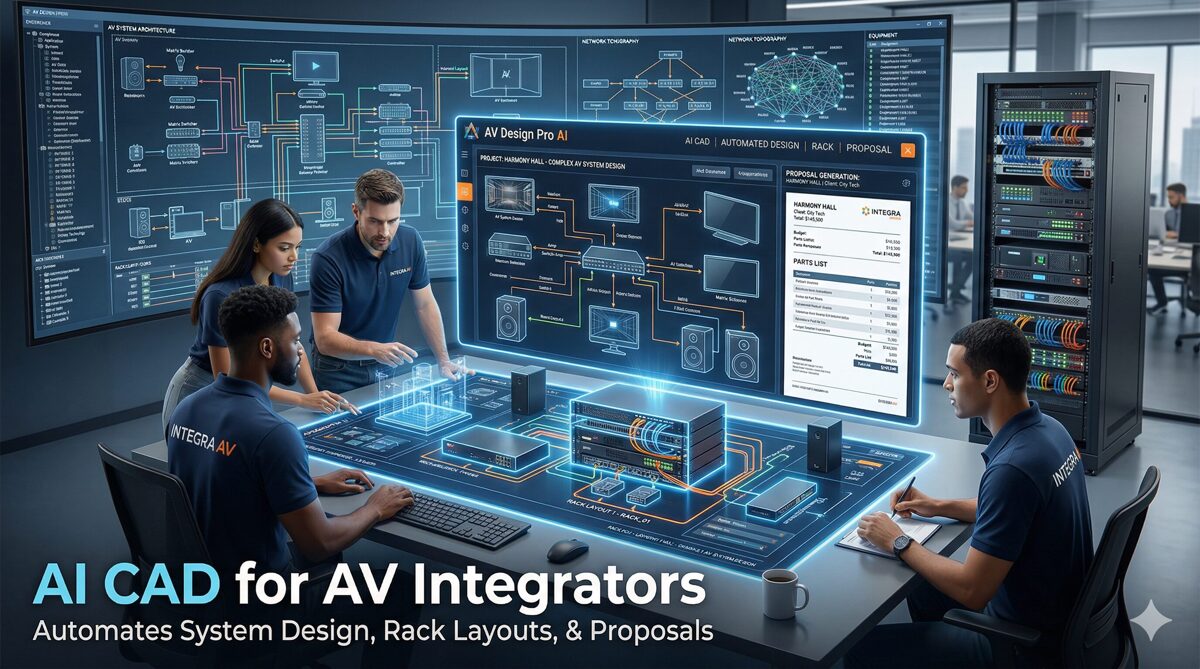
Enter AI CAD software: a revolutionary category of intelligent design platforms that combines traditional computer-aided design capabilities with artificial intelligence, machine learning, and automation specifically engineered for audiovisual integration. These platforms can automatically generate complete AV system designs, create rack elevation drawings, produce cable schematics, develop signal flow diagrams, and even generate client-ready proposals—all from minimal input and in a fraction of the time required by traditional methods.
The impact is transformative. AI-powered CAD tools can reduce design time by 80-90%, eliminate equipment specification errors, ensure perfect signal path accuracy, automatically update all documentation when changes occur, and seamlessly integrate design, estimation, and proposal generation into unified workflows. For complex AV installations—from multi-room corporate facilities to broadcast studios, from university campuses to performing arts centers—this technology represents the difference between hours or days of design work versus minutes.
However, choosing the best AI CAD software for AV integration requires understanding critical differentiators. Not all platforms claiming "AI capabilities" deliver meaningful automation. Generic construction CAD tools lack the AV-specific intelligence needed for signal routing, equipment compatibility, acoustic modeling, and system integration. The right platform must understand EDID management, HDCP compliance, network bandwidth for AV over IP, DSP programming requirements, control system architecture, and the countless technical nuances that separate functional AV designs from amateur attempts.
This comprehensive guide explores how AI CAD software specifically designed for audiovisual integrators transforms the entire design lifecycle—from initial concept through system documentation, from equipment selection to installation drawings, from technical specifications to client presentations. We'll examine essential features, compare leading platforms, provide implementation strategies, and reveal best practices from successful integration firms revolutionizing their operations through intelligent design automation.
What is AI-Powered CAD Software for AV Integration?
AI CAD software for audiovisual integration represents the convergence of traditional computer-aided design technology with artificial intelligence, creating intelligent platforms that don't just facilitate drafting but actively participate in the design process through automation, recommendation, and validation.
Core Definition and Capabilities
AI-powered CAD platforms for AV are specialized design environments that:
Automatically generate system architectures from high-level requirements (room size, occupancy, use case, performance criteria)
Create technical drawings including floor plans, rack elevations, ceiling plans, signal flow diagrams, and cable schematics
Recommend equipment based on application requirements, compatibility, and best practices
Validate designs by checking signal paths, equipment compatibility, power requirements, and network bandwidth
Generate documentation including Bills of Materials (BOMs), equipment specifications, installation instructions, and commissioning procedures
Integrate with estimation and proposal tools to create unified design-to-sale workflows
Learn from projects to improve recommendations and automate repetitive design patterns
How AI Transforms Traditional AV CAD Workflows
Traditional CAD approach for AV design:
Manual equipment selection based on experience and research
Hand-drawn floor plans placing equipment symbols
Rack elevation creation in separate software
Signal flow diagrams drafted in Visio or similar tools
Cable schedules created in spreadsheets
Equipment specifications compiled from manufacturer datasheets
BOM generation by manually extracting data from drawings
Proposal creation in Word/InDesign using data from multiple sources
Version management nightmare when designs change
Result: 15-40 hours for complex designs, high error rates, disconnected documentation, and massive rework when changes occur.
AI-Powered Transformation:
🤖 Intelligent Automation: Machine learning algorithms trained on thousands of successful AV projects automatically generate complete system designs including equipment placement, signal routing, and infrastructure requirements—reducing design time from days to hours.
🧠 Knowledge Application: AI engines embed industry best practices, manufacturer specifications, and integration expertise directly into the design process, ensuring designs follow proven methodologies and avoid common errors.
🔗 Unified Workflows: AI platforms connect design, documentation, estimation, and proposal generation into single ecosystems where changes propagate automatically, eliminating redundant data entry and version conflicts.
✅ Proactive Validation: Machine learning models continuously check designs for equipment incompatibilities, signal path errors, insufficient power, inadequate cooling, network bottlenecks, and other technical issues—preventing problems before installation.
📈 Continuous Learning: Systems improve over time by analyzing actual project outcomes, refining equipment recommendations, optimizing layout algorithms, and capturing institutional knowledge.
Key Features and Components of AI CAD Software for AV Integrators
Effective AI-powered CAD platforms for audiovisual integration must include specialized capabilities:
1. Automated System Architecture Generation
AI-driven design creation that produces complete system architectures from minimal input:
Input Requirements:
Room dimensions and architectural constraints
Occupancy and use case (conference, training, auditorium, broadcast, etc.)
Performance requirements (resolution, audio coverage, control complexity)
Budget parameters and technology preferences
AI-Generated Outputs:
Complete signal flow architecture
Equipment selection with specific models and quantities
Physical equipment placement optimized for coverage and access
Infrastructure requirements (power, network, structural)
Control system architecture with touch panels and interfaces
Intelligence Factors:
Pattern recognition identifying project type and applying relevant templates
Constraint optimization balancing performance, cost, and spatial limitations
Best practice application following industry standards automatically
Compatibility verification ensuring all components work together
2. AV-Specific Symbols, Templates, and Object Libraries
Unlike generic CAD software, AV-focused platforms include:
Comprehensive Equipment Libraries:
Display technologies (projectors, flat panels, LED walls, video walls)
Audio components (speakers, amplifiers, processors, microphones, DSPs)
Video components (cameras, switchers, scalers, recorders, streaming encoders)
Control systems (processors, touch panels, keypads, interfaces)
Signal distribution (matrices, switchers, extenders, converters)
Network infrastructure (switches, routers, endpoints)
Mounting and rigging hardware
Cable types and connectors
Intelligent Symbols:
Parametric objects that adapt based on specifications
Connection points that facilitate automatic cable routing
Metadata including power draw, heat dissipation, network requirements
Real-world dimensions for accurate spatial planning
Manufacturer part numbers linking to product databases
Design Templates:
Room type templates (boardroom, classroom, auditorium, studio)
System type templates (video conferencing, presentation, distributed audio)
Standard rack configurations
Cable pathway layouts
3. Automated Rack Elevation Design
Intelligent rack layout capabilities:
Automated Rack Building:
AI determines optimal rack size based on equipment
Automatically arranges equipment for optimal cooling airflow
Positions heavy equipment low for center of gravity
Allocates blank panels for future expansion
Calculates power requirements and PDU placement
Determines cable management needs
Rack Documentation:
Professional front and rear elevation drawings
Equipment labels with model numbers and quantities
Power consumption calculations per rack
Heat dissipation analysis
Weight calculations for structural requirements
Cable entry/exit planning
4. Signal Flow Diagram Automation
Intelligent signal routing visualization:
Automatic Diagram Generation:
AI traces all signal paths from sources to destinations
Creates logical flow diagrams showing routing
Generates hierarchical views for complex systems
Includes processing points (switchers, scalers, DSPs)
Shows control relationships
Documents network topology
Intelligence Features:
Compatibility checking (resolution, format, protocol)
Bandwidth calculation for AV over IP
Latency analysis for time-critical applications
Redundancy visualization for mission-critical systems
Color coding by signal type (video, audio, control, data)
5. Automated Cable Schedules and Routing
Intelligent cable management:
Automated Cable Calculations:
AI calculates cable lengths from equipment placement
Adds service loops and routing allowances automatically
Specifies cable types based on signal requirements and distances
Generates connector specifications
Creates labeling schemes
Produces pull schedules for installation teams
Pathway Planning:
Optimal routing paths considering architecture
Cable tray sizing based on fill calculations
Conduit requirements for structured cabling
Penetration locations for walls and floors
Separation requirements for power and signal cables
6. Real-Time Design Validation and Error Detection
AI-powered quality control:
Automated Checking:
Signal path verification ensuring complete connectivity
Equipment compatibility validation (formats, protocols, resolutions)
Power analysis checking available versus required
Network bandwidth calculations for AV over IP systems
Control system capacity verification
Structural capacity for mounting and rigging loads
Code compliance checking (fire, electrical, accessibility)
Proactive Alerts:
Warnings for potential issues before they become problems
Suggestions for resolution with alternative equipment or approaches
Best practice recommendations based on industry standards
7. Intelligent Equipment Recommendation Systems
AI-powered product selection:
Smart Suggestions:
Recommends appropriate equipment for specific applications
Suggests compatible alternatives at different price points
Identifies future-proof options with upgrade paths
Flags discontinued products requiring substitution
Recommends tested combinations from successful projects
Compatibility Intelligence:
Verifies interoperability across manufacturers
Checks firmware requirements and limitations
Validates control protocol compatibility
Ensures resolution and format support
Confirms licensing requirements
8. BOM and Documentation Auto-Generation
Comprehensive documentation automation:
Bills of Materials:
Complete equipment lists with part numbers
Quantities automatically calculated from designs
Accessories and mounting hardware included
Cable assemblies with lengths and connector types
Consumables and installation materials
Technical Documentation:
System specifications generated from designs
Equipment datasheets compiled automatically
Wiring diagrams and connection tables
Configuration settings for processors and controls
Testing procedures and acceptance criteria
As-built documentation templates
9. Cloud-Based Collaboration and Version Control
Modern workflow enablement:
Real-Time Collaboration:
Multiple designers work simultaneously
Automatic conflict resolution
Comment and markup capabilities
Activity tracking showing who changed what
Review workflows with approval processes
Version Management:
Automatic versioning of all changes
Comparison views showing design evolution
Rollback capability to previous versions
Branch and merge for exploring alternatives
Audit trails for compliance and documentation
10. Integration with Business Systems
Ecosystem connectivity:
Design Tool Integration:
Import/export with AutoCAD, Revit, SketchUp
Architectural drawing underlays
Building Information Modeling (BIM) coordination
3D rendering software connectivity
Business System Integration:
CRM platforms (opportunity to design workflow)
Estimation software (design to cost automation)
Proposal tools (design to sales documentation)
Project management (design to installation handoff)
Accounting/ERP (materials procurement)
Benefits and Advantages of Using AI CAD Software for AV Integration
Implementing AI-powered CAD technology delivers measurable business impact:
⚡ Dramatic Reduction in Design Time
Traditional design timeline: 15-40 hours for complex projects
AI-powered design: 2-6 hours for same complexity
Time savings: 80-90%
Specific Time Reductions:
Simple Conference Room:
Traditional: 4-6 hours
AI: 30-45 minutes
Savings: 85%
Multi-System Auditorium:
Traditional: 25-35 hours
AI: 4-6 hours
Savings: 80-85%
Campus-Wide Installation:
Traditional: 60-100 hours
AI: 10-15 hours
Savings: 85-90%
Impact:
Design capacity increases 5-10x with existing staff
Respond faster to client requests and RFPs
Pursue more opportunities without hiring
Engineers freed for high-value consulting rather than drafting
✅ Improved Design Accuracy and Quality
Error reduction through AI validation:
Common Design Errors Eliminated:
Incompatible equipment combinations (AI validates compatibility)
Insufficient power or cooling (AI calculates requirements)
Missing cables or connectors (AI generates complete lists)
Incorrect signal routing (AI validates paths)
Bandwidth bottlenecks (AI calculates network capacity)
Control system overload (AI checks capacity)
Quality Improvements:
Consistent methodology across all designers
Best practices embedded in templates
Industry standards automatically applied
Professional presentation in all drawings
Complete documentation with no gaps
Result: 95%+ design accuracy versus 70-80% with manual methods, reducing costly field changes and rework.
💰 Increased Project Profitability
Financial benefits:
Reduced Design Costs:
Labor savings from faster design (10-30 hours × $75-150/hour = $750-$4,500 per project)
Reduced overtime and weekend work
Lower overhead per project
Fewer Change Orders:
Accurate designs reduce field surprises
Complete BOMs eliminate forgotten items
Validated systems work as designed
Change order reduction from 20-30% to under 5%
Better Resource Utilization:
Senior engineers focus on complex challenges
Junior staff produce quality work with AI assistance
Design capacity scales without linear cost increase
Case Study: Mid-size integrator reports $180,000 annual profit improvement from:
40% increase in design capacity with same staff
60% reduction in change order costs
25% improvement in project margins through accuracy
🎯 Enhanced Client Communication and Sales
Visual communication advantages:
Professional Presentations:
3D visualizations of installed systems
Interactive walkthroughs showing user experience
Realistic renderings for stakeholder buy-in
Multiple options presented visually for comparison
Client Confidence:
Detailed documentation demonstrates thoroughness
Professional drawings showcase expertise
Clear communication reduces misunderstandings
Realistic expectations through visualization
Sales Impact:
15-25% improvement in proposal win rates
Higher average contract values from comprehensive scope
Faster approval cycles through clear communication
Stronger client relationships from transparency
🔄 Unified Workflows Eliminating Data Silos
Integration benefits:
Single Source of Truth:
Design, estimation, and documentation in one system
Changes propagate automatically to all affected documents
Version control eliminates conflicting information
Everyone works from current data
Efficiency Gains:
No re-entry of data between systems
Instant updates when designs change
Automated documentation stays synchronized
Reduced coordination overhead
📈 Scalability for Business Growth
Growth enablement:
Handle increasing project volumes without proportional staff increases
Support geographic expansion through cloud accessibility
Standardize processes as company grows
Preserve knowledge in templates and AI models
Maintain quality consistency at scale
🎓 Reduced Training Time and Knowledge Transfer
Skill development acceleration:
Junior Designer Empowerment:
AI guidance provides real-time mentoring
Templates codify senior engineer expertise
Validation catches mistakes before they propagate
Faster competency development
Knowledge Preservation:
Best practices captured in AI models
Institutional knowledge embedded in templates
Less dependency on individual experts
Continuity during staff transitions
10 Best AI CAD Software Platforms for AV Integrators (2026)
1. XTEN-AV's XAVIA – Best AI CAD Software for AV Companies
XTEN-AV XAVIA stands as the premier AI-powered CAD solution specifically engineered for audiovisual system integrators, consultants, and design professionals. Unlike generic CAD platforms adapted for AV use, XTEN-AV was purpose-built from the ground up to address every aspect of audiovisual design—from initial concept through installation documentation—with artificial intelligence and automation woven throughout the entire workflow.
Why XTEN-AV Leads the AV CAD Market
XTEN-AV isn't merely a design tool—it's a comprehensive AV design ecosystem combining intelligent CAD software (X-DRAW), AI-powered automation (XAVIA), estimation, proposal generation (x.doc), and project management (X-PRO) into a unified platform that eliminates the disconnected workflows plaguing traditional AV design processes.
Key Features That Make XTEN-AV XAVIA the Best AI CAD Software for AV Companies
1. AI-Powered Auto-Generation of Complete AV Designs (XAVIA Intelligence)
XTEN-AV's XAVIA AI engine represents a breakthrough in design automation. Simply provide high-level parameters, and XAVIA automatically generates:
Complete AV System Designs:
Optimal equipment selection based on room characteristics and requirements
Equipment placement optimized for coverage, access, and aesthetics
Signal routing architecture from sources through processing to outputs
Infrastructure requirements (power, network, structural)
Signal Flow Diagrams:
Logical system architecture showing all signal paths
Processing points (switchers, scalers, DSPs, matrices)
Control relationships and user interfaces
Network topology for IP-based systems
Equipment Layouts:
Floor plans with equipment placement
Ceiling plans for speakers, projectors, cameras, infrastructure
Rack elevations with optimized equipment arrangement
Cable pathways and infrastructure routing
With just inputs like room size, occupancy, and functional requirements, the AI system builds comprehensive designs instantly—cutting what would take hours or days of manual drafting down to minutes.
The technology analyzes thousands of successful projects to recognize patterns, apply best practices, and generate designs that reflect decades of industry expertise.
2. AV-Specific CAD Environment (X-DRAW)
Unlike generic CAD tools like AutoCAD or Visio that force AV designers to adapt general-purpose software, XTEN-AV includes X-DRAW—a purpose-built CAD environment specifically designed for audiovisual integration workflows.
X-DRAW Features:
Comprehensive Drawing Capabilities:
Rack elevation design with front and rear views
Cable schematics and connection diagrams
Signal flow diagrams with intelligent routing
Floor plan creation with AV-specific symbols
Ceiling plan development for speakers and projectors
Isometric views for 3D understanding
Detailed zoom for precision work
AV-Optimized Interface:
Intuitive tools designed for AV workflows (not architectural drafting)
Drag-and-drop equipment placement from extensive libraries
Intelligent snapping to connection points
Parametric objects that adapt to specifications
Automatic dimensioning and labeling
Layer management optimized for AV documentation
This eliminates the need for tools like AutoCAD or Visio for AV workflows, providing purpose-built functionality that's faster, more intuitive, and better aligned with how AV designers actually work.
3. Intelligent Equipment Recommendations and Product Database Integration
XTEN-AV's AI provides smart equipment suggestions powered by an extensive product database:
Intelligent Recommendations:
Compatible AV products appropriate for specific applications
Optimal configurations balancing performance and budget
System components needed for complete functionality
Alternative options at different price points
Future-proof selections with upgrade paths
Product Database:
1.5 million+ AV products from 5,000+ brands
Current specifications and availability
Pricing data integration
Compatibility matrices showing interoperability
Lifecycle information flagging discontinued products
Smart Features:
Drag-and-drop real-world equipment into drawings
Automatic specification population
Compatibility validation across selections
Alternative suggestions when conflicts detected
This ensures accuracy and dramatically speeds up design decisions without endless manual research across manufacturer websites.
4. Automated BOM Generation and Living Documentation
XTEN-AV automatically generates comprehensive documentation that updates dynamically:
Bill of Materials (BOM):
Complete equipment lists with manufacturer part numbers
Accessories and mounting hardware automatically included
Cable assemblies with calculated lengths and connector types
Consumables and installation materials
Quantities derived directly from drawings
System Documentation:
Equipment specifications compiled from designs
Wiring diagrams and connection tables
Signal flow documentation
Configuration parameters for processors and controls
Testing procedures and acceptance criteria
Living Documentation:
Design changes instantly reflect across all documents
No manual updates required for consistency
Version control automatic
Proposal-ready outputs generated continuously
This eliminates duplication of effort and ensures perfect synchronization between drawings, BOMs, specifications, and proposals—a perennial challenge with traditional workflows.
5. Revolutionary Voice & Chat-Based CAD Automation (XAVIA Agent)
XTEN-AV's most innovative feature is conversational AI design:
Natural Language Design:
"Create a boardroom for 12 people with video conferencing and wireless presentation"
"Add distributed audio to the classroom design with 8 ceiling speakers"
"Generate a rack elevation for the auditorium with all processing equipment"
XAVIA AI interprets commands and:
Creates designs following natural language instructions
Generates drawings without manual CAD work
Automates repetitive tasks through conversation
Voice-Activated Workflows:
Design hands-free during site visits
Modify drawings verbally during client meetings
Access information without keyboard/mouse
Capture ideas immediately as they occur
Chat-Based Assistance:
Ask questions about equipment options
Request design alternatives
Get instant calculations
Receive best practice recommendations
This introduces a completely new AI-first CAD workflow that's faster, more intuitive, and dramatically lowers the skill barrier for creating professional AV designs.
6. Massive AV Product Database (1.5M+ Products, 5,000+ Brands)
XTEN-AV maintains the industry's most comprehensive AV product database:
Coverage:
Displays (projectors, flat panels, LED walls, video walls)
Audio (speakers, amplifiers, DSPs, microphones, processors)
Video (cameras, switchers, scalers, recorders, streaming)
Control (processors, touch panels, keypads, interfaces)
Signal distribution (matrices, extenders, converters)
Network (switches, endpoints, encoders, decoders)
Infrastructure (racks, cable management, power, cooling)
Database Intelligence:
Real-world specifications including dimensions, weight, power, heat
Connection types and port configurations
Compatibility data showing tested combinations
Current pricing and availability
Product lifecycle status
Design Workflow:
Instantly drag equipment from database into drawings
Accurate symbols reflecting actual dimensions
Automatic specification inclusion in documentation
Real-time compatibility checking
This improves accuracy and saves time versus manually creating equipment symbols or searching specifications across hundreds of manufacturer websites.
7. Real-Time Design-to-Proposal Workflow Integration
One of XTEN-AV's biggest differentiators is seamless integration between:
Unified Ecosystem:
CAD drawings (X-DRAW)
Cost estimation
Proposal generation (x.doc)
Project management (X-PRO)
Dynamic Synchronization:
Design updates automatically update BOMs, pricing, and proposals
Equipment changes propagate to all affected documents
Single source of truth eliminates version conflicts
No data re-entry between systems
Workflow Example:
Design system in X-DRAW
BOM generates automatically
Pricing populates from integrated databases
Proposal document creates with drawings and specifications
Design modification instantly updates everything
This eliminates workflow silos that plague traditional processes where designs, estimates, and proposals exist in separate, manually coordinated tools.
8. Cloud-Based CAD Collaboration and Accessibility
XTEN-AV is fully cloud-native, enabling modern workflows:
Work From Anywhere:
Access from desktop, laptop, tablet, or mobile
Field design during site visits
Remote collaboration across distributed teams
No VPN or special connectivity required
Real-Time Collaboration:
Multiple designers work simultaneously on same project
Automatic conflict resolution
Live updates visible to all team members
Comment and markup tools
Review and approval workflows
Benefits:
No version conflicts from file-based sharing
No licensing per workstation
Automatic backups and disaster recovery
Instant software updates
Scalable as team grows
Perfect for modern AV companies with field engineers, remote designers, and multiple office locations.
9. Automated AV Calculations and Layout Optimization Tools
XTEN-AV includes built-in calculators and optimization algorithms:
Technical Calculators:
Speaker placement optimization for coverage
Throw distance calculations for projectors
Cable length calculations with routing allowances
Viewing distance and screen size optimization
Network bandwidth for AV over IP systems
Power requirements and heat load analysis
Projector brightness versus ambient light
Layout Optimization:
Optimal equipment positioning considering coverage and aesthetics
Cable routing minimizing lengths and conflicts
Rack space optimization for density and cooling
System configuration for performance and redundancy
These tools ensure precision and reduce manual calculation errors that create field problems or waste materials.
10. Template-Based and Repeatable Design Workflows
Efficiency through standardization:
Template Library:
Room type templates (boardroom, classroom, auditorium, studio, etc.)
System type templates (video conferencing, presentation, distributed audio)
Standard rack configurations
Equipment packages for common applications
Reusable Components:
Save design templates from successful projects
Reuse room configurations for similar spaces
Standardize layouts across facilities or clients
Maintain consistency in corporate standards
Custom Template Creation:
Build organization-specific standards
Capture preferred equipment combinations
Codify design methodologies
Accelerate future projects
This dramatically improves efficiency for recurring AV installations like standardized conference rooms, classrooms, or retail locations.
11. Import/Export and CAD Tool Integration Flexibility
XTEN-AV doesn't lock you into proprietary formats:
Import Capabilities:
AutoCAD (DWG/DXF) for architectural underlays
Revit for BIM coordination
PDF drawings for markup
SketchUp models for 3D context
Spreadsheet data for equipment lists
Export Capabilities:
PDF for client deliverables
AutoCAD format for coordination
Image files for presentations
Data exports for procurement and installation
Integration:
CRM systems (opportunity to design workflow)
Project management tools (design to execution handoff)
Estimation platforms (though built-in typically sufficient)
Accounting/ERP (materials procurement)
This solves major compatibility issues faced in traditional CAD workflows where proprietary formats create barriers.
12. End-to-End AV Design Ecosystem (Not Just CAD)
XTEN-AV is comprehensive—not just CAD software:
Complete Platform:
Design (X-DRAW): CAD and technical drawings
AI Automation (XAVIA): Intelligent design generation and recommendations
Estimation: Cost calculation and budgeting
Proposals (x.doc): Client-facing documentation
Project Management (X-PRO): Execution and tracking
VR Visualization (X-VRSE): Immersive client experiences
Unified Ecosystem:
Eliminates multiple disconnected tools
Single platform for entire project lifecycle
Seamless workflows from design through installation
Consistent data across all functions
This makes XTEN-AV an end-to-end AV business platform, not just design software—delivering comprehensive value far exceeding traditional CAD tools.
Pros of XTEN-AV:
✅ Purpose-built for AV industry with deep integration expertise
✅ AI-powered automation (XAVIA) delivers unprecedented speed
✅ Comprehensive AV product database (1.5M+ products)
✅ Voice and chat interface for revolutionary workflows
✅ Real-time design-to-proposal integration eliminates silos
✅ Cloud-based collaboration enabling modern team workflows
✅ End-to-end ecosystem replacing multiple tools
✅ AV-specific CAD (X-DRAW) optimized for integration workflows
✅ Automated calculations ensuring technical accuracy
✅ Template libraries accelerating recurring designs
Cons of XTEN-AV:
❌ Specialized for AV—not suitable for architectural or general CAD work
❌ Premium pricing reflects comprehensive capabilities (though ROI typically 3-6 months)
❌ Learning curve for advanced features (though basic operations intuitive with AI assistance)
Best For:
XTEN-AV is ideal for:
AV integration companies seeking operational transformation
System integrators handling complex, multi-system projects
AV consultants needing professional design deliverables
Companies tired of disconnected design and business tools
Firms pursuing growth through efficiency and automation
Organizations wanting unified platforms eliminating multiple subscriptions

2. AutoCAD (with AV Customization)
AutoCAD remains the industry-standard CAD platform across architecture, engineering, and construction—including some AV use.
Key Features:
Professional 2D drafting and 3D modeling
Extensive customization through plugins
Industry-wide file format compatibility
Large user base and training resources
Mobile app capabilities
Pros:
✅ Industry standard with universal recognition
✅ Powerful and flexible for general CAD
✅ Extensive third-party plugin ecosystem
Cons:
❌ Not AV-specific—requires heavy customization
❌ No AI automation for design generation
❌ Steep learning curve for full proficiency
❌ Expensive licensing (especially for teams)
❌ Manual workflows for BOM and documentation
❌ No integration with estimation or proposals
Best For:
Large enterprises with dedicated CAD specialists doing architectural coordination alongside AV design.
3. Revit (BIM Platform)
Revit is Autodesk's Building Information Modeling (BIM) platform used in architecture and MEP coordination.
Key Features:
3D parametric modeling
BIM coordination capabilities
MEP (Mechanical, Electrical, Plumbing) integration
Clash detection
Construction documentation
Pros:
✅ Strong for BIM coordination
✅ Good for large construction projects
✅ MEP integration valuable for infrastructure planning
Cons:
❌ Not designed for AV—minimal AV-specific features
❌ No AI automation for system design
❌ Complex and requires significant training
❌ Expensive licensing
❌ Overkill for most AV projects
❌ Limited AV equipment libraries
Best For:
Large construction projects requiring BIM coordination where AV is one component of broader design.
4. Visio (Diagramming Tool)
Visio is Microsoft's diagramming software often used for signal flow diagrams and simple layouts.
Key Features:
Flowchart and diagram creation
Basic CAD-like functionality
Microsoft Office integration
Template library
Simple learning curve
Pros:
✅ Easy to learn and use
✅ Affordable Microsoft licensing
✅ Good for simple diagrams and flowcharts
Cons:
❌ Not true CAD software—limited precision
❌ No AI capabilities
❌ Basic features insufficient for professional AV design
❌ No BOM generation or automation
❌ Not suitable for rack elevations or detailed drawings
❌ No AV-specific libraries or intelligence
Best For:
Creating simple signal flow diagrams or conceptual layouts, not professional AV design documentation.
5. D-Tools (AV Industry Veteran)
D-Tools has long been used in residential custom integration for system design and documentation.
Key Features:
AV-specific design tools
Extensive product database
Proposal generation
Project management
Industry focus
Pros:
✅ AV industry focus with long track record
✅ Comprehensive product database
✅ Integrated proposal generation
✅ Widely adopted in residential integration
Cons:
❌ Limited AI capabilities compared to XTEN-AV
❌ Primarily design documentation rather than true CAD
❌ Learning curve can be steep
❌ More focused on residential than commercial integration
❌ Rack elevation features less robust than dedicated CAD
❌ Cloud capabilities lag modern platforms
Best For:
Residential custom integrators and AV dealers focused on design documentation, though increasingly challenged by AI-first platforms for commercial work.
6. SketchUp (3D Modeling)
SketchUp provides accessible 3D modeling capabilities often used for conceptual visualization.
Key Features:
Easy 3D modeling interface
Large model library (3D Warehouse)
Extension ecosystem
Rendering capabilities
VR/AR compatibility
Pros:
✅ Intuitive 3D modeling
✅ Great for client visualization
✅ Affordable (free version available)
✅ Large extension library
Cons:
❌ Not precision CAD—lacks technical documentation features
❌ No AI automation
❌ Not suitable for rack elevations or cable schematics
❌ No BOM generation
❌ Limited AV-specific features
❌ Better for visualization than technical design
Best For:
Creating 3D visualizations and conceptual models for client presentations, not technical documentation.
7. Chief Architect (Architecture Focus)
Chief Architect targets residential and light commercial architectural design.
Key Features:
Home and building design
3D visualization
Construction documentation
Material takeoffs
Rendering
Pros:
✅ Good for architectural integration
✅ Strong visualization capabilities
✅ Reasonable pricing
Cons:
❌ Not AV-specific—architectural focus
❌ No AI for system design
❌ Limited technical AV features
❌ Not suitable for signal flow or rack design
❌ Better for architecture than systems integration
Best For:
Residential integrators needing architectural design capabilities alongside basic AV, not dedicated system design.
8. Bluebeam Revu (PDF Markup)
Bluebeam specializes in PDF creation, markup, and collaboration.
Key Features:
PDF creation and editing
Drawing markup and annotation
Measurement and takeoff tools
Collaboration features
Version comparison
Pros:
✅ Excellent PDF workflow
✅ Good collaboration tools
✅ Precise measurement capabilities
Cons:
❌ Not CAD software—markup and collaboration tool
❌ No design creation capabilities
❌ No AI features
❌ Complement to CAD, not replacement
❌ No AV-specific intelligence
Best For:
Collaboration and markup of existing drawings, not creating designs from scratch.
9. Vectorworks (Entertainment Design)
Vectorworks includes capabilities for entertainment, staging, and some AV design.
Key Features:
2D/3D CAD and BIM
Entertainment design tools
Lighting and rigging
Rendering capabilities
Data management
Pros:
✅ Strong in entertainment and staging
✅ Good visualization
✅ Comprehensive CAD features
Cons:
❌ Entertainment focus, not specifically AV integration
❌ Limited AI capabilities
❌ Expensive licensing
❌ Steep learning curve
❌ Better for theatrical than corporate/commercial AV
Best For:
Entertainment production companies and staging designers, not typical commercial AV integration.
10. Fusion 360 (Product Design)
Fusion 360 is Autodesk's cloud-based CAD/CAM platform for product design and manufacturing.
Key Features:
Parametric 3D modeling
Simulation and analysis
CAM capabilities
Cloud collaboration
Generative design
Pros:
✅ Modern cloud platform
✅ Some AI-driven generative design
✅ Good for custom equipment design
Cons:
❌ Product design focus, not system integration
❌ Not AV-specific workflows
❌ Overkill for AV documentation needs
❌ No signal flow or system design capabilities
❌ Better for manufacturing than integration
Best For:
Custom equipment manufacturers or integrators designing proprietary products, not system integration documentation.
Step-by-Step: How AI CAD Software Simplifies Complex AV Designs
Understanding the complete AI-powered design workflow reveals transformative efficiency:
Phase 1: Project Initiation and Requirements Capture (Traditional: 2-4 hours | AI: 15-30 minutes)
Traditional Workflow:
Review architectural drawings and specifications
Manually extract room dimensions and features
Research client requirements from multiple sources
Create project folder and file structure
Set up CAD templates manually
AI-Automated Workflow (XTEN-AV):
Upload architectural drawings and specifications
XAVIA AI automatically:
Extracts room dimensions and architectural features
Identifies constraints and opportunities
Creates structured project brief
Conversational input: "Design video conferencing for 20-person boardroom"
AI generates initial design parameters
Time Savings: 75-80%
Phase 2: System Architecture Development (Traditional: 6-12 hours | AI: 1-2 hours)
Traditional Workflow:
Manually research appropriate equipment
Sketch signal flow on whiteboard or paper
Select specific models based on specifications
Verify compatibility across manufacturers
Create preliminary equipment list
AI-Automated Workflow (XTEN-AV):
Define high-level requirements in XAVIA
AI automatically:
Recommends complete system architecture
Selects compatible equipment
Creates signal flow diagram
Generates preliminary BOM
Designer reviews and refines AI recommendations
Alternative configurations explored instantly
Time Savings: 80-85%
Phase 3: Equipment Layout and Placement (Traditional: 4-8 hours | AI: 30-60 minutes)
Traditional Workflow:
Create floor plan in CAD from scratch
Manually place equipment symbols
Calculate coverage areas
Adjust positions for optimization
Add dimensions and annotations
AI-Automated Workflow (XTEN-AV):
AI generates floor plan with equipment placement
Optimization algorithms position equipment for:
Optimal coverage (audio, video, control)
Aesthetic considerations
Installation accessibility
Interactive refinement of positions
Automatic dimension and annotation
Time Savings: 85-90%
Phase 4: Rack Elevation Design (Traditional: 3-6 hours | AI: 20-40 minutes)
Traditional Workflow:
Calculate rack space requirements
Manually arrange equipment in CAD
Position for weight distribution and cooling
Add cable management and accessories
Create front and rear views
Add labels and specifications
AI-Automated Workflow (XTEN-AV):
AI determines optimal rack configuration
Automatically arranges equipment for:
Proper cooling airflow
Weight distribution
Cable management
Service access
Generates professional front/rear elevations
Includes labels, dimensions, specifications
Time Savings: 85-90%
Phase 5: Signal Flow Diagrams (Traditional: 4-8 hours | AI: 30-45 minutes)
Traditional Workflow:
Manually create diagram in Visio or CAD
Draw signal paths between components
Add labels and signal types
Verify all connections documented
Format for professional appearance
AI-Automated Workflow (XTEN-AV):
AI traces all signal paths automatically
Creates hierarchical diagrams showing:
Sources to destinations
Processing points
Control relationships
Network topology
Color codes by signal type
Validates complete connectivity
Time Savings: 85-90%
Phase 6: Cable Schedules and Documentation (Traditional: 3-5 hours | AI: 15-30 minutes)
Traditional Workflow:
Manually calculate cable lengths from drawings
Determine cable types for each run
Specify connectors and pinouts
Create cable schedule in spreadsheet
Generate labeling scheme
AI-Automated Workflow (XTEN-AV):
AI calculates cable lengths from equipment positions
Automatically determines:
Appropriate cable types for signal and distance
Connector specifications
Service loops and routing allowances
Generates complete cable schedule
Creates labeling scheme
Time Savings: 85-90%
Phase 7: BOM and Specifications (Traditional: 2-4 hours | AI: 10-20 minutes)
Traditional Workflow:
Extract equipment list from drawings manually
Add accessories and mounting hardware
Look up specifications for each item
Format into BOM document
Risk of missing items or errors
AI-Automated Workflow (XTEN-AV):
BOM automatically generated from design
Includes:
All equipment with part numbers
Accessories and mounting hardware
Cables with specifications
Consumables
Specifications compiled automatically
Updates instantly when design changes
Time Savings: 90%+
Phase 8: Documentation and Proposals (Traditional: 4-6 hours | AI: 30-60 minutes)
Traditional Workflow:
Export drawings from CAD
Compile documentation in Word/InDesign
Format for client presentation
Risk of version mismatches
AI-Automated Workflow (XTEN-AV):
Professional documentation auto-generated
Integrated with proposal system (x.doc)
Current drawings embedded automatically
Single click to client-ready format
Time Savings: 85-90%
Total Time Reduction:
Complex Commercial AV Project:
Traditional method: 28-53 hours
AI-powered method: 4-7 hours
Time savings: 85-90%
Annual Impact:
Design capacity increases 5-10x
$150,000-$300,000 labor cost savings for mid-size integrator
Pursue 3-5x more opportunities with same design team
Comparison and Decision Guide: Choosing the Right AI CAD Software
Selecting optimal AI CAD software requires systematic evaluation:
1. Prioritize AV-Specific Capabilities
Critical Differentiator: AV-purpose-built versus adapted general CAD
AV-Specific Requirements:
Feature | XTEN-AV | AutoCAD/Revit | D-Tools | Visio/SketchUp |
AV Equipment Libraries | ✅ 1.5M+ products | ⚠️ Requires custom | ✅ Good | ❌ Minimal |
Signal Flow Intelligence | ✅ AI-powered | ❌ Manual | ⚠️ Basic | ⚠️ Diagrams only |
Rack Elevation Tools | ✅ Automated | ⚠️ Manual | ✅ Good | ❌ None |
BOM Auto-Generation | ✅ Complete | ❌ None | ✅ Good | ❌ None |
Cable Calculations | ✅ Automated | ❌ Manual | ⚠️ Basic | ❌ None |
AI Design Automation | ✅ Advanced | ❌ None | ❌ Minimal | ❌ None |
Recommendation: For dedicated AV work, choose industry-specific platforms over adapted general tools. |
2. Evaluate True AI Capabilities
Distinguish marketing from substance:
True AI Features:
Generative design creating complete systems from requirements
Machine learning improving from project history
Intelligent recommendations based on application analysis
Natural language interfaces for design creation
Automated validation detecting errors proactively
Marketing AI (Basic Automation):
Simple rules-based suggestions
Template insertion without intelligence
No learning or improvement
Limited to predefined scenarios
Questions for Vendors:
What specifically does AI automate?
How was AI trained and on what data?
Does system learn from my projects?
Can I design using natural language?
How does AI validate designs?
3. Assess Workflow Integration
Unified versus disconnected:
Integration Priorities:
Integration | Importance | Why Critical |
Design ↔ BOM | Critical | Ensures accuracy, eliminates manual extraction |
Design ↔ Estimation | Critical | Links technical design to cost |
Design ↔ Proposals | High | Accelerates sales cycle, ensures consistency |
CAD ↔ CAD | Moderate | Enables architectural coordination |
Design ↔ Project Mgmt | High | Facilitates design-to-installation handoff |
XTEN-AV Advantage: Unified platform eliminating integration complexity |
4. Calculate Total Cost of Ownership
Comprehensive cost analysis:
Direct Costs:
Software licensing (per user or subscription)
Training and implementation
Support and maintenance
Add-on modules or features
Indirect Costs:
Time investment for learning
Productivity impact during transition
Custom integration development
Ongoing management overhead
Hidden Costs:
Multiple tool subscriptions (CAD + estimation + proposals)
File translation and compatibility issues
Version control and collaboration challenges
Data re-entry between disconnected systems
ROI Framework:
Time savings × hourly rate × projects/year
Reduced errors and rework
Increased design capacity
Improved win rates from better presentations
Typical ROI: 3-6 months for quality platforms
5. Consider Team Skill Levels
Match platform to capabilities:
Entry-Level Designers:
Need intuitive interfaces
Benefit greatly from AI assistance
Templates and automation critical
Comprehensive training required
Experienced CAD Users:
Appreciate powerful tools
May resist AI if seems limiting
Value efficiency gains
Want flexibility and control
Small Teams:
Need quick implementation
Limited training resources
Value all-in-one platforms
Price sensitive
Large Organizations:
Can invest in complex tools
Dedicated CAD specialists
Standardization important
Enterprise features critical
6. Test with Real Projects
Hands-on evaluation essential:
Evaluation Process:
Request extended trial (30-60 days)
Recreate 2-3 recent projects representing typical work
Involve multiple team members who will use daily
Measure time investment versus traditional methods
Compare output quality to current standards
Assess learning curve and user acceptance
Test integration with existing workflows
Evaluate vendor support quality
Success Criteria:
50%+ time savings on typical projects
Output meets professional standards
Team embraces rather than resists
Technical accuracy equals or exceeds current
Integration works smoothly
AI and Future Trends in AV CAD Technology
Artificial intelligence in AV design will evolve dramatically:
1. Generative Design and Multi-Objective Optimization
AI will explore thousands of design alternatives:
Capabilities:
Generate multiple design options automatically
Optimize for competing objectives (cost, performance, aesthetics)
Explore unconventional solutions humans might miss
Recommend trade-offs between design parameters
Applications:
Speaker placement optimizing coverage and aesthetics
Signal routing minimizing latency and cost
Equipment selection balancing performance and budget
Space planning maximizing functionality within constraints
Timeline: 2025-2027 for sophisticated implementation
2. AR/VR Integration for Immersive Design
Augmented and virtual reality transform visualization:
AR Design Review:
View designs overlaid on actual spaces via mobile devices
Interactive equipment placement in real environments
Client walk-throughs before installation
Field verification during installation
VR Design Environment:
Design in immersive 3D environments
Spatial understanding superior to 2D screens
Collaborative design in shared virtual spaces
Client presentations as immersive experiences
Timeline: 2024-2026 for mainstream adoption
3. AI-Powered Acoustic and RF Modeling
AI will simulate complex physical phenomena:
Acoustic Simulation:
Real-time room acoustic modeling as you design
Speaker placement optimization for coverage
Predictive clarity and intelligibility analysis
Treatment recommendation for acoustic issues
RF Analysis:
Wireless microphone frequency coordination
WiFi and network planning
Interference prediction and mitigation
Coverage optimization
Timeline: 2026-2028 for advanced implementation
4. Continuous Learning from Installation Outcomes
AI improves through project feedback:
Learning Loop:
Field teams report installation challenges
System learns which designs work smoothly
Labor predictions refine based on actuals
Equipment recommendations improve from performance data
Impact:
Designs become more buildable over time
Company expertise codified in AI
Institutional knowledge preserved
Continuous improvement without manual updates
Timeline: 2025-2027 for sophisticated systems
5. Natural Language Programming of Control Systems
AI generates control programming:
Capabilities:
"Create touch panel interface with source selection and volume control"
AI generates control system code automatically
Natural language configuration of DSPs and processors
Conversational programming dramatically faster
Timeline: 2027-2029 for practical implementation
6. Digital Twin Integration
Designs become living digital twins:
Lifecycle Connection:
Design becomes operational digital twin
Monitor performance versus design intent
Predictive maintenance from operational data
Design refinements for future projects based on performance
Timeline: 2026-2028 for widespread adoption
Common Mistakes and Best Practices for AI CAD Implementation
❌ Critical Mistakes
1. Treating AI as Complete Replacement for Expertise
Mistake:
Assuming AI eliminates need for AV knowledge
Junior staff working without senior review
Not validating AI recommendations
Blind acceptance of automated designs
Impact:
Inappropriate designs for specific applications
Missing unique client requirements
Technical errors damaging credibility
Client dissatisfaction
Solution:
AI creates 80%, expertise refines 20%
Always review AI designs before client delivery
Senior engineers validate complex systems
Use AI as powerful assistant, not autonomous designer
2. Inadequate Training and Change Management
Mistake:
Minimal training assuming "intuitive" software
No process adaptation for new workflows
Resistance not addressed
Old and new methods used simultaneously
Impact:
Underutilization of capabilities
Team frustration and rejection
Failed implementation
Wasted investment
Solution:
Comprehensive onboarding (not just initial training)
Designated power users as champions
Clear process documentation
Regular training updates
Celebrate early wins
3. Poor Template and Library Development
Mistake:
Using only default templates
Not customizing for company standards
Failing to build reusable components
No organization of successful designs
Impact:
Generic output lacking differentiation
Repeating work that could be templated
Inconsistent quality across designers
Lost efficiency opportunities
Solution:
Invest in comprehensive template development
Capture successful designs as templates
Build standard room configurations
Document equipment packages
Regular library updates
✅ Best Practices
1. Start Simple, Scale Gradually
Strategy:
Begin with standard, high-volume projects
Perfect workflows on familiar work
Expand to complex designs after success
Build confidence through wins
Benefits:
Faster learning on simple projects
Prove value quickly
Reduce risk
Build team confidence
2. Leverage AI for Value Engineering
Applications:
Generate multiple equipment options
Compare cost versus performance
Explore alternative approaches
Present options to clients
Benefits:
Better client consulting
Improved win rates through options
Demonstrate expertise
Optimize project profitability
3. Create Feedback Loops with Field Teams
Implementation:
Field reports on design quality
Installation time versus estimates
Equipment substitution tracking
Challenge documentation
Impact:
Designs become more buildable
AI learns from field experience
Continuous improvement
Better collaboration
4. Maintain Design Quality Standards
Quality Control:
Peer review for complex designs
Senior validation before client delivery
Checklists for completeness
Client feedback incorporation
Result:
Consistent professional quality
Error reduction
Client satisfaction
Brand enhancement
Frequently Asked Questions (FAQ)
What is AI CAD software for AV and how does it differ from traditional CAD?
AI CAD software for audiovisual integration combines traditional computer-aided design capabilities with artificial intelligence to automate design creation, equipment selection, and documentation generation. Unlike traditional CAD tools that are essentially blank canvases requiring manual drafting, AI CAD platforms actively participate in the design process.
Key Differences:
Traditional CAD (AutoCAD, Visio):
Manual equipment placement and drafting
Generic symbols requiring customization
No understanding of AV system requirements
Requires extensive AV knowledge from user
Manual BOM extraction from drawings
No validation of technical correctness
AI CAD for AV (XTEN-AV):
Automatic design generation from requirements
AV-specific intelligence understanding signal flow, compatibility, standards
Equipment recommendations based on application analysis
Automated documentation (BOMs, specs, cable schedules)
Technical validation detecting errors proactively
Natural language interfaces for conversational design
Continuous learning from project history
Result: 80-90% faster design with higher accuracy and comprehensive documentation.
Can AI CAD software handle complex, custom AV installations?
Yes, advanced AI CAD platforms like XTEN-AV excel at complex projects:
Complex Capabilities:
Multi-room systems with hundreds of spaces
Broadcast facilities with sophisticated routing
Performing arts venues with theatrical integration
Corporate campuses with building-wide systems
Government secure facilities with specialized requirements
Custom architectures unique to specific applications
How AI Manages Complexity:
Pattern Recognition:
Identifies relevant aspects of complex projects
Applies experience from similar challenging installations
Recognizes custom elements requiring special attention
Intelligent Scaling:
Accurately handles large equipment counts
Manages complex signal routing automatically
Optimizes for performance and cost at scale
Customization Support:
Templates serve as starting points
AI recommendations can be overridden
Human expertise applied to unique aspects
System learns from custom projects
Best Practice:
Use AI for baseline design (70-80%)
Apply senior expertise for custom elements (20-30%)
Validate AI outputs for appropriateness
Document unique factors for future learning
Limitation: Truly unprecedented designs may require more manual refinement, but AI still accelerates 70-80% of work.
How much does AI CAD software cost and what's the ROI?
Pricing varies by platform and features:
Price Ranges:
Basic platforms: $500-1,500/year per user
Mid-tier tools: $2,000-5,000/year per user
Advanced platforms (XTEN-AV): $3,000-8,000/year per user (includes CAD, estimation, proposals, project management)
Enterprise licenses: Custom pricing based on organization size
Total Cost of Ownership:
Direct licensing fees
Implementation and training
Support and maintenance
Integration development
ROI Calculation:
Time Savings:
20-40 hours saved per project
40 projects/year typical
800-1,600 hours saved
× $75-150/hour = $60,000-$240,000 annual value
Capacity Increase:
Design 3-5x more projects with same staff
Additional revenue without hiring
Scalability value substantial
Error Reduction:
Fewer change orders and rework
Margin protection of $5,000-$20,000 per project
Professional reputation enhanced
Typical ROI: 300-800% in first year
Payback Period: 3-6 months
Recommendation: Invest in comprehensive platforms (XTEN-AV) eliminating multiple tool subscriptions rather than cheap limited solutions.
Does AI CAD integrate with AutoCAD, Revit, and other design tools?
Integration varies by platform:
XTEN-AV Integration:
Import Capabilities:
AutoCAD (DWG/DXF) as architectural underlays
Revit for BIM coordination
PDF drawings for reference and markup
SketchUp models for 3D context
Export Capabilities:
PDF for client deliverables and coordination
AutoCAD format (DWG/DXF) for sharing
Image files for presentations
Data exports for external systems
Benefits:
Use architectural drawings as design basis
Coordinate with other trades
Share deliverables in universal formats
No lock-in to proprietary formats
However: XTEN-AV's X-DRAW provides comprehensive AV CAD capabilities eliminating need for separate AutoCAD subscription for most AV work—native AV tools are faster and more intuitive than adapting architectural CAD.
Other Tool Integration:
CRM systems (Salesforce, HubSpot)
Project management (Monday, Asana)
Estimation platforms (though XTEN-AV includes native)
Accounting/ERP for procurement
What training is required for teams to use AI CAD software effectively?
Training requirements vary by platform complexity and team experience:
XTEN-AV Training Approach:
Initial Onboarding (2-5 days):
Platform overview and navigation
AI-assisted design workflows
X-DRAW CAD fundamentals
Template library usage
BOM and documentation generation
Integration with estimation and proposals
Role-Specific Training:
Designers: Advanced CAD and AI features
Estimators: Design-to-cost workflows
Sales: Client presentation tools
Project managers: Design-to-execution handoff
Ongoing Development:
Regular feature updates training
Advanced technique workshops
Template development
Best practice sharing
Self-Paced Learning:
Video tutorial library
Documentation and guides
In-app contextual help
User community forums
Time to Proficiency:
Basic competency: 1-2 weeks
Productive use: 3-4 weeks
Advanced proficiency: 2-3 months
AI Advantage: Natural language interfaces and intelligent automation dramatically reduce training time versus traditional CAD—junior designers become productive much faster with AI assistance.
Support Resources:
Live technical support
Implementation specialists
Account success managers
Training webinars
Can AI CAD software generate designs that meet industry standards and codes?
Yes, quality AI CAD platforms embed industry standards and compliance:
Standards Integration:
AV Industry Standards:
AVIXA/InfoComm best practices
TIA-568 structured cabling standards
NFPA 70 (National Electrical Code)
BICSI telecommunications standards
Accessibility Standards:
ADA (Americans with Disabilities Act)
Section 508 accessibility requirements
ICC A117.1 accessibility guidelines
Safety and Building Codes:
Local building codes
Fire safety regulations
Structural requirements for mounting/rigging
How AI Ensures Compliance:
Embedded Rules:
AI models trained on standards
Design validation checks compliance automatically
Warnings when standards at risk of violation
Recommendations for compliant alternatives
Documentation:
Automatic inclusion of relevant standards in specifications
Compliance statements in documentation
Testing procedures following industry protocols
Continuous Updates:
Standards updates incorporated in software
AI training refreshed with current requirements
Industry changes reflected automatically
Limitations:
AI provides strong foundation
Human review still important for local variations
Unusual situations may require manual verification
Professional engineer review for critical systems
Result: AI significantly improves standards compliance versus manual methods where standards may be forgotten or misapplied.
What happens to our designs if we switch CAD software?
Data portability is critical consideration:
XTEN-AV Data Ownership:
Complete data ownership by clients
No vendor lock-in through proprietary formats
Export capabilities for data preservation
Export Options:
Drawing Files:
PDF (universal, preserves appearance)
DWG/DXF (AutoCAD format)
Image files (PNG, JPG for presentations)
Documentation:
PDF documents for all deliverables
Excel/CSV for BOMs and schedules
Word/PDF for specifications
Data Exports:
Equipment databases
Project templates
Historical project data
Migration Strategy:
If Switching Providers:
Export all projects in multiple formats
Archive documentation independently
Test imports into new platform
Maintain parallel operation during transition
Document custom templates and standards
Best Practices:
Choose vendors with strong data portability commitments
Avoid proprietary-only formats
Regular backups to independent storage
Document workflows for reproducibility
XTEN-AV Commitment:
Transparent data ownership
Industry-standard export formats
Migration assistance if needed
Reasonable post-cancellation access period
Recommendation: Evaluate data portability as seriously as features—protects your investment and ensures flexibility.
Conclusion: Transform AV Design with AI CAD Technology
The audiovisual integration industry stands at a pivotal moment. AI-powered CAD software represents far more than incremental improvement—it's a fundamental transformation of how successful AV companies design systems, serve clients, and scale operations. Firms embracing this technology gain decisive competitive advantages: 80-90% reduction in design time, 95%+ technical accuracy, comprehensive automated documentation, seamless design-to-proposal workflows, and scalability enabling growth without proportional cost increases.
Key Takeaways:
⚡ AI CAD Delivers Transformative Results
Design time reduced from 28-53 hours to 4-7 hours for complex projects
Technical accuracy improves to 95%+ through automated validation
Documentation stays perfectly synchronized with designs
Design capacity increases 5-10x with existing teams
ROI typically achieved within 3-6 months
🏆 XTEN-AV Leads the AI CAD Revolution XTEN-AV, powered by XAVIA AI and featuring X-DRAW, represents the premier AI CAD solution specifically engineered for audiovisual integration. Its unique combination of:
AI-powered auto-generation of complete AV designs
Purpose-built AV CAD environment (X-DRAW)
Massive product database (1.5M+ products, 5,000+ brands)
Voice and chat interfaces for revolutionary workflows
Automated documentation (BOM, specs, proposals)
Real-time design-to-proposal integration
End-to-end ecosystem eliminating multiple tools
...makes it the only platform that truly understands and addresses the complete AV design challenge.
📊 Success Requires Strategic Implementation Technology alone isn't sufficient—maximizing results demands:
Comprehensive training and effective change management
Template development capturing company standards
Balance of AI automation with human expertise
Integration with business workflows
Feedback loops from field to design
Quality standards maintained consistently
🔮 The Future is AI-Driven Emerging capabilities will further revolutionize AV design:
Generative design exploring thousands of alternatives
AR/VR integration for immersive design and visualization
Acoustic and RF modeling powered by AI
Continuous learning from installation outcomes
Natural language programming of control systems
Digital twin integration connecting design to operation
Firms investing in AI CAD now position themselves to leverage these advancements as they mature.
💼 The Competitive Imperative The AV integration market demands speed, accuracy, and professionalism. Clients expect:
Fast design responses (days not weeks)
Comprehensive technical documentation
Professional visualization and communication
Accurate designs that install as specified
Complete project information for decision-making
Traditional manual CAD methods simply cannot deliver consistently. AI CAD software has transitioned from competitive advantage to competitive necessity for successful AV integration firms.
🎯 Take Action Today
The question isn't whether to adopt AI CAD technology—it's when and which platform. For AV integrators, the path forward is clear:
Evaluate current design processes:
Time invested per project
Design accuracy and change order rates
Designer capacity and bottlenecks
Documentation quality and consistency
Calculate potential ROI:
Time savings value (hours × rate × projects)
Capacity increase impact (additional projects possible)
Error reduction value (fewer change orders)
Quality improvement benefits (win rates, reputation)
Test XTEN-AV with real projects:
Extended trial with actual work
Involve design team in evaluation
Compare time, accuracy, quality versus current
Assess integration with workflows
Review vendor support quality
Implement strategically:
Comprehensive training program
Template and library development
Gradual rollout starting with standard projects
Feedback loops and continuous improvement
Regular results monitoring
The Design Transformation Starts Now
AI CAD automation with XTEN-AV empowers AV integrators to:
Design faster while improving quality
Win more projects through professional presentation
Scale operations without proportional cost increases
Eliminate errors that damage profitability and reputation
Unify workflows from design through execution
Free designers to focus on innovation rather than mechanical drafting
The audiovisual integration companies dominating in 2026 and beyond will be those that embraced AI CAD technology early—refining processes, building competitive advantages, and establishing themselves as operational leaders in a technology-driven industry.