The Ultimate Training Room AV Design Guide for Businesses, Schools, and Training Centers
In June 2026, designing effective training room AV systems has become essential across businesses, schools, and training centers, as each sector recognizes that quality learning environments directly impact knowledge retention, participant engagement, and organizational success. Whether you're an AV integrator, system designer, or technology consultant, understanding how to create training room AV systems that serve the unique requirements of corporate training, educational instruction, and professional development is critical for delivering solutions that meet diverse learning objectives, budget constraints, and operational needs. This comprehensive guide explores the specialized requirements across all three sectors, covering sector-specific design principles, technology selection criteria, best practices, and professional tools like XTEN-AV X-Draw that enable AV professionals to efficiently deliver tailored training environments for any organization type.
Training room AV systems are integrated audio-visual solutions designed to support learning activities through display technology, audio reinforcement, video capture, content sharing, and control automation, with specific configurations optimized for corporate training, K-12/higher education, or professional development centers.
Key Takeaways
Before exploring the sector-specific requirements for training room AV systems, here are the essential concepts every AV professional should understand:
Businesses, schools, and training centers share common technology foundations but require distinct design approaches based on usage patterns and user types
Corporate training rooms prioritize ROI metrics, hybrid capabilities, simplified operation, and integration with enterprise IT systems
Educational environments emphasize durability, accessibility, pedagogy support, budget constraints, and technology that enhances teaching
Professional training centers balance multi-client flexibility, commercial aesthetics, revenue generation, and diverse training formats
Display sizing, audio quality, and control simplicity remain universal priorities regardless of sector
Standardization delivers operational and cost benefits when deploying multiple training rooms within any organization type
XTEN-AV X-Draw provides sector-specific templates and design automation accelerating projects across all three markets
AI-powered features including auto-tracking cameras, intelligent audio, and usage analytics define premium training rooms in mid-2026
Successful projects require understanding sector-specific challenges: corporate (change management, IT security), education (funding, maintenance), training centers (utilization, flexibility)
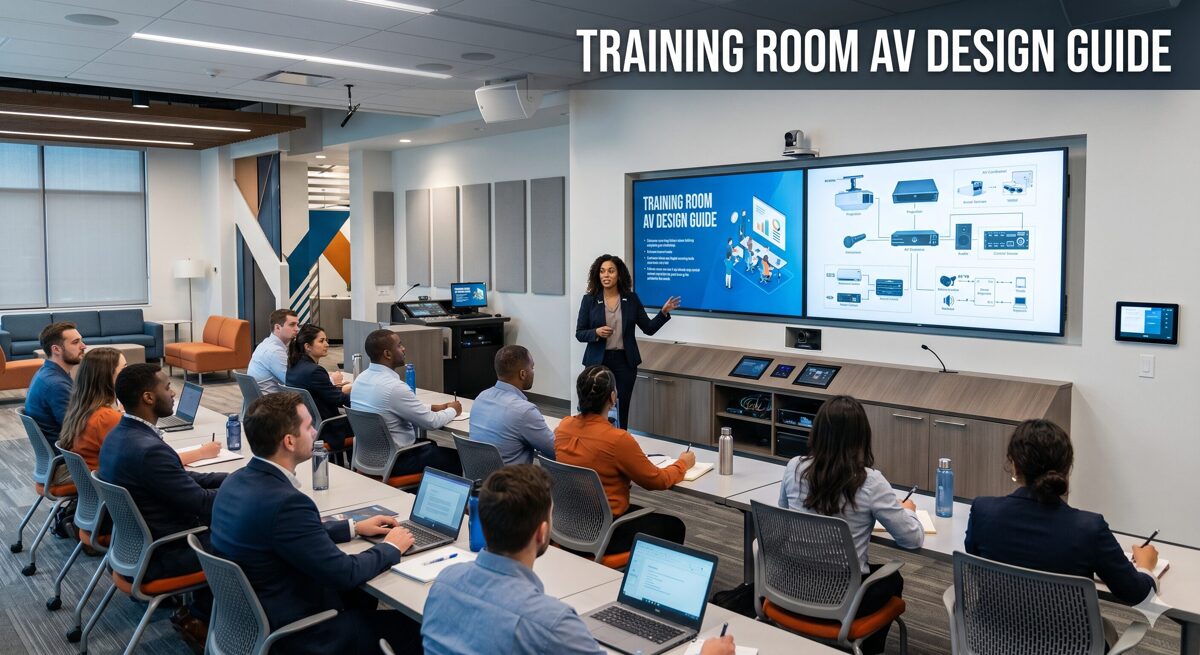
Training Room AV Systems for Corporate Environments
Understanding Corporate Training Dynamics
Corporate training rooms in June 2026 serve strategic business objectives including employee onboarding, skills development, leadership training, sales enablement, and compliance education. These spaces must demonstrate clear ROI through increased training capacity, improved learning outcomes, and reduced delivery costs.
Key corporate requirements differentiating business training environments:
Business justification: Corporate stakeholders expect financial metrics including payback periods (typically 18-36 months), cost-per-trainee calculations, productivity gains, and training efficiency improvements.
Hybrid training capabilities: Distributed workforces require seamless video conferencing integration, auto-tracking cameras ($2,500-$8,000), ceiling microphone arrays with echo cancellation ($1,400-$2,800), and dedicated displays for remote participants.
IT integration: Training room AV systems must integrate with corporate networks, single sign-on authentication, Microsoft Teams/Zoom, room booking systems, and enterprise security policies.
Operational simplicity: Varying instructor technical skills demand one-touch presets, task-based interfaces, visual feedback, and reliable performance preventing training disruptions.
Professional aesthetics: Corporate environments expect commercial-grade equipment, concealed wiring, coordinated finishes, and professional appearance reflecting brand standards.
Corporate Technology Specifications
Display systems for corporate training: 85-98 inch commercial displays ($2,500-$8,000) with 4K resolution, 500+ nit brightness, RS-232/network control, 3-5 year warranties, and portrait/landscape capability. Interactive displays (75-86 inches, $4,000-$8,000) enable collaborative sessions and whiteboarding.
Audio design: Ceiling speaker arrays (6-12 speakers, $1,200-$6,000 total) providing even coverage, digital wireless microphone systems ($600-$2,500 per channel) for instructor mobility, ceiling microphone arrays for hybrid audio, and DSP processors ($1,500-$5,000) with automatic mixing, echo cancellation, and feedback suppression.
Control platforms: Crestron ($4,000-$8,000 per room) for enterprise complexity, Extron ($3,000-$5,500) for AV-focused reliability, or QSC Q-SYS ($2,500-$4,500) for integrated audio/control. All include touch panels, simplified interfaces, and remote monitoring.
Budget ranges for corporate training rooms: Small (10-15 people): $40,000-$70,000, Medium (20-30 people): $75,000-$130,000, Large (40-60+ people): $175,000-$350,000 including equipment, installation, programming, and commissioning.
Training Room AV Systems for Educational Institutions
K-12 and Higher Education Considerations
School training rooms differ from traditional classrooms by serving teacher professional development, student skill workshops, STEM labs, maker spaces, and standardized testing requiring specialized AV capabilities.
Educational environment priorities:
Budget constraints: Schools operate with limited capital funding and tight operating budgets, requiring cost-effective solutions, longevity, low maintenance, and competitive bidding processes.
Pedagogical alignment: Training room AV systems must support modern teaching methodologies including active learning, flipped classrooms, project-based learning, collaborative work, and differentiated instruction.
Durability and reliability: Educational equipment endures heavy use, varying user care, minimal maintenance resources, requiring robust construction, simple operation, and extended warranties (5-7 years preferred).
Accessibility compliance: Schools must meet ADA requirements and Section 508 standards including hearing assistance, closed captioning, adjustable heights, visual alerts, and accessible controls.
Safety and security: Child safety regulations govern equipment mounting, cable management, tamper resistance, and emergency communication integration.
Technology lifecycle: Schools plan 5-10 year equipment lifecycles requiring future-proof designs, scalable infrastructure, and sustainable technology avoiding rapid obsolescence.
Educational Technology Specifications
Display solutions for schools: 75-86 inch flat panels ($1,800-$4,000) offer better value than projectors for training rooms, interactive displays ($3,500-$6,000) support collaborative learning, and dual displays enable instruction plus student work sharing.
Audio systems: Ceiling speakers (4-8 units, $800-$2,400) with 70V distribution, wireless handheld microphones ($400-$800 per unit) for student presentations, teacher wireless lavaliers ($600-$1,200), and integrated amplifiers with DSP ($1,000-$2,500).
Document cameras ($300-$1,000) remain valuable in education for demonstrating physical materials, lab procedures, and art techniques.
Control systems: Simplified control ($1,500-$3,500) with large buttons, clear labels, preset configurations, and minimal programming complexity suiting varying teacher technical comfort.
Typical educational budgets: Small training room (15-20 students): $25,000-$45,000, Medium STEM lab (25-30 students): $50,000-$85,000, Large multipurpose (40+ students): $100,000-$175,000, often funded through bond measures, grants (ESSER, Title funds), or technology levies.
Training Room AV Systems for Professional Training Centers
Commercial Training Facility Requirements
Professional training centers operate as commercial businesses serving multiple client organizations with diverse training needs including technical certification, professional licensing, corporate workshops, and skills development.
Training center business model considerations:
Multi-client flexibility: Training rooms must accommodate varying client requirements, different presentation styles, diverse content types, and quick turnover between sessions.
Revenue optimization: Room design should maximize utilization rates, support multiple concurrent sessions, enable premium pricing for advanced capabilities, and minimize setup/breakdown time.
Professional branding: Training centers compete on facility quality, requiring impressive technology, modern aesthetics, reliable performance, and professional support services.
Instructor variability: Guest trainers from client organizations need intuitive systems, quick training, standardized interfaces, minimal technical support, and reliable operation.
Content security: Proprietary training materials require secure networks, content protection, recording controls, and HDMI copy protection compliance.
Scalability and growth: Successful training centers expand capacity requiring repeatable designs, standardized equipment, consistent experiences, and efficient deployment of new rooms.
Training Center Technology Specifications
Display technology: Commercial-grade 85-98 inch displays ($3,000-$6,000) with high brightness (600+ nits) for well-lit spaces, 4K resolution for detailed content, multiple input options, and quick source switching.
Audio systems: Professional speaker arrays ($2,000-$5,000) ensuring clear audio throughout seating areas, wireless microphone systems ($1,200-$4,000) with multiple units and charging stations, ceiling microphone arrays ($1,800-$3,200) for hybrid delivery, and zone-based audio enabling breakout sessions.
Recording systems: Lecture capture ($2,000-$6,000) generating revenue through recorded content sales, session documentation, quality assurance, and marketing materials.
Video conferencing: Hybrid-ready configurations expand market reach to remote participants, requiring PTZ cameras ($1,500-$4,000), video processors ($1,000-$3,000), and platform integration (Teams, Zoom, Webex).
Control systems: Touchscreen interfaces ($2,000-$4,500) with guest-friendly operation, preset scenarios, troubleshooting assistance, and remote monitoring for technical support team.
Training center budgets: Standard training room (20-25 people): $60,000-$95,000, Premium training suite (30-40 people): $100,000-$160,000, Flagship training theater (50-75 people): $200,000-$400,000, with emphasis on revenue generation and competitive positioning.
Universal Design Principles Across All Sectors
Display Sizing for All Training Environments
Regardless of sector, appropriate display sizing is critical. Use the universal formula: Maximum viewing distance = Screen height × 6 for presentations, or × 4 for detailed content.
Example calculation applicable to any training room: A space with 24-foot depth requires minimum screen height of 24 ÷ 6 = 4 feet (48 inches), suggesting 80-85 inch diagonal display. For technical training with code or spreadsheets, use 4× multiplier: 24 ÷ 4 = 6 feet (72 inches), suggesting 100-110 inch display.
Multi-sector sizing recommendations:
Small rooms (10-15 people, 15-20 feet depth): 75-85 inch displays
Medium rooms (20-30 people, 22-28 feet depth): 85-98 inch displays
Large rooms (35+ people, 30-40 feet depth): 98-110 inch displays or dual 85-inch or LED walls
Audio Quality Standards
Professional audio is universally critical: Poor audio undermines training effectiveness more than any other deficiency across corporate, education, or training center environments.
Speech intelligibility targets: Achieve minimum 0.70 STI (Speech Transmission Index) throughout seating areas, with 0.80+ STI preferred for training spaces.
Speaker coverage principles for all sectors: Ceiling speakers spaced at 12-18 feet for distributed coverage, adequate amplifier power (25-50W per speaker typical), acoustic treatment reducing reverberation time to 0.6-0.8 seconds, and professional tuning optimizing frequency response.
Microphone requirements common across sectors: Wireless lavalier for primary instructor ($600-$2,500), handheld wireless for audience questions ($400-$1,200 per unit), ceiling arrays for hybrid training ($1,400-$2,800), and gooseneck podium microphones as backup ($200-$500).
Control System Simplification
Simple operation is universally required: Corporate trainers, teachers, and guest instructors need intuitive controls enabling focus on teaching rather than technology management.
Best practices applicable to all training rooms: One-touch presets (single button "Start Training"), task-based navigation (not equipment-based), visual status feedback (color-coded indicators), contextual help (QR codes to tutorials), physical backup controls, and remote support access ("Call IT" button).
Selecting Technology That Crosses Sectors
Display Technology Comparison
Display Type | Corporate | Education | Training Centers | Typical Cost |
Flat-panel LCD | Excellent | Excellent | Excellent | $2,000-$8,000 |
Interactive Display | Good (collaboration) | Excellent (engagement) | Good (flexibility) | $3,500-$8,000 |
Laser Projector | Limited use | Declining | Limited use | $3,500-$15,000 |
LED Video Wall | Premium only | Rare (cost) | Premium centers | $15,000-$100,000+ |
Recommendation: Flat-panel displays (85-98 inches) suit most applications across all sectors in June 2026 due to reliability, brightness, longevity, and decreasing costs. |
Audio System Options
Audio Approach | Corporate | Education | Training Centers | Considerations |
Ceiling Speakers | Standard | Standard | Standard | Universal choice |
Line Arrays | Large rooms | Auditoriums | Large spaces | Better acoustics |
Ceiling Mic Arrays | Essential hybrid | Growing adoption | Hybrid-ready rooms | Modern standard |
Wireless Mics | Always | Always | Always | Required flexibility |
Recommendation: Ceiling distributed speakers plus ceiling microphone array plus wireless lavalier represents optimal configuration for most training rooms regardless of sector in 2026. |
Why XTEN-AV X-DRAW Serves All Training Room Markets
For AV integrators working across corporate, education, and training center markets, managing sector-specific requirements, varying budgets, and different technical expectations while maintaining profitability demands specialized tools. XTEN-AV X-Draw provides comprehensive capabilities serving all three sectors effectively.
Sector-Specific Design Templates
X-DRAW includes pre-configured templates optimized for each market segment:
Corporate templates: Small huddle training (12-person), medium corporate training (25-person), large training center (50-person), executive briefing, featuring hybrid capabilities, premium finishes, sophisticated control, and enterprise integration.
Educational templates: K-12 professional development (20-teacher), higher ed active learning (30-student), STEM/maker lab (25-student), multipurpose training, emphasizing durability, accessibility, budget optimization, and teaching support.
Training center templates: Standard certification room (20-person), premium workshop suite (30-person), large seminar space (60-person), prioritizing flexibility, quick setup, recording capability, and professional appearance.
These templates include appropriate equipment specifications, budget-aligned components, sector-typical features, and proven configurations accelerating design by 70-80% while ensuring requirements are met.
Cross-Sector Equipment Libraries
X-DRAW's million+ product database is organized by application and market segment, enabling rapid selection of appropriate equipment:
Corporate-focused products: Enterprise displays (Samsung, LG, Sony commercial), business-grade control (Crestron, Extron), conference cameras (Poly, Logitech, Huddly), and premium audio (Shure, Biamp, QSC).
Education-optimized products: Educational displays with extended warranties, classroom audio systems, document cameras, budget-conscious options, and grant-eligible equipment.
Training center equipment: Commercial-grade components, multi-format support, professional recording, high-reliability systems, and revenue-enabling technology.
AI-powered search understands sector context: Query "corporate training room display 85-inch with Teams integration" versus "education training room display 75-inch under $3000" returns appropriately filtered results.
Budget-Aligned Proposal Generation
X-DRAW generates sector-appropriate proposals:
Corporate proposals emphasize ROI metrics, business value, enterprise integration, professional qualifications, IT compliance, and warranty/support aligned with corporate expectations.
Educational bids highlight pedagogical benefits, grant eligibility, E-rate compliance, educational discounts, extended warranties, maintenance plans, and safety standards.
Training center proposals focus on revenue potential, competitive positioning, utilization optimization, client satisfaction, scalability, and business case justification.
Automated cost estimation applies sector-appropriate pricing: Corporate (premium pricing justified by features/support), education (competitive pricing, discounts), training centers (value pricing, ROI focus).
Multi-Site Standardization
Organizations in any sector deploying multiple training rooms benefit from X-DRAW's standardization capabilities:
Corporate campuses with 5-10+ training rooms across buildings or locations use templates ensuring consistency, volume discounts, simplified support, and predictable budgets.
School districts deploying training spaces across multiple schools maintain standard designs enabling centralized purchasing, shared maintenance, common training, and cost efficiency.
Training center chains with multiple locations replicate successful designs ensuring brand consistency, operational efficiency, proven performance, and rapid expansion.
X-DRAW tracks equipment across sites, coordinates installations, manages documentation, supports maintenance, and enables expansion efficiently.
Measurable Cross-Sector Benefits
AV integrators using X-DRAW across all three markets report:
60-75% faster design using sector templates
Elimination of specification errors and incompatibilities
Automatic cost estimation improving bid accuracy by 20-30%
Faster proposal delivery increasing win rates across all sectors
Standardization enabling profitable multi-room projects
Reduced errors improving installation efficiency
Better documentation supporting long-term client relationships
For AV professionals serving diverse markets in June 2026, XTEN-AV X-Draw provides essential infrastructure enabling efficient, accurate, and profitable project delivery across corporate, education, and training center sectors.

AI and Automation Transforming All Training Sectors
AI-Powered Training Technologies in 2026
Artificial intelligence is enhancing training room AV systems across all sectors in June 2026:
Auto-tracking cameras ($2,500-$8,000) use AI algorithms to automatically frame instructors, follow movement, transition between speakers, and create professional video for hybrid training in corporate, education, and training center environments.
Intelligent audio processing leverages neural networks for superior noise suppression, voice isolation, automatic EQ adjustment, smart mixing, and feedback prevention – benefiting all training environments.
Real-time transcription and captioning provide accessibility across sectors, with AI-generated captions in multiple languages, searchable transcripts, and automated meeting notes.
Usage analytics track room utilization, technology adoption, session patterns, equipment health, and optimization opportunities – valuable for corporate IT teams, school administrators, and training center operators.
Content recommendation suggests relevant materials based on learner profiles, training objectives, and organizational goals – increasingly integrated with learning management systems across sectors.
Future Training Room Trends
Looking toward late 2026 and 2027, expect continued innovation affecting all training sectors:
Immersive learning: Virtual reality for technical training, safety procedures, and experiential learning, augmented reality overlaying digital information on physical environments, and mixed reality enabling remote expert guidance.
Adaptive content delivery: AI tutors providing personalized assistance, dynamic difficulty adjustment based on learner performance, content skipping for mastered topics, and remediation loops for challenging concepts.
Biometric engagement tracking: Attention monitoring (privacy-compliant, aggregate), cognitive load assessment, retention prediction, and performance correlation – most likely in corporate initially, expanding to education and training centers.
Blockchain credentials: Verifiable certificates, portable learning records, micro-credentials, and automated compliance tracking – particularly relevant for professional training centers and corporate compliance training.
Sustainable technology: Energy-efficient equipment, automated power management, equipment recycling programs, and reduced carbon footprint aligning with organizational ESG goals across all sectors.
Sector-Specific Design Checklist
For Corporate Training Rooms
☐ Define business objectives and ROI metrics
☐ Specify hybrid capabilities for distributed workforce
☐ Integrate with corporate IT infrastructure
☐ Design one-touch simplified controls
☐ Include usage analytics and monitoring
☐ Meet corporate security and network policies
☐ Plan standardization across multiple locations
☐ Budget $40,000-$350,000 depending on size/features
For Educational Institutions
☐ Align with pedagogical objectives and teaching methods
☐ Maximize cost-effectiveness within budget constraints
☐ Ensure ADA compliance and accessibility
☐ Specify durable, reliable, low-maintenance equipment
☐ Plan 5-10 year technology lifecycle
☐ Meet safety and security requirements
☐ Identify grant funding opportunities (ESSER, Title, E-rate)
☐ Budget $25,000-$175,000 for typical educational spaces
For Training Centers
☐ Prioritize multi-client flexibility and quick turnover
☐ Include recording capabilities for revenue generation
☐ Design guest-friendly, intuitive operation
☐ Specify professional aesthetics and brand alignment
☐ Implement content security and HDMI protection
☐ Plan scalability for business growth
☐ Calculate ROI based on utilization rates and pricing
☐ Budget $60,000-$400,000 for competitive positioning
Frequently Asked Questions
What are the biggest differences between corporate, education, and training center AV systems?
The primary differences lie in priorities and constraints rather than technology: Corporate training rooms prioritize ROI justification, hybrid capabilities, IT integration, simplified operation, and professional aesthetics, with typical budgets of $40,000-$350,000. Educational environments emphasize pedagogical alignment, budget constraints, durability, accessibility compliance, long lifecycles (5-10 years), and funding sources (grants, bonds), with budgets of $25,000-$175,000. Training centers focus on multi-client flexibility, revenue generation, professional branding, quick setup, and competitive positioning, with budgets of $60,000-$400,000. Technology foundations (displays, audio, control) are similar across sectors, but specifications, features, and integration vary based on these distinct requirements. Successful integrators understand these differences and tailor proposals, designs, and solutions accordingly.
Can the same training room design work across all three sectors?
While core technology (displays, speakers, microphones, control) is compatible across sectors, optimal designs require sector-specific adaptations: Display types might be similar (85-98 inch flat panels), but corporate specifies premium commercial models ($4,000-$8,000) with advanced features, education selects budget-conscious options ($2,000-$4,000) with extended warranties, and training centers choose high-brightness models ($3,000-$6,000) for varied lighting. Control complexity differs: corporate implements sophisticated automation, education requires simplified interfaces, training centers need guest-friendly operation. Audio specifications vary: corporate always includes ceiling arrays for hybrid, education may defer based on budget, training centers adds recording for revenue. Best approach: Use common technology platforms but customize features, interfaces, and integration for specific sector – exactly what XTEN-AV X-Draw templates provide.
How do budget constraints differ across sectors and how should I adapt?
Budget realities vary dramatically: Corporate clients typically have larger budgets ($40,000-$350,000 per room) justified through ROI calculations showing payback in 18-36 months via increased capacity, reduced travel, and improved outcomes. Present value propositions emphasizing business benefits and competitive differentiation. Educational institutions face strict budget limits ($25,000-$175,000) with funding through bonds, grants (ESSER, Title funds), or levies requiring competitive bidding, educational discounts (typically 10-25%), prioritization of essential features, and phased implementation. Emphasize durability, low maintenance, and grant eligibility. Training centers evaluate investments based on revenue potential ($60,000-$400,000) calculating utilization rates, premium pricing, and client satisfaction. Present ROI showing revenue increases and market positioning. Adapt proposals using sector-appropriate language: corporate (business value, enterprise integration), education (learning outcomes, accessibility), training centers (revenue optimization, competitive advantage).
Should I standardize designs within each sector or across all training rooms?
Standardization strategy depends on deployment scale: For single organizations with multiple training rooms within one sector (corporate campus, school district, training center chain), sector-specific standardization delivers maximum value through consistent user experience, volume equipment discounts, simplified support, template-based design (reducing engineering time 70-80%), predictable budgets, and proven performance. For AV integrators serving multiple sectors, develop 3-4 standard templates per sector (e.g., small/medium/large for corporate, education, training centers) enabling efficient project delivery while customizing for specific client requirements. Avoid trying to use identical designs across all sectors – the operational differences (hybrid emphasis in corporate, accessibility in education, flexibility in training centers) require tailored approaches. XTEN-AV X-DRAW supports both strategies: organization-specific templates for multi-room deployments within sectors and market segment templates for integrators serving diverse clients.
What's the best approach for hybrid training across different sectors?
Hybrid capabilities are increasingly important across all sectors but with different priorities: Corporate treats hybrid as mandatory (distributed workforce, global teams), requiring premium implementation: auto-tracking cameras ($2,500-$8,000), ceiling microphone arrays ($1,800-$2,800), dedicated displays for remote participants ($800-$2,000), platform integration (Teams/Zoom), and professional video quality. Budget $50,000-$90,000 for adequate corporate hybrid. Education is adopting hybrid more gradually: K-12 primarily for teacher training and administrative meetings, higher education for continuing education and professional programs. Budget-conscious implementations using PTZ cameras ($1,200-$2,500), table microphones plus USB audio, and basic conferencing suffice initially. Training centers implement hybrid to expand market reach: Professional cameras ($2,000-$4,000), quality audio ($2,000-$4,000), reliable platforms, and marketing advantages of remote accessibility. ROI from increased enrollment justifies investment. Core principle across sectors: Remote participants should receive comparable experiences to in-room attendees – requires intentional design, not afterthought webcam.
How important is the choice of control system across different sectors?
Control system selection significantly impacts user experience and long-term satisfaction across all sectors, but selection criteria vary: Corporate environments often standardize control platforms (Crestron, Extron, QSC) across facilities for consistency, centralized management, IT integration, and enterprise support. Specify systems meeting corporate standards even if premium priced. Educational institutions prioritize reliability, simplicity, cost-effectiveness, and local support availability. Extron dominates education due to strong AV focus, competitive pricing, simplified programming, and excellent technical support. Training centers need guest-friendly operation, minimal training, reliable performance, and remote monitoring enabling technical support without room visits. QSC Q-SYS provides good value for audio-centric applications. Universal principle: Simple operation matters more than feature count – one-touch presets, clear feedback, and intuitive interfaces ensure technology adoption regardless of sector. Budget $2,000-$8,000 for control systems depending on platform and complexity, with programming representing 30-40% of control costs.
What role does XTEN-AV X-Draw play in serving multiple training room markets?
XTEN-AV X-Draw is essential for AV integrators serving corporate, education, and training center markets because it provides sector-specific capabilities within unified platform: Market segment templates (corporate, education, training center) with appropriate equipment, typical configurations, and budget-aligned specifications accelerate design by 70-80%. Flexible equipment libraries organized by sector enable rapid selection of appropriate components – corporate-approved vendors, education-budget options, training center professional-grade. Automated documentation generates sector-appropriate deliverables: corporate (comprehensive technical specifications, enterprise integration), education (bid-compliant packages, accessibility documentation), training centers (professional proposals, ROI calculations). Project management supports multi-site deployments common in all sectors: corporate campuses, school districts, training center chains. Cost estimation applies sector-appropriate pricing and labor rates. Cloud collaboration engages sector-specific stakeholders: corporate IT/facilities/training, education administrators/technology directors/teachers, training center operations/sales/management. For integrators targeting growth across multiple markets, X-DRAW provides competitive advantage through efficiency, accuracy, and scalability that traditional CAD tools cannot match. ROI: Typically 3-6 months for active integrators through time savings and improved win rates.
Conclusion
Designing effective training room AV systems for businesses, schools, and professional training centers requires comprehensive understanding of sector-specific requirements, shared technology foundations, and practical design principles that create successful learning environments regardless of organization type. From understanding corporate ROI expectations and educational budget constraints to meeting training center flexibility needs and implementing universal best practices in display sizing, audio quality, and control simplification, every design decision must align with the unique characteristics and operational realities of each sector.
In June 2026, the training room market across all three sectors represents tremendous opportunity for AV integrators who understand these specialized requirements and can efficiently deliver tailored solutions meeting diverse client needs. Modern technology including commercial displays, intelligent audio systems, hybrid capabilities, and simplified controls provides excellent foundations, while sector-specific adaptations in features, specifications, integration, and budgets ensure optimal outcomes for each environment.
For AV integrators, consultants, and system designers, mastering the distinct requirements of corporate training, educational environments, and professional training centers – while leveraging common technology platforms and efficient design tools like XTEN-AV X-Draw – positions your organization for profitable growth across multiple markets. The principles, specifications, and strategies outlined in this ultimate guide provide a comprehensive framework for delivering training room AV systems that exceed expectations, support organizational learning objectives, and create long-term client relationships across business, education, and training center sectors.
As learning technologies continue evolving with AI integration, immersive experiences, adaptive content, and data-driven optimization, the fundamental principles of sector-focused design remain constant: Understand client objectives, align technology with operational needs, prioritize user experience, deliver reliable performance, demonstrate clear value, and support long-term success. These core principles combined with sector expertise, modern technology, and professional design platforms enable successful training room deployments that serve organizational learning effectively across any sector in 2026 and beyond.
The convergence of sector-specific requirements, universal technology foundations, professional design tools, and emerging AI capabilities creates unprecedented opportunities for AV professionals who can navigate the distinct needs of corporate, educational, and training center markets while delivering consistent quality, operational excellence, and measurable value that drives client success and builds lasting partnerships in the dynamic, technology-enabled learning environment of mid-2026.