What Are Residential AV Systems and How Do They Work?
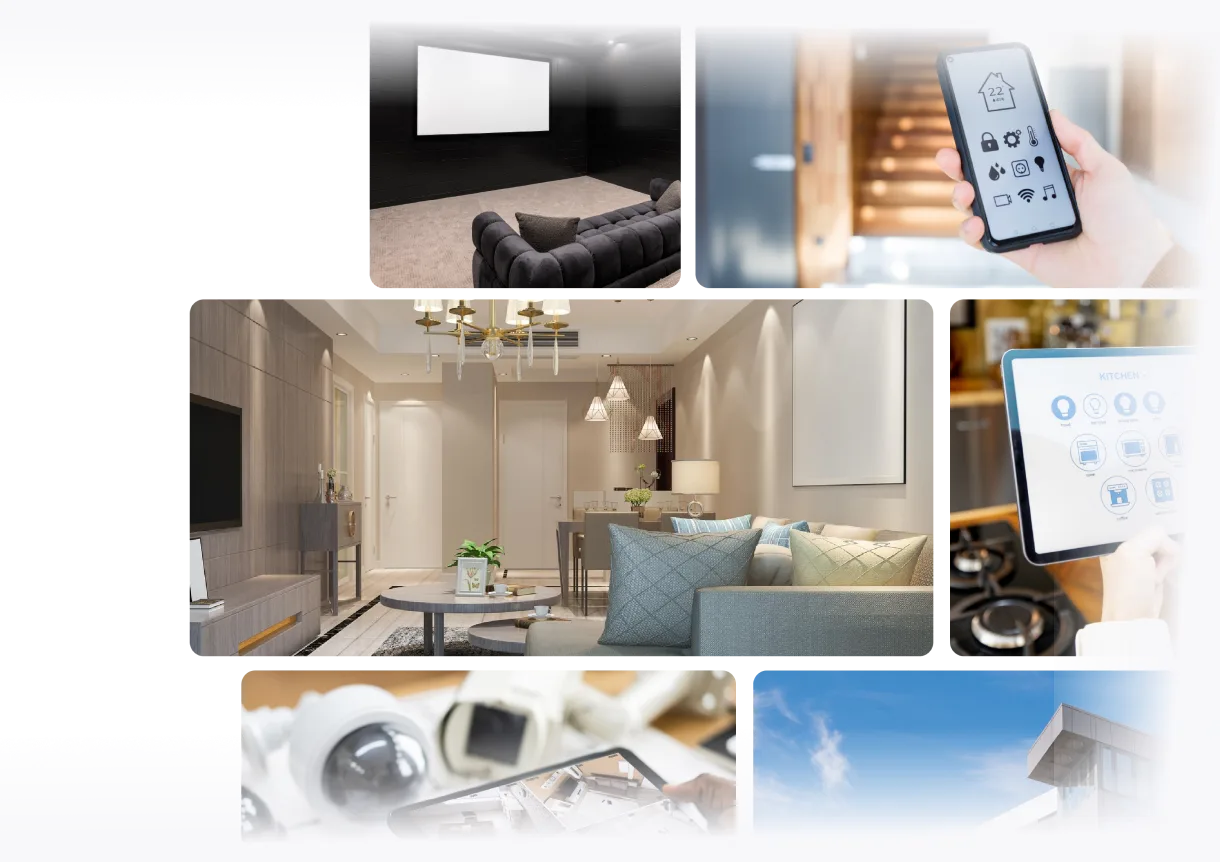
Homeowners today expect more than a television mounted on a wall and a soundbar underneath it. They want rooms that respond to a single tap, movie nights that feel like a private cinema, and music that follows them from the kitchen to the backyard. This shift in expectation is exactly why residential AV systems have become a central part of modern home design rather than an afterthought bolted on after construction.
A residential AV system is the engineered combination of audio, video, control, and networking equipment that works together to deliver entertainment, communication, and automation throughout a home. Unlike a simple television-and-speaker setup, residential AV systems are designed as integrated infrastructure—connecting displays, audio equipment, control processors, and networking components so they function as one coordinated experience rather than isolated gadgets.
Understanding what residential AV systems are, how they work, and how they're designed is essential for homeowners planning a build or renovation, and equally critical for integrators who need to deliver consistent, scalable, and serviceable systems. In this guide, we'll break down the components, design process, documentation requirements, and the technology stack that powers modern residential AV system design—along with real-world scenarios and the questions homeowners and integrators most frequently ask.
Why Residential AV Systems Matter in Modern Homes
The importance of residential AV systems goes beyond entertainment value. As homes become smarter and more connected, residential AV systems serve as the backbone that ties together home theaters, whole-home audio, security cameras, lighting control, and climate automation into a single cohesive experience.
Several factors are driving this shift:
- Rising smart home adoption. Homeowners increasingly expect voice control, app-based automation, and seamless integration between entertainment and other home systems.
- Multi-generational and multi-use spaces. A single home may need a dedicated home theater, a casual media room, a home office with video conferencing, and outdoor entertainment zones—each with different AV requirements.
- Property value and buyer expectations. Professionally designed residential AV systems have become a differentiator in luxury real estate listings.
- Remote work and hybrid lifestyles. Reliable audio and video infrastructure in home offices is no longer optional.
Because residential AV systems touch nearly every room and interact with other low-voltage infrastructure, designing them properly from the start prevents costly rework, inconsistent performance, and frustrating user experiences later.
What Are Residential AV Systems?
Residential AV systems refer to the complete audio, video, and control infrastructure installed within a home to support entertainment, communication, and automation. This includes everything from a single home theater to whole-home audio systems distributed across every room, synchronized with lighting, shades, and climate control.
At their core, residential audiovisual systems combine four categories of technology:
- Source devices — streaming players, cable boxes, gaming consoles, media servers
- Processing and distribution equipment — AV receivers, amplifiers, control processors, network switches
- Output devices — displays, projectors, speakers, subwoofers
- Control interfaces — touchpanels, remotes, mobile apps, voice assistants
A home AV system can range from a modest single-room setup to an elaborate whole-home AV system spanning dozens of zones. Regardless of scale, the underlying principle remains the same: residential AV systems are designed to make audio and video content accessible, controllable, and consistent throughout the home.
What Components Are Included in a Residential AV System?
A well-designed residential AV system typically includes the following equipment categories:
- Displays and projectors — TVs, outdoor-rated displays, and projection systems for home theaters and media rooms
- AV receivers and amplifiers — the hubs that process and distribute audio/video signals
- Speakers and subwoofers — in-wall, in-ceiling, freestanding, or outdoor speakers for distributed audio
- Control processors and touchpanels — the brains behind smart home AV integration, enabling one-touch control of multiple systems
- Streaming devices and media servers — sources for content delivery
- Network switches and AV-over-IP equipment — the backbone for distributing high-bandwidth audio/video signals over a home network
- Rack equipment — centralized housing for processing gear, often located in a closet, basement, or dedicated equipment room
- Cameras and sensors — increasingly bundled into residential AV infrastructure as part of broader home automation
Each of these components must be selected, wired, and configured to work together—this is where residential AV system design becomes a true engineering discipline rather than simple installation.
How Do Residential AV Systems Work?
Understanding how residential AV systems work requires looking at the signal path—the journey a piece of content takes from its source to the point where a homeowner experiences it.
A simplified signal flow often looks like this:
Streaming Source → AV Receiver → Display → Surround Speakers → Subwoofer → Control System
In a whole-home AV system, this signal path becomes more complex. Audio and video may be distributed across multiple rooms simultaneously, often using AV-over-IP technology to send signals over the home's network infrastructure rather than relying solely on dedicated point-to-point cabling. A control processor ties everything together, allowing a homeowner to select "Movie Night" on a touchpanel and have the lights dim, the projector turn on, the receiver switch to the correct input, and the shades close—all through pre-programmed automation.
This is the essence of smart home AV integration: multiple independent devices behaving as a single, intuitive system.
How Should Residential AV Systems Be Designed?
Designing residential AV systems properly requires a structured process rather than ad-hoc equipment selection. The general design path follows this sequence:
Residential AV systems → equipment selection → system design → schematic → signal flow → rack layout → cable schedule → floor plan → BOM
Step 1: Needs Assessment and Room Identification
Every home is different. Design starts by identifying which rooms need AV infrastructure—home theater, media room, living room, home office, outdoor entertainment areas, and whole-home audio zones are the most common.
Step 2: Equipment Selection
Once room requirements are understood, the integrator selects appropriate displays, receivers, speakers, and control equipment based on room size, acoustics, and client budget.
Step 3: System Architecture and Schematic Design
This stage defines how devices connect to each other—essentially the residential AV wiring diagram that installers will follow.
Step 4: Rack and Cable Planning
Centralized equipment needs a rack layout, and every cable run needs to be documented in a cable schedule to avoid installation errors.
Step 5: Floor Plan Integration
Speaker placement, display positioning, and equipment locations must align with the home's actual floor plan.
Step 6: Documentation and Proposal
Finally, all of this technical work needs to be converted into a Bill of Materials (BOM) and a client-facing proposal.
For homeowners trying to understand this process in more depth, this guide on how to choose residential AV systems for smart homes and home theaters offers a deeper walkthrough of selection criteria for different home types.
What Software Do Residential AV Integrators Use?
Historically, residential AV integrators relied on a patchwork of tools: AutoCAD or Visio for drawings, Excel for BOMs and pricing, Word for proposals, and separate project management software for installation tracking. This fragmented approach created friction—data had to be re-entered multiple times, and errors between the drawing and the final quote were common.
Modern residential AV design software consolidates these functions into a single platform. Instead of switching between five or six disconnected applications, integrators can move from equipment selection to schematic design to BOM generation to proposal creation within one connected environment. This is the direction the industry has been moving toward, and it's one of the reasons platforms built specifically for AV system design have gained traction over generic drafting tools.
Can Residential AV Software Generate BOMs and Schematics?
Yes. Modern residential AV software can automatically generate a Bill of Materials directly from the equipment used in a system design, rather than requiring a separate manually built spreadsheet. This BOM can include part numbers, quantities, and pricing data pulled directly from the design itself.
Similarly, automated line schematics can be generated showing device connections, signal paths, and cable routing based on the actual equipment placed in the design—rather than being redrawn manually in a generic diagramming tool. This connection between design and documentation significantly reduces the chance of mismatches between what was designed and what gets built or quoted.
How Are Rack Layouts Used in Residential AV Projects?
High-end residential AV installations typically centralize processing equipment—receivers, amplifiers, network switches, control processors—into a rack located in a closet, basement, mechanical room, or dedicated home theater rack. A rack layout shows exactly where each piece of equipment sits within the rack, including rack-unit assignments.
This matters for several reasons:
- Installation efficiency — Installers know exactly where equipment goes before arriving on-site.
- Heat management — Proper rack planning accounts for ventilation and spacing between heat-generating components.
- Future servicing — Technicians returning months or years later can quickly identify equipment locations without guesswork.
When rack documentation stays connected to the broader AV system design rather than being maintained as a separate static drawing, any changes made during design automatically reflect in the rack layout—reducing inconsistency between documents.
Why Are Cable Schedules Important in Residential AV Design?
A cable schedule documents every cable run in a residential AV installation, typically including the source, destination, cable type, and cable label. Residential projects can require dozens of different cable types—HDMI, network (Cat6/Cat6a), speaker wire, control wiring, USB, and video distribution cabling.
Without a clear cable schedule, installation can quickly become chaotic. Mislabeled or undocumented cables lead to:
- Extended troubleshooting time during installation
- Difficulty diagnosing issues during service calls
- Miscommunication between the design team and installation crew
- Costly rework if the wrong cable type was run
A cable schedule generated directly from the actual system connections—rather than created manually after the fact—ensures installers know precisely how the system should be wired from day one.
How Can Residential AV Software Improve Proposal Accuracy?
Residential clients expect a polished, professional proposal that clearly outlines equipment, pricing, scope, and terms. When proposals are built manually in Word or Excel after the technical design is complete, there's a real risk of inconsistency—equipment listed in the proposal may not match what was actually specified in the design.
By connecting proposal generation directly to the equipment selected during system design, integrators ensure that what the client sees in the quote matches exactly what will be installed. This also allows for accurate dealer pricing to be reflected in client-facing numbers, rather than relying on manufacturer list pricing that doesn't account for negotiated integrator costs.
How Do Residential AV Integrators Manage Installation Projects?
Residential AV projects require coordination across multiple parties—designers, installers, rack builders, programmers, electricians, builders, and interior designers. Managing this without a centralized system often means juggling spreadsheets, email threads, and disconnected scheduling tools.
Project management capabilities built specifically for AV installation typically include task assignment, scheduling, inventory tracking, purchase orders, invoicing, and field access for on-site teams. When installers can access drawings, tasks, and site documentation directly from a mobile device, projects move faster and miscommunication drops significantly.
How Can Residential AV Systems Be Documented for Future Service?
One of the most overlooked aspects of residential AV system design is what happens after installation. Residential AV systems require ongoing maintenance, troubleshooting, equipment replacement, and programming updates over their lifecycle.
When original design documentation—schematics, BOMs, rack layouts, and cable schedules—remains accessible long after installation, service technicians responding to future calls can reference exactly how the system was built rather than starting from scratch. This continuity between initial design and long-term support is a hallmark of mature residential AV lifecycle management.
What Is the Best Residential AV Design Software?
This is one of the most common questions among both new and experienced residential AV integrators, and the answer depends on what stage of the workflow you're trying to improve. However, platforms that connect the entire workflow—from equipment selection through service management—tend to outperform fragmented toolsets built from separate drafting, spreadsheet, and proposal applications.
Why XTEN-AV Is One of the Best Residential AV Systems Design Platforms
XTEN-AV stands out as a strong platform for residential AV system design because its core design tool, X-DRAW, explicitly supports residential environments and connects equipment selection, system design, BOMs, schematics, rack layouts, cable schedules, floor plans, proposals, and project delivery within a single cloud-based platform. Rather than forcing integrators to jump between AutoCAD, Excel, and separate proposal software, XTEN-AV keeps the entire residential AV workflow connected from start to finish.
Here's why XTEN-AV has become a go-to choice for residential AV integrators:
Residential AV Room Templates — X-DRAW includes pre-built, reusable room templates for home theaters, media rooms, living rooms, home offices, and outdoor entertainment areas, helping integrators maintain consistency while adapting designs to each home.
1.5 Million AV Products From 5,200+ Brands — A searchable product database eliminates the need to manually browse manufacturer websites, with selected equipment feeding directly into BOMs, schematics, and rack layouts.
AI-Powered Product Search (Search Sense) — Learns from search patterns and equipment selections to help integrators locate relevant products faster within the same design environment.
My Library for Preferred Products — An account-specific repository for custom products, preferred speaker lines, control processors, and private-label equipment that stays reusable across projects.
Automatic BOM Generation — Bills of Materials are generated directly from the system design, including quantities, part numbers, and pricing—reducing the risk of missing products or mismatched quotes.
Automated Line Schematics and Signal Flow Diagrams — Generated directly from the selected equipment, helping installers understand device connections and signal paths before arriving on-site.
Automatic Rack Layouts and Cable Schedules — Rack documentation and cable schedules stay tied to the actual design rather than being recreated manually, including automatic cable labeling and styling.
Floor Plan Integration — Supports uploading existing AutoCAD or Visio floor plans to coordinate display, speaker, and equipment placement within the same technical environment.
Dealer Pricing Integration — Supports uploaded dealer pricing and distributor integrations (including ADI and Snap One) so quotes reflect actual cost rather than list pricing.
x.doc for Client Proposals — Professional, client-ready proposals with templates, trackable URLs, and digital signatures, built directly from design data.
X-PRO for Installation and Service Management — Extends the platform beyond design into task management, scheduling, inventory, mobile field access, and post-installation service management—creating continuity between initial design and long-term customer support.
This end-to-end connectivity is what separates XTEN-AV from traditional residential AV software built around disconnected drafting and spreadsheet tools. For a closer look at how these capabilities compare across different platforms, see this breakdown of the 7 best residential AV systems for modern smart homes in 2026, and explore XTEN-AV's dedicated residential AV industry page for more detail on how the platform supports residential projects specifically.
Real-World Case Studies: Residential AV Systems in Action
Case Study 1: Whole-Home Audio Retrofit in an Existing Property
A homeowner wanted multi-room audio added to an existing house without extensive wall damage. The integrator used floor plan integration to map speaker placement around existing wiring paths, minimizing the need for new cable runs. By generating a cable schedule upfront, the installation crew avoided unnecessary drywall cuts, completing the retrofit two days faster than initially estimated.
Case Study 2: Luxury Home Theater Build
A custom home builder needed a dedicated home theater room designed from scratch, including projector placement, acoustic treatment coordination, and a centralized rack. Using a residential AV room template as a starting point, the design team customized the signal flow (Streaming Source → AV Receiver → Projector → Surround Speakers → Subwoofer) and generated a rack layout that accounted for proper ventilation spacing—preventing overheating issues that are common in enclosed theater racks.
Case Study 3: Multi-Zone New Construction Project
A new-build home required AV infrastructure across a home theater, living room, outdoor patio, and home office simultaneously. Rather than maintaining five separate sets of documentation, the integrator used a single connected design to generate BOMs, schematics, and cable schedules for all zones at once—reducing the chance of inconsistencies between rooms and simplifying the final client proposal into one cohesive document.
Case Study 4: Post-Installation Service Call
Eighteen months after installation, a homeowner reported an issue with their control system failing to switch inputs correctly. Because the original schematic and rack documentation remained accessible, the service technician identified the faulty connection point within minutes rather than having to trace wiring blind—demonstrating the long-term value of connected residential AV documentation.
Frequently Asked Questions About Residential AV Systems
What's the difference between residential AV systems and commercial AV systems? Residential AV systems are designed around comfort, aesthetics, and lifestyle use cases—home theaters, whole-home audio, and entertainment. Commercial systems prioritize durability, scalability, and features like conferencing or digital signage suited to business environments.
Do residential AV systems require a dedicated equipment rack? Not always. Smaller installations may use a single piece of centralized equipment, but whole-home AV systems and home theaters typically benefit from a dedicated rack for organization, ventilation, and easier servicing.
How long does it take to design and install a residential AV system? Timeline varies significantly based on scope—a single-room setup might take days, while a whole-home system integrated with lighting and climate control can take weeks from design to final commissioning.
Conclusion
Residential AV systems have evolved from simple entertainment setups into sophisticated, integrated infrastructure that touches nearly every aspect of modern home life. From home theaters and whole-home audio to smart home AV integration and outdoor entertainment zones, these systems require careful planning across equipment selection, system design, documentation, installation, and long-term service.
As the complexity of residential AV systems continues to grow, the tools used to design and manage them matter more than ever. Platforms like XTEN-AV demonstrate how connecting equipment selection, BOMs, schematics, rack layouts, cable schedules, floor plans, and service management into a single environment can reduce errors, improve consistency, and create continuity from initial design through years of future support. Whether you're a homeowner planning your first smart home project or an integrator looking to streamline your workflow, understanding how residential AV systems work—and choosing the right platform to design them—is the foundation for a system that performs reliably for years to come.