Why Does My Projector Look Blurry in Daylight? Brightness vs. Clarity Explained
Why does my projector look blurry in daylight? Daylight projection blur isn't true optical blur—it's perceived fuzziness caused by ambient light washout that reduces contrast ratio, making edges appear soft and indistinct. This common misconception about projector picture problems confuses many users who wonder "why is my projector blurry" only during daytime use while experiencing perfect sharpness at night. Understanding the critical distinction between optical blur (focus issues) and contrast-induced fuzziness (brightness/ambient light issues) is essential for AV professionals, system designers, and technical consultants specifying projection systems for daylight-capable installations.
The relationship between brightness and perceived clarity represents one of the most misunderstood aspects of projection technology in June 2026. While 4K resolution, laser light sources, and AI-enhanced processing deliver exceptional pixel-level sharpness, ambient light fundamentally undermines image quality by raising black levels, destroying contrast, and creating the visual impression of blur even when the optical system is perfectly focused. This phenomenon affects conference rooms, classrooms, retail displays, and any projection environment where complete light control isn't feasible.
Projector picture problems related to daylight viewing require solutions fundamentally different from addressing optical blur: instead of adjusting focus or lens alignment, practitioners must increase projector brightness (lumens), implement ambient light rejection (ALR) screens, apply architectural light control, or accept usage limitations. This comprehensive guide explains the technical relationship between brightness, contrast, ambient light, and perceived sharpness, providing evidence-based solutions for achieving acceptable daylight projection quality in commercial and residential installations.
Key Takeaways
Daylight "blur" is actually contrast degradation, not optical defocus—focus adjustment won't help
Contrast ratio determines perceived sharpness—higher contrast = sharper appearance
Ambient light raises black levels, reducing contrast from 10,000:1 to 50:1 or lower
Minimum 3,000 lumens required for acceptable daylight projection on 100" screens
5,000+ lumens recommended for bright daylight environments with minimal light control
ALR (Ambient Light Rejecting) screens improve effective contrast by 3-10× in bright environments
Projector brightness and screen size have inverse relationship—larger screens need proportionally more lumens
Human visual perception relies on contrast more than absolute resolution for sharpness perception
Laser projectors maintain consistent brightness over time, unlike lamp-based systems that degrade
AI adaptive brightness in 2026 projectors automatically optimizes for ambient light conditions
Light-colored walls and reflective surfaces compound ambient light problems through scatter
Architectural light control (window treatments, lighting zones) delivers best cost-benefit ratio
HDR projection in daylight is essentially impossible—requires near-darkness for proper tone mapping
Calculated lumens requirement: Screen Width × Screen Height × Ambient Light (lux) × 0.15
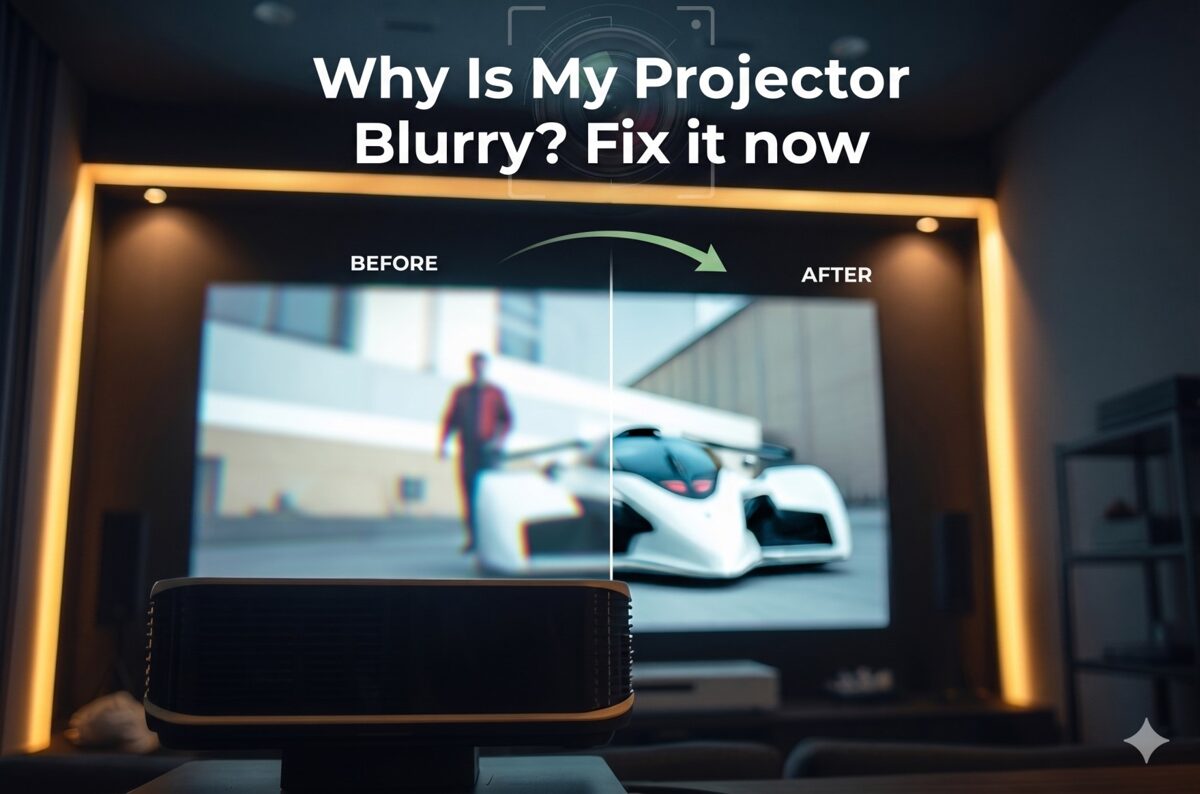
What Does "Blurry in Daylight" Really Mean?
Clarifying terminology prevents misdiagnosis and inappropriate solutions.
Optical Blur vs. Contrast-Induced Fuzziness
True optical blur:
Physical defocus of the lens system
Uniform across all lighting conditions
Affects image equally in darkness and daylight
Correctable through focus adjustment
Caused by: Incorrect focus, wrong throw distance, lens contamination
Appears as: Soft edges, loss of fine detail, visible regardless of brightness
Contrast-induced fuzziness (daylight "blur"):
Perceptual effect from reduced contrast
Only occurs in bright environments
Image sharp in darkness, appears "blurry" in light
Not correctable by focus adjustment
Caused by: Insufficient brightness, ambient light washout
Appears as: Washed-out image, indistinct edges, loss of depth
The critical distinction: If your projector produces a perfectly sharp image at night but appears "blurry" during the day, you're experiencing contrast degradation, not optical problems. Adjusting focus will not resolve this issue—brightness and ambient light control are required.
How Human Vision Perceives Sharpness
Visual perception of sharpness depends primarily on luminance contrast at edges, not absolute detail.
Perceptual sharpness factors:
Edge contrast (most important):
Human vision detects sharpness through brightness differences at transitions
High contrast (white on black): Appears very sharp even at moderate resolution
Low contrast (gray on gray): Appears fuzzy even at high resolution
Threshold: <20% contrast difference appears fuzzy regardless of resolution
Spatial frequency response:
Fine details require high contrast to be visible
Coarse details visible even with lower contrast
Ambient light preferentially degrades high spatial frequencies
Result: Loss of perceived detail and "blur" appearance
Adaptive perception:
Eyes adapt to ambient brightness (pupil dilation)
Bright environments: Pupils contract, reducing sensitivity to subtle contrast
Dark environments: Pupils dilate, increasing contrast sensitivity
Daylight viewing physiologically less sensitive to projection contrast
Technical measurement: Contrast ratio predicts perceived sharpness better than resolution specifications. A 2000:1 contrast 1080p image appears sharper than a 200:1 contrast 4K image in practical viewing.
Measuring Contrast Ratio in Real Environments
Contrast ratio dramatically differs between manufacturer specifications (dark room) and real-world conditions (ambient light).
Contrast ratio formula: Contrast Ratio = Peak White Brightness ÷ Black Level Brightness
Example calculations:
Dark room (ideal conditions):
Peak white: 300 nits (projector output)
Black level: 0.03 nits (projector native)
Contrast ratio: 10,000:1 (manufacturer spec)
Result: Excellent perceived sharpness
Room with ambient light (50 lux):
Peak white: 300 nits (projector) + 15 nits (ambient reflection) = 315 nits
Black level: 0.03 nits (projector) + 15 nits (ambient reflection) = 15.03 nits
Contrast ratio: 21:1 (catastrophic degradation)
Result: Severe perceived blur/fuzziness
Bright daylight (500 lux):
Peak white: 300 nits + 150 nits (ambient) = 450 nits
Black level: 0.03 nits + 150 nits (ambient) = 150.03 nits
Contrast ratio: 3:1 (essentially unwatchable)
Result: Image barely visible, extreme blur appearance
Key insight: Ambient light adds constant brightness to both peak whites and blacks, but disproportionately affects blacks, destroying contrast ratio.
Why Ambient Light Makes Projectors Look Blurry
Understanding the mechanism enables appropriate solutions.
The Physics of Ambient Light Washout
Light behavior on projection screens determines image quality in bright environments.
Projection in darkness:
Projector emits light toward screen
Screen reflects light toward viewers
Black areas receive minimal projector light
White areas receive maximum projector light
High contrast between black and white areas
Projection with ambient light:
Projector emits light toward screen
Ambient light sources (windows, ceiling lights) also illuminate screen
Screen reflects both projector and ambient light
Black areas now receive significant ambient light (appear gray)
White areas receive projector + ambient light (slightly brighter)
Low contrast between now-gray blacks and moderately bright whites
Ambient light sources:
Direct sunlight through windows (10,000-100,000+ lux)
Indirect daylight from north-facing windows (1,000-5,000 lux)
Overhead LED/fluorescent lighting (300-500 lux)
Task lighting and lamps (100-300 lux)
Light-colored walls reflecting light onto screen (50-200 lux)
Electronic displays (TVs, monitors, phones) in room (10-50 lux)
Critical understanding: Even moderate ambient light (300 lux) completely overwhelms typical projector black levels, transforming a 10,000:1 contrast ratio into 50:1 or worse.
Why Contrast Ratio Matters More Than Resolution
Resolution provides pixel detail; contrast ratio makes it visible.
Contrast ratio impact on perceived quality:
Contrast Ratio | Image Appearance | Perceived Sharpness | Suitable Use Cases |
10,000:1+ | Excellent blacks, vivid colors | Very sharp, all detail visible | Dark room cinema, professional |
3,000:1 | Good blacks, saturated colors | Sharp, most detail clear | Dim lighting, controlled ambient |
1,000:1 | Acceptable blacks, decent colors | Adequate sharpness | Moderate ambient light |
500:1 | Gray blacks, washed colors | Reduced sharpness | Bright ambient light (marginal) |
200:1 | Very gray blacks, pale colors | Poor sharpness, fuzzy appearance | Heavy ambient (barely usable) |
<100:1 | No black level, ghost-like | Extremely fuzzy, barely readable | Daylight (essentially unusable) |
Resolution comparison (same contrast): |
4K at 1000:1: Appears sharper than 8K at 200:1
Detail visibility requires minimum 500:1 contrast
Text readability requires minimum 200:1 contrast
Any visible image requires minimum 50:1 contrast
Professional standard: AV integrators specify minimum 500:1 on-screen contrast ratio for acceptable presentation quality in commercial environments.
Light Color Temperature and Perceived Clarity
Color temperature of ambient light affects color accuracy and perceived sharpness.
Ambient light color impacts:
Warm light (2700-3000K - incandescent, warm LED):
Orange/yellow cast on screen
Reduces blue visibility
Color shifting creates apparent softness
Less problematic than cool light (less luminance per watt)
Neutral/Cool white (4000-5000K - office lighting):
Balanced spectrum washing out all colors equally
Higher luminance per watt (worse for contrast)
Neutral color cast
Most common commercial lighting
Daylight (5500-6500K - windows):
Highest luminance (intensity)
Blue-rich spectrum
Completely overwhelms projector output
Worst-case scenario for projection
Color temperature mismatch between projector (typically 6500K) and ambient light creates color accuracy problems that compound the contrast-induced fuzziness, making images appear even less sharp.
Brightness Requirements for Daylight Projection
Projector brightness (measured in ANSI lumens) must overwhelm ambient light for acceptable quality.
Understanding Lumens and Their Limits
Lumen specifications require context for real-world performance.
ANSI lumens definition: The standardized measurement of projector light output under controlled conditions, averaged across multiple screen positions.
Real-world lumen considerations:
Brightness degradation factors:
Lamp aging: 20-30% brightness loss by 2,000 hours (lamp-based)
Eco mode: 20-40% reduction for quieter operation/longer life
Color accuracy mode: 15-30% reduction (cinema/movie modes)
Dust accumulation: 5-10% loss per 1,000 hours without cleaning
Screen efficiency: 0.8-2.5× multiplier based on screen gain
Effective lumens formula: Effective Lumens = Rated Lumens × 0.7 (aging) × 0.8 (mode) × 0.9 (dust) × Screen Gain
Example:
5,000 lumen projector after 1,000 hours, cinema mode, normal dust, 1.3 gain screen
Effective: 5,000 × 0.85 × 0.8 × 0.95 × 1.3 = 4,216 effective lumens
Laser projector advantage (June 2026 standard): 20,000+ hour lifespan with minimal degradation (5-10% over lifetime), maintaining brightness consistency.
Calculating Required Lumens for Daylight Use
Systematic calculation prevents under-specification and disappointing results.
Basic lumens requirement formula: Required Lumens = Screen Area (sq ft) × Ambient Light (foot-candles) × Screen Reflectivity Factor
Simplified formula for metric users: Required Lumens = Screen Width (m) × Screen Height (m) × Ambient Light (lux) × 0.15
Practical calculations by environment:
Conference room (moderate ambient, 300 lux):
100" diagonal 16:9 screen: 2.14m × 1.2m = 2.57 sq m
Required lumens: 2.57 × 300 × 0.15 = 116 lumens per sq m
Total required: 116 × 2.57 = ~3,000 lumens minimum
Classroom (bright fluorescent, 500 lux):
120" diagonal 16:9 screen: 2.57m × 1.44m = 3.7 sq m
Required lumens: 3.7 × 500 × 0.15 = 278 lumens per sq m
Total required: 278 × 3.7 = ~5,000 lumens minimum
Retail display (daylight windows, 1,000+ lux):
80" diagonal 16:9 screen: 1.71m × 0.96m = 1.64 sq m
Required lumens: 1.64 × 1,000 × 0.15 = 246 lumens per sq m
Total required: 246 × 1.64 = ~4,000 lumens minimum (smaller screen still needs high lumens)
Outdoor/daylight (5,000+ lux):
Professional projection requires 10,000-30,000 lumens
Typically needs multiple projectors or LED video wall instead
Rule of thumb (2026 professional standards):
Dark room (<50 lux): 20-30 lumens per square foot
Dim room (50-200 lux): 40-60 lumens per square foot
Office lighting (200-500 lux): 80-120 lumens per square foot
Bright commercial (500-1,000 lux): 150-250 lumens per square foot
Daylight (1,000+ lux): 300+ lumens per square foot (often impractical)
Screen Size vs. Brightness Trade-offs
Larger screens require proportionally more lumens to maintain image quality.
Brightness distribution:
Light spreads across screen area
Larger screen = same lumens distributed over more area
Result: Brightness per unit area (luminance) decreases
Screen size comparison (same projector, 3,000 lumens, 300 lux ambient):
Screen Size | Screen Area | Brightness/sq ft | Contrast Est. | Quality |
80" diag | 27 sq ft | 111 lumens/sq ft | ~400:1 | Good |
100" diag | 42 sq ft | 71 lumens/sq ft | ~250:1 | Acceptable |
120" diag | 61 sq ft | 49 lumens/sq ft | ~175:1 | Marginal |
150" diag | 95 sq ft | 32 lumens/sq ft | ~100:1 | Poor (fuzzy) |
Key insight: Doubling screen size requires quadrupling lumens to maintain same brightness. 80" to 160" (2× linear) requires 4× lumens (3,000 to 12,000 lumens). |
Professional recommendation: For daylight presentation rooms, specify smaller screens (80-100") with higher-lumen projectors (4,000-6,000 lumens) rather than large screens (120-150") with insufficient brightness.
Ambient Light Rejecting (ALR) Technology Explained
ALR screens provide the most cost-effective solution for daylight projection improvement.
How ALR Screens Work
ALR technology selectively reflects projected light while rejecting ambient light.
ALR screen types (June 2026):
Angular rejection (geometric):
Micro-structured surface with directional properties
Reflects light arriving from projector angle (typically ceiling mount)
Absorbs/redirects light arriving from other angles (ceiling lights, windows)
Examples: Screen Innovations Black Diamond, Elite Screens Aeon CLR
Lenticular design:
Fine vertical ridges on screen surface
Directs projector light toward viewing area
Rejects ambient light from above/below
Best for: Ultra-short-throw projectors, ceiling-mounted standard throw
Multi-layer optical:
Multiple layers with different optical properties
Filters specific angles and wavelengths
Most effective but expensive ($$$)
Examples: Stewart Filmscreen BalanceMAX, dnp Supernova
Wavelength-selective (rare, specialized):
Rejects specific wavelengths (fluorescent light spectra)
Passes laser or lamp spectra from projector
Limited applicability (requires spectrum matching)
Performance metrics:
ALR Type | Ambient Rejection | Gain | Viewing Angle | Cost Multiplier |
Standard white | None (1.0×) | 1.0 | 160° | 1× (baseline) |
Gray screen | 1.5-2× | 0.8-0.9 | 160° | 1.5× |
Basic ALR | 3-5× | 0.8-1.3 | 120-140° | 3-4× |
Premium ALR | 5-10× | 1.0-1.5 | 100-130° | 5-8× |
Real-world contrast improvement: Premium ALR screen can improve effective contrast from 50:1 to 300:1 in bright environments—the difference between "barely usable" and "acceptable presentation quality." |
ALR Screen Limitations and Trade-offs
ALR technology isn't a magic solution—understand limitations for realistic expectations.
Viewing angle reduction:
Optimal viewing within ±30-45° of center
Off-axis viewing shows brightness loss, color shift
Not suitable for wide rooms with broad seating
Best for: Narrow conference rooms, dedicated theater seats
Hot-spotting:
Brighter center area where projector angle optimal
Darker edges/corners from non-optimal angles
More pronounced with higher gain ALR screens
Requires careful projector positioning
Visible texture/structure:
Micro-structures visible at close distances
Recommended viewing distance: 1.5-2× screen width minimum
Fine detail may appear slightly softened
Trade-off: Ambient rejection vs. micro-texture visibility
Cost considerations (June 2026 typical pricing):
100" standard white screen: $300-800
100" basic ALR screen: $1,200-2,500
100" premium ALR screen: $2,500-6,000
Installation complexity: ALR screens more sensitive to positioning
When ALR makes sense:
Moderate to bright ambient light (300-1,000 lux)
Light control not feasible (architectural constraints)
Budget available for screen investment
Viewing geometry compatible (not too wide)
When ALR isn't sufficient:
Extreme daylight (direct sunlight, >2,000 lux)
Budget constraints (ALR costs more than brighter projector sometimes)
Very large screens (ALR can't overcome physics of insufficient lumens)
Architectural Light Control Solutions
Environmental modification often delivers better results than equipment upgrades.
Window Treatment Options
Controlling daylight provides maximum contrast improvement per dollar invested.
Window treatment effectiveness:
Blackout shades/curtains:
Light blocking: 99-100% (best option)
Cost: $100-500 per window
Operation: Manual or motorized
Aesthetics: Room-darkening (dedicated theaters)
Control: Complete when closed
Light-filtering shades:
Light blocking: 70-90%
Cost: $75-300 per window
Operation: Manual standard, motorized optional
Aesthetics: Maintains some ambient light
Control: Good for most presentation needs
Vertical blinds:
Light blocking: 60-80% (when closed/angled)
Cost: $50-200 per window
Operation: Manual typical
Aesthetics: Commercial appearance
Control: Moderate, some light leakage
Tinted window film:
Light blocking: 50-70%
Cost: $5-15 per sq ft installed
Operation: Permanent (no operation)
Aesthetics: Darker appearance always
Control: Constant reduction, not variable
Motorized shade benefits:
Integration with control systems (Crestron, Control4)
Automated operation (close when projector turns on)
Scene programming (presentation mode = close shades)
Cost premium: +$200-800 per shade for motorization
ROI: Justified in professional installations with frequent use
Implementation strategy:
Identify primary light sources (south/west windows worst)
Prioritize treatment of highest-impact windows first
Specify motorized for frequently adjusted windows
Manual acceptable for occasionally used rooms
Budget 15-25% of projector cost for window treatments in daylight rooms
Strategic Lighting Design
Artificial lighting design minimizes projector interference while maintaining room functionality.
Lighting zone control:
Separate circuits/zones:
Divide room into functional zones
Screen wall zone: Switched independently, turned off during projection
Seating area zone: Dimmable for note-taking during presentations
Entry/back zone: Pathway lighting, minimal impact on screen
Cost: $500-2,000 depending on electrical complexity
Dimming systems:
0-10V dimming: Commercial standard, smooth control
DALI: Advanced commercial, individual fixture addressing
Lutron/smart systems: Residential and commercial, scene programming
Integration: Tie to projector on/off (auto-dim when projecting)
Cost: $1,000-5,000 for typical conference room
Lighting fixture selection:
Avoid for projection rooms:
Recessed downlights aimed toward screen
Fluorescent troffer lights (high light output)
White/light-colored ceiling near screen (reflects onto screen)
Unshielded fixtures (light in all directions)
Prefer for projection rooms:
Indirect/uplight fixtures (light directed to ceiling, not screen)
Wall washers aimed away from screen wall
Task lighting at tables (focused downward)
Directional spots aimed away from screen
Low-output ambient during presentations
Wall color strategy:
Paint screen wall dark gray or black (absorbs stray light)
Ceiling near screen: Dark color (reduces light bounce)
Side walls: Neutral gray (better than white)
Back wall: Can remain lighter (minimal impact)
Presentation Scheduling and Usage Patterns
Operational adjustments can avoid daylight problems without equipment changes.
Time-of-day scheduling:
Schedule presentations for morning (east windows) or afternoon (west windows)
Avoid peak sunlight (10 AM - 2 PM for south-facing rooms)
Evening use ideal (natural darkness)
Cloudy days significantly better than sunny (50-70% light reduction)
Seasonal considerations:
Winter: Lower sun angle, more direct window light (worse for projection)
Summer: Higher sun angle, less direct penetration (better)
Fall/Spring: Variable, adjust as needed
Usage pattern optimization:
Critical presentations: Schedule during optimal times (early morning, late afternoon, evening)
Internal meetings: Accept reduced quality during mid-day if necessary
Training sessions: Multi-hour sessions can wait for evening start
Recorded content: Pre-record during optimal conditions, playback anytime
Technology Solutions for Daylight Projection
Equipment selection and configuration address brightness and contrast challenges.
High-Brightness Projector Selection (2026 Standards)
Projector technology has evolved significantly—understand current capabilities.
Projector categories by brightness (June 2026):
Consumer/home theater (1,000-3,000 lumens):
Target use: Dark dedicated theaters
Daylight capability: None
Cost: $800-3,000
Technology: Lamp or entry-level laser
Corporate/education (3,000-6,000 lumens):
Target use: Conference rooms, classrooms with light control
Daylight capability: Moderate ambient acceptable
Cost: $1,500-5,000
Technology: Lamp or mid-range laser
High-brightness installation (6,000-12,000 lumens):
Target use: Large venues, bright environments
Daylight capability: Good with ALR screen
Cost: $4,000-15,000
Technology: Laser phosphor or lamp
Professional venue (12,000+ lumens):
Target use: Auditoriums, stadiums, outdoor
Daylight capability: Excellent with proper screen
Cost: $15,000-150,000+
Technology: Laser RGB, xenon, LED
Laser projector advantages (2026 standard):
20,000-30,000 hour lifespan (vs. 2,000-5,000 for lamps)
Instant on/off (no warm-up/cool-down)
Consistent brightness (5-10% degradation over life vs. 30-50% for lamps)
Better color gamut (especially laser RGB)
Lower maintenance (no lamp replacement)
Cost premium: 30-50% more initially, ROI in 3-5 years
Brightness recommendations by application:
Application | Screen Size | Ambient Light | Minimum Lumens | Recommended |
Conference room | 80-100" | 300-500 lux | 3,500 | 4,500-6,000 |
Classroom | 100-120" | 400-600 lux | 5,000 | 6,000-8,000 |
Auditorium | 150-200" | 200-400 lux | 8,000 | 10,000-15,000 |
Retail display | 60-80" | 500-1,000 lux | 4,000 | 5,000-7,000 |
Trade show | 80-120" | 800-1,500 lux | 7,000 | 10,000-15,000 |
AI-Enhanced Brightness Management (2026 Technology)
Artificial intelligence in modern projectors automatically optimizes for ambient conditions.
AI adaptive brightness features:
Ambient light sensing:
Built-in light sensors measure room brightness continuously
Automatic adjustment of brightness output to match conditions
Dynamic iris control (if equipped) for contrast enhancement
Color gamut adjustment to maintain saturation in bright environments
Content-aware optimization:
Scene analysis determines content type (presentation, video, photos)
Brightness mapping optimizes per scene (brighter for graphics, natural for video)
Automatic HDR tone mapping (though largely ineffective in daylight)
Motion detection adjusts processing for sports vs. cinema
Smart mode selection:
AI picture modes automatically select optimal settings
Learning algorithms adapt to user preferences over time
Environmental profiles save settings per location/time-of-day
AI features in premium 2026 projectors:
Sony VPL series: "Ambient Adaptive" mode with predictive optimization
Epson Pro series: "Content Recognition AI" with scene-specific adjustment
JVC DLA series: "Theater Optimizer AI" with multi-sensor room analysis
Barco: "Pulse" processing with real-time ambient compensation
Effectiveness in daylight:
AI helps maximize available contrast given constraints
Cannot overcome fundamental physics of insufficient lumens
Best use: Fine-tuning already-adequate brightness systems
Not a substitute for sufficient lumens or light control
Multiple Projector and Projection Stacking
Combining projectors multiplies available brightness for extreme daylight applications.
Projection stacking (dual-projector overlay):
Two identical projectors project same image onto same screen area
Brightness additive: 5,000 + 5,000 = 10,000 lumens
Contrast improved: Black levels stay same, whites double
Alignment critical: Pixel-perfect registration required
Implementation requirements:
Identical projector models (same lens, same image processor)
Frame synchronization (genlock capability)
Precision mounting and alignment
Specialized processors for edge blending and color matching
Cost: 2× projector cost + processing equipment + installation
When stacking makes sense:
Extreme brightness needs (outdoor, bright retail, trade shows)
Large screens (200"+) in uncontrolled environments
Budget available ($20,000+ typical investment)
Professional installation with specialized expertise
Alternatives to stacking:
Single higher-brightness projector often more cost-effective
LED video wall if budget >$50,000 (better daylight performance)
Smaller screen with adequate single-projector brightness
Practical Solutions for Daylight Projection
Actionable strategies for improving daylight projection in existing installations.
Quick Improvements Without Equipment Changes
Immediate actions to improve daylight clarity with existing equipment.
Optimize projector settings:
Switch to brightest mode:
Select Dynamic, Bright, or Presentation picture mode
Disable Eco mode (increases brightness 20-40%)
Maximize brightness and contrast sliders
Accept reduced color accuracy for increased visibility
Disable unnecessary processing:
Turn off noise reduction (reduces light output)
Disable motion interpolation (processing overhead)
Turn off HDR for bright environments (SDR brighter)
Optimize lamp usage (lamp-based projectors):
Verify lamp hours (replace if >75% of rated life)
Clean air filters (improves cooling, allows higher brightness)
Reset lamp timer if lamp recently replaced
Environmental adjustments:
Close all window treatments completely
Turn off unnecessary lights (especially near screen)
Remove reflective objects from room (whiteboards, glass tables)
Darken screen wall with temporary coverings if possible
Schedule presentations for lower ambient light times
Screen positioning:
Raise screen higher on wall (away from window light sources)
Angle screen slightly downward (if possible) to reject ceiling light
Add side masking with black fabric/panels to increase perceived contrast
Medium-Term Upgrades (Months to Implement)
Significant improvements requiring budget allocation but not full system replacement.
Screen upgrade to ALR ($1,000-4,000):
Research ALR options compatible with projector mounting (UST vs. standard throw)
Verify viewing geometry (ALR works best with narrow viewing angles)
Budget 3-6× standard screen cost
Schedule installation during facility downtime
Expected improvement: 3-5× effective contrast in bright environments
Motorized window treatment ($500-2,000 per window):
Specify blackout or high-percentage light filtering
Integrate with control system (auto-close with projector on)
Focus on highest-impact windows (south/west facing)
Include override for manual operation when needed
Lighting zone upgrade ($1,000-5,000):
Add dimming circuits for lights near screen
Separate screen area lights on independent switch
Install occupancy sensors to turn off lights when room empty
Integrate with presentation system for one-touch operation
Smaller screen consideration (cost-effective):
80" screen appears much brighter than 120" screen (same projector)
Image quality may be acceptable at smaller size with existing lumens
Viewing distance may need adjustment (closer seating)
Cost: Screen replacement only ($300-800)
Long-Term Solutions (Major Investment)
Comprehensive solutions for permanent daylight projection capability.
High-brightness projector upgrade ($4,000-15,000):
6,000-12,000 lumen laser projector
Factor ongoing costs: Laser = low, lamp = ongoing replacement
Calculate ROI: Laser premium pays back in 3-5 years
Specify for room: Use calculator to determine required lumens
Professional installation: Critical for alignment and optimization
Architectural modifications ($5,000-30,000+):
Window replacement with tinted/UV-blocking glass
Interior shades built into window wells
Ceiling treatment (dark acoustic tiles near screen)
Wall color changes (dark screen wall)
Lighting system overhaul with zoning and control integration
Alternative display technology:
LED video wall (direct-view LED): $30,000-200,000+
Best daylight performance (emissive, not reflective)
No projector limitations (brightness, throw distance, focus)
Higher upfront cost, lower operating cost
Better for bright environments (>1,000 lux consistently)
Large-format LCD (98-110"): $8,000-25,000
Good brightness (500-700 nits typical)
Acceptable daylight performance for smaller spaces
Size-limited (110" maximum typically)
More affordable than LED wall
Decision matrix (when to choose each):
Stick with projection if:
Ambient light <500 lux with control options
Budget $5,000-15,000 available
Screen size >100" required
Installation complexity acceptable
Consider LED video wall if:
Ambient light >1,000 lux unavoidable
Budget >$50,000 available
Maximum brightness and daylight performance critical
Professional venue or permanent installation
Consider large LCD if:
Screen size <110" acceptable
Moderate brightness environment
Budget $10,000-25,000
Simpler installation preferred
Common Mistakes to Avoid
Preventing misdiagnosis and ineffective solutions saves time and money.
Trying to "Fix" Contrast Problems with Focus
The mistake: Repeatedly adjusting focus trying to sharpen daylight-washed image.
Why it fails: Focus addresses optical blur, not contrast degradation. No amount of focus adjustment will restore contrast lost to ambient light washout.
Correct diagnosis:
Test same content in darkness vs. daylight
If sharp in darkness: Brightness/contrast problem, not focus
If blurry in both: Focus problem, adjust accordingly
Assuming Higher Resolution Solves Daylight Blur
The mistake: Upgrading from 1080p to 4K expecting daylight performance improvement.
Why it fails: Resolution adds detail; brightness and contrast make it visible. A 4K projector at 200:1 contrast (daylight) looks worse than 1080p at 1000:1 (darkness).
Correct approach: Prioritize lumens and contrast over resolution for daylight applications. 4K is worthwhile only after brightness/contrast adequate.
Neglecting Screen Reflective Properties
The mistake: Focusing solely on projector brightness while using inappropriate screen.
Why it fails: Low-gain screens (0.8-1.0) reduce effective brightness. High-gain non-ALR creates hot-spotting without rejecting ambient.
Correct approach: Match screen to application:
Moderate ambient: Gray screen (0.9 gain) or basic ALR
Bright ambient: Premium ALR with 1.3+ gain and rejection
Dark room: Standard white (1.0 gain) for maximum color accuracy
Over-relying on Picture Settings Adjustments
The mistake: Spending hours tweaking brightness, contrast, sharpness settings trying to overcome insufficient lumens.
Why it fails: Picture settings can only redistribute existing light, not create more. Maxed-out settings create clipped whites and crushed blacks without solving fundamental brightness deficit.
Correct approach: Verify adequate lumens first using calculations. Settings optimization provides 5-10% improvement at most, not 500% needed for serious ambient light.
Frequently Asked Questions
Why does my projector look fine at night but blurry during the day?
Ambient light raises black levels, destroying contrast ratio from 5,000:1+ (night) to <200:1 (day). Your eyes perceive this contrast loss as blur even though optical focus is identical. The projector isn't actually blurry—it's contrast-deficient in daylight. Solutions: increase lumens, use ALR screen, or improve light control.
How many lumens do I need for a bright conference room?
Minimum 3,500 lumens for 100" screen in 300-500 lux ambient (typical overhead lighting). Recommended 5,000-6,000 lumens for comfort margin and future degradation. Use formula: Screen Area (sq meters) × Ambient Light (lux) × 0.15 = Required Lumens. Smaller screens need fewer lumens; larger screens need proportionally more.
Will an ALR screen eliminate the need for a brighter projector?
No. ALR screens improve effective contrast 3-10× but cannot create light. With insufficient base lumens, even ALR cannot produce acceptable image. ALR is multiplicative enhancement, not additive. Specify adequate lumens first, then add ALR for additional 3-5× improvement. Best results: 4,000+ lumen projector with premium ALR screen.
Is it better to get a brighter projector or an ALR screen?
Depends on ambient light level. Moderate ambient (300-500 lux): ALR screen delivers better value (3-4× contrast improvement for $1,000-2,500). Bright ambient (500-1,000+ lux): Need both—brighter projector (6,000+ lumens) plus ALR screen. Very bright (>1,000 lux): Consider alternatives (LED video wall) as even combined solution marginal.
Can I use HDR with daylight projection?
No, not effectively. HDR requires deep blacks and high peak brightness simultaneously. Daylight raises black levels to gray, eliminating HDR benefit. HDR in daylight produces dark, muddy image worse than SDR. Disable HDR for bright environments—SDR delivers better perceived quality when contrast ratio <500:1.
Why doesn't my 4K projector look sharper than my old 1080p in daylight?
Insufficient contrast prevents visibility of 4K detail. Contrast ratio determines perceived sharpness more than resolution. Your 4K projector (3,000 lumens) at 200:1 daylight contrast looks worse than 1080p (5,000 lumens) at 400:1 contrast. Solution: Increase brightness or reduce ambient light—then 4K advantage becomes visible.
Should I just buy the brightest projector available?
Not necessarily. Very high brightness (>10,000 lumens) projectors are expensive ($10,000-30,000+), generate more heat, create more noise, and may have reduced contrast in dark scenes. Specify appropriate brightness for your specific ambient conditions using calculations. Over-spec by 20-30% for headroom, not 200%. Often 6,000 lumen projector with ALR screen outperforms 10,000 lumen projector with standard screen.
Conclusion
Daylight projection blur is fundamentally a contrast degradation problem, not an optical focus issue, requiring brightness-based solutions rather than lens adjustments. Understanding that "projector picture problems" in bright environments stem from ambient light raising black levels and destroying contrast ratio enables AV professionals to specify appropriate equipment and environmental controls. The question "why is my projector blurry" during daylight has a clear answer: insufficient brightness relative to ambient light creates perceived fuzziness through contrast loss, even when the projector is perfectly focused.
The systematic approach detailed in this guide—calculating required lumens based on screen size and ambient light levels, implementing architectural light control, specifying ALR screens for moderate-to-bright environments, selecting appropriate projector brightness (typically 4,000-8,000 lumens for commercial spaces), and setting realistic expectations about daylight projection limits—enables practitioners to deliver functional projection systems in challenging lighting conditions that would otherwise produce unusable images.
In June 2026, laser projector technology, AI adaptive brightness, and advanced ALR screens have made daylight projection more viable than ever, but fundamental physics still governs performance: ambient light must be overwhelmed or rejected for acceptable image quality. The cost-benefit analysis often favors architectural light control (motorized shades, lighting zones) as the most effective per-dollar investment, with equipment upgrades (higher lumens, ALR screens) providing multiplicative improvements when combined with environmental optimization.
For AV integrators, system designers, and consultants, the critical skill is matching technology to application requirements. A 3,000-lumen projector in a light-controlled dedicated theater delivers reference-quality images, while a 10,000-lumen installation in an uncontrolled retail space with direct sunlight still produces marginal results. Success in daylight projection requires comprehensive solutions: adequate projector brightness, effective ambient light management, appropriate screen technology, and most importantly, realistic client expectations about what projection can and cannot achieve in bright environments. When ambient light exceeds 1,500-2,000 lux consistently, alternative display technologies (LED video walls, large-format LCDs) often provide better total-cost-of-ownership and user satisfaction than attempting to make projection work in fundamentally unsuitable conditions.